Downloader For X – A Powerful Download Manager For Ubuntu Linux
If you are looking for some cool GUI based download manager for your Linux distribution, give Downloader for X a try. It is an download manager for Ubuntu that allows easy downloading of files by providingeye-candy functions. In order to achieve faster speed, this tool splits files into multiple segments(multi-thread), supports both HTTP and FTP protocols, and can also schedule the downloads.
 To install it, run the following command in the terminal.
sudo apt-get install d4x
Once the installation is complete, it can be launched from Applications > Internet > Downloader for X. New downloads may be started from File > New Downloads , the Download option on the menu bar lets you view the download logs, the Queue option on the menu bar is used to manage the download queues.
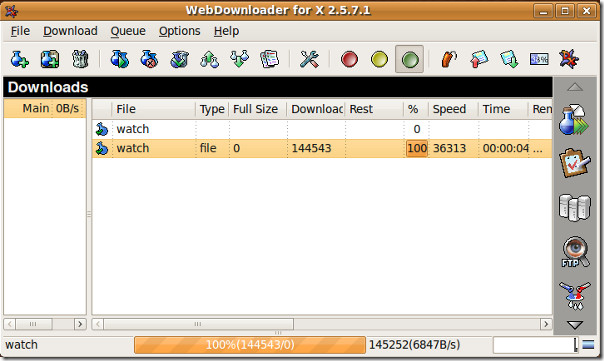
You may schedule the download process from Options > Scheduler and the download speed can be controlled from the Options > Speed option. The Options menu allows you to manage settings regarding URL-manager, general settings and buttons configuration.
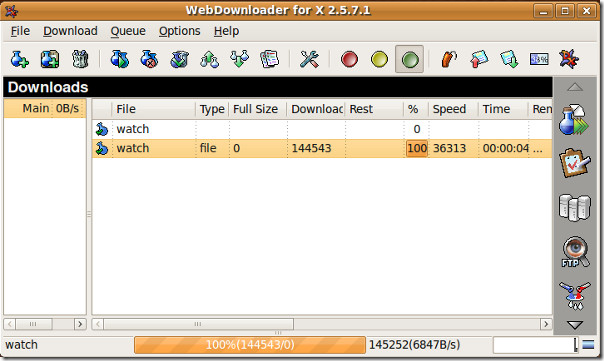
This is an extremely useful download manager specially for those who have a limited Internet connection and want to enjoy the maximum of it.

i cant use down-loader for x ,, it can not work,, help me pls
Where i can find d4x log/history ? so i can delete them all
it still seems that you can change the default download folder
Hi Aun,
It’s been about 6 months since I last used d4x and was wondering if you would you be able to confirm if these are still issues with the app?
* If you change the default download folder it doesn’t remember the change
* The slowest download speed is 100bytes/sec. This is acceptable but having no download action until my off-peak time would be better (note that I don’t want to close the app because I regularly add stuff to my download list ready for the off-peak period).
* Unable to get it to download an m4v file from a podcast. When I add the m4v file to the list d4x immediately flags it as complete but nothing’s been downloaded.
Thank you.