LockCrypt Information & Password Manager
LockCrypt is the only free information management tool out there that people will actually find it useful. Unlike other complicated password and information managers that takes forever to input, organize, and access information, LockCrypt believes in simplicity since it has the most straightforward and easy-to-use UI(user interface) I have ever seen in this category.
Combined with powerful features and high encryption, it is one of the must have tools out there for managing important information, contacts, and passwords.
Any information ranging from serial numbers and medicine prescription to driving license and membership cards can be entered for future reference. This can be useful in case you lose information or cannot memorize them due to information overload or laziness.
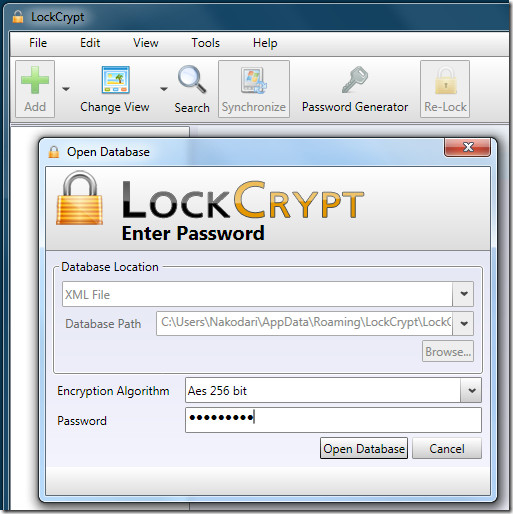
If you want to access the information from local computer then you should choose XML database, otherwise select MySQL to access the information from different location(i.e, home and work).
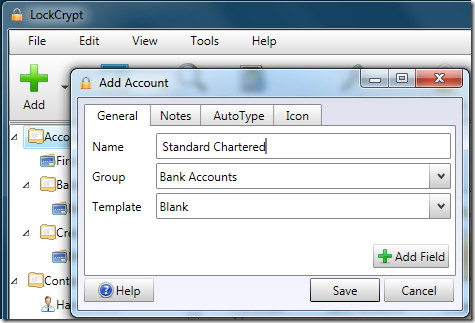
Adding a new account is as easy as eating a pie. Hit Add, give the account a name, choose the group in which you want to add, and select the template. You can also add extra notes and add an icon for better visibility. It is better to group your accounts for faster access, groups can be added by right-clicking the left sidebar and selecting Add Group option.
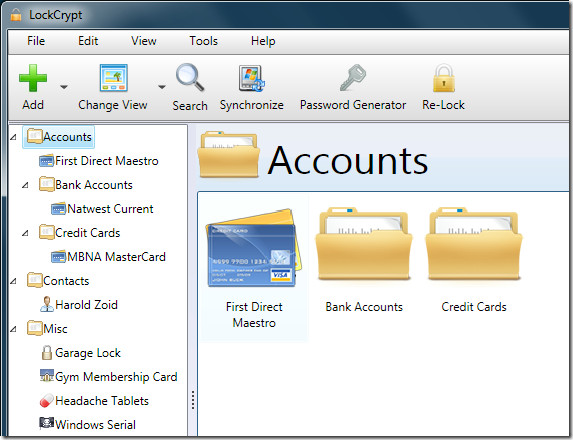
The app itself contains loads of functionalities, such as, build-in password manager, secure clipboard to protect password, synchronize information across different computers, ability export information to XML, CSV, HTML, TXT file, drag & drop interface, supports printing of output, and much more.
LockCrypt also has a mobile version developed for Windows Mobile and Mobile J2ME, sadly it lacks proper integration with but has left both iPhone and Android in the dark.
It required .NET Framework 3.5 SP1 and works on Windows XP, Windows Vista, and Windows 7. There is also a Java version of the app which is developed for Linux and Mac OS.
For more, have a look at our previously reviewed password managers, Password Provider and Secure Password Storage, both are basic apps only and no match for LockCrypt.

I would like to see a windows 7 version of Norton Password Manager. It’s a very effective and easy to use program and is self-training. I really miss it
Keepass is very easy to use, it’s free, there’s a firefox addon for it, and there’s an iphone and android app available for keepass synching as well. Of course it’s feature rich, but it’s not necessary to use the advanced functionality.
I’m going to try this out simply because the user interface is beautiful.
I'm not sure about anyone else, but when I ran this on my Windows 7 PC, I had to run it as an administrator. If I did not do this, then immediately after I opened the program, Windows 7 would show the dialog box stating the program is not functioning properly (or something to that extent).This is not a complaint as there are other applications that need to be ran as an admin. However, this is not listed on this page or the product page, so I was wondering if this was encountered by anyone else.
I did not have to run the app as administrator. Perhaps the problem is only occurring on your side.To solve your problem: Right-click the shortcut and select 'Always run as administrator'. This way you won't have to run the app as an administrator over and over again.
That's what I ended up doing. Thanks for the response.
No way I would ever run such a utility as an admin always. Hey guys, we are talking about security!
I would be interested if there were an Android version….
Interesting read, I would recommend it to some friends who need it since I don't use PW managers .
I am going to try this out on my home PC. This really looks like a great password manager. I like simple and elegant yet functional applications.