Block Unsafe Or Inappropriate Internet Content With A Click Using DNS Angel

Stolen passwords, credit card theft, phishing scams, malicious threats, pornography and viruses – does the list stop here? Indeed not. It’s 2013, the Internet has been around for over twenty years by now, and it has certainly become a more dangerous place since its inception. A lot of us put our privacy at stake by using a lot of online services (social networking sites, anyone?) and if your kids spend a lot of time on the Internet unmonitored, this can be create a lot of problems. While it does open endless possibilities of learning and exploring information for them, it also bring some risks of online child abuse, sexual harassment and exposure to profanity. Therefore, you need to make sure they don’t lurk around in the unprotected corners of the internet. DNS Angel is small Windows utility that enables you to block any unnecessary internet content with a single click. The application does this by changing the DNS servers to three of the safest DNS services available for use. Read More

Kurupira: Block Websites & Programs, Disable Internet And Track Usage

Are you worried that your kids are wasting their time on Facebook, Twitter or YouTube? They spend more time playing video games and less in School? With Kurupira Web Filter installed on your PC, you won’t need to be concerned any more. It is an application and website blocking tool that lets you easily blacklist certain URLs and your computer programs, so nobody can access them. In addition, you can control how much time your kids are allowed to spend on the internet via blocking it for a particular period of time in a day or on certain days. The application is quite handy to keep an eye on your children, so they don’t lurk around on various harmful websites, containing material about violence, pornography, profanity, online games and so on. This also prevents a number of viruses and worms from entering your PC, as such websites usually contain various malicious threats. In addition, you may also seize access to selected software on your PC, for say, applications containing your important projects, media players, games etc. Kurupira comprises straightforward usage and is quite easy to configure, too. Furthermore, it can track and show a complete history log, as well as graphical reports regarding application and domain usage. Read More

Freegate Lets You Access Blocked Websites At Optimal Speed

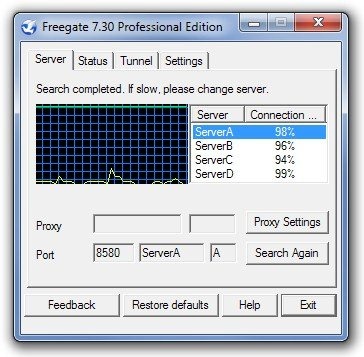
Internet censorship is becoming more serious an issue every day. On a lot of forums, you can read people discussing internet censorship bills, such as PIPA and SOPA, aimed at taking away the internet freedom of users by introducing censorship, as well as anti-privacy laws. Other than this, some websites are not offered in certain regions. Same is the case with some of the videos hosted on YouTube. Sometimes, when you click a YouTube video link, you are greeted with a message that the selected video is not available in your region. Today, we have a portable anti-censorship application called Freegate, which lets you access websites blocked in your region. While most VPN applications affect the browsing speed, Freegate provides as fast a connection to websites that are not available in your country as you'd get for local domains. Moreover, if anyone tries to access a website containing adult material, Freegate detects the adult material, denies the user’s request and does not allow passage. Keep reading to find out more about Freegate. Read More

Morphine: Website Blocker With A Unique Reward-Based System For Unblocking [Chrome]

When working on a PC, if someone sends you a link to a funny image or video, you get distracted from your work and everything else seems to start appearing a lot more interesting than the actual work itself. Websites like Facebook and YouTube can be a major distraction and have the potential for becoming a cause of missing important deadlines. So, what do you do to stop yourself from getting distracted while working? One option is to use website blockers that allow you to block selected websites for a certain period of time. However, if the user still has control of unblocking time-wasting websites, it is quite possible that once completely unblocked, a lot of time will be wasted before the user starts working again. Today, we have a web extension for Google Chrome called Morphine, which lets you block specific websites for an unlimited time, allowing you to access them for small periods only. Read on to find out about Morphine. Read More

WasteNoTime: Chrome Time Management Utility With Website Blocking & Usage Tracking

If you're looking for a Chrome extension that can assist you in managing the time that you spend while surfing the internet, look no further than WasteNoTime. It's designed to help you track the total time you spend on most frequently visited websites, like Facebook, YouTube, Twitter, Google +, etc. In addition, it also lets you restrict users from accessing the specified web sites. This feature may prove to be handy for those who want to prevent their children from accessing websites that contain explicit content. Read More

Blacklist Unwanted Sites On Your PC With NoVirusThanks Website Blocker

The internet, being a vast network community, also contains various harmful content that can easily manipulate our children’s minds. Pornography, violence, cybercrimes, viruses and whatnot, they all have adverse effects on kids. In order to be on the safe side, it’s better to block certain websites beforehand, so your kids can’t access them. NoVirusThanks Website Blocker is a simple tool that does this job by letting you blacklist any website that you want to block. In addition, you can also filter the traffic by adding certain keywords using its Wildcard feature, which in turn blocks any of the related content to specified blocked websites. Furthermore, you can block all inbound and outbound traffic, and choose to allow only desired websites by specifying their URLs in a Whitelist. More details after the jump. Read More

Care4Teen: Parental Control Tool That Automatically Creates Screencasts Upon Detection Of Inappropriate Content

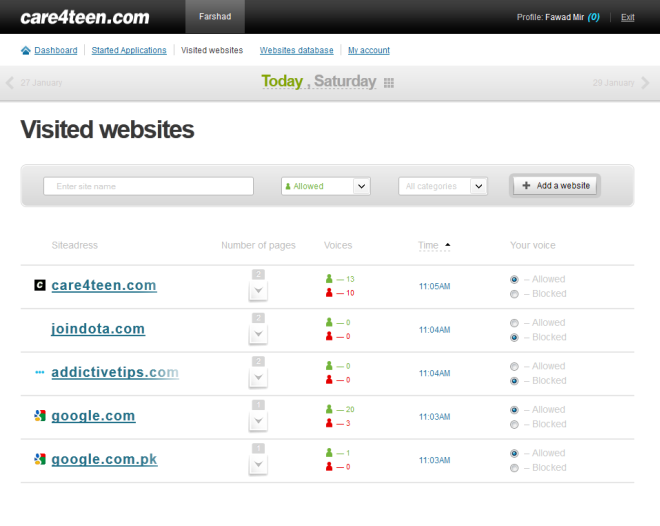
There has always been a debate on whether the internet does more bad than good for the young users. On one hand, the free availability of everything allows kids to research and study articles and news, but on the other, the number of inappropriate websites increasing day by day can really corrupt those young minds. Protecting their children from these websites as they browse through the internet is the responsibility of parents, but to protect them, first they have to know if their curious kids are accessing any inappropriate content or not. Parental control applications are a great way to keep tabs on your kids and restrict what they can access and view online. Care4Teen is an application for Windows that allows you to monitor, control and block the content viewed by your children, even remotely. Read More

SelfRestraint: Block Websites For Up To 24 Hours, View Countdown Timer

There is nothing worse than wasting your time during some important work. An interesting fact, its human nature that whenever we are doing something of great importance, something else continually tries to distract our mind, which can be a simple wish or something bothering us. Same holds true when your working on your computer. For instance, your boss has given you an important task but your mind is lurking on YouTube or 9gag. To combat such situation, FocalFilter is a website blocking application to avoid getting distracted with time wasting websites while working. When we reviewed it back in January, albeit it worked flawlessly, it had only a limited number of time presets to block websites. Today, we discovered an alternative solution simply labelled as SelfRestraint. It is an open source application developed by Parker Kuivila, which takes care of the problem by providing you with presets of 15 minute intervals for blocking websites, starting from 15 minutes, to up to 24 hours 45 minutes. Once you set the block, a countdown timer will be triggered and automatically pop up, allowing you to monitor how much time is left before the websites will be available again. More on the application after the jump. Read More

Create, Manage & Backup Windows Hosts File With Hosts File Generator

Some malware programs attempt to modify, remove or simple empty Windows hosts file. After gaining access to Windows hosts file, such malicious applications/scripts try to bypass those blocked websites which provide a gateway for other rootkit applications/scripts to gain and exploit root access of your system. For those who are not familiar with Windows hosts, it’s a small file in Windows system which can be used to block access to comprised websites and to give relatively quicker access to frequently visited websites and local domains; you can map as many IPs with their domain names as you want in hosts file. Hosts File Generator is an application written to automatically create hosts file when viruses and malwares have blocked your access to System32 folder or have deliberately removed or altered Windows hosts file. Read More

How To Block Unwanted Website In Ubuntu Linux

If your Ubuntu computer is used by some one else besides yourself, specially children, then you might want to restrict some websites and make sure they do not open on your system. Here is a quick way to block such sites in Ubuntu. It is extremely simple doesn't require any third party application, you just need to make a simple entry in the /etc/hosts file. Read More