KCleaner Is A CCleaner Alternative With Scheduling Options

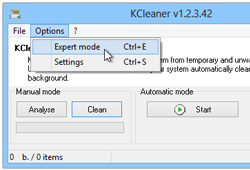
CCleaner is touted as one of the best (if not the best) system clean up tools around, though that doesn't make it the only good option available in this genre. Previously, we have reviewed some exceptionally great CCleaner alternatives like PriVazer and Clean Temporary Files, both of which left us fairly impressed thanks to their top-notch performance. If you’re looking for even more alternate solutions, KCleaner is another similar Windows application that’s worth giving a try. The app is quite effective when it comes to cleaning junk files, and has the potential to even give CCleaner a run for its money. The application is able to detect and clean temporary files such as cache items related to internet browsers, VSO, adware, windows log files, application installation leftovers, and many more. Read More

Win Toolbox Is A Unified Dashboard For Several Handy, Frequently Used Utilities

Win Toolbox is a multi-purpose Windows utility that acts as a Swiss Army Knife for launching and controlling system utilities as well as user-installed applications from a single place. It contains an umpteen number of features that might leave you fairly impressed. Although the program looks very simple from the UI, it provides useful tools like a screen capturer, color picker, fonts explorer, system shutdown timer and more. It’s fairly feature-rich with a truckload of settings and options, so lets take a closer look at the most salient ones after the jump. Read More

Free Up Space On Windows Phone 8 By Clearing Cache With Shrink Storage

No matter how good your smartphone is, storage space is bound to become an issue sooner or later. Windows Phone 8 is certainly an improvement over its older counterparts, but there are a few weird issues with it as well. With storage being such a valuable commodity in devices without SD card slots, WP8 annoys its users by inexplicably filling up the space over time. We are not talking about the apps and media that you voluntarily add to your device, or even the app data that gets accumulated due to your use; there is a section by the name of ‘Other’ in the storage details, and this part of memory contains junk files that can reach a considerable size with the passage of time. There is no built-in way of cleaning this useless cache manually, but Shrink Storage is an app that offers a clever way of getting around this problem, giving its users some extra storage space on their WP8 device in just a few steps. Read More

Schedule Windows System & Browser History Cleanup For Any Time & Date

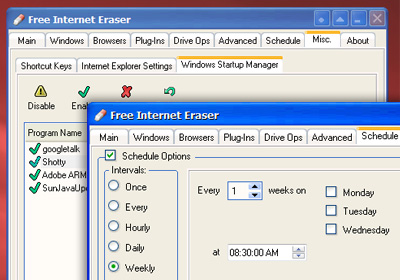
The history of whatever you do on your computer and in your browser is saved in different locations. Automatically created logs such as MRU (Most Recently Used) list, recently used documents and files, run commands, search history etc. all have their own storage location. While browsing, every page you visit, every word or phrase that search for, and any information that you fill in forms is stored and can be retrieved by anyone who knows how to access it. All this data is stored on your computer for your own convenience to provide you quick access to your recently accessed files and websites, help you with filling forms, keep your browsing sessions active so that you don't have to log in to web services each time, and speed up browsing by caching some web content. However, cleaning this data from time to time is advisable. Free Internet Eraser is an application for Windows that lets you protect your privacy by allowing you to delete such data. You can schedule the cleaning process to be performed at regular intervals, and set to restart or shutdown the PC once cleaning is done. Read More

How To Clear Cache In Windows 8 [Guide]

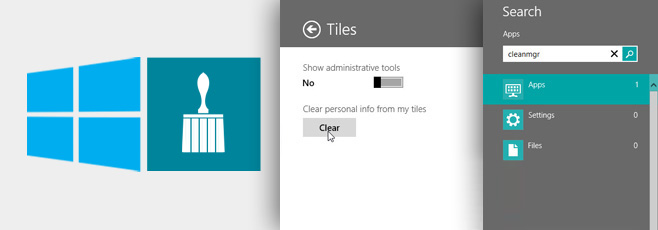
One of the things that help in speeding up your computer is clearing the cache. Although it isn’t everything it takes to get some speed, it still does wonders in some cases. Especially in Windows 8, where you have two different environments: the desktop and the Modern UI. You have to know how to clear the cache for both of them, and in what follows, we’re going to show you various tips for doing just that. Read More

MRU-Blaster: Clear Most Recently Used Lists From Your Windows PC

When you are using the internet, everything you are doing is getting recording. Every page you visit and every word or phrase you key in, is stored in the history lists and can be brought up again if you know how to access the information. The data is stored so that you don’t have to look for it again and again every time you need to access it. For instance, if you visit a particular URL, it will be saved in your browser history and you can visit the same page without typing in the complete address. In the same way, whatever you do on your computer is also being stored. For example, if you search for a file in Windows Explorer, or start an application using the Run dialog box, it is saved in Windows history and can be accessed using the drop down menu. Just like Windows Search and Run, a lot of other elements store information of previously performed actions. The problem is that it can clutter your registry, and someone can find out which files you have been working with or looking at. MRU-Blaster is an application for Windows that allows you to clean the most recently used lists stored on your computer. Read More

Privacy Agent: Remove All Browser Cookies, Cache & History Traces From Your PC

Often, when you visit a website, your web browser receives cookies in a temporary folder. Cookie is a small file that holds information about the tasks you perform on a website. It helps browsers remember things, which users have done in the past. Though, as cookies are sent back and forth between the browser and websites, it is possible for websites to surreptitiously track and save critical information about users. Since anyone with malicious intentions and the right set of tools can extract useful information from saved cookies, you should frequently clean the cookies saved by all installed browsers. Privacy Agent is a security application for Windows that allows you to delete all such private information (including tracking cookies) saved by your browser(s). The supported web browsers include Google Chrome, Mozilla Firefox, Safari and Internet Explorer. Additionally, the application has the ability to automatically scan all types of history that browsers save while you visit websites, such as Download Manager List, Form History, Sync Data (Chrome), Saved Passwords and more. Read past the jump for details. Read More

CacheClearer For WP7: Clear App Cache Files To Speed Up Performance [Homebrew]

Anyone who has been using a Windows Phone 7 device for a considerably long time, must surely have noticed that their phone becomes a bit laggy with the passage of time. This issue is not exclusive to the Mango platform; the same thing happens on Android, iOS and even desktop platforms. This is owing to the fact that the system’s cache starts building up as the app count on your device increases. By default, or even through third-party apps, there is no way of clearing your WP7’s app cache. That’s where the new Homebrew "CacheClearer" comes into the picture. Using this app, you can free up a lot of internal space (in the order of several Megabytes) on your device. Not only does it let you analyze the cache usage of each app individually, you can use it to get rid of the device’s lag by cleaning up everything in a safe and convenient way. Read More

Securely Erase All Traces Of Online & Local System Activity With Wipe

Many temporary files containing data of your online activity can end up compromising your privacy. This includes anything from tracking cookies to application data that contains information regarding your system activity. Such vulnerabilities can easily be exploited by hackers and malware to steal your passwords and other sensitive information. Wipe is an easy to use trace eraser for quickly wiping out tracks of your online activity. The data deletion process not just deletes, but shreds, all sensitive data, making it unrecoverable for malicious agents. Read More

Location Cache For Android Lets You Monitor, Clear & Block Location Data Collection

The controversy involving the iPhone and anonymous location-data collection has now expanded to the Android and Windows Phone 7 platforms, too. While the iOS and WP7 dev communities are yet to join the fight for user privacy, Android developers are already on the move. Developed by XDA member mopodo, Location Cache is a free tool for rooted Android devices that not only allows you to view and wipe all cached cell-tower and WiFi hotspot locations, but lets you block location caching altogether and unlike the alternative method that involves disabling location collection through wireless networks (Settings > My Location > Use Wireless Networks), the app does so without slowing down location fetching. Join us after the jump for more. Read More

SD Maid For Android Keeps Your SD Card & Internal Memory Junk-Free

Just like in any operating system, certain Android apps tend to forget to clean up after themselves when they’re uninstalled. Which is why, after testing and uninstalling apps for a while, many Android users find their SD cards cluttered with app residues. Thankfully, Android users have plenty of junk cleaners at their disposal, which help you get rid of any app leftovers with minimal fuss. While certain solutions are quite comprehensive in their respect, others focus on minimalism. SD Maid is a free, handy system cleaner tool for rooted Android devices that not only helps you get rid of said residues (fittingly termed “corpses” in the app’s UI) but also keeps your internal memory squeaky clean. The freeware allows you to scan for and clean discarded or unwanted files/residues on your SD card as well as temporary files, cache files, logs and more from the system. Read More

Browser Cleaner Is A Comprehensive System Trace Eraser

Many trace erasing software are merely limited to clearing browser related data and do not remove confidential content traces from application directories. For example, lets say you are a developer who works on flash related software and have developed a project for a client. Assuming that the project was of confidential nature, you might be willing to remove all traces of the project (after completion) from your computer. However, many trace erasing software do not allow clearing temporary files from specific software directories. Of course it is nether easy nor logical to find and remove temporary content from hundreds of Windows folders. Browser Cleaner is a portable trace erasing utility that is designed to securely delete all traces of your online and offline activity by removing several unnecessary files. Other than protecting your privacy and getting rid of temporary files with confidential data, it can also help in removing system clutter. This portable tool deletes history of visited websites, clears browser temporary files and eliminates records of your Internet activity from all famous web browsers and offline files for selected applications. Read More

Cool Cleaner For Android Makes Clearing History And App Cache Easier

Cool cleaner is a free Android app that brings all major application cache files and history data under one hood and allows you to do away with them with a couple of taps. Quite a handy application to have if you want to regularly clear cache that certain applications might be accumulating, or to be able to clear browser, call and search history of certain Google apps without having to do it separately for each of the mentioned applications. Read More

Firefox: Refresh Web Page Directly From Server Without Clearing Cache

Have you ever tried refreshing you webpage in Firefox and you experienced it displayed the cached version instead of downloading the page from the server? Mozilla Firefox is the most loved browser in the world and its not just the hatred towards Microsoft rather its the support of thousands of little add-ons and tweaks that make it the most customizable and secure browser. To further customize the way your browser behaves you can tweak Firefox to refresh the web page without clearing cache.

Read More