HTC DROID DNA Toolkit: Root, Install Drivers & Flash Custom Recoveries

Earlier, we covered a guide on rooting the DROID DNA, and while it wasn’t the most complex root guide we have covered, manual root methods are never newbie friendly. So if you have been reluctant all this time - either out of fear of damaging your device or because you were waiting for a more convenient method - try recognized developer and XDA-Developers forum member hasoon2000’s HTC Droid DNA All-In-One Toolkit. The toolkit will help you easily root your device, install drivers for it on your PC, flash custom recoveries and kernels, install APKs, backup data and more. Note that it is meant for Windows only, and as specified by the developer, will not be getting Mac or Linux variants. Read More

HTC One X+ AIO Toolkit Offers Easy Root, Bootloader Unlock & Recovery Flashing

One click bootloader unlock and root for the HTC One X+ is not entirely the newest development for the device. Earlier, we covered a guide on rooting the One X+, and while it was as simple as a root can get, there's more to modding an Android device than just gaining root access. This is where the HTC One X+ All-In-One Toolkit  comes in. From recognized developer and XDA-Developers forum member ‘hasoon2000’ – responsible for a major number of HTC Android toolkits – this toolkit lets you easily root the device, flash custom recoveries, flash kernels, backup data and more. Unfortunately, it is meant for Windows only, and the developer has stated that there will be no Mac and Linux variants. Read More

RecoverX: Flash Major Custom Recoveries On Almost All Android Devices

Few things in Android modding are as easy as sitting back, clicking one or two buttons on the computer and watching it do all your work for you. But it seems that is quickly changing. There are now several automated or one-click solutions not just for Android, but other mobile platforms as well. However, with well over a thousand different Android devices produced by different manufacturers, different rules apply to each device, and not everything can be centralized – dare I say – like the iPhone. XDA-Developers forum member ‘LEDelete’ believes otherwise and has pushed me to believe that, to some extent, essential Android hacks can, in fact, be centralized. With his tool, RecoverX, the developer has managed to centralize custom recoveries for “more than 18 devices”. I see a lot more device froma  total of 19 manufacturers. The tool serves the very simple purpose of downloading and flashing custom recoveries meant for your device – nothing less, nothing more. What makes it special? Find out after the jump. Read More

Root, Unlock All Google Nexus Devices On Linux & Install CWM Recovery

This universal toolkit roots the latest Google Nexus 10, Nexus 7, Nexus 4, Galaxy Nexus and Nexus S on Linux. While the guides and toolkits we covered earlier were mostly for Windows, XDA-Developers forum member tatelucas' Universal Nexus Linux Toolkit fills the platform void with an all-in-one solution for the open source OS. The toolkit is pretty easy to set up, and while it may not have a plethora of features like the Nexus 4 toolkit, it is pretty much all you need to start modding your Nexus device. Read More

How To Root Google Nexus 10 & Install ClockworkMod Touch Recovery

Google Nexus 10 rooted! Google seems to be churning up some very effective and potent Android devices this year with the likes of the Nexus 4 and Nexus 7, both of which have already gained root access. The Nexus 10 was not going to fall behind and why should it, it’s Google’s most prized tablet to date with a screen resolution and ppi density that out-specs Apple's 4th generation iPad. If you are one of the lucky few who have ordered the Nexus 10 or have already got your hands on one, you can thank XDA-Developers forum member ‘Kidgoo’ for testing and coming up with the root method, and recognized developer, ‘Chainfire’ for the SuperSU zip and binaries. If you need a little push with rooting the Nexus 10, here are our top 10 reasons for rooting an Android device. Read More

Nexus 4 Toolkit: One-Click Root, Unlock, Recovery, Drivers & More

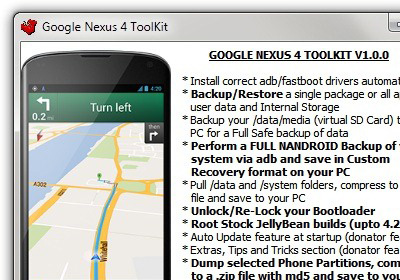
One click root for the Google Nexus 4 is now available! Earlier we brought to you an extensive guide on rooting and installing ClockworkMod recovery on Nexus 4, and it was no walk in the park, to be honest. However, thanks to the hard work and efforts of XDA-Developers forum member and recognized developer “mskip”, we now have a truly all-in-one Google Nexus 4 Toolkit. Now, what makes this deal even sweeter is the addition of more than just a one-click bootloader unlock and root. Automatic driver installation, backup, flashing, mods, recovery booting and more. The Toolkit is strictly available for the Windows platform for now. Normally, the paradigm of Android development related to specific devices is always unpredictable, but I’m looking at a Nexus here, so no surprises at how fast this has come our way. Read More

Root HTC DROID DNA On Android 4.1 Jelly Bean & Install ClockworkMod

HTC’s DROID DNA is the most technically stunning phone I’ve seen this year. Besides a top-of-the-line quad-core Qualcomm Snapdragon S4 chip clocked at 1.5GHz, it comes with 2GB of RAM, an 8MP/2.1MP camera combo, 4G LTE and a truly awesome 5” Full HD 1080p Super LCD3 display unheard of on smartphones! Those of you interested in buying the smartphone will be glad to know that it has already been rooted, and ClockworkMod Recovery / TWRP recovery have been released for it. Follow our step-by-step guide after the jump for rooting and installing a custom recovery on your DROID DNA! Read More

Install ClockworkMod Touch Recovery On Samsung Galaxy S3 GSM

The Galaxy S III gets its due share of the touch based ClockworkMod recovery! Development for this device is just beginning and the pace, is testament to the popularity the Galaxy S, S2 and S3 have garnered for themselves. Earlier we covered a tutorial on how to install, what was an unofficial port of the basic ClockworkMod recovery, but finallt the real deal has arrived on the SGS3 thanks to the efforts of XDA-Developers forum member mskip who also brought us the all in one Galaxy S3 toolkit. The ClockworkMod Touch Recovery is official and has been repacked by mskip into a tar file do that it can be easily flashed via Odin or Mobile Odin. Installation is a breeze, head on after the break for the instructions. Read More

Root Samsung Galaxy Blaze 4G & Install ClockworkMod Recovery [How To]

The Blaze 4G from T-Mobile gets rooted! Released in January 2012, so let’s just say it was about time. Thanks to the efforts of XDA-Developers forum member k0nane you can now root your device in no time at all through ODIN (more on that later) as is customary with most Samsung Android devices, but that’s not all. Renowned developer shabbypenguin has also managed to make the famous ClockworkMod Recovery 5.5.0.4 available for the Blaze 4G as well, paving the way for users to flash custom ROMs and and kernels that will soon be made available. So if you had been using the Blaze 4G for a while now and had lost all hope concerning root access, you have it now! Read More

App2zip: Create Flash-able Zip Files Of Your Favorite Android Apps

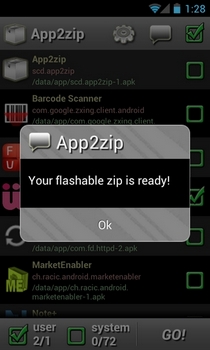
If you’re an avid Android fan boy, and frequently keep flashing new ROMs to your Android device, then you must be well-aware of the hassle involved in downloading and reinstalling your favorite apps one-by-one upon each flash instance. How about an app that alleviates the problem by allowing you to restore all the required apps right from the custom recovery of your choice immediately after flashing your favorite ROM? Enter App2zip – an extremely handy Android app that lets you achieve said purpose with utmost ease. Using App2zip, you can create a flash-able zip file containing as many individual system and third-party apps. The zip file/package thus created can be used through a custom recovery tool to restore all the included apps at once after flashing the required ROM. In this way, you can restore all your favorite apps at once immediately after flashing your favorite custom ROM. No need to download and install each and every single app individually, or resorting to any alternative data backup/restore methods. Instead, with App2zip, you have your favorite custom ROM readily available for use with all your favorite apps preinstalled on it.  The app currently works only on rooted Android devices, and as the developer himself suggests, try experimenting with a rather less important/used app before tinkering with your favorite apps in order to prevent any unforeseen data losses. It must also be noted that the app, as of now, is not compatible with the stock recovery. So, you must use a custom recovery tool, such as ClockworkMod recovery in order to restore apps from a zip file created via App2zip. Read More

Install ClockworkMod Recovery Touch On Motorola Atrix 4G [How To]

The Atrix 4G gets ClockworkMod Recovery Touch! The recovery is beginning to roll out for more devices now, and the Atrix 4G is one of the first few lucky devices that just got it’s share of the action. If you are an avid Android user with an already rooted device, this touch based recovery is something you seriously need to try out. Right now, the recovery can be downloaded and flashed flashed via ROM Manager from the market, but that however costs $1.99. A very minimal cost, considering the effort put into this thing, but you can always install it free of cost via ADB in two or three very quick commands. Read More

Root Samsung Galaxy Note And Install ClockworkMod Recovery

Samsung Galaxy Note is phone-cum-tablet that seems to be Samsung Galaxy S II’s older sibling. The phone is meant for business professional who need to scribble notes, share information and fix meetings on the go. The gigantic 5.3 Inch screen with a Stylus is a definite try to bring Stylus back in fashion. And if you have this phone and were looking to root it, then there is some great news for you. Senior XDA member and Android developer, netchip, has managed to port ClockworkMod Recovery on this phone. Although installing ClockworkMod Recovery itself has nothing to do with rooting Galaxy Note, but you can easily flash SuperUser to gain rooting privileges. Read More

Rotate Video Playback On Galaxy S II Without Auto Rotation [Guide] [Orientation Lock]

Samsung Galaxy S II is a dual core, high tier Android phone that has managed to gather huge fan base since its launch. The stock Video Player app on Samsung Galaxy S II allows the user to see videos in portrait mode. However, users need to have auto-rotation set to ON in settings for videos to stream/ play in portrait mode. Electrox666, Senior XDA member and Android developer, has managed to integrate a rotation toggle in video player that lets you easily change orientation of the video. The hack basically removes SRS effects toggle and replaces it with a rotation icon. Another advantage of this tweak is that you can easily lock video playback in landscape or portrait mode without having to go in Settings menu.

Read More

Install ClockworkMod Recovery On HTC Amaze 4G [Guide]

HTC Amaze 4G got an amazing permanent one click root treatment couple of days back. For those who don’t know, HTC Amaze 4G is a brilliant top-tier Android phone with special focus on its camera. The phone has redesigned and enhanced camera interface that promises to deliver exceptional video and still results. Apart from this, Amaze 4G comes packed with a dual core 1.5 GHz processor and 4,.3 qHD display. Once the phone got root, the developers are now busy in making other modifications and developing ROMs. xboarder56, senior XDA recognized developer, has managed to port ClockworkMod Recovery 5.0.2.6 on Amaze 4G. Previously it was xBoarder’s stable root script that helped gaining permanent root privileges on the phone. Read More

Install ClockWorkMod Recovery On T-Mobile Galaxy S II [Guide]

T-Mobile Samsung Galaxy S II [S2] recently got rooted via custom kernel flash method. The phone has already gathered massive user and developer base which has resulted in loads of tweaks and hacks for the device. Recently Koush, the brain behind awesomeness of ClockworMod recovery has released the official ClockworkMod Recovery for T-Mobile Samsung Galaxy S II [S2]. In case you already have root on your phone, then its pretty easy to download and install this official recovery build on your phone.

Read More

How To Get Unlimited 3G Tethering On Sprint Epic 4G

Samsung Sprint Epic 4G is quickly gaining fan base due to its awesome features. However the data limit imposed by Sprint isn’t really cool when you have to tether your other devices on 3G. But when its Android, there is always a possibility of getting things done. Senior XDA Member, Necrosan, has released a workaround that lets you bypass data limit with a 3G Hotspot [tethering] hack. This hack basically helps in removing the data limit and is workable on rooted phones with deodexed EG30 ROMs. After deploying this tweak on your Epic 4G Touch, you can enjoy free 3G tethering without any hindrance from Sprint’s limit plans. Read More

First Droid 3 Custom ROM Available For Download [Steel Droid 3]

Finally there is some great news for Motorola Droid 3 as the first Android Gingerbread custom ROM for the phone has finally surfaced. Droid 3, until lately, proved to be a hard nut to crack when it came to rooting and flashing a custom Recovery. However with advent of an easier single click rooting method and Koush releasing the official Bootstrap recovery app for the phone, things got simpler for ROM developers. 

Read More

Install Official ClockworkMod Recovery From Koush On Droid 3

Finally there is some great news for Motorola Droid 3 owners as ClockworkMod Recovery is officially available through ROM Manager. Koush, the developer of ClockworkMod and ROM Manager, added support for ClockworkMod Recovery today and you can get it through ROM Manager. Hashcode, XDA Member, also released a bootstrap ClockworkMod Recovery as an unofficial solution earlier. According to his, if you plan on getting the new official ClockworkMod Recovery from Koush, then remove the earlier version. Here is what he exactly has to say about this issue:

Read More

How To Enable Overscroll Glow On Epic 4G Touch [Guide]

Finally there is some great news for Samsung Sprint Epic 4G Touch Android phone owners looking to get Overscroll Glow on their devices. Senior XDA Member, deano0714, has managed to find a workaround that let’s get Overscroll Glow without having to tinker much with your phone’s framework. For those who don’t know, Overscroll Glow is basically an eye-candy that crates a glowing area when you try to pull any menu on your phone down. This feature is certainly an add-on and won’t engage in intervening in any other phone processes. We believe that this Overscroll Glow hack / tweak has been ported to Epic 4G Touch from Samsung Galaxy S II. Read More

Install ZedoMax Custom Kernel To Overclock Epic 4G Touch [1.6 GHz] [Guide]

Sprint Epic 4G Touch is the hottest Android phone in the US at the moment. This phone is basically Samsung Galaxy S II branded as Epic 4G Touch on Sprint. The phone has a massive developer and support base already and root on this phone was achieved within hours of it’s release. As the development for this phone continues, there is now a custom Kernel that not only gives you root and ClockworkMod Recovery, but also oveclocks your phone to a whooping 1.6 GHz. For those who don’t know, Overclocking is an integral part of this “Android Globe” and is "religiously" done to enhance phone’s performance. Read More