Send Facebook Chat Stickers From Google Chrome Using Facemoji

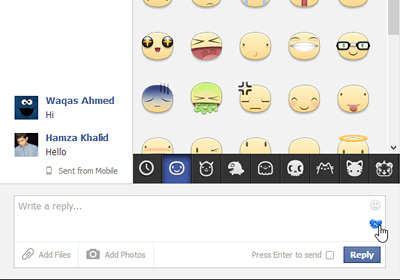
It has become a dire habit on Facebook’s part for announcing frequent updates for the now billion-user-strong social network, which has also recently entered the mobile arena to a certain degree. Back in March, the company announced revamped Facebook timeline and news feed interface that it started gradually pushing to users. Then earlier last month, Facebook rolled out Facebook Home, which - despite receiving some unexpected hatred from Android users – became an instant success at the Google Play Store. Followed by Home, the internet giant also released updated iOS and Android Facebook apps, bringing in some fresh changes to the table like Chat Heads, an improved interface and Stickers. Though the immensely well-received emoticon-esque Stickers option has been missing the action on the Facebook website itself. This feature allows you to send large cute emoticons to your friends in chat messages. If you want to bring the same stickers fun to the desktop, the tiny Chrome extension Facemoji can help. Read More

MessageBox Lets Chat Heads Float Around Outside Facebook For iOS

People can’t seem to stop talking about the new Facebook update for iOS, despite the fact that it has been around for a couple of weeks now. The newly introduced stickers are pretty nice, but there can be no doubting the fact that the real show-stoppers are Chat Heads. The Cydia store has already received a few tweaks aimed at the Facebook app’s new features, but ever since it was announced that there will soon be a tweak to let you use Chat Heads outside of the Facebook app, many have been waiting just for that. After all, Android already has the same capability thanks to Facebook Home, and iOS users want a piece of that as well. According to the word that was out there, the Chat Heads-liberating Cydia tweak, MessageBox, was supposed to be released last week, but got delayed for some reason. A few hours ago, the developer made the DEB file of the tweak available for the public, and now the tweak has finally been released in the Cydia store! Read More

How To Get Stickers In Facebook Messenger For Android Right Now

After it was released in a pool of hype, Facebook Home instantly became the target of heavy criticism from tons of disappointed fans, most of which found the lock and home screen replacement app impractical as a daily driver. There was one feature, though, that was and continues to be lauded by users - the globally accessible Chat Heads. While Facebook Messenger and thus, Home, for Android were the first to receive this feature, it was soon rolled out for the iOS variant of the official Facebook client, but to select users and heavily tied down by the limitations of Apple's mobile OS. Perhaps to give their iOS userbase something to be happy about, Facebook included chat Stickers in the update, which can be best described as enlarged, glorified emoticons. Although Stickers are yet to make it to Messenger for Android officially, they've been discovered hidden away within the current version of the app, and you can get early access to them with a simple trick, discussed past the break. Read More

How To Add Facebook Chat To The Mac OS X Messages App

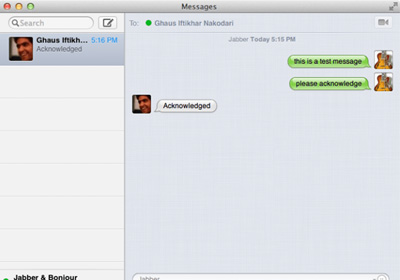
Both the Facebook app itself as well as the dedicated Facebook Messenger app allow you to chat with your Facebook friends on your smartphone, giving you two very easy ways to keep in touch with them. When it comes to OS X though, despite Facebook’s integration in Mountain Lion, no native chat feature exists in the OS itself that would allow you to connect with your Facebook friends. If you would like to integrate Facebook chat with OS X itself without having to resort to a third-party app, you need look no further than the Messages app in OS X that is more than capable of acting as a chat client for Facebook. Here’s how you can set the app up to send and receive chat messages from Facebook, Read More

Talk.to Brings Its Facebook Chat & GTalk IM Aggregator To Windows 8

There have been countless instant messaging services around for nearly two decades. Social networking has also become incredibly popular during the past few years, particularly after the popularization of smartphones, and everyone wants to stay connected with their friends and family. Following this norm, services like Facebook also offer their own chat platform. Since a lot us now use multiple chat services, it can be quite tedious to handle all these accounts from different apps. Fortunately, there are multi-protocol chat clients for that. Previously, we covered the Windows 8 app of the renowned IM+ that allows you to chat on multiple services under one hood. Talk.to is yet another such app for Windows 8 and RT that has recently landed on Windows Store. The app lets you sign in to four different accounts simultaneously, and supports Facebook, Google, Windows (Microsoft account for Windows Live Messenger) and Pingpong. Read More

Prevent Facebook Messenger For iOS From Sending ‘Seen’ Receipts

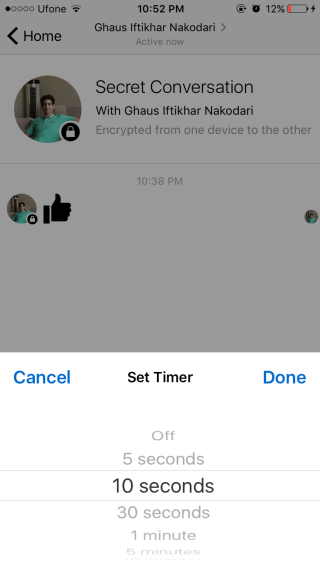
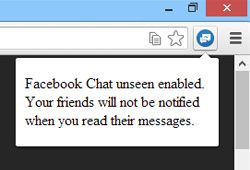
In a bid to keep pace with changing times, Facebook is always introducing new features. While some changes are welcomed by users universally, there are others that end up being vastly unpopular. The ‘Timeline’ view caused quite an uproar when it first started rolling out, and now the read receipt feature recently added to Facebook messages is being deemed by many to be an invasion of their privacy. To be fair, a lot of users don’t mind it much, but things can get a bit embarrassing at times. There are already a few ways to disable the ‘Seen’ stamp if you are reading the messages on your desktop, but FBMessengerUnseen is among the first iOS-focused solutions to the issue. As you can probably guess, FBMessengerUnseen is a Cydia release. The tweak makes sure that you can read any message on the Facebook Messenger app without the sender knowing that you have seen it. Read More

2ya Is An Android & iOS Facebook Chat App With Built-In Content Discovery & Sharing

Multipurpose third-party Facebook chat apps are nothing new for Android and iOS users, but you won’t find too many options sporting an integrated search tool to help you find the exact item of interest that you wish to share with your friends. Say hello to Sprylogics International’s 2ya – an unofficial cross-platform Facebook messenger for Android and iOS that adds content discovery and sharing capabilities to the mix. With 2ya, you no longer have to worry about leaving the chat interface and switch to the Facebook app or the browser to search for something that you intend to share with your friends. Instead, the app itself presents you with a dedicated search and content discovery tool capable of helping you look for and share a variety of content including YouTube videos, nearby bars, clubs, restaurants, cafes & theaters, people, custom locations, movies and what not! Once your required item is found, you can share it with a mere swipe. Each category supported by 2ya offers extensive details, and the best part is that your recipient doesn’t even need to be running the 2ya client on their end to receive the shared information. Read More

GroupVox Is A Virtual Walkie Talkie For Facebook Groups & Events [Android, iOS]

The latest update to the official Facebook Messenger app for Android and iOS might have brought the support for voice messaging, but it cannot be deemed as a true walkie-talkie app. That is because the app only lets you share recorded voice messages with your friends rather than offering real push-to-talk (PTT) functionality like the previously-reviewed Rallee, which impressed us with most of its features but left much to be desired in terms of the interface. If you’re searching for a cross-platform Facebook walkie talkie app that sports a design similar to the official Facebook apps, take a look at GroupVox. Released recently for Android and iOS, GroupVox lets you communicate with select Facebook friends, Groups and Events in walkie talkie style via push-to-talk voice messaging. In addition, you get the option to switch to conventional text-based chatting from the same screen. Read More

Facebook For iOS Gets With Gifts, Better Chat Options, Photo Effects & Batch Upload

Timeline proved that Facebook users don’t really appreciate major changes in the service, and all new updates of the social network are met with distaste from a lot of people. However, things might be a bit different this time around. The latest update of Facebook’s official iOS client might not have revamped things in a big way, but everything it brings to the table is sure to be lauded. The best changes have occurred to the chat area of the app. The chat list is now omnipresent, and can be summoned with a simple swipe from anywhere in the app. Users get to pin their favorite contacts to the top of the chat list for easy access, and the in-app chat notifications are more effective. In addition, the update brings support for Facebook Gifts in the US. It now allows you to easily upload multiple photos from the camera roll, styling each using the many features that have been ported from the Facebook Camera app (including photo effects). Read More

QuickIM For iPhone: Google Talk & Facebook Chat Client With Quick Reply

One of the biggest advantages of smartphones is connectivity on the go. Although you get that with almost any phone (that’s the whole purpose of a mobile phone, anyway), these devices allow internet access without restricting mobility, and that makes the whole idea all the more practical and useful. In today’s world, Google Apps have replaced plenty of enterprise suites for a lot of organizations, and even outside that, many users prefer using Google Chat due to its deep integration with Gmail and lightweight desktop client. Then, Facebook being the most popular social network, its chat service, too, is one of the most convenient methods of staying connected on the go. All the major smartphone platforms – iOS, Android, Windows Phone et al – have a plethora of multi-protocol chat clients that allow connection to various instant messaging services. The problem, however, is that not all solutions are equally effective; some may be resource intensive, others may lack (push) notifications, while still others may have an ugly interface. Furthermore, for iPhone and iPad, even though we have Facebook Messenger, it’s not that efficient, and on the Google chat front, neither is there any official client, nor are the third-party solutions that impressive. Perhaps that’s the reasoning behind the Cydia app, QuickIM. Currently supporting Facebook Chat and Google Talk, this app for jailbroken iPhone, iPod touch and iPad makes it super easy to stay connected with your buddies on these platforms, employing an easy interface, push notifications, and quick reply & compose features. Read More

fTalk Is A Facebook Chat Client For Desktop That You Will Love

Facebook is known for making random and distasteful changes to their website interface which leaves most users disgruntled and stranded. The recent Facebook interface change which has invited much criticism from its users is the new chat interface. The new Facebook chat layout makes it quite hard to identify online and offline contacts as they are aligned in same lane. If you are looking for a fun and easy way of using Facebook chat without the inconvenient new layout, try fTalk. It is a desktop client for Facebook chat with a clean interface. It aligns online and offline contacts separately and shows system tray notifications when a contact is online. Read More

How To Troubleshoot Facebook Texting In Mango

Microsoft promised that Windows Phone 7’s latest version Mango will come up with about 500 new features. Well, we don't know about that yet, as the version is still only in its beta testing phase. But what we can confirm is that Mango does have a bunch of really cool and helpful new features that weren’t there in any previous version of WP7. Seeing the emergence and continuous rise of social networking, an organization as adaptable as Microsoft is bound to go with the flow. That’s why Facebook chat is now integrated with the stock messaging app for Mango. This means that you can now interact with your Facebook friends just like you were texting them. But not all is going according to the plan, and there are a few glitches with these feature. A lot of users have complained that there device's screen just keeps showing them as signing in and no online contacts actually show up in the Facebook tab of the Messaging hub. Many people have also faced problems just trying to link their Facebook account with their Live ID if their Facebook login email address is of some other service. If you are experiencing some of these issues, here are the solutions to all your Facebook-related problems. Read More

Instantbird 1.0 Cross-Platform Multi Messenger Can Now Merge Contacts

It took four years but the final version is here now. Yes, Instantbird v1.0 has been released to the public. This release brings better cross-platform support, Windows 7 Jumplist support to quickly change status message, Twitter support and much more. Windows 7 users will appreciate the Aero Glass Effect and find similarities to Firefox 4 Tab styling. Instantbird can now merge contacts; if you talk with the same person across various IM platforms, you can combine a list usernames under one account. Instantbird is now a strong alternative to other multi-messengers, such as, Pidgin, Digsby and Trillian, with support for Facebook chat, Google Talk, AIM, Hotmail, Yahoo Messenger, ICQ, IRC, Jabber, etc. Read More

Complete Guide To Facebook Features In Skype 5.5 Beta

The latest Skype 5.5 beta for Windows now comes with all new features and enhanced Facebook integration options. One of the major additions in Skype 5.5 includes a new Facebook tab, which is designed to deliver easy access to your Facebook stream, write status updates, allow adding comments, and chat with your Facebook contacts. Calling Facebook friends is now as easy as ever, you can directly call a Facebook contact if he/she has added a phone number to a Facebook profile. In this post we will provide a detailed guide regarding the use of Facebook features in Skype 5.5 Read More

FlipToast Shows Facebook Updates In Real-Time On Desktop

If you’re looking for a genuinely smart and dynamic Facebook desktop client for Windows or Mac, then FlipToast is probably the best option you can opt-in for. Contrasting to many other Facebook clients which don’t provide some essential Facebook UI elements, such as, live notifications and chat feature. FlipToast is designed to notify you about all the updates in real-time. Be it comment on your status, photo tag, status update, photo album addition, it will keep you notified about everything related with your Facebook profile. Moreover, Facebook chat is available with an option to go offline anytime. Being a distraction free Facebook client, you can keep the FlipToast sidebar along with chat window handy at any corner of the screen to perform other important tasks. The photo sharing and uploading feature requires nothing more than a drag & drop. You just need to drag the photo set over it prior to specifying the Facebook photo album to start uploading process. Aside from photo sharing and chat feature, it brings a brilliant news feeds reading pane, showing all the recent updates from liked Facebook pages and your friends. Read More

Use Google Talk and Facebook Chat on Windows Phone 7 with Flory

Flory is a free Windows Phone 7 app that lets you chat on Google Talk as well as Facebook Chat right from your Windows Phone 7 device. The app was initially released in German but due to popularity and high demand, the latest update has brought English language support to it. If you own a Windows Phone 7 device and want to use it for Google Talk or Facebook Chat, this app is for you!

Read More

Chat With Facebook Friends On Desktop With FacebookDiscovery IM Client

Earlier, we came across a list of useful IMs clients, some integrates Facebook chat service like, Digsby, Pidgin, and Adium while others are written solely to bring chat service to your desktop, like Facebook Desktop Standalone and Chit Chat for Facebook. Today, we discovered, FacebookDiscovery, which brings a new idea of discovering Facebook contacts. It appears as a desktop sidebar widget, listing down all of your online friends, family members, and peers in their respective contact groups, so you can chat with them and update your status without having to open a browser and log-in each time. Read More

Full-Featured Desktop Facebook Messenger

Users have been griping about the Facebook build-in chat service which lacks a ton of features when compared to traditional desktop IM clients such as; saving conversations, chat logging, clearing history, etc. Even though we have covered desktop clients supporting Facebook chat service along with simple IM desktop client featuring Facebook chat. Now there is a full-featured Facebook IM desktop client,called, Chit Chat for Facebook. However not very prominent, it certainly provides multiple features to enrich Facebook chat service right on your desktop. Despite being able to provide only chat feature, it allows user to post on friend’s wall along with sporting sending private messages directly from within the application. Read More