5 Ways To Put Hashtags In Facebook To Good Use

Hashtags are a Twitter thing, or rather they were a Twitter thing until Instagram added them too, as did several other services and social networks. Twitter is still king of the hashtag and has them the most deeply integrated among all others, as a tool for making and following trends. The popularity of hashtags is such that they've been used even where they don't ‘work’, i.e. on Facebook. We all have that friend who does it, we all wish they would stop because they're not doing anything, until now. Facebook has finally given in, and added support for hashtags, meaning any hashtags will now be clickable and searchable on the network. They can be added to status updates as well as photo captions. The question now is, what can I do with the hashtag? Hashtags on Facebook have to be actually used in order to become truly effective on the network, and here are five great ways to start putting them to work right away. Read More

[Ask The Readers] iOS 7′s New Jony Ive-led Design Direction: Yay Or Nay?

With a completely overhauled design, and a appreciable list of awesome new features, iOS 7 is arguably the most exciting version of iOS to date. But not everyone is a fan of the new design. Based on my own observations of the people I follow on Facebook and Twitter, half of them really, really like the change, while the other half thinks this signals the end of iOS as we know it. In this Ask The Readers feature article, we briefly discuss iOS 7’s design, and then ask you to chime in with your opinion. Read More

A Complete Summary Of Major New Features & Changes In iOS 7

Apple is known for calling all of their new products "the best ever”, and has been claiming to be the most innovative player in the tech world for a long time. Having said that, a lot of people were a bit disappointed when iOS 6 was released, as despite offering some new features, the update wasn't too different from iOS 5. This summer, however, excitement looked to be on the horizon since several reliable sources from the industry (including some having ties with Apple) revealed that iOS is finally getting a much-needed makeover. The blogosphere has been rife with rumors and speculations regarding iOS 7 - especially its departure from skeuomorphism to a flat design - but just hours before the WWDC 2013 keynote, a few people started claiming that all the rumors regarding iOS 7 have been wrong. Now that the cat is finally out of the bag, we must say that some of the iOS 7 mockups got surprisingly close to the truth. The update has a decidedly flat look, iTunes Radio is finally here and almost all of the stock iOS apps have gone through some degree of change. Read More

The Best Apps, Tips & Tweaks Of The Week [06.09.13]

It’s that time of the week again when we round up the most popular as well as the less-popular but useful apps, tips and tweaks that you may have missed during your hectic workweek. This time around, we discuss Vine for Android, Bing Translator for Windows 8 and RT, a super-secure web browser for Windows by Bitdefender, a tweak for enabling push Gmail on iOS Mail and a couple of exciting Windows Phone apps, among other excellent apps and tips. Read More

[Ask The Readers] These Are The Best iOS 7 Concept Designs; Which One Do You Like The Most?

With Android already ahead in terms of features and catching up fast on design, and iOS 6 having received a lukewarm response, Apple is dealing with a lot of pressure from the community to really deliver with the next major release of iOS. WWDC 2013 is set to kick off tomorrow at Moscone Center in San Francisco, and iOS 7 is the product announcement everyone is looking forward to the most. There are strong rumors of a Jonathan Ive-led shift to a “flat design” overhaul, so in this Ask The Readers feature article, we go through some of the best flatly designed iOS 7 concepts. Read More

4 Tips To Make The New Gmail v4.5 Android App Easier To Use

Google introduced a tabbed inbox for Gmail a little over a week ago and earlier this week, the search giant updated its Android and iOS Gmail apps to accommodate the new inbox tabs. For now, tabbed inboxes are opt-in but Android users will find that these new tabs aren't the only thing that’s changed. With the arrival of tabs and the updated app, how you select messages in bulk, receive notifications for each label i.e. inbox tab, and the way messages are deleted has all changed. Sender images are a new addition to the app. The old features are all still there but they need to be enabled, and it isn't very clear how to do so. In this post, we will show you how to view notifications for emails for all labels, disable the sender image, restore the delete button to the actions bar, and select messages in bulk. Read More

[Giveaway] Clean, Monitor & Secure Your Windows System With PCKeeper

You might remember our review of MacKeeper earlier this month. The app, which carried quite the price tag, is a must-have for those who want to keep their Mac running smooth and well organized. The developers of Mac Keeper are offering the same tool for PC users as well, called PCKeeper. It's just as amazing and feature rich as the Mac app, and will cost something between $40 and $90. The app scans your system for problems and identifies them as critical or safe. Depending on the type of license you have, PCKeeper will not only identify problems with your PC, but also help you resolve them. Apart from the system scan, the app secures your system from viruses and helps you recover lost files, track your PC if it's stolen, and hide your files and folders. The app can find and remove junk files from your system, identify duplicate files, and remove any residual files left behind by apps that have been uninstalled. And finally, the app lets you manage which items appear in right-click context menus, and manage your start-up applications. Read More

Paranoid Android’s HALO Notification System – A Complete Review

CyanogenMod is usually the first name that comes to mind when talking about custom ROMs for Android, but it isn’t the only big player in the game. Over the past couple of years, a few other ROMs like MIUI and AOKP have also joined the ranks of this behemoth, but none of them has been as innovative as Paranoid Android. In addition to bringing us per-app system colors, choice between phone, tablet, phablet and hybrid UIs, and the famous full-screen PIE navigation system, the latest and arguably the greatest feature brought to the world of Android by this AOSP-based ROM is HALO – a Facebook Chat Heads-style notification system that works universally for all your system and app notifications. What’s more – it also opens up the relevant screen of the appropriate app in a floating window for you to respond to the notification, so you don’t have to completely switch to that app from what you’re doing. Let’s take a more detailed look at it right after the break. Read More

Hands-On With New Features Of Opera Next For Windows & Mac

Opera is a seemingly small name among desktop browsers, but it’s a tough competitor on the mobile platform, with users of both smartphones and feature phones using it regularly. Why Opera hasn't been able to compete with browsers like Chrome and Firefox is hard to say, but the team behind it is looking to fix that. The company has just brought Opera Next - its bleeding edge version that's a bit like Chrome's Canary and Firefox's Aurora builds - to Windows and Mac. The brand new Opera Next 15 comes with a new engine working under the hood, plenty of new features, and a brand new interface. Opera 15 is now running on Chromium and the difference that has made becomes apparent the second you launch it. Read More

[Ask The Readers] Physical Or Virtual: Which Android Smartphone Key Layout Do You Prefer?

The first Android smartphone – the HTC “Dream” – came with a trackball and five hard buttons on the front: home, menu, back, call accept and call decline. Though as Android has evolved over the years, so have handsets running the OS and by now, we have lost the trackball and phone call buttons. In 2011, Google announced Android 4.0 Ice Cream Sandwich running on the Galaxy Nexus, which used virtual buttons Back, Home and Multitasking Tray, along with on-screen menu buttons that only show when required, replacing their hardware counterpart. Read More

Here Are Some Great Velox Add-Ons To Spruce Up Your iPhone Home Screen

Velox hasn’t been in the Cydia store for even a month yet, but the tweak has made a huge impact on the jailbreak scene. Everyone expected a few add-ons to come out for Velox but nobody had the idea that in less than a month, the Cydia store would be bursting with extensions for the tweak. Velox already works with most of the stock apps but thanks to these third-party add-ons, you can now get a modified versions of your favorite Velox widgets for even the third-party apps installed on your iPhone, and make the tweak handle them. With so many of these add-ons available in the Cydia store, it has become a bit of a nightmare to find the exact extension you want. Searching in Cydia only yields a rather confusing mix of Velox-related themes and add-ons, so we decided to compile a list to help users who want to get the most out of this awesome tweak. Read More

Google Play Music All Access: What It’s About & How It Works

Google finally unveiled its much anticipated music subscription service yesterday; while the service was still just a rumor, the general opinion about it was that it would give services like Spotify and Rdio a run for their money. The service is called Google Play Music All Access and as the name suggests, it has been built as a subscription-access component of the existing Google Play Music service, which has itself been revamped interface-wise as well. It’s currently available in the US only, and comes with a one month free trial, after which it'll cost $7.99 per month to those who sign up by June 30, and $9.99 per month after that. Subscribers will be able to listen to the thousands of songs available on Google Play without having to purchase individual tracks. Read More

A Detailed Look At The New Google+ With Card-Based UI, Hangouts, Awesome Photo Tweaks & More

Yesterday at Google’s I/O conference, the tech giant announced its much anticipated Music subscription service, revamped Google Maps, and the redesigned Google+. For most of us, Google+ failed to replace Facebook and the many comparisons drawn between the two services failed to sway users in favor of Google's offering. Soon after its debut last year, many of us had discounted it as another failed social network from the search giant. Google, on the other, has not conceded and has been making small improvements as well as significant new additions like Communities to the social network. The latest design is very Pinterest-like; the left bar can now be hidden, making it less of a screen hog. It’s also been cleaned up a bit and the ‘Explore’ option has been replaced with ‘What’s Hot’. Those who didn't like the two-column Timeline view that Facebook introduced might not like the new Google+ layout, which is divided into not even two but three columns. Read More

Hands-On With Google Hangouts Unified, Cross-Platform IM & Video Chat

The Google I/O keynote yesterday brought a lot of important announcements, but the revamped Hangouts service seems to have managed to cause the most excitement among them all so far, probably because it has already been rolled out for users all over the world. The iOS app is available in the App Store, while  lot of Android users have managed to get their hands on the Hangouts update for their Google Talk app as well. Google already offered its Google Talk (also called GTalk, Google Chat and Gmail Chat) already enjoyed integration with Google+ and Gmail but compared to the Hangouts feature of Google+, it wasn't too heavy on features. Some of you might have wondered why the plain old chat can’t become as cool as its Google+ variant. Even if you have never thought of that possibility, Google seems to have been thinking along those lines. The new Hangouts can be considered a consolidation of Google Talk and Google+ Hangouts that works on Android, iOS, Google+ and Chrome. The service offers everything from video calling to group chat, and even a huge collection of emoticons. Read More

A Look At The New Features In Firefox 21

The next installment of Firefox i.e. version 21 is now available. The new version brings something for both end users and developers alike. For users who are conscious about their privacy or wondering why their browser is running so slow, Firefox 21 will be a welcome update. Mozilla has added three different settings to its Do Not Disturb feature, as well as a ‘Health Report’ that collects information on how your browser is performing. The health report can be checked any time, and a third feature will use the data gathered by the report to tell you if your browser’s startup time is getting effected due to its health or not. Developers will be pleased to learn about the new Remote Target profiling feature that allows them to connect devices running either Firefox Mobile or Firefox OS to the desktop browser and view them in a separate Developer Tools window of their own. Read More

[Giveaway] Play PC Racing Games With Your Android Or iPhone Using Tilt Racer

Though the trusty old keyboard and mouse combo works well for almost all PC games, the avid PC gamer never settles for anything less than what fits each genre the best, like the arcade fighting stick does fighting games and the Sidewinder does the racing genre. However, if your enthusiasm for PC games isn't at the point where you'd want to spend the dough required to buy a separate controller, you can always settle for using your smartphone or tablet as one. There are now more than just a couple virtual gamepad apps available for both Android and iOS; some meant for all genres - such as DroidPad and WiFiPad - and others, like FlyPad for iPhone, that are focused on racing games. New to the market, Tilt Racer for Android and iOS aims to improve upon the latter with a better control scheme. Join us past the break to learn what it has to offer. Read More

[Giveaway] MacKeeper Is An All-In-One System Maintenance & Security Tool For OS X

We’ve covered a lot of small tools that help you clean up your Mac, make it run smoother, securely delete files, recover deleted file, or search for them. Though OS X does most - if not all - of these things natively, it doesn't offer as many customization options, or work as well as several third-party offerings. You can always look for apps that are meant to solve individual problems, or you could invest in an app that does everything for the right price. MacKeeper is a very famous app that acts as an antivirus and anti-theft app for your Mac. It also lets you encrypt data, recover deleted files, securely shred files, create backups, remove junk files, find duplicates, estimate the disk usage and break it down for you, uninstall apps and the many files they can sometimes leave behind, help you optimize start-up apps, and edit the default apps for different file extensions. Read More

What Is TWRP Recovery & How To Install & Use It On Android Devices [Guide]

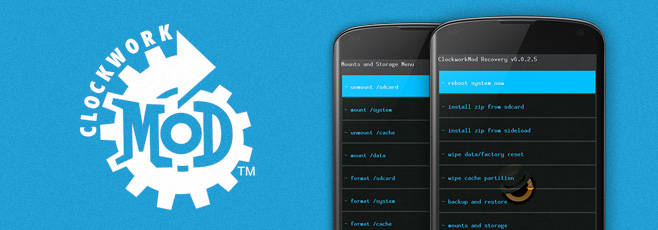
Till just over a year back, ClockworkMod (aka CWM) was the go-to custom recovery for pretty much every mainstream Android device. Things have changed a lot since, with a newer player entering the game and gaining a lot of critical acclaim, as well as a huge user base. TeamWin Recovery Project – or TWRP for short – is a fully touch-based custom recovery that was initially developed for Nexus devices, but has since been made available for countless other smartphones and tablets as well, in form of both official and third-party builds. Just like we took you through a very detailed tour of ClockworkMod recovery and its features, we’re going to guide you through all the features of TWRP right after the jump. Read More