Kakudo Brings iPad-Like Quick App Switching Gestures To Android

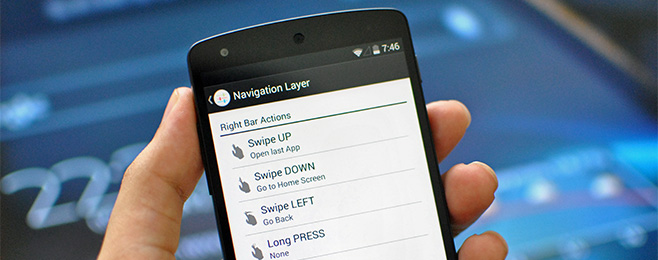
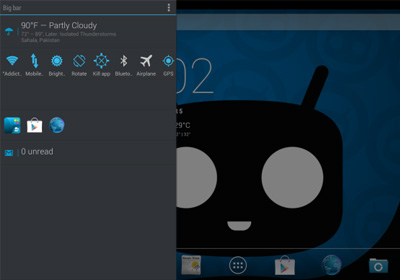
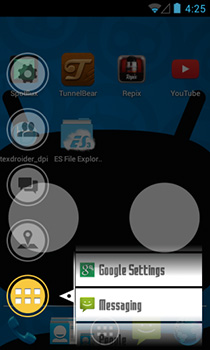
The way Android handles multitasking is simply phenomenal. You can easily switch back and forth between apps, thanks to the ‘Recent Apps’ feature introduced in Ice Cream Sandwich. Although I won’t cite it as true-multitasking like that in Windows or OS X, it still outdoes iOS and Windows Phone 7. However, I feel like there’s a lot of room to improve, as one has to continuously tap the recent apps button (or long press a key on some devices like the Galaxy S series) to switch between the apps. XDA member Acela1230 has come up with a surprisingly useful app called Kakudo, which makes switching apps (and as a matter of fact, multitasking itself) tenfold easier. The application uses an iPad-esque multitasking function that lets you use left and right swipe gestures to switch between running apps. Lets take a quick look. Read More

ReachFast Contacts Is Another Great Gesture-Controlled iPhone Address Book App

Not a lot of great alternatives exist for the stock Contacts app in iOS, but apps like Smartr and Brewster have managed to garner some acclaim due to a few novel features. Having said that, some might argue that an address book should not be loaded with too many features, since associating photos with your contacts is always less important than being able to find them as quickly as possible. ReachFast Contacts is not completely devoid of bells and whistles, but it is not excessively complicated either, and the developer claims that it will offer you the quickest way of making calls and sending texts from your iPhone. The app has gestures, lets you create new contacts in a really intuitive manner, and comes with a search feature that keeps getting smarter with the passage of time. Read More

Quickly Ask Siri Predefined Questions Using Gestures With Ask Assistant

While the jailbreak store has a lot of tweaks meant specifically to enhance or augment Siri, we doubt if any developer has previously come up with the idea of using everyone’s favorite personal assistant in conjunction with Activator. MyAssistant does have support for gestures to some extent, but the idea behind Ask Assistant is completely different from that. This tweak lets you define five questions, and then you can program Activator to launch Siri with the answers to these questions. For example, to view weather through Siri, just define that question in the tweak’s menu. Now you can invoke Siri simply by performing an Activator gesture of your choice, without even long-pressing the Home button and trying to make Siri understand what you are saying. Read More

Swipe To Switch Between Messaging Threads In iOS With MessageSwiper

Those of you who like sticking to stock iOS apps unless there is a supremely better third-party alternative available are sure to have been tempted to ditch the Messages app in favor of biteSMS or GO SMS. Having said that, a lot of tweaks in the Cydia store let you improve the stock SMS app on your iPhone. With ImmediateSend and Messages, you can revamp the app and give it a completely new look. Not every tweak has to be as feature-rich as MessageSwiper in order to be useful though. MessageSwiper has just one purpose, but the feature it is offering is sure to come in handy in a lot of situations and for a variety of users. The tweak lets you navigate to different messaging conversation simply by swiping across the screen. This basically means you aren't forced to go to the Messages app’s main screen, from any conversation screen, and can continue going through your texts in a very convenient manner. Read More

LookAway Player: iOS YouTube App With Galaxy S4′s Smart Pause Feature

Even if you aren’t a big fan of Android, there are a few features of the upcoming Samsung Galaxy S4 that you just have to admire. I am not just talking about all the technical details like its 1080p display or the Exynos 5 Octa 5410 processor, but the little things like Smart Pause and Drama Shot. After all, everyone who isn't a geek cares more about these novelty features, rather than the amount of RAM their phone packs. For those of you who aren't familiar with Smart Pause, it is a Galaxy S4 feature that makes the device track the user’s face and eye movement to automatically pause videos whenever their attention gets diverted from the screen. The S4 hasn't even arrived in the market yet, and iOS already has an app that comes with a perfect implementation of Smart Pause, albeit with a limited scope. Meet the YouTube client, LookAway Player. Read More

Double Tap iPhone Music App Icon To Get Quick Playback Controls

The notion of iOS widgets for areas other than the Notification Center is still relatively new, and you have to go through a considerable amount of effort to configure widgets for the lock screen or SpringBoard. When you have spent a lot of time installing a widget, you aren’t likely to remove it temporarily every time you don’t have need for it. Won’t it be great, though, if it were possible to view or hide widgets by performing simple gestures? MusicWidget (velox style) is a simple tweak that lets you do just that. With this tweak installed, you can control music playback right from the icon of the iOS stock Music app without having to launch it. Read More

LightMail Is An Elegant iPhone Mail App That Displays All Attachments In One Place

Apps like Sparrow gained popularity on iOS owing to the stock Mail client having a lot of shortcomings. Apple overhauled the email experience with iOS 6, but there are some new apps around that have managed to gain a considerable number of users. The Mailbox app experimented by combining mail and to-do lists, which is why people even put up with its waiting queue. LightMail doesn't offer changes that are as dramatic as those introduced by Mailbox, but the new app is still great if you are looking for an improved version of the iOS Mail app. LightMail supports a few gestures for letting you respond to messages quickly, and comes with a section where attachments from all your mails are accessible in one place. It is also possible to easily insert attachments from past messages into mails you are composing on your iPhone. Read More

Quickly Compose & Reply To Texts On iOS Without Launching Messages App

You might be a fan of its themes or the well-organized conversation threads but for most users, biteSMS is all about quick compose and quick reply. The ability to type messages without waiting for an entire app to load can be really time-saving and efficient. Interactive reply windows have been a part of GO SMS as well, and a few Cydia tweaks in the past have even added a similar feature to the stock Messages app. With iOS 6 though, ImmediateSend stopped working, and hasn't received an update until now. So, taking advantage of this vacuum in the jailbreak store, a new tweak by the name of Messages has just reared its head. The tweak is a bit more detailed compared to other similar ones released in the past, and offers integration with Activator as well. It is also possible to tinker with the appearance of the quick reply window, and choose the number of previous messages from a thread that are loaded when you are composing your reply. Read More

Pinnacle Lets You Hold Back Button In iOS Apps To Go To Main Menu Or Navigation History

Anyone who switches to the iPhone from another smartphone is bound to feel a bit lost due to its minimalistic attitude towards hardware buttons. Even if a mobile device doesn’t have a dedicated shutter button, it is bound to have the essential Home and Back hardware buttons or softkeys. iOS, however, doesn’t roll that way, but that hasn’t stopped developers from coming up with alternative ways of navigating backwards in the OS. For example, tweaks like SwipeBack that make navigating bacwards within an app easier using gestures. Pinnacle is the latest addition to this sub-genre of tweaks. Unlike SwipeBack, Pinnacle isn't about going back one step in an app. The tweak is actually meant to help you easily return to the main page of any app that might have led you into its sub-menus. The greatest thing about Pinnacle though, it its ability to add a full ‘history’ list to the default back button in any app. Read More

Get A Gesture-Controlled Music Widget In iPhone Notification Center

With iOS 6, Apple proved that Notification Center widgets can come in handy for things other than just viewing information at a glance. The stock Share widget can let you post updates to your favorite social networks with ease, while users of jailbroken devices have access to a whole world of NC add-ons that can be used to do some truly useful stuff. NC widgets related to almost all areas of iOS have been released in the Cydia store, and music playback is no exception. Previously we covered Now Playing for NC - a Cydia tweak that can let users control their music using a couple of buttons placed inside a widget. NCMusicGestures does something similar, but uses gesture control for the purpose. You can scrobble your music to Twitter and Facebook, while changing a song takes merely a swipe. Read More

Configure iOS AssistiveTouch Button To Quickly Perform A Specific Task

While they might not be considered as the most populated genre of Cydia tweaks, there are a few offerings available in the jailbreak store that might make you frequently use the awesome accessibility options offered in iOS. Anyone who doesn't have visual or auditory impairments might not have used the accessibility options even once. So, wouldn't it be nice if there was some way of turning accessibility options into gesture control? In the past, we have covered tweaks like Speaking Keyboard that makes use of the Voice Over feature to make the stock iOS keyboard more useful. MyAssistive is another similar tweak but instead of Voice Over, it focuses on AssistiveTouch. By default, AssistiveTouch can do a lot of things; in fact, some might say it can do too many things, which makes it very confusing and kills its original purpose of making lives of users simpler. MyAssistive lets you program the hovering button to perform just one task of your choice, which can make you feel like having a brand new hardware button. Read More

Webnote Is An iPad Web Browser With Gesture-Based Text & Media Sharing

Services like Pocket and Instapaper have already popularized the concept of bookmarking material on the go in order to read the content later when offline. You can even integrate these services with your iPhone’s web browser if you have a jailbroken device. Webnote, however, is more than just a way of highlighting and bookmarking content for offline reading. This iPad browser lets you use gestures to easily save videos, photos or text to your device, while also providing you with an easy way to share this content with your Facebook and Twitter friends. Webnote is among the most social web browsers we have seen in a long time, and it even lets you follow other users and see the content they have bookmarked. Read More

Quickly Record A Voice Memo In iOS Using An Activator Gesture

Not many people use audio recording as regularly as they shoot videos on their iPhone. There are some situations, however, where capturing just the sound is enough, and you don’t have to waste your device’s battery as well as storage space on a video clip. Audio recording is also great for taking notes during a lecture or interview. iOS comes with a stock audio recorder of its own, by the name of Voice Memos. It might not be the most frequently used app on your iPhone, but it can come in handy every once in a while. A lot of people (including yours truly) are too lazy to go through the hassle of unlocking their device, launching Voice Memos and then pressing the record button. The steps might not sound too tedious but in a pressure situation, every second might be precious. This is why Ryan Petrich’s new Voice Memo Toggle for Activator might be a good add-on to keep in your iDevice. Thanks to the tweak, you can begin a recording session from any area of iOS merely by performing an Activator gesture; there is no need to even look at the screen! Read More

Completely Control Pandora Playback From iPhone Lock Screen With ThumbsUp

Pandora users, rejoice! What the famous service hasn't been able to do for its iPhone app has been accomplished by a third-party developer and released at the Cydia store. Pandora for iOS has always - rather annoyingly - lacked lock screen controls. You can keep listening to music from Pandora while using other apps or even when on the lock screen, but you have to launch Pandora itself every time you need to skip a track, add it to your bookmarks or give it a thumbs up. A lot of people have been demanding support for lock screen controls and now you can have them, thanks to a Cydia tweak by the name of ThumbsUp. The tweak lets you take full control of Pandora playback without ever having to open the app again and again. The buttons added to the lock screen are pretty neat, and look like they have been added to your iPhone by the Pandora client itself. Read More

Raise iPhone To Your Ear While Messaging To Quickly Call A Contact

Users of jailbroken iOS devices have access to a lot of gestures, but there are a few gestures that Apple has made available for all users. One such gesture is the display’s automatic blackout whenever you are taking a call. The iPhone makes use of its proximity sensor to detect your face against the device during a call, and turns the screen off accordingly. Another use of this sensor is to launch Siri whenever your device is raised to the ear. There have also been a few tweaks in the past that utilize the proximity sensor for some useful purpose, like automatically turning off the screen when you put the phone in your pocket. There is now another Cydia tweak in the jailbreak store that brings a new touch of automation to your iPhone. Thanks to RaiseToCall, you can place a call to anyone right from their SMS thread simply by raising the phone to your ear. Read More

Use Activator Gestures To Quickly Change iPhone Screen Brightness

There are already a few pretty good ways to control your iPhone’s screen brightness, if you have a jailbroken device. The famous SBSettings has a brightness toggle in its dropdown window and Notification Center options list, Springtomize lets you put the iPad-like brightness slider in the App Switcher, and then there is a whole collection of tweaks for other easy ways of changing your iPhone’s brightness level. In the past, we have seen the likes of LSBrightSlider, BrightVol and Brightslide trying to offer quick and efficient ways of controlling screen brightness using various means. Most such tweaks, however, focus on bringing the brightness slider in action. The new Brightivator, on the other hand, does not depend upon any buttons or slider. Thanks to this Activator-based tweak, users get to define any gestures they want for increasing and decreasing the screen brightness. There are no intermediate steps involved, and the tweak can work from anywhere in iOS. Read More

Launch iOS Camera App With An Activator Gesture Using InstantCamera

Barely a fortnight ago, we covered QuickShoot - a Cydia tweak that lets you snap photos simply by double-tapping the stock Camera app’s icon. While that tweak is great for shooting photos without letting the whole world know what you’re up to, if you don’t have any particularly evil intentions and just want a quick way of getting the camera interface, there is now a much better option available. InstantCamera is not just about letting you shoot photos in the shortest time possible; this tweak lets you launch the actual Camera app without making your way to the SpringBoard or even lock screen. With InstantCamera, you just have to choose any Activator gesture for the purpose, and then perform it any time you want to bring up your iPhone’s stock camera app. The best part is that once you're done using the camera and press the Home button, the tweak automatically brings you back to the place where you performed the gesture. Read More

How To Quickly Clear Icon Badges From Any Or All iPhone Apps

When you stop to think about it, a handful of tweaks like Activator, SBSettings, Springtomize, Infinyfolders and a few others cover the bulk of customization needs of many users, while most other tweaks strive to bring some small new features or modified versions of the functionality offered by these famous Cydia projects. In the past, there have been some pretty decent options for you to get rid of the icon badges from your SpringBoard, with a few tweaks going as far as concentrating on just a specific app’s badge, like the previously covered noOTA. Springtomize, in addition to its various other virtues, has the most convenient badge-removal options available for jailbreak users. However, it does cost money and if you want nothing more than hiding icon badges, the investment might not be worthwhile. Clear Badges offers the same functionality for free, and even throws in an SBSettings toggle for those looking to remove all badges in one go. Read More

Quickly Open Your Favorite Website With A Gesture On iOS Using Go2Now

Activator is like ketchup for jailbroken iOS devices; it has the power to turn even the most mundane tasks into something noteworthy. Most of the times, visiting a website is no big deal. If you go to a URL frequently, most iPhone web browsers (including Mobile Safari) offer the option to bookmark the website. To access this bookmark list however, you still have to launch the browser, go to the options menu and look for the appropriate bookmark. Add Activator to the the mix, and it becomes possible to bypass all this hassle with ease. Go2Now is a new Cydia tweak that lets you open any URL in Safari or Chrome with a gesture of your choice. The tweak can be associated with any Activator gesture, and immediately opens the configured URL without showing any intermediate interface. Read More

Sun Is A Weather Web App for iOS With Detailed Forecast & Colorful UI

Many people favor minimalistic apps for simple tasks over those that seem to include everything but the kitchen sink, and no genre is coming up with more apps in this style than weather. Just a few days ago we covered the Sky app for iOS, and now there is a worthy competitor for it out for iPhone users. This new release matches Sky in its conciseness for the choice of name, and surpasses it in most areas of functionality. Sun is just an iOS-optimized web app, rather than a new entry in the App Store, but it is good enough to give any native app a run for its money in terms of smoothness and interface. There some striking similarities between Sky and Sun when it comes to the interface, but Sun offers a lot more than the former. For starters, Sun features a very thorough weather forecast in form of a graph. The app is highly customizable in terms of background colors and the choice of units, and its chameleon-like Home screen icon displays the current temperature as well! Read More