A Detailed Look At The New Google+ With Card-Based UI, Hangouts, Awesome Photo Tweaks & More

Yesterday at Google’s I/O conference, the tech giant announced its much anticipated Music subscription service, revamped Google Maps, and the redesigned Google+. For most of us, Google+ failed to replace Facebook and the many comparisons drawn between the two services failed to sway users in favor of Google's offering. Soon after its debut last year, many of us had discounted it as another failed social network from the search giant. Google, on the other, has not conceded and has been making small improvements as well as significant new additions like Communities to the social network. The latest design is very Pinterest-like; the left bar can now be hidden, making it less of a screen hog. It’s also been cleaned up a bit and the ‘Explore’ option has been replaced with ‘What’s Hot’. Those who didn't like the two-column Timeline view that Facebook introduced might not like the new Google+ layout, which is divided into not even two but three columns. Read More

Hands-On With Google Hangouts Unified, Cross-Platform IM & Video Chat

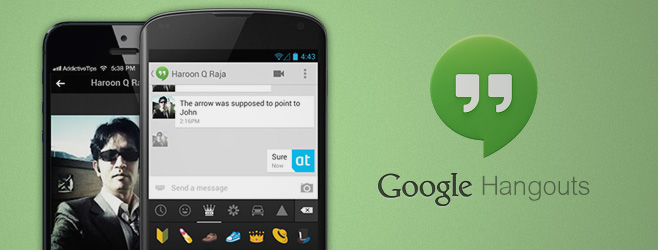
The Google I/O keynote yesterday brought a lot of important announcements, but the revamped Hangouts service seems to have managed to cause the most excitement among them all so far, probably because it has already been rolled out for users all over the world. The iOS app is available in the App Store, while  lot of Android users have managed to get their hands on the Hangouts update for their Google Talk app as well. Google already offered its Google Talk (also called GTalk, Google Chat and Gmail Chat) already enjoyed integration with Google+ and Gmail but compared to the Hangouts feature of Google+, it wasn't too heavy on features. Some of you might have wondered why the plain old chat can’t become as cool as its Google+ variant. Even if you have never thought of that possibility, Google seems to have been thinking along those lines. The new Hangouts can be considered a consolidation of Google Talk and Google+ Hangouts that works on Android, iOS, Google+ and Chrome. The service offers everything from video calling to group chat, and even a huge collection of emoticons. Read More

Easily Create & Apply A Graphics Overlay On Google+ Hangouts

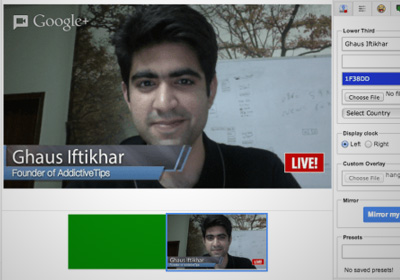
Google's Hangouts feature is one of the easiest ways to have a video conference call. With the integration of apps like YouTube to it, you can now record and upload a hangout directly to the world's most popular video sharing service. Hangouts might sound like an ordinary group chat service but with the apps available, it can be used for so much more. HangoutMagix is one such web app that works with the Hangout Toolbox app for Google+ Hangouts. The app allows you to enter two lines of text and an image, which it then adds to a transparent background. The layout of the graphic generated from the text and logo is similar to what you see when watching interviews on TV, giving the name and brief detail of the speaker or the subject of the video. You can download the image you create with HangoutMagix and add it as an overlay for your hangout, so that people you’re talking to can see that information throughout the hangout. Read More

How To Remotely Access & Troubleshoot A PC Via A Google+ Hangout

Video chat apps and services aren't very useful if they don’t allow you to send files or invite several people to the same chat session. Another much in-demand feature is the ability to remotely access the desktop of whoever you’re chatting with, in order to help them do something or troubleshoot some problem. There's great news on this front for Google+ users - the feature, has been added to Google Plus Hangouts in the form of an app. The great thing about Google Plus Hangouts, like Gmail Chat, is that your browser is the only thing you need to start a video call and invite multiple people to it, and you can now remotely control someone’s desktop just as easily. Here’s how. Read More

Google+ For iOS & Android Get Community Options, Photo Editing & More

It’s been a while since we last gave Google+ smartphone apps any coverage, the reason being that the app didn't receive a major update after the one that brought Pages support to it. Now, however, it has been updated with a number of really great features. Both the iOS and Android clients now focus a lot more on communities than they previously did, with options to share posts from your phone and popularizing a community coming to the mix. Another great new addition is the revamped photo editor that has been integrated with Google+ for iOS. Not only does it offer a lot of image effects, but also makes it possible to crop pictures before sharing them. Read More

Create Facebook & Google+ Cover Photos With Quotes Using QuotesCover

Google Plus, Facebook, and Twitter profiles all have one thing in common - cover pictures! Cover pictures work great in tandem with profile pictures, since you can use one image to express yourself and another to represent your profile, without compromising the visibility and impact of one over the other. The only problem is that creating even a mildly interesting cover picture can be quite a challenge to many. If Paint is the only image editor you can use well, creating a good looking cover picture will not be a walk in the park for sure. QuotesCover is a web app that lets you create cover photos for Facebook and Goolge Plus using different quotes, fonts, layouts and color schemes to make them look great. You can add background images as well and customize almost everything about the image. QuotesCover creates templates for printing posters and cards in various sizes as well. Read More

Hands-On With New Features In Google+ For Web, Android & iOS

Google’s been pretty busy in the past few days updating almost all its major Android and iOS apps with some significant feature additions, and there’s no way the company was going to leave the official mobile client of its dedicated social network, Google+, out in the cold. In fact, big G seems to have reserved the biggest update of the season for it. The latest update to Google+ is aimed at web, Android and iOS users, and it covers no less than 24 different features, with each platform getting its own share of goodies in one way or the other. So fasten your seat belts and get ready to learn in detail about the various features that the latest Google+ update has in store for all of these platforms. Read More

A Guide To Google+ Communities & Brief Comparison With Facebook Groups

Google+, the social network that was first predicted to end Facebook’s reign, and then to die a nameless death, is still alive and kicking and has just rolled out its latest feature - Google+ Communities. Google+ Communities are groups of interest that any Google+ user can create. Like all other social communities, it allows you to create public and private groups, or moderated public groups. You can add events, share images or videos, and post messages. As a member of a group, you can invite other friends from your circles. To join private communities, you either need to receive an invite, or you can send a request to join. Anyone can join a public community, but for moderated public communities, your request to join must first be approved. This new addition has its own search feature that allows you to discover communities of your interest, and a personal search feature that allows you to search within a community. Read More

Google+ Update For Android & iOS Adds Support For Pages & Post Editing

There can be no denying the fact that Google+ has not yet proved to be the Facebook-killer many people initially thought it would be, but Google’s social network does have its positives. While there are great features like Hangouts for individual users, Google+ Pages offer businesses a convenient way of interacting with the user -base en masse. It has always been a source of disappointment to the social network’s Android and iOS-using fans that the Google+ clients for these platforms do not support Pages and work only for individual profiles. Thankfully, the issue has finally been addressed in the latest update. While support for Pages is the only major change in the Android app, the iOS version also lets its users edit past posts, and if you are on an iPad, you can find people and posts via the search option present in the main menu (a feature hitherto only available on the iPhone). Read More

Google+ For iOS Update Brings iPad Support, Events & Hangouts

Not many people gave Google+ much of a chance against Facebook when it was first launched, but judging by the rate at which Google’s social network is gaining followers and new features, it is not too far away from becoming a real threat for its competitors. While the web and Android versions of the service have garnered a lot of attention, the iOS app for Google+ was still missing a few key features (not to mention the lack of iPad support). The Android app for Google+ was optimized for tablets a couple of weeks ago, and now, an update for the iOS client has been rolled out with almost all the features the Android app offers. The update version is optimized for the iPad, allows you to start or join Hangouts from your iPhone and iPad, and boasts Google Events integration. Read More

Google Places For iPhone Now ‘Google+ Local’ With Zagat Integration

Google has been striving to add Google+ integration to as many of its services as possible. The social network from the search giant might not have become too mainstream just yet, but when you look at everything that supports Google+, you just have to wonder if some day soon, Facebook will have a real rival to contend with. Google Places has been around for iOS since 2011, but just a few hours ago, the app received a major update, and is now called Google+ Local. Even if you are not a fan of Google+, you have to admit that the “Local” nametag defines the app’s functionality better than the previous moniker. The app’s name is not the only thing that has changed. The places you discover using the app will now sport Zagat ratings, and it is easier to share locations and your reviews with your Google+ friends as well. Read More

Google+ For Android Gets Another Facelift, Google Events Integration, Tablet Support & More

As if the news of the announcement of the latest iteration of Google’s mobile OS, Android 4.1 Jelly Bean, alone wasn’t enough for Android users to digest, we’ve been presented with several completely revamped Google apps in the Play Store; the most noticeable of which, undoubtedly, remains the Android variant of Google+. The app has received yet another tremendous facelift that puts the previously introduced visual refresh to shame. The latest layout is very much reminiscent of a digital magazine, with your G+ Stream becoming much more vivid, and posts being displayed as a stack of cards. Though, that's just the tip of the ice berg. The latest update also sees Google+ emerge as a fully tablet-optimized app that enlivens the entire screen real-estate of your Android tablet (and soon, your iPad) with the same visually rich content. The app has also been updated with the newly-announced Google Events support, meaning that you can switch to a new Party Mode during an event, and share all photos and moments with your buddies in real-time, right from your Android device. Other additions and improvements include improved Hangout experience, instant thought (status message), image and location sharing options, revamped comments view and lots more. Read More

Google+ For Android Gets Visual Refresh, New Menu, Photo Downloads & More

Google seems quite determined to make Google+ one of the the best social networks out there. Just recently, the web interface of the fast-flourishing network got a massive overhaul, with my personal favorite feature “What’s Hot” being added to the mix, too. Just a few days back, the official iOS client of Google+ also received a major update that brought with it plenty of exciting goodies. To the utmost delight of Android users, the same changes have now been implemented in the Android variant of the service. Read More

Plus Comments: View Google+ Discussions For Any Web Page [Chrome]

Want to find out what people think about websites that you often visit? Plus Comments lets you view what others are saying about a particular website on Google+. With it, you can also see which Google+ users have shared content that you often browse. As you surf the web, an icon will appear in the URL bar linking you to discussions between Google+ users about that particular page. The extension collects and organizes social media content from Google+ and displays it in a compact pop-up. When you click an item, you will be redirected to the associated share on Google+. You can then read comments on the shares and add your own thoughts to the thread. Read More

Streamified: Merge All Your Social & RSS Feeds With Google+ [Chrome]

It's always more convenient if, instead of opening social media websites in multiple windows or tabs, you're allowed to view all your social network feeds and updates from one central location. Streamified is an extension for Chrome that gives you an overview of your social networks as well as RSS feeds within Google+. It saves you the trouble of having to visit each social media website by letting you view all the activity from a single window. The extension supports Facebook, Twitter, LinkedIn, Tumblr, Instagram & Google Reader; feeds from all these networks and services can be added to your Google+ stream. This will not only simplify the process of sharing images and links with others, but also allow you to quickly update your status across all selected social media accounts. In short, Streamified provides a one-stop solution to keep tabs on all important social media feeds. More after the break. Read More

Schedule Google+ Posts For A Later Time With Do Share [Chrome]

Scheduling posts on social networks can lead to many benefits, and may have multiple uses. For instance, you may want to schedule a tweet announcing the launch of something important to you, or a Facebook post to wish your loved ones happy birthday. For the two most popular social media services, Twitter and Facebook, several tools exist that allow you to do just that. Unfortunately, one can't say the same for Google+. You'd be hard pressed to find similar solutions for the social network. If you're still looking for one, try Do Share. This smart Chrome extension helps you write Google+ posts, save them as drafts or schedule them for a later time. You can format posts, share drafts or delete them as well. Posts can be shared with specific circles, which can be added by clicking the +Add more people option within the extension. Also, note that as the network does not have a full API yet, the extension uses a method to automatically log in to your Google+ profile in the background to post scheduled messages. So, for the extension to be able to do so, you'll need to have your computer and browser running, and yourself logged in to Google+. Read More

Get Google Search Results With Facebook Likes, Tweets & Google+ Shares [Web]

Google With Social Stats is a pretty slick tool that lets you view Google search results, along with social stats such as Tweets, Facebook likes and Google plus shares. These social stats are a good indicator of an article’s popularity on the web, and help you decide whether or not to read a particular write-up. It displays standard Google web search results, along with image thumbnails and social statistics, so you can easily find the best content on the web. The service has a simple interface, which is easy-to-use and retrieves results instantly. Read More

Google+ For iPhone Updated With Typing Notifications, +1 For Photos & More

Contrary to what Facebook fans might believe, Google+ isn’t going anywhere. It’s here to stay and that’s why the folks over at Google are taking its updates pretty seriously. Just a few days ago the Google+ app for Android got revamped via a pretty big update (which we covered in detail) and now its iOS counterpart has been updated too. The changes are not as major as the Android update, but still, include some very welcome and long-awaited features. Head past the break for details. Read More

Google+ App For Android Updated To v2.1, Gets Ice Cream Sandwich UI

The official Google+ client for Android has just been updated to v2.1. While most of the updated features which the users got to see in the leaked version (2.0) of the app at the start of the previous month have been retained, there are quite a few other notable changes that the updated client brings with it; the most significant of them being the option to logout of the app – handy for users with multiple accounts. For those users who, for some reason, couldn't take a peak at the leaked version of the app, the official update sports a totally revamped UI that resembles the looks of the latest Android OS variant, Ice Cream Sandwich. Other than that, almost every facet of the app has undergone a change of some sort; be it a new notifications panel, the Stream, Circles, Photos or Profile screen, the unexplained absence of the homescreen widget and even the Messenger title, which we believed could so possibly have been renamed yet again (this time to Chord) as it was in the leaked version. Read More

Updated Google+ v2.0 APK Gets Leaked, Brings Revamped UI

An updated version of the Google+ (v2.0.0) app apparently meant for the much anticipated Ice Cream Sandwich installment of Android has just been leaked onto the internet by the guys over at Android Police. An APK of the app is now available for download (links provided at the end) if you wish to take it for a spin before the official release (probably somewhere around the time ICS is released). The latest version seems to work on most Android devices and brings quite a few noticeable changes; in the interface though, and not in terms of functionality. For starters, Messenger (previously known as Huddle) has now been renamed to Chords. Apart from that, there have been other minor changes to the overall UI of the app which we shall explore via screenshots and brief details after the jump. Read More