Ace Video Converter Supports Over A Hundred Input & Output Formats

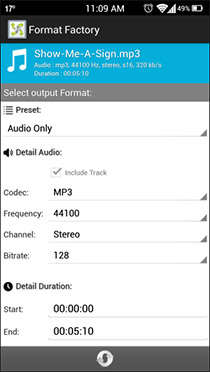
The need for video converters has declined slightly due to the fact that most multimedia devices now support a huge number of media formats out of the box. Nevertheless, devices like the iPhone (and several others) don’t stray from their heritage and rely on limited formats when it comes to playing media files. Two video converters you can always take for a spin are Handbrake and Format Factory, with a wide array of format support that keep their reputation intact. However, should you still not be convinced and want to give another one a shot with a more straight-forward approach, Ace Video Converter might come in handy. We won’t say it’s the best video converter out there, but for what it does, it shouldn't be underestimated. It supports a massive number of input and output formats (over a hundred according to the developer), and does a wonderful job in converting videos in batch. In addition, it allows downloading YouTube videos, so you can save them for offline viewing. Let’s dive into it and find out if it’s worth a try. Read More

Format Converter X Brings Simple Media Conversion To Windows 8 And RT

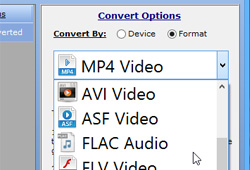
Modern UI is what gives Windows 8 its legs. The latest OS looks and feels closer to its mobile counterpart, thanks to its touchscreen-friendly interface. We have covered plentiful Windows Store apps, catering for almost every category, but one particular kind of application that we were yet to come across was a media converter, until we came across Format Converter X. Generally, people who spend a lot of time converting audio video files would rather look for powerful solutions, like Format Factory or HandBrake. Nonetheless, for Windows 8 RT users or traditionalists, Format Converter X can lend a helping hand. The app’s design remains closer to Windows 8’s Metro-style formula. It doesn’t really give much of a choice in terms of output format selection, but it does accept quite a few files types as input, such as MOV, MPEG, WAV, M4V, MP4, AAC, WMV, PCM and WMA. The output selection stays limited to MP4, MP3, WMV, WMA and AAC. Read More

Convert Media Between 700+ Formats, Split, Join & Watermark Videos

A lot of people waste time looking for media converters that are free, and support an umpteen number of file formats, but still remain uncertain as to which one they should choose. Although we have covered a number of media converters including  OxelonConvertidor De Videos and HandBrake-based HB Batch Encoder Mk2 and HandBrake Batch Encoder, we always try to find more media converters that can perform quick audio and video conversions. Video To Video Converter is one such tool that crossed my way and seemed absolutely worth using. What makes it stand out is the large number of output formats it supports; over 700 according to the developer. It can convert both audio and video files, including AVI, MPEG4, XVID, MPEG2, MOV, MKV, FLV, SWF, 3GP, GIFF, DIV, MP3, AAC, AC3, WAV, M4A, FLAC, 3GPP and more. Along with a media conversion, the software can perform video split and join operations as well as burn videos to optical discs. Read More

VSDC Free: Yet Another Feature Rich Video Converter For Windows

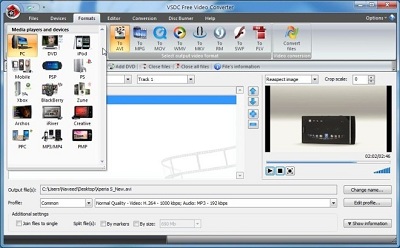
Gone are the days when you’d demand a media converter to convert a video file into a specific format. Nowadays, portable multimedia devices such as smartphones, tablets, game consoles etc., are capable of playing almost every audio and video format. Despite that, the need for video converters doesn’t seem to fade away, and you may often find yourself looking for one should a native video format not work for you. Most folks use HandBrake for converting video and audio files between different formats, as, beyond doubt, the program holds a lot of potential. VSDC Fee Video Converter is another such tool that packs a slew of features, and supports all popular video formats. The application includes presets for a number of devices, including PC, iPod, PSP, Playstation, Xbox, BlackBerry, Zune, PPC etc, for one click conversion process. What’s more, there’s an integrated video editor, which can be used to trim or merge files before you send queue them for conversion. Moreover, using its Disc Burner feature, you can easily burn files to optical discs without having to use an external CD/DVD writing application. Read More

VideoMach: Multimedia Converter With A Massive Set Of Editing Features

Multimedia converters come in all shapes and sizes, but with the wide range of portable multimedia devices available nowadays, it often becomes difficult for users to play a specific video or audio file on all devices without having to convert its format. Today, we have a multimedia converter for Windows called VideoMach, which allows you to convert between a large number of audio, video and image formats, such as AVI, WMV, MPEG, FLIC, AC3, WAC, WMA, BMP, JPEF, PNG etc. Moreover, it enables you to extract audio and video from a media file, adjust video playback speed, decompile videos to save video and audio streams in separate files, apply effects to entire video stream or specific parts, overlay text and images over the videos, and add audio to animations and videos. Read More

Easy Video Converter Supports 80 Media File Formats And Drag & Drop [Mac]

Among all the genres of apps that we have covered, a large chunk probably consists of video converters. Being as abundant as they are, most of the free offerings are fairly functional and feature-rich. Easy Video Converter, as the name implies, is a free Mac app that converts video formats. What the name doesn’t imply is that it’s a media file converter that can convert files into 80 different formats. The app was previously worth $9.99 in the Mac App Store, and has now gone free. In addition to the large number of output formats that it supports, the app also lets you resize videos, and change frame and bit rates. You may manage these variables for audio and video files separately. Read More

Convertidor De Videos: Media Encoder With A Great UI & Built-in Video Editor

We have covered plenty of media converters - some with beautiful UI designs and others with top-notch encoding quality – and then there are some that let you compress music files without hurting the audio quality. When it comes to output support, many media conversion applications enable you to encode files to every single media format. Convertidor de Videos lets you convert video and audio files to a vast array of supported formats including AVI, MP4, SWF, MKV, WMV, 3GP,WAV, MP3 etc. Additionally you can convert files that are especially optimized for playback on portable devices like iPhone, iPod, Zune, PSP, Android smartphones etc. Along with simple conversion, it also enable you to convert media files directly from DVD or video hosting sites such as Youtube. And finally, it comes with an integrated trimming, editing, cropping and screencast capturing tool. More after the break. Read More

Swiftturn Free Sound Extractor: Batch Extraction Of Audio From Over 250 Videos Formats

There are various applications out there that enable you to extract music or other audio from video files. Swiftturn Free Sound Extractor is a prime example of such apps, which, at the same time, also lets you convert the extracted audio file into a number of popular formats, including MP3, AAC, WMA, OGG, WAV and FLAC etc. The wizard-based conversion process is very simple, and sports an easy-on-the-eyes UI design. Some of the key features of this tool include support for 250+ input formats (including MP4, MKV, AVI, MOV, DAT, DIVX, MPG, VOB, DV and FLV), numerous presets for audio conversion and batch conversion of files. Read More

iConvert: Convert Videos, Extract Audio & Send Them To iTunes [Mac]

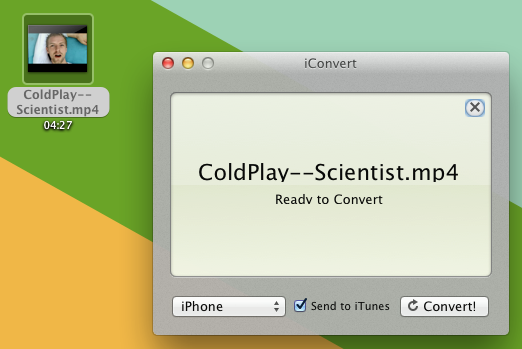
When it comes to converting videos into iOS devices’ compatible format, there are numerous applications available at your disposal, but unfortunately, only a few media conversion utilities offer an easy way of converting videos into different formats. The video converters require setting video size and resolution, along with video and audio parameters to convert and optimize video for iOS devices. However, if you’ve been looking for a tool that can not only convert videos into iOS devices’ supported formats, but also send converted video to iTunes, then give iConvert a shot. The application has been designed keeping the need of quickly converting videos and synchronizing them with iOS devices in mind. It has the ability to not only convert videos for iPhone, iPod and iPad, but also extract audio from video and send it to iTunes Music Library. Read More

Panther: Feature-Rich Media Converter With Audio Compression Feature

When we talk about media converters, names like Handbrake, Format Factory or Freemake Video Converter automatically come to the mind. These media converters offer a plethora of features to customize the video and audio conversion process. We have also tested and reviewed various media converter tools in the past - Motion Man, Oxelon Media Converter, Adapter, E-Z Media Converter, just to name a few - which include a limited feature-set for converting video and audio files. However, what makes a media player different from others is the quality of its encoding engine, user interface and ease of use. If the latter factor is what attracts you the most, then you should give Panther Media Converter a try. It is a stylish media conversion application that lets you convert both audio and video files into widely used media formats. Additionally, you can compress your audio files with the built-in media compression option, which according to the developer, compresses the media file without hurting the original audio quality. Read More

Noow: Integrate Audio, Video & Torrent Website For Downloading Content

Noow is a feature rich application that serves as an HD media player, torrent downloader, podcast client and a multimedia file manager. You can integrate any web service which offers audio, video or torrent downloading capability to Noow interface. For example, you can integrate MegaVideo by simply adding its URL to Noow sources and browse through the website via Noow. When a video is played from a source website, a option to download to your local drive automatically appears. Similarly, you can add podcast feeds and torrent websites, browse through them and download content. Although Noow is an HD media player, it plays back even lower quality videos quite well. Read More

Adapter – Convert & Import Videos, Audio And Images Directly To iTunes

Adapter is a free media converter for Mac and Windows, supporting almost all the known image, audio, and video formats. While it offers a host of presets for different devices, including, Xbox, Apple, Sony, Microsoft Zune, Nintendo, Blackberry, Misc. Cell Phones, and supports many other DVD, Flash, Zen Vision W related formats, users who want to tweak with audio/video, bitrate, framerate, resolution, etc., can turn Advanced mode On. Unlike other media converters, it allows iDevices owners to directly encode video and audio and transform image formats to iTunes, so they can easily sync them with their devices without having to manually move converted files to iTunes folder. A small file viewer is also integrated within the application to get a preview of video and images and also to crop the defined frame of the file. You also have 4 different image and video size cropping options, namely, pad, crop, stretch, and zoom to change the image/video size according to your display monitor dimensions. Read More

Aero Convert Is Small But Powerful Video Converter

Aero Convert is a small, lightweight, and an elegant media converter to encode audio and video files in mostly commonly used formats, including, AVI, FLV, MOV, MP3, MP4, MPG, WAV, and WMV. It is developed to quickly perform conversion operations and optimize video quality for CD and DVD. With almost every provided format, you can use the HQ switch preset to convert videos in high definition. Aero Convert, despite being a small converter, offers some powerful conversion options to make full use of CPU in order to provide blazing fast conversion speed similar to previously featured Oxelon Media Converter. However, it does not compare with Handbrake and Oxelon, but provides sufficient conversion options for routine audio and video conversion tasks. The nice part is that you won't have to set up audio and video parameters nor does it require setting up any configurations. Just launch it, select the format, and specify media files to start conversion. Read More

Media Converter For Mac Is Simple Yet Advanced Video Converter

If you’re not a videophile, you must be comfortable using a media converter with minimal set of conversion options and simple usage, like,  Media Converter. It fulfills almost all sort of daily media conversions needs with extremely simple usage to encode media files. You just have to drag a file over the interface to begin the conversion process. It is open source and uses ffmpeg codec, so a variety of media formats are supported, AVI, WMV, MKV, RM, and MOV, to name a few. For your convenience, it comes with a list of presets to save you time for adjusting conversion options and other A/V parameters. If you need to create a preset or customize existing one, doing so in Media Converter is fairly simple. Read More

Arista Transcoder Is Easiest Way To Convert Media In Ubuntu Linux

Arista Transcoder is a multimedia conversion software for Linux based operating systems. It has an easy to use interface, which makes transcoding functions easier to execute when converting media from multiple devices. The supported devices include,  Android, iPhone, iPod, iPad, Nokia N Series, DVD, gaming consoles, Web, etc. Just select an input, target device and file to save in order to quickly convert media files in the desired format(s).  Arista Transcoder provides a real time preview of the conversion process which can be helpful in evaluating the quality during the conversion process. This application can also be used for ripping DVDs and preset updating. Read More

Convert Video Files Between Multiple Formats And Burn To Disc With Motion Man

Motion Man is a brilliant open source video conversion tool which supports a wide range of media file formats including AVI, MP4, MOV, FLV, VOB, MKV, RM and so on. The developers team over at Blink Solutions is behind this app and previously reviewed batch image processing application called Digito. Motion Man keeps everything simple, just like Digito. It offers plethora of video conversion options in a simple-to-use interface to satisfy both novice and power users. Aside from converting video files between different formats, it also enables user to burn audio recordings (WAV format) directly to CD without using any third-party burner. A media player with basic playback controls is also integrated within the application to verify the required FPS, audio quality and other relevant attributes of the video being converted. Read More

Convert Any Segment Of Media Files To Audio Format With Free Audio Extractor

We have covered some audio extractors in the past but nothing like GikSoft's Free Audio Extractor. If you are looking to convert Flv, Mp4, Avi, Wmv, Asf, Mov, Mp3, Wma, M4a, Aac, Wav or Mp2 media files to different audio formats (Mp3, Wav, Ogg, Flac, and Wma), then this application is for you. So why this tool, you may ask? The straightforward user interface, fast processing speed, and option to extract and convert any segment of the media, makes it a must-have utility. Don't take our word, give it a shot yourself. The guys at GikSoft are also behind the useful Free Media Capture utility that we covered back in Summer, 2010. Read More

Download, Convert, And Stream Videos From 300+ Websites With FVD Suite

Earlier we have covered some video downloaders, such as Orbit Downloader and Free Make Video downloader, the latter having the ability to download and convert Dailymotion, Vimeo and Facebook videos as well. Today we will review FVD Suite, which supports more than 300+ video sharing platforms whilst offering on the fly conversion of downloaded videos. Along with downloading and converting flash-based videos, you will also be able to stream media from thousands of supported websites. Read More

FreeMake Video Converter v1.3 Brings GPU Hardware Acceleration, Preset Editor, And More

Back in July, we reviewed FreeMake Video Converter – an aesthetically appealing video converter which at that point of time supported various video formats with an ability to upload converted videos directly to YouTube. Recently, its developer Kate Smith updated me with a whole lot of new & interesting features included in latest iteration - Ver 1.3.0. Amongst the list, the most significant improvements are, a preset editor to let user select video/audio codecs & other video parameters along with an icon, support for SWF, MKV, and MPEG formats, and intrinsic preset list has been improvised with Apple, Sony and Android devices. Additionally, users can now put a limit on output file size and select video quality-speed specific encoding options. Read More