Easily Remove Unwanted Objects From Photos On Windows Phone With Smartest Eraser

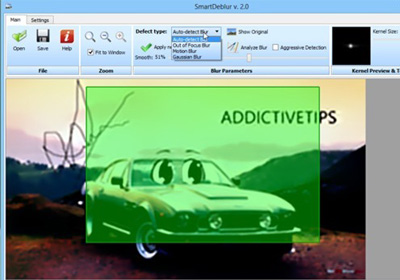
A memorable photo is one snapped with perfect timing to capture the complete essence of a moment. A lot of great photos are ruined by objects or other people who weren't intended to be there. Perhaps someone was trying to photo-bomb you in the background, or you just wish there was some way that ugly truck had moved away before the picture was taken. Of course you can use Photoshop or other desktop tools to fix these blemishes, but not many bother going through all that trouble if the picture was shot using a phone. If you own a Windows Phone device, Smartest Eraser provides the easiest way of removing unwanted parts of any photo. You also get the option to edit the photos thoroughly, thanks to the zooming and ‘protect’ features offered by the app. Read More

Add Realistic Wood, Metal & Fabric Textures To Images With Elemento EZ For Mac

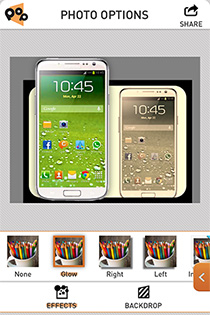
Whether you’ve grown tired of Instagram and its filters, or you’re just upset the company sort of almost said it was going to sell your pictures for money, you might be in the market for something new to do with your pictures. If you’re interested in a desktop app that can make pictures more interesting, Elemento EZ is a free Mac app available in the Mac App Store that is a fairly good option. While it isn’t Instagram, doesn’t work on your iPhone, and won’t make your morning cup of coffee any more interesting than it is, what it will do is allow you to add textures to your pictures. With the free version of the app, you get two textures each of metal, wood, and fabric. While the color scheme for each texture is fixed, the app allows you to make some adjustments and change the brightness level. Read More

SketchBook Express For Windows Is A Great Modern UI Microsoft Paint Alternative

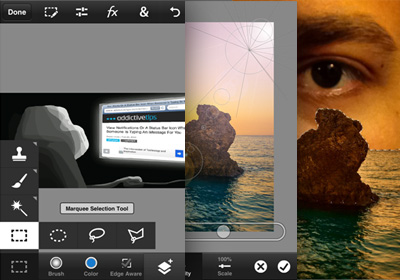
Yesterday, we covered a feature-rich image editing app for Windows 8 called Fotor that provides users with Instagram-like filters, borders and effects to make your images look like they are professionally shot. While it's a great photo editor, Fotor does not let you create any art on a blank canvas or provide you with brushes and other similar paint tools. Today, we have a Windows Store app that fills this void and provides you with different brushes and tools to create professional style drawings and paintings. The collection of different types of brushes offered by Autodesk SketchBook Express, such as Pen, Pencil, Paint Brush, Fill Tool, etc along with a color palette and different sizes for each brush makes both casual and serious drawing a lot of fun. Moreover, the mirror mode offered by this Modern UI app lets you mirror everything you draw or paint, both horizontally and vertically, allowing you to create beautiful mirror paintings and drawings. Keep reading to find out more about SketchBook Express. Read More

PC Image Editor Provides Basic Adjustments, Tons Of Effects & Filters

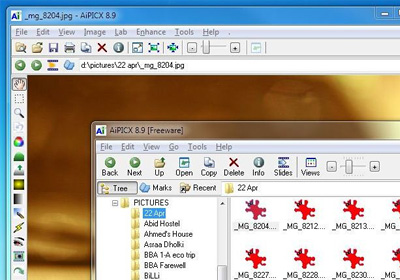
Image editors come in all different shapes, sizes, feature sets and price tags. Some boast incredible features at a premium price that equals your month’s grocery, while others give you a lot of options to play with without costing a dime. And then there are the very basic ones targeted at novice users who simply want better alternatives to the Paint utility with a short learning curve. If you lie in this category, give PC Image Editor a go. This free app for Windows does a great job in letting you edit most of the image files and supports a wide range of input and output formats including the ever popular PNG, JPEG, GIF, BMP, TGA, TIFF, EMF, RAS etc. It also shines in the number of image effects and filters it supports; you can sharpen your images, add blur effect, increase or decrease brightness and contrast, change image saturation, and much more. Read More

Fotor Brings Its Instragram-Like Photo Filters & Tilt-Shift Effect To Windows 8

Ever since the release of Windows 8 and RT, apps that were previously available only for iOS or Android are also coming out for devices running Windows. We have covered similar Windows Store apps, such as Shazam that was available, and very popular, on iOS, Android and Windows Phone. The Windows Store still has a very low number of apps as compared to the other platforms, however, apps related to various categories are coming out on daily basis, making the platform better and easier to use. Today, we present to you another app, previously available on iOS and Android, called Fotor. It is a feature-rich image editor for Windows 8 that allows you to apply filters to images, add borders, tilt-shift and other effects. Moreover, the 1-Tap Enhance option lets you quickly improve the quality of an image without having to manually tweak its Brightness, Contrast and Saturation levels. controls. Read More

Instagram Updated With New Camera, Effects & Infinite Profile Scrolling

Just a few hours ago, Twitter announced a new update for its mobile clients. The official Android and iOS apps of the service now boast some pretty decent photo filters, prompting a few people to predict the end of Instagram. Of course, this release came just a day after Twitter dropped support for inline display of Instagram images. As you would expect, Instagram has responded quite quickly. Both iOS and Android variants of the mobile photo sharing service have received an update, making them much smoother and more beautiful than before. Using the Instagram camera is quite a lot easier now, and there is even a new filter thrown into the mix. The profile view and welcome page have also been tweaked, allowing users to scroll through any grid infinitely. Foursquare support has been added, and there is a special button that can take you to any location’s Foursquare page for extra details. Read More

Popular Photo Editing App Snapseed Now Available On Android [Review]

When considering powerful and feature-rich photo editing apps, one name that instantly comes to mind is Snapseed. This award-winning cross-platform tool by Nik Software has been offering a variety of photo editing, enhancement & sharing features to iOS, Windows & Mac users for quite some time now. Impressed by the company’s astounding success particularly on iOS, Google acquired Nik Software back in September, leading naturally to expectations for an Android version. The wait is finally over, as Snapseed has made its way to Android for Ice Cream Sandwich and higher devices with almost all the goodies that iDevice users have been enjoying for months. Furthermore, Google has also added deep Google+ integration to Snapseed, allowing instant photo sharing to the search giant's social network. Read More

Correct & Enhance Dim Photos With Orasis For iPhone & iPad

Before snapping a photo, most of us try to adjust the camera settings to perfection, but there are times when you can’t take too long, especially if you are using your iPhone. There are apps available for iOS devices that try to maximize the chances of getting a good photo each time, as unless you're always in perfect lighting, you are bound to take a photo that is too grainy or too dark. Orasis is an iPhone and iPad app designed precisely for such photos. It automatically enhances any image you want, maximizing the level of detail and letting you tinker with the picture’s brightness. In the app's manual mode, users can adjust every aspect of the photo just the way they want. Read More

Edit & Stylize Images The Easy Way With Photo Studio For Windows 8

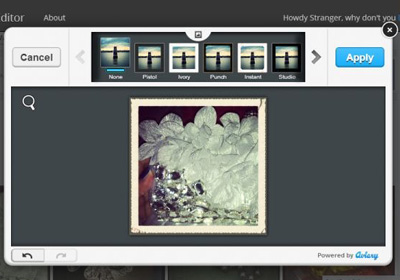
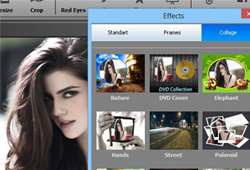
A very important aspect of image editing is the tool that you're using for the job. For instance, Photoshop is one of the most famous image editing software out there, but it also has a high learning curve. If you aren't already familiar with its interface, using it to perform even the simplest editing operations can prove to be quite difficult. However, touching up photos or images to make them look better for your favorite social network does not require mastering advanced tools. Also, most of these tools aren't available on both desktop and mobile platforms. This is why apps like Photo Studio exist. This free Windows 8 and RT app provides you with basic image editing options, adjustments, Instagram-like filters and frames to make your photos share-ready. More details after the break. Read More

Autodesk Pixlr Express Is One Of The Most Powerful Android & iOS Photo Editors Around

Following the success of their maiden photo editing Android & iOS app, Pixlr-o-matic, the folks over at Autodesk Inc. have just released another remarkable tool by the name of Pixlr Express. Effectively, Pixlr Express can be cited as an advanced version of its predecessor, with quite a few additional photo editing & beautifying features, lighting and vintage effects, picture frames and image correction tools. Besides these basic improvements, Pixlr Express brings to the table several advanced features, including the denoise (noise reduction) effect, DSLR-like circular and linear focus blur, auto-fixation, red eye removal, whitening tool, and the best of all, a color splash (selective color) tool. Each effect or tool is further adjustable in multiple ways to help you with finding the perfect picture output you’re looking for. Read More

Blux Camera Brings Its Smart Photo Effects To The iPad

Last month, we covered Blux Camera, a camera replacement app that analyses the scene and automatically picks the best effects and filters for it. Such apps are usually more popular on the iPhone, thanks to the superior camera hardware that comes with the newer iterations. However, times have changed and the last couple of versions of Apple's iPad come packed with pretty decent cameras. This means that there is now a need for tablet-optimized photo editors as well, which is why the team behind Blux Camera has come up with an iPad client of the app. Blux Camera for iPad offers all the options available in the app’s iPhone version, but after using it on our iPad, we can’t help but wonder how such an impressive array of options fitted onto the iPhone’s small screen. There are a number of photo effects, capture modes and other camera-related features on offer. Other than that, Blux Camera retains its trademark intelligence on the iPad as well, making sure you get all the help you want to decide on the most appropriate settings for a particular scene. Read More

Overgram For iPhone Beautifes Your Instagram Photos With Typography

Whenever you need to add some text to a photo before posting it to Instagram, Facebook or some other social network, the iOS app that is likely to come to your mind before any other is “Over”. There are a lot of other apps available for iPhone users that perform the same task, but thanks to its polished interface and attractive fonts, Over has gained quite a lot of fame and fans in a short time. For users who'd rather not spend $0.99 to beautify photos with text, the team behind Over has released a free variant of the app labeled Overgram. There is a catch, though; there will be a small watermark at the corner of each photo, but almost everything else is the same as the full version. You will get an extensive color palette for the text, the alignment options work quite well and there are plenty of fonts available too. Read More

ColorStrokes Comes To iPad, Offers Familiar Color Splash Photo Editing

Being one of the most popular photo editors on OS X, Color Splash Studio caused quite a bit of excitement when it made the leap from Mac to iPhone. The service changed its name to ColorStrokes shortly after its iPhone release, and now, an iPad variant of the app, labeled ColorStrokes HD, is available on the iTunes App Store. You won’t find any major differences between the iPhone and iPad apps, but the latter utilizes the tablet's larger screen real-estate to allow easier handling of brushes, and thus, more intricate editing. More details after the jump. Read More

Get Galaxy Note 2 Photo Editing App Paper Artist On Android Jelly Bean

Besides being an awesome pastime, the Paper Artist app that comes bundled with Samsung Galaxy Note 2 is as stylish a camera replacement and photo editing app as you will ever see. The problem, however, is that not everyone owns or can afford the Note 2. Thanks to XDA member tmantanner4, Paper Artist can now be enjoyed on any device rocking Andorid 4.1 Jelly Bean or higher. Having played around with the app for a good part of an hour or so on my Galaxy Nexus, I can assure you that it’s one of those apps that you simply cannot miss out on trying, especially if you’re a photography aficionado. Paper Artist sports Paper Camera and Cartoon Camera-like effects that make images look as if they were sketched. Using various editing tools on offer, you may enclose your photos in snazzy frames, paint over and annotate them in an entirely new way. Once done with the editing, you can save your work of art to your device, or share it with your friends. Read More

Vintique For iPhone & iPad Provides Customizable Photo Filters And Unique Sharing Options

Due to the extraordinary number of apps in the App Store, users no longer question whether an app is offering something new. All everyone needs these days are apps that do what they are designed for in a streamlined and efficient manner while offering a different way of dong things. Vintique is one such iOS photo editor. It doesn't promise anything completely unique, but it is a delight to use. For one thing, Vintique offers an impressive collection of photo filters (with a  special focus on vignette effects). In addition to that, most of the filters are highly customizable. To top it all off, Vintique comes with a powerful sharing menu, complete with option to export to Instagram, and share over Facebook or Twitter. Read More

Mirrorgram Is An iPhone Camera App That Focuses On Mirror Effects

At first glance, Mirrorgram For iPhone might appear to be an app that you would rarely use on your iPhone, but use it once, and you are sure to realize how fun it really is. There are so many types of photo editors available in the App Store, that nothing related to that genre should surprise most people anymore. However, Mirrorgram’s effects and their implementation is rather unique. Sure, the app has all the usual filters (vintage, sepia, etc.), but the real fun begins when you delve into its mirror features. While within the viewfinder you can mirror any half of the scene in real-time, simply by swiping across the screen. Not only that, the developer has even added a tilt-shift effect to the mix. Read More

Polatax For iPhone: Create Gorgeous, Captioned Polaroid-Style Photos

It has been about 20 years since polaroid cameras roamed the Earth. Aside from all the convenience these gadgets offered, their trademark output also gained popularity. Technology might have come light-years ahead of the polaroid age, but it never hurts to experience a wave of nostalgia occasionally. iOS has apps for almost every photo effect imaginable, and Polatax has become the latest major addition to the list of apps that focus on one particular photo filter. As you might already have guessed from our initial discussion, the filter that Polatax handles is the famous polaroid effect. However, this does not mean that the app is a one-trick pony. The theme of everything in Polatax might be polaroid, but there is a host of other photo effects available as well. Not only that, you can add highly-customizable captions to your photos, and then the results over social media. Read More

Perfect365 For iPhone & Android Makes Face Retouching In Photos A Snap

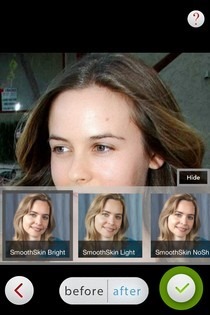
Adobe Photoshop is unarguably among the most comprehensive photo editors out there, but its lengthy feature list is the very thing that makes it a bit too intimidating for most users. There can be no denying the fact that you can do wonders with photos if you are a Photoshop expert. However, not a lot of people have got the time to learn the tool just so they can adjust the shade of their lipstick, or make acne disappear. That’s where Perfect365 comes into the picture, with its convenient, yet feature-rich, portrait editor. Perfect365 has had apps for Windows, Mac and iOS for quite a while, but to celebrate the recent release of its Windows 8 app, it has gone free for a limited time. The iPhone app offers just about everything that can be done on the desktop version of Perfect365. The app automatically detects faces in photos and lets you remove blemishes from them, change skin tone, tinker with the shape of facial features and a whole lot more with nothing more than a few taps. Read More

Retouch & Enhance Your Portraits With Perfect365 For Windows 8

There is no denying the fact that social media has taken the internet by storm. Facebook, Twitter, LinkedIn, Google+, all have become common ground for online interaction. One of the essential elements of your internet persona is the profile picture you use on social media networks. Therefore, it sounds like a wise choice to tweak the quality of your display photo. Sometimes, when we capture photos, we’re not sure of the outcome or whether it will look the same as we expected. Thanks to image editing software, we can tweak our portraits to look respectable after they have been captured. Earlier, we covered an impressive photo editing application called Perfect365. The developers have now released its Windows 8 counterpart with the same name. The Modern UI version of Perfect365 is designed to enhance portraits in a matter of few minutes. It automatically applies various photo filters to appropriate areas in a head shot to give it new life. Read More

CamVintagizer: Cool Photo Effects & Camera Options For Windows Phone

Despite interface being Windows Phone’s strongest point, a lot of third-party apps in the Windows Phone Store are accused of being a bit too simple, or poorly made. Some go as far as saying that a few of the stock apps and menus in WP7 can use a little spicing up. The camera app in Windows Phone is quite simple, and lacks all but the most basic features. While it can be argued that the stock Camera app in iOS has even fewer features, WP7 lacks the the kind of third-party apps that make up for this deficiency in iOS. Things are always improving for the Mango platform though, with new and improved apps coming out in the WP Store all the time. CamVintagizer is a WP7 app that can be used a photo editor, as well as a replacement app for the stock Mango cam. The camera mode in this app offers an overlay grid, timer, flash control and choice of image resolution. CamVintagizer comes with an impressive collection of photo effects that can be applied on both camera roll photos, and shots takes from within the app. Read More