Intel TelePort Extender: Get Android Call Alerts, Texting & More On PC

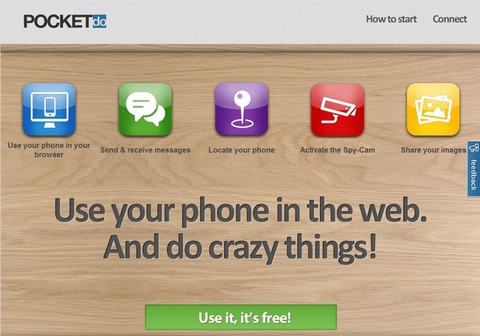
With the previously reviewed Intel Pair & Share app for Android and iOS, we saw an extremely effective (and rather unique) way of remotely streaming photos from a smartphone/tablet to PC and other devices over a shared Wi-Fi connection. Taking the aforementioned concept even further, Intel is back with another impressive app called Intel TelePort Extender that focuses on remotely accessing several core phone/device features from a Windows PC. The app lets you remotely access, search for, send and receive text messages, view caller ID notifications, and browse your phone contacts on your PC through a desktop client. That’s not all; using various controls on the desktop client, you can also remotely sound ringer, map a custom location, and launch car navigation on your device. As of now, the mobile client of the app is currently available only for Android devices, while the desktop client works only with Windows 7. Any device that is sharing the same Wi-Fi network can be paired with the desktop client, one at a time. Read More

ZappoTV For Android: Browse Local/Online Media & Stream To Your TV

ZappoTV Mobile Media Center is a comprehensive local and online media discovery, browsing and streaming app for Android and iOS-powered devices. Not only does the app allow you to view all photos and videos stored on your device and local network, but also stream content from numerous popular social media networks including Facebook, YouTube, SHOUTcast, Flickr, Picasa and lots more. What’s even better is that the app can be used to remotely stream media from your Android device to another, or an internet-enabled TV. After its successful debut in the iTunes App Store, ZappoTV has finally made its way to the Android Market. Read More

BuddyTV Brings Its Handy TV Guide & Remote Control App To Android

In a just a short span of a little over four years, BuddyTV's web service has been able to earn the love of a sizable group of users. The infotainment-based online service is known for generating content pertaining to a wide array of TV programs, entertainment news and worldwide sports activities. To cater for the needs of smartphone and tablet users, BuddyTV also has a multi-platform mobile client called BuddyTV Guide. Currently available for iOS and Android-powered device, the app can be used to get a detailed list of scheduled TV programs, set reminders for your favorite shows, and explore its digital TV guide. While the iOS client has been around for quite a while now, the Android variant has just appeared on the Market. Using the client, Android users can get timely TV show recommendations, filter the channels list according to their personal preferences, remotely control their TV from their device, tune in to their favorite shows with just a few simple taps,  make friends, and share the best findings with them. Read More

BT Controller: Use Your Android Device As A Bluetooth Gamepad For Another

A couple of weeks ago, we reviewed Tablet Remote – an Android app that let the users remotely control one Android device with the other through Bluetooth. Now, while said app can be used to, say, remotely control media being played on another Android phone or tablet connected to your TV through HDMI, BT Controller allows playing emulator games in the same way. The app turns your Android device into a bluetooth gamepad, allowing you to remotely control emulator games running on another device (the host). Like Tablet Remote, BT Controller must also be installed and running on both the devices - the host as well as the controller – that are paired with each other over Bluetooth. As of now, the app only works with a handful of game emulators, and supports controlling one Android device with the other over Bluetooth connection only. Read More

Splashtop Remote Desktop For Android Available For Free On GetJar

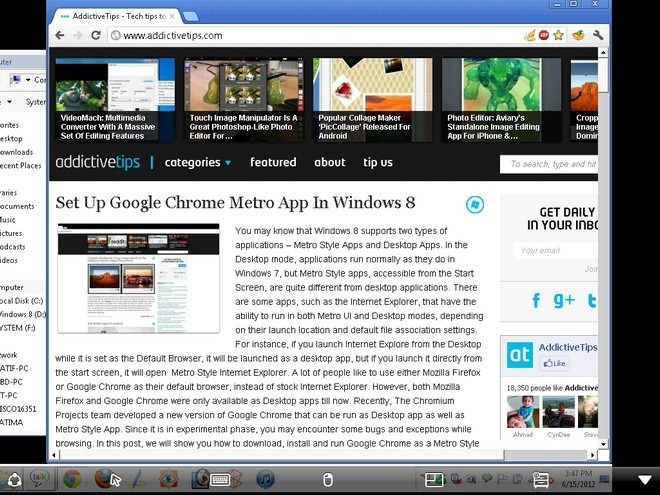
Originally priced at $9.99, and currently at $4.99 in the Android Market as a holiday gift, the official Android client of one of the best cross-platform remote desktop applications, Splashtop Remote Desktop, is now available absolutely free of cost on both GetJar and the Amazon Appstore. Using the app, you can remotely access and control your entire computer, whether PC or Mac, complete with high quality display and audio stream, right from your Android device. The remote control mechanism takes place over a commonly shared Wi-Fi connection, can be secured using an user-defined password, and involves a desktop client (Splashtop Streamer) in between, which helps establish a successful connection between your device and the computer. Read More

Tablet Remote: Control One Android Device With Another via Bluetooth

Tablet Remote is a handy little Android app that lets you remotely control one Android device, be it a smartphone or tablet, with another over Bluetooth. Imagine the facility of remotely controlling media functions of your Honeycomb tablet, or troubleshooting a problematic Android device through another without the involvement of cables, an internet connection or a desktop client. With an extremely simple configuration process yet a comprehensive set of remote control options, Tablet Remote is inarguably one the most feature-rich and easy-to-use apps of its kind that we've come across so far. What could the app possibly be used for, you ask? The image above is an excellent example of its practicality. If you have an Android tablet or phone with an HDMI output port (Motorola Xoom, HTC EVO 4G), you can connect it to your TV, and control the output from the comfort of your couch. Read More

Comodo Unite: Remote Control Desktop, Create Private VPN & Group Chat

Remote access to another computer on your network has been around for quite a while now. The internet repository is flooded with various tools that make it easier to connect to another computer on your LAN. While remote access on the same network sounds easy as a pie, it can be a hassle to connect with a computer that is located on a different network (e.g. an office computer). In such a case it can be quite complicated to create a VPN (Virtual Private Network) for remote connectivity. Comodo Unite is an application for creating your very own VPN, to connect and share files between two geographically distant computers. With the help of Comodo Unite, you can easily access one PC from another, as if it was located on the same local network. It works even from networks that are protected with a firewall and comes with an integrated secure messaging service, which uses 128-bit encryption to secure private communications. Read More

Anti-Theft App Prey Helps You Locate Your Misplaced Or Stolen iPhone

We all value our iPhone and iPad due to the sizeable amount of money that has to be spent to get your hands on these gadgets. A proof of that is the number of protective covers and cases available in the market for iOS devices. Prey is an anti-theft service that, until recently only allowed users to track their stolen or misplaced laptops and Android devices, but now, has made its way to the iPhone as an alternative to Apple's very own Find My iPhone. Head past the break for details. Read More

AirDroid Allows Remote Access & Control Of Android Over Wi-Fi Via Web Browser

Very much similar in functionality to previously reviewed Paw Server and LazyDroidAirDroid lets you remotely control your Android device from your computer over a common Wi-Fi connection. Apart from serving said purpose quite effectively, AirDroid offers many additional features for which you’d otherwise have to install at least a couple of different apps. Whether it be reading, forwarding, replying to, composing or deleting text messages, managing and playing various multimedia files, installing/uninstalling apps, managing contacts, ringtones, call logs and various files stored on your SD card or viewing your device status in detail (internal/external storage breakdown, number of installed apps & files) as well as managing all the various tasks running on it, you name it, AirDroid can do it, and all from within your web browser. Read More

Team Viewer 7 Brings Better Multi-Monitor, Performance & Meeting Support

Team Viewer is perhaps one of the most widely used desktop remote sharing, control and collaboration application, which is used by not just system administrators for remotely controlling servers, but also by entrepreneurs, employees of small and medium size companies and even common users who require help regarding technical issues from their friends. Earlier, we covered  features and enhancements in Team Viewer 6, and the iPhone and iPod version of Team Viewer. Recently, Team Viewer 7 beta was launched with improved remote control and meetings features. In this post we will provide you with a list of the new Team Viewer enhancements. Read More

Total SMS Control: Remote SMS, Call Log Backup & Forwarding To Email Or Twitter [Android]

The Android Market is filled with apps (free and paid) that let you backup and remotely access your phone’s content, help tracking/securing your device when it is misplaced and offer various privacy settings to ensure that both your device and the data lying within is always safe from prying eyes. To avail so many features at once, you are often required to install multiple apps. However, if you’re looking for an all-in-one solution, then you must consider using Total SMS Control. Apart from the aforementioned functionality, the app offers a few handy new features of its own, such as automatically forwarding incoming SMS to Twitter as Direct Messages, remotely backing up and forwarding call logs and texts to email and more. Read More

PC Remote – Use Your Windows Phone 7 Device As A Remote Control For Your PC

PC Remote is an app that you are sure to love if you own a Windows Phone 7 device and have a bit of a lazy streak going on. This awesome free (but ad-supported) app lets you control a multitude of things on your PC right from your Windows Phone! All you need, apart from the app, is a good internet connection on your PC and mobile. So now whether you want to control a slide show while lying down on your couch or just wished that you could turn down down the volume of the movie you are watching without leaving your dinner, use PC Remote! The app is not just for controlling some of the stock features available in your PC, there is a whole section dedicated to controls for third-party services like Hulu and Netflix. Read More

Automate And Remotely Execute Tasks With PrettyFlow

Sometimes we're not around our computer but still want some magical way to execute or automate tasks, so they don't always require an utmost attention. PrettyFlow is Windows application which is designed to allow users to automate and remotely execute tasks. With PrettyFlow, you can do anything from remotely starting a database backup to updating applications, building projects, copying files, performing FTP actions and much more. PrettyFlow can either be used as a standalone application or as a client-server model to perform tasks remotely. Read More

Remote Controls Your Computer From Windows Phone 7 via WiFi

Ever wanted to use your Windows Phone 7 device as a remote control for your Windows PC? Remote for Windows Phone 7 is a free, nifty app that lets you remotely browse and open files stored on your PC and manage running applications over a shared WiFi network. You can even define hotkeys within your phone and execute them on you computer with a single tap. More after the break. Read More

Remote Web Desktop For Android Gets Remote Control Add-on

Remote Web Desktop for Android has been around for a while now. Currently, the app’s developers are in the process of introducing a bunch of new features to the remote access and control suite and they have sparked it off with the release of a Remote Control Add-on. The add-on provides you with a live stream of your device’s display, allowing you to easily and fully control your device with your computer’s mouse and keyboard, as you would the interface of an Android device emulator. Once installed, the add-on can be accessed separately from within any Java Applet enabled web browser or from within the main Remote Web Desktop web interface. You must have Java Runtime Environment (JRE) 1.6 and above on your computer and root access on your device to run the add-on. Read More

CirrusManager Gives You Easy Remote Access To Multiple Android Devices

CirrusManager for Android is a Google App Engine powered web app that, in combination with a mobile client, gives you remote control over multiple Android devices through a user-defined Google account. The app lets you monitor device status, location, call and SMS logs, running apps and activities, system logs, allows SMS composing and forwarding to mail, viewing and adding bookmarks and contacts, recording audio and more right from the comfort of your computer through an extremely well-crafted user interface. How does it compare to the previously reviewed AndroidLost? Join us after the break to find out. Read More

AndroidLost Gives You Remote Access To Your Lost Android Phone

The private data that you carry around with yourself on your smartphone can really hurt you if your phone gets misplaced and lands in the wrong hands. AndroidLost is a free app for Android phones that, in combination with a web interface, allows you to remotely sound an alarm on or send a popup message to your misplaced Android phone from your computer, view your phone’s location on a map, lock it with a pin code of your choice, read its status (battery, temperature etc.), toggle WiFi and/or GPS, send SMS, read received SMS, forward incoming calls to a number of your choice, wipe your phone’s SD card or order it to execute a factory reset via web or SMS commands sent from another phone. The app is in beta as of this writing. Read More

TeamViewer v6.0 Brings QuickJoin, Custom Host Module, And Better Security

When it comes to choosing an application which offers seamless remote sharing, remote control and file sharing for collaboration purposes, TeamViewer always stands out among the list of freely available tools. It has come a long way since its first release in 2005, now offering a great deal of new and improved features in its latest iteration – Version 6.0.9 beta. The latest version brings many new options and improved features which will take yours team’s synergy level up to acme. Read More