Flask Is A Desktop & Mobile To-Do List Web App That Doesn’t Need An Account

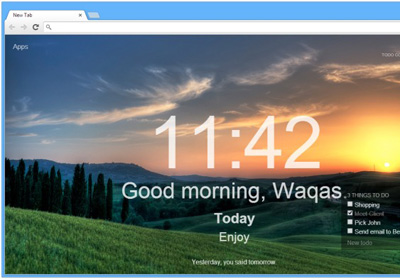
If you’ve ever just needed to create a quick tasks list - one that won’t send you annoying email reminders, or desktop notifications, but that you or anyone else could add tasks to, without being bothered by complicated group sharing, or permissions - Flask is the web app to try out. It’s a to-do list app that works perfectly on your desktop and mobile devices. You don’t need to sign up for an account to use it, and can create as many lists as you like. The lists can then be edited by anyone you share them with. To save a list, you have to either bookmark it, or email its link to yourself. Tasks can be marked as done, and also distinguished from each other by assigning them one of the pre-set color labels. Read More

Popular To-Do List & Email App Mailbox Now Optimized For iPad

Mailbox is arguably this year’s most popular third-party email app for iPhone and iPod touch, and it has now finally been optimized for use on the iPad. Feature-wise, things in the latest version i.e. 1.3 remain largely unchanged vis-à-vis the original release in February. This means you are still limited to using Gmail accounts, cannot set separate signatures for separate accounts, and will only have portrait orientation to use the the app in. Let's check it out in more detail after the jump! Read More

myQuests Is A Great Gesture-Based iPhone Project Manager For Teams

It is a common practice among developers these days to make to-do list apps that rely heavily on gestures and color-coding. Clear kicked off this trend, but more recently we have seen similar concepts implemented in apps like Listacular. Since the whole point of using gestures in a task manager is to make it uncomplicated, these apps aren't too heavy on features. The new myQuests though, clearly shows that it is possible for an app to be feature-rich without making things too tangled up. The app can prove to be a great tool for project management, specially when you have to work in a group, because it lets users share tasks with others, and has an elaborate commenting system of its own that can be used to stay up to speed with all the latest happenings regarding any to-do list or individual task. Read More

Insanely Popular To-Do List App Clear For iPhone Available For Free

App developers and even big companies like Apple are always accusing others of copying their ideas or different unique features. The rise of Siri was followed by a barrage of voice-controlled personal assistants. Having said that, few third-party apps reach the level of popularity where developers on the platform (and even other platforms) start copying them. Clear managed to do that, with clones coming out on Android, and even on the Mac App Store where it has an official client of its own. It’s not like the app costs too much on iOS (priced at only $0.99) but some people just refuse to spend money on apps if there is a free or stock alternative available. For such users, it is now possible to download Clear without spending anything, as long as they are living in the U.S. This is because Clear has been nominated as the Starbucks ‘App of the Week’. Read More

Postpone Is A To-Do List Web App With Mailbox-Like Task Reminders

The world is an unorganized mess and there is a good chance that merely making a mental list of things you want to do will do you little or no good. It’s precisely why a new to-do app and task manager pops up every other day, and Postpone is yet another service for this very purpose. Postpone groups your tasks into workspaces and with a free account, you can add up to three workspaces. Each task has a title and a description. Tasks can be marked as done, kept in you current workspace's task box, or moved to the ‘Snoozed’ box.  Much like Mailbox for iOS, when snoozing a task, you can select when it will return to the main task box. You can use one of the preset time intervals or enter a time and date of your choice. The other noteworthy feature in Postpone is that you can ‘mention’ people who are involved in a particular task, provided they have a Postpone account too. This not only allows them to know when they've been included in a task, but also lets you search your tasks by person. In all objectivity, it’s an immensely productive use of the ‘mention’ concept that is largely used by social media sites. Postpone is currently in private beta and the invite codes can take up to a month to arrive in your inbox. Read More

Got-IT For Android: Beautiful To-Do & Notes App With Google Tasks Sync

Got-IT might seem like just other task management + note-taking app, but with its intuitive and Holo-themed UI coupled with features like unlimited lists, swipe navigation, widgets and DashClock support, it could very well become the choice for many users for taking notes and managing tasks in a quick and simple manner. Developed by XDA-Developers forum member ‘Mikro ddd’, the app was built with inspiration from Google Now and Google Keep while adding drop-down menus and swipe navigation to the mix. We take a closer look at the app and see how well it fares, after the jump! Read More

Hands-On With Google Keep: Notes & To-Do Lists For Web & Android

Google’s new note-taking web service Keep is now live, along with its Android app. Keep lets you create notes and to-do lists that sync over Google Drive. Notes may contain text, voice or images. Notes and lists can be color-coded, and are searchable. With Keep, Google aims to let you collect and consolidate all your thoughts, ideas and useful information together that will be synced and accessible across all your computers through your browser, and across all your Android devices using the Keep app. Let's take both the web service and its Android app for a spin and see what it's all about. Read More

Your To-Do List Is Always A Click Away With Wunderlist For Pokki

At one time or another, you must have come across the name Wunderlist. The popular to-do list application that debuted on Windows has earned its fair share of success on Windows, web and mobile platforms including iOS, Android and Windows Phone. When we first reviewed it, the app instantly won us over, and as mentioned earlier, it has spread across different platforms since its inception. Recently, the app made its way to Pokki as well. For those who are unfamiliar with Pokki, it is a web app platform for Windows that houses a myriad of beautifully crafted web versions of various services and games. Wunderlist For Pokki not only looks better than its desktop counterpart, but it's also fairly lightweight in comparison. The app allows you to add various tasks and set reminder notifications prior to their due date. Read More

Asana Brings Its Official Mobile Project Management App To Android

After a successful run on iOS, the official Asana Mobile app has been released for Android as well. Asana is easily one of the most sought after project management web apps, and its availability on the mobile platform gives any team of people working together, the ability to keep themselves and others updated with every development regarding a task or project. Having been just released for Android, I feel the app's UI needs to be slightly more user friendly for those who have just started with Asana. That said, the app brings almost all the Asana features you'll require for collaboration on the go. We take a look at the app and how it functions after the break. Read More

Tasks By Telerik Is An Elegant, Feature-Laden Task & Project Manager For Windows 8

We live in an age where life has become a busy and hectic routine, with a lot on our hands and little time to manage it all manually. That’s why keeping a tab on what’s most important plays a significant role in managing everything successfully. Thanks to various task management utilities available for web, desktop and mobile platforms, technology is helping us tackling this more efficiently. If you’re on the hunt for a Modern UI task manager for Windows 8 or RT, take Tasks By Telerik for a spin. It’s a Windows store app that lets you manage your tasks and projects in a refreshing UI. You can set task notifications, add voice and photo notes, specify a recurrence pattern, filter or sort the tasks according to categories, and a lot more. Read More

Discover New Songs & Create A Wishlist Of Those You Plan To Buy With Listn For iPhone

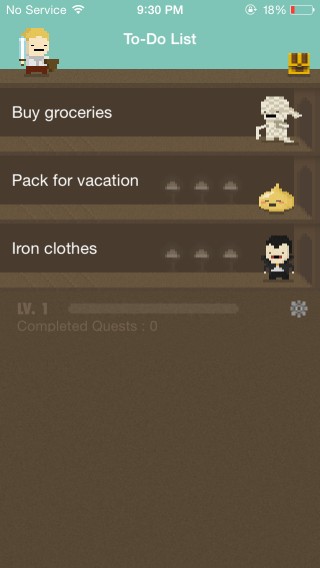
The Notes app in iOS is handy for a lot of purposes, but no one is ever likely to call it a great music discovery tool. Yet, many people use it to keep track of all the song suggestions they get from friends or various other sources. Now however, there is a much more efficient way of making sure you never forget any music-related suggestion in the future. From its interface, you might be fooled into seeing Listn as just another to-do list app for the iPhone. On the contrary, the app combines the organizational convenience of task management lists with music discovery. This match might sound a bit unlikely at first but once you use Listn, your thoughts are sure to change. All it takes is searching for a song or artist in the app, and then remembering to put a checkmark against its name once you have listened to the track. As a bonus, Listn also offers complete artist bios and various album art photos to spice things up. Read More

Task Paper Lets You Set A To-Do List As Your iPhone’s Wallpaper

Just yesterday, we covered the Reminders+ Cydia tweak that allows you to pin any reminder to their iPhone’s lock screen. Though being a Cydia tweak, you need to jailbreak your iOS device in order to install it. If you don't want to go through that and void your warranty, fret not - we've got an app for you that accomplishes something similar, albeit in a different manner. Task Paper adds full to-do lists to the lock screen or Springboard of your iDevice by converting the lists into customizable wallpapers that can be applied to your device like any ordinary image. The app does have its obvious limitations like the extra step involved to apply the wallpaper but in the end, it gets the job done. Read More

Calendar Pro: All-In-One Journal, To-Do List & Notes App For Android

If your daily routine involves handling and keeping track of a lot of events, to-do lists, tasks, notes and reminders etc. on the move, you might be in search of a comprehensive personal schedule management app for your smartphone. Cloud sync support and an intuitive interface are two important aspects to consider for such an app, and those are exactly what Calendar Pro delivers. Fresh to the Play Store, Calendar Pro aims to be the only calendar and personal journals, notes, to-do lists, reminders, events and activity management app you’ll ever need on your Android device. Sporting an uncluttered UI, the app comes with Google Calendar and Facebook integration to let you sync your events and friends' birthdays. In addition, it also comes with extensive weather details for multiple locations, horoscopes, themes, a unified view for daily activities, and plenty of other options. Read More

Send Content From Web To Android As Notifications Using PushBullet

Android users who want to be reminded about their most important tasks, notes and to-do lists via custom notifications have several apps available for the purpose, such as Lotify, Notif and ReNotify. All three of these take full advantage of the rich notifications announced in Android 4.1 Jelly Bean. While it’s pretty useful to be able to compose personalized notifications from your Android device itself, what's even more convenient is being able to do so straight from your desktop browser. This is precisely the idea behind PushBullet – a free web app that allows you to remotely push custom notifications from a desktop browser straight to your Android device over the internet. Of course, you’ll need the PushBullet mobile app running on your Android device in order to receive all the remotely pushed content. Read More

Done Not Done Is A Smart iPhone To-Do App For Books, Movies & Music

A lot of my friends recommend movies and books to me that are really interesting but most of the time, I forget these suggestions pretty quickly. You can always note such suggestions down, but a proper list is always easier to manage than a drab snippet of text. However, it seems a little counter-intuitive to add such recommendations to your reminders. What you need is an app like Done Not Done. Designed for the iPhone, this app acts like a manageable wishlist that keeps track of all the activities you plan to pursue in your free time. In addition to manually entering names of books, movies, songs, audiobooks and other items, you also get recommendations from the app itself based on the activities of your Twitter and Facebook friends. Read More

Zime Is An Android To-Do List Manager With A Gesture-Controlled 3D Timeline

It’s the beginning of a brand new year, and to help you with your new year resolutions, we have a brand new to-do list and event management Android app for that aims to take care of your task scheduling needs more efficiently compared to most alternatives. Currently in beta, Zime is a well-crafted personal time-organizing app boasting plenty of interesting features including an interactive gesture-controlled 3D timeline view, Google Calendar integration, custom workdays, work hours & lunch break specification, advanced task prioritization, statistical analysis of self-evaluated tasks, multiple skins, and all the basic notes and event management tools that you’re required to work with. There's a lot more to the app than that, so let's take a look at its features in detail after the jump. Read More

Create Email Templates & Notification Center Reminders With Affix For iPhone

Affix is an iOS app that combines task management and Email templates under one roof, creating a tool that can add much convenience to the daily routine of professionals and students alike. The app is great if you don’t want to spend a lot of time trying to manage all your tasks by going through labyrinthine menus. You can edit and create new task lists and make entries in them with just a few taps. What’s even better is that Affix uses the Notification Center to list all the important tasks you have to complete. These persistent notifications will stay in the NC until you tap them, thus providing a good way of staying up to date with what needs to be done. Moreover, the app even lets you specify the recipient in mail templates. The interface is quite simple in looks, and a sprinkle of gesture control makes it simple to use as well. Read More

List Lite Is A Gesture-Based To-Do List App That Imitates Clear For OS X

They say imitation is the sincerest form of flattery. Meet List Lite, a free to-do list Mac app that mimics Clear, which is worth $9.99 on the Mac App Store. The app is a fairly good imitation with some slight interface differences but full gesture support. It responds well to trackpad gestures and runs in the Menu Bar, though it will add an unnecessary icon in the Dock as well (just like Clear). There are no preferences to manage in the app, and you can start adding items immediately. You get a select number of colors to differentiate between the tasks, but unlike Clear - where the color of tasks gets successively lighter (much like a heat map) according to priority - the colors for a task in List Lite stay fixed. Read More

Rainlendar Is A Stylish, Customizable Calendar And To-Do List Manager

I have a very bad habit of forgetting important events and tasks. For this very reason, I keep a tab on my daily agenda using task managers and to-do list apps. I have used various web, desktop and smartphone apps, all of which have always come in handy to manage my tasks. If you’re in the hunt of finding an elegant yet easy to use task manager utility for Windows, take Rainlendar for a spin. It’s a calendar and tasks based utility that sits right on your desktop. This fully customizable calendar allows you to add widgets with changeable skins, mark events, create tasks, and get notified instantly whenever an event is near or a task is due. Since it can be started during system startup, you can take a peek at your schedule the moment you logon to Windows. Read More

24me Is A Smart Reminders, Bills & To-Do List Manager For iPhone

Siri might be the most hyped virtual assistant out there, but when you take a closer look at it, you are sure to realize that it is little more than a novelty feature in most scenarios. Sure, it can create reminders and provide you with quick answers to simple questions, but that’s about it. Now, take away all of Siri’s bells and whistles (along with her ability to speak) and endow it with a ton of new, useful features, and you will have 24me. This iOS app truly deserves to be called a personal assistant. With 24me, you won’t have to worry about personal reminders, reminders to pay the bills, remembering your friends’ birthdays and making important calls. The app integrates a lot of financial and service accounts, so that notifications from your phone company, the cable guys and the bank can all be viewed on one screen, and that too without having to painstakingly configure each task manually! Read More