Get Android 4.2 Jelly Bean Style Toggles On Any Device With AnTek Quick Settings

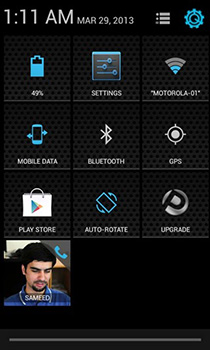
There are plenty of Android devices out there running Android 2.3 Gingerbread or Android 4.0 ICS, and ever since Android 4.2 Jelly Bean was released, users have been trying hard to get those sweet looking Quick Toggles on their devices. Needless to mention, even Jelly Bean 4.1 users had to ask around for some developer support to get the feature working on their devices as it did in 4.2. Though in a short while, quite a few apps surfaced mimicking the Jelly Bean 4.2 Quick Toggles. All was well till AnTek Quick Settings arrived on the scene. Forget all you know about Jelly Bean style quick toggles; this app takes the concept to an entirely new level with customizations that will definitely make any other Quick Toggles app feel primitive. Read on after the break to learn more about the various features of this app. Read More

onDeck: Easy Multitasking With Android Apps, Notes, Toggles & More

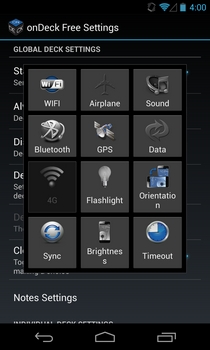
Compared to all other contemporary mobile operating systems, the number of multitasking and app switching solutions available for Android is quite staggering. You are likely to find a solution in the Play Store that meets all your app switching requirements, putting the stock offering to shame. Fresh on the Play Store, onDeck is yet another remarkably feature-rich app that packs the goodness of multiple similar solutions in a single package. By offering you multiple omnipresent on-screen triggers (referred to as ‘Decks’), the app lets you directly launch a variety of different apps and system features from anywhere in the OS without having to go to your home screen or app drawer. Customization lies at the core of onDeck, as it allows you to define the layout, screen position, launch delay, and behavior of each deck. Continue reading past the break for more details. Read More

Auxo Adds System Toggles, Thumbnail Previews & More To iOS App Switcher

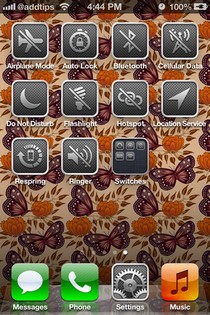
Some of the most popular Cydia tweaks started their journey to fame as mere concepts from ordinary iOS users. The magical thing about the jailbreak store is that it puts no restrictions on imagination. That is why Cydia developers can turn concepts into reality pretty quickly, and the latest example of Cydia’s true potential is Auxo. The tweak was released a few days back, but very few people could actually use it since it was exclusive to iOS 6. Now however, Auxo has been updated to work with iOS 5.1.1 and above. This App Switcher alternative makes the multitasking tray much more cosmetically appealing. No longer will you have to bear the drab app icons in the switcher, as Auxo shows snapshots of apps themselves, right in the tray. Though, cosmetic changes are not the only thing offered by the tweak; you also get better music controls and customizable system toggles. Let's take a closer look at all its features after the jump. Read More

Speero: Gesture Activated System Toggles, Shortcuts & App Switcher For iPad

SBSettings might be perfect for the smaller screens of iPhone and iPod touch devices, but it loses some of its awesomeness if you try using it on an iPad. The tweak is not optimized for big screens, and that makes it a little less useful, and a lot less pleasing to the eye. However, as there is no good alternative available for it on the iPad, jailbreak users are forced to keep using SBSettings. Not anymore! Speero is a tweak that has the potential to replace SBSettings on iPad. The tweak has a lot of system toggles, app shortcuts and other similar features. In addition to that, one thing that really sets Speero apart from SBSettings is the presence of App Switcher within the tweak’s menu. You can also add app shortcuts and customized actions to the mix. Read More

Add Speaker Mode Toggle For Incoming Calls To SBSettings [Cydia]

The Cydia store is all about bringing convenience to users, and although it is a bit unfair to single out just one tweak, one of the most useful tweaks available in the jailbreak store for iOS devices is SBSettings. This collection of shortcuts and system settings is based completely on gestures, and lets you perform many tasks with just one touch that ordinarily require users to navigate through a lot of menus. The tweak’s usefulness, however, does not end here. The number of toggles supported by SBSettings is always on the rise, with newer tweaks related to SBSettings coming out almost each week. Speaker SBSettings Toggle is one such tweak that has been designed exclusively for SBSettings. If you have it installed on your iPhone, you will get a new toggle on your device, and you will be able to enable or disable speaker mode for incoming calls quickly. Of course, the button to switch to speaker during a call is featured quite prominently in the call menu, but what if you want to make sure that every incoming call is received in Speaker mode? iOS allows that, but the default method for doing that is pretty complicated, and Speaker SBSettings Toggle solves this problem. Read More

How To Prevent Accidental Launch Of Notification Center While Playing Games On Your iPhone

No one likes to be disturbed while they are annihilating zombies on their iPhone, or attacking pigs with livid birds on iPad. However, the fact remains that no matter how hard you try, there is always something ready to nag you during your game time. If not from an external source, your iDevice might decide to troll you all of a sudden. One occurrence which has annoyed users ever since iOS 5 was released is the accidental launch of Notification Center while playing games on their iPhone. Mercifully, Apple has ensured that you need to swipe down on the status bar twice if you want to go to the Notification Center while in a full screen app or game, but this only acts to reduce the probability of the release and does not end it altogether. So, if this happens while you are playing a game, it leads to a disruption of your flow, and if you are playing online, you will most probably be disconnected from the server. Finally, one developer over at the Cydia store has resolved this problem with the release of a new SBSettings toggle named DisableNC. With this tweak, you can make sure that NC never rears its rather handsome head while you are playing a game. Read More

Slider Widget: Android Homescreen Widget With Brightness & Volume Sliders

Slider Widget, as implied by its name, is a handy 4x1 homescreen widget for Android that presents you with various sliders to manually adjust the levels of your device’s brightness and different volume settings. The widget comprises six different buttons, using which you can control your device’s screen brightness, ringtone volume, music volume, notification volume, alarm volume and the overall system volume of your device. Tapping any of the aforementioned buttons on the widget reveals a slider that can be used to manually adjust the corresponding levels of the selected component. The brightness slider carries an additional option of letting you enable the automatic brightness mode with a mere tap. The ringtone slider, apart from letting you adjust volume levels accordingly, contains a couple of thresholds so that you can easily put your device to silent as well as vibration mode. Don’t fancy swiping on the slider? You can use your device’s hardware volume keys to adjust the levels as desired. In addition, the widget also offers you the option of binding the notification and ringtone volumes together so that you do not have to adjust both said volumes individually when the need of doing so arises. The widget also lets you use each of its buttons as a separate toggle, so that you can instantly switch between any two predefined values/levels of a selected category. On the customization front, you get the option of adjusting the widget’s on-screen appearance by modifying the slider position. Read More

ShortStop: Avoid App Keyboard Shortcut Conflict In Mac [Paid]

Keyboard shortcuts add convenience to how we use an app and our system as a whole. Many users, who need to work on different projects and use multiple apps at the same time, will use a combination of  mouse and trackpad gestures and keyboard shortcuts just to get things done faster. It is for this reason that many of us have a soft spot for app that support keyboard shortcuts and get butterflies if we can edit a shortcut to our own liking. While these shortcuts are great, they sometimes end up conflicting with other apps and more power apps might even conflict with universal shortcuts. ShortStop is a simple Mac app available for $2.99 in the Mac App Store that allows you to toggle between apps and their enabled shortcuts. You can set the system to ignore shortcuts that are associated with an app, and enable them as per your requirement. Read More

Add Toggles For WiFi, Bluetooth, Sound And More To Your Android Status Bar

Not everyone prefers having their homescreens cluttered with toggle widgets. From amongst those who don’t, some flash custom ROMs that have built-in status bar toggles while others simply sweep said widgets under the rug. If you’re ready to do neither, we’ve got the perfect remedy for you. Notification Toggle for Android is a free tool that adds toggles of your choice to the notification bar. The freeware lets you choose from a list of seven toggles and four shortcuts and adds the chosen to the notification bar, each in a separate notification/line or up to five grouped in a single notification. As exciting and refreshing the concept of Notification Toggle may sound, it is one of the very first solutions of its type that we have come across so far. Read More

Shake To Toggle WiFi, Bluetooth, Rotation And Airplane Mode In Android

Shake Toggle is a small, handy tool for Android that allows you to toggle (enable/disable) Wi-Fi, Bluetooth, Orientation or Airplane Mode by giving your device a good shake or flipping it facedown. The freeware is particularly useful as an orientation toggle switch as firstly, you don’t usually need to toggle the rest that often and secondly, it is a great work-around for instances where, for instance, the display gets stuck in landscape orientation even though you’re holding your device upright. If you tend to shake your device angrily whenever your display orientation begins to act all stubborn, you might as well get Shake Toggle. Read More

How To Toggle Windows Vista Aero Effects On/Off With A Simple Right Click

Windows Aero is a  hardware-based premium visual experience or graphical user interface that is implemented in Windows Vista, which includes effects such as transparent glass design, subtle window animations, animated cursors, new window colors and eye candy. Aero is actually acronym for Authentic, Energetic, Reflective and Open. Windows Vista’s Aero effects are quite pleasing but when you're trying to squeeze the last bit of power and life out of a battery, or just running some memory-hungry stuff, you don't always need them.

Read More