Set System Clock To Move Faster For App Testing With Accelerify

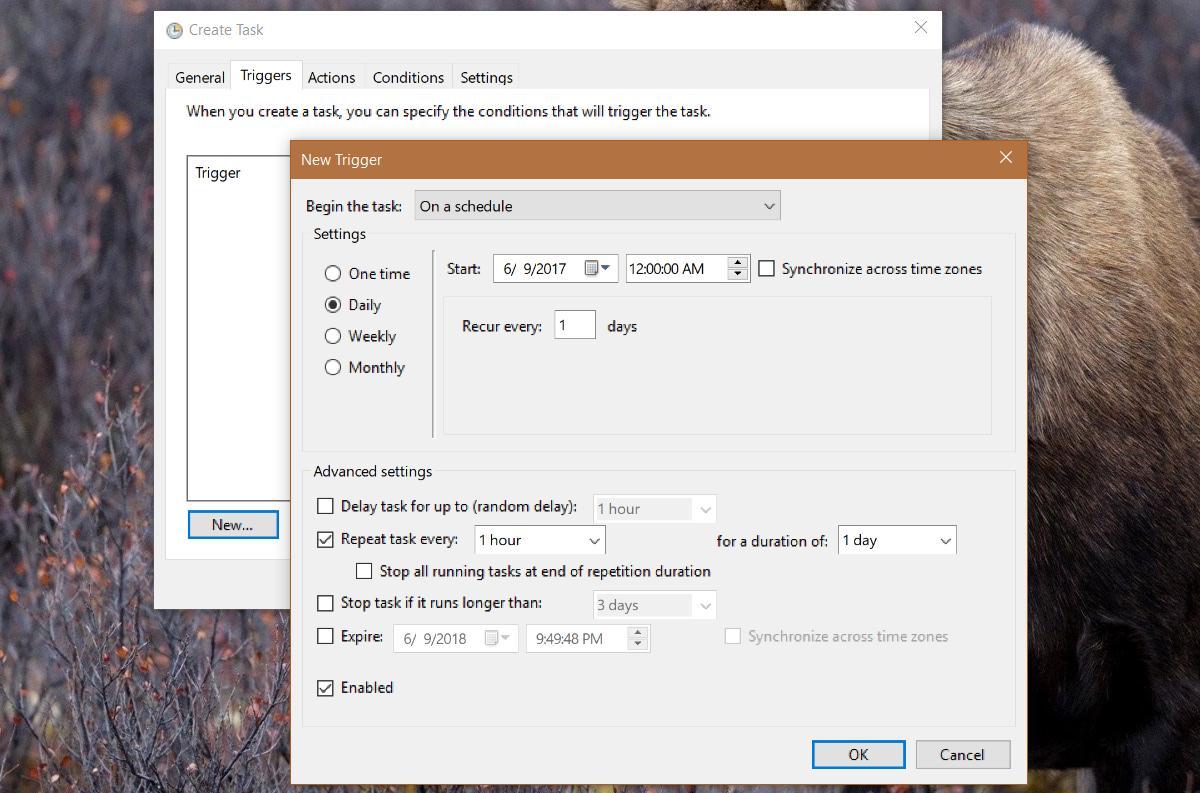
Testing time-based software or app features can be quite painstaking, because, well, it takes time. Like when you’re not sure if your alarm will ring when it’s supposed to, your backup will launch when it’s expected, or what will happen when a trial software you’re using expires. You could manually change your PC’s time and find out, but what about those programs that have a little more complex relationship with time – say an app that auto-adjusts your screen’s brightness multiple times throughout the day, or your calendar app that holds all your appointments for many months ahead? Well, you can now Accelerify time to test them! It’s a tiny app with a fully automated approach towards incrementing your system clock at regular intervals; all you need to do is set the acceleration rate and see what happens. Read More

Add A Flip Clock Widget To The iPhone Notification Center

Flip clocks are pretty common on Android but for iOS devices (even jailbroken ones), these fancy time displays are still a bit of a novelty. The closest thing to an iPhone flip clock we have ever seen is iWidgets, which lets users add an HTML 5 time widget to their SpringBoard and lock screen. If you want a fully customizable flip clock widget though, your best bet is the newly released Flip Clock for Notification Center. The widget is capable of displaying time in the format of your choice as well as the the current date, and also lets you tinker with the color settings of the digits. The fact that you can use it with Dashboard X and other similar tweaks to place the flip clock on other areas of iOS makes the widget near-perfect. Read More

Picmatic: Music Player, Photo Viewer & Clock For Docked iPhone & iPad

Most smartphone apps are focused around a particular type of content; we generally use separate apps for music playback, photo viewing, and clocks, but Picmatic brings these features together in a single package in a way that actually makes sense. As you might have already figured, this can come real handy in dock mode. Just the way an iPad can display photos on its lock screen in the form of a slideshow, Picmatic has a customizable and dynamic grid consisting of images imported from your device’s camera roll. To add some spice to the whole show, the app offers many photo filters that you can apply to the images. Picmatic runs in full screen and also adds a nifty clock to the mix for your convenience, all while playing music in the background from your local collection. The app supports gesture-based controls so that the collage displayed on the screen remains free from any clutter that conventional music playback controls would cause. Read More

Install Android 4.2 Gesture-Based Keyboard & Clock App On Jelly Bean 4.1 Or Higher

Is there anything that's impossible in the Android world? Just days after the announcement of Android 4.2 Jelly Bean and the exclusive set of fresh Nexus devices on which the OS is meant to run, a handful of genius fans managed to port the latest JB Camera & Gallery app with Photo Sphere support to ICS-4.1.x Jelly Bean Android devices. Guess what? The stock keyboard app with Gesture Typing, and the totally revamped clock app from Android 4.2 are now out in the wild, too, courtesy of the efforts of XDA member Gnufabio. Both apps are available as separate flashable ZIP files for any rooted device rocking Android 4.1 Jelly Bean or higher (4.1.x). Just like with the camera app, some of the features of the new clock app and keyboard won't work as desired. However, if you were as excited to try them out as we were, that probably won't stop you. Past the break, we take a closer look at both apps one by one. Read More

iWidgets: Clock, Weather & Other Interactive Widgets For The iPhone Home Screen

If you are a fan of home screen widgets, Android is by far the most suitable platform for you. Having said that, it’s just not like iOS developers to give up without a fight, and over time, there have been some pretty good attempts at bringing widgets to the Springboards of jailbroken iDevices (the most popular being Dashboard X). The biggest hurdle in the way of such tweaks is the compatibility of widgets. iWidgets is yet another Cydia tweak that lets you pin interactive widgets to your jailbroken iPhone’s Springboard, but it has a slight edge over its competitors in that it deals with HTML widgets, making it easier for other developers to publish widgets that are compatible with iWidgets. To get you started, iWidgets comes with two widgets, the dashboard clock and calendar from Mac OS X. Read More

The New iOS 6 Native iPad Clock App With Alarms, Timer & Weather

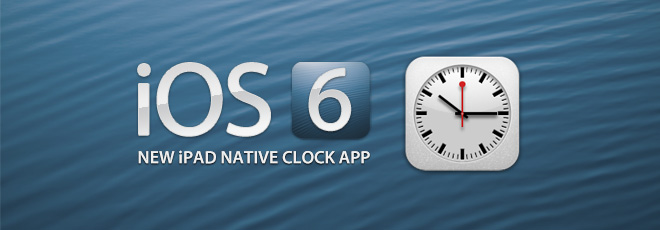
Finally, a Clock app lands on the iPad 2 and iPad 3, courtesy of iOS 6! There could be a number of reasons why Apple didn’t feel the need to include a functional clock app on a device that set the trend for a high performing tablet, but finally, it is here and I have to admit, it looks really impressive with some really intuitive features. Oh, did I mention that the clock app also comes close to delivering the function of the weather app as well, despite lacking in details as can be found on an iPhone or iPod Touch. With a World Clock, Alarm, Stopwatch and Timer built into one app, the Clock app is a definite welcome, even if it’s subtle and replaceable. However, a native feature is always more fun. For more on this wonderful app and how it works, read on. Read More

Time Zone Master: Feature-Rich Clock Application With History Logs

You know why Marshall McLuhan called our world a global village? Because we are living in an age where everything’s connected by technology. It no longer is the case that you’re residing in Sydney and you’re completely oblivious about the happenings in New York. Same goes for the internet communication, which is what has driven people on our planet closer to one another. One factor that is inherent to this concoction of bringing countries nearer to each other is time. Time differs from country to country, and keeping an eye on different time zones can do wonders for you. You don’t want to wake up your boss on the other side of the earth to discuss a regular meeting in the middle of the night. Your spouse may also get pissed, if you didn’t arrive on time at the airport to pick her up from her trip abroad. Likewise, if you’re an international trader, you must know about the time in the country where you’re trading your goods at. Unluckily, Window’s integrated time zone feature isn’t as feature-rich as it should, and most of the third-party clocks you download follow Windows time zone database, which doesn’t get updated frequently. To cope with this annoyance, you can try Time Zone Master instead. It comprises of a comprehensive database of time zones of about 200 countries and 45,000 cities and towns, which always remains up to date. You can also use its historical data to perform various heuristic analysis in your research projects. Other than that it tells accurate sunset/sunrise times, moon phases, UT, solar and lunar calculation, as well as multiple clocks at the same time, and so on. Read More

TikTok For iPhone & iPad Lets You Design Your Very Own Alarm Clock

The stock Clock app in iOS is pretty neat, and serves its purposes without many frills attached. You can use it to simultaneously view accurate time updates from several places, and set up alarms. Having said that, there is no way of changing the interface of that app, and users are bound to get bored of waking up to the same old sound again and again. This is where TikTok can help you. This beautiful app for iPhone and iPad comes equipped with an impressive array of options related to time and alarms. It is a complete replacement app for the stock Clock in iOS, and brings a slew of new features to the mix as well. The app has quite a lot of beautiful clocks within, and if those aren’t enough for you, it is possible to design one of your own! TikTok also allows its users to set the music from their device’s library as their alarm tone. The app has a pretty decent music player, whose best feature is to automatically turn off music at any predefined time. Read More

ColorClock: Customize Time & Date Color On iPhone Lock Screen [Cydia]

Yesterday we covered a Cydia tweak by the name of LockDate that allows users to personalize the lockscreen of their iOS device by making almost any change to the date displayed on an iPhone when the screen is locked. If you used that tweak, you might have noticed that it left the lockscreen time looking pretty forlorn and unattended. Looks like we weren’t the only ones to notice that, as today ColorClock has been released, which will allow you to change the color of the lockscreen date as well as time. The best thing about the tweak is the range of colors that you can choose for the time display, as ColorClock lets you change the clock’s color with the help of RGB value sliders, thus allowing a staggeringly vast number of colors to be used on the lockscreen of your iPhone, iPad or iPod touch. Read on to know all about this small, but useful, Cydia tweak. Read More

SoundClock Pro: A Clock & Music Player App For iPhone/iPad Dock Mode

Most iOS-users prefer charging their devices overnight to get the maximum out of them, as while your iPhone is charging, you might not use it all that much, especially if you're using a dock. SoundClock is an app that can help you change that. This dual purpose app coverts your iDevice into a bedside clock that can play music from the library of your device. The app is customizable too, as it lets you apply different themes to its clock. In addition, it supports gestures, allowing you to control the music being played along with other aspects of the app through mere swipes. You can learn more about SoundClock past the break. Read More

Get Date, Calendar & Time From Multiple Cities In Mac Menu Bar [Paid]

Very few of us work without a clock on our screens; some either check it regularly to ensure they are not late for something, while others check it to see how much longer until the work day is over. For whatever reason, many might find that the default clock displayed in the Mac menu bar, is somewhat bare bone, displaying only the current time. The Clock is a Mac app available for $2.99 in the Mac App store that will add a feature rich clock to the menu bar. The app not only lets you see what time it is, but also lets you view the day and date. Clicking the clock opens a full calendar, and you can add clocks from different cities and time zones to it. The app also has a feature to view how much time you have left until business hours in a particular city are over, and it lets you set break alerts to make sure you take a break at regular intervals. Read More

Synchronize Client Computers With Time Clock Servers Using NetTime

The Windows clock is normally kept in sync by using online resources provided by default (within the Windows operating system). Another method can be to deploy a script via the Active Directory in order to apply a specific time across several client computers. Many businesses are heavily dependent upon time management across multiple time zones. This is particularly the case for companies which run call centers and business process outsourcing services, as they often require catering for customers across multiple regions. In such a case, it becomes necessary to shift the clock settings of client computers according to the kind of customers that the agents are catering for, so that they can mange their tasks according to the time zone of clients. Furthermore, any delays in changing the time clock by the network administrator can result in coordination issues for employees and can even lead to revenue loss. This is because the time clock not only provides employees with knowledge of the current time in a specific region, but may also be used by applications for performing scheduled tasks. Read More

Day-O Adds Customizable Clock And Calendar To Mac Menu Bar

Day-O is menu bar clock for Mac OS X that provides users with what native Mac OS X menu bar clock doesn’t – a pop-up calendar. Not only does it add Windows system tray like calendar to Mac OS X menu bar, it also allows you to change the way digital clock appears. You can customize the AM/PM position and add custom text/characters to make hours, minutes and AM/PM text look prominent. Although Mac OS X native menu bar clock comes with both digital and analog versions, it doesn’t allow configuring clock text and layout. Day-O, in contrast, is highly configurable menu bar digital clock, allowing you to define text that you want to show alongside the clock. Read More

World Clocks: View Time From As Many As 400 Cities [Chrome]

Whether you travel a lot or have to frequently talk to clients in different time zones, remembering how far ahead or back the time is in a particular city is, is never easy and calculating it is often frustrating. There’s the added drawback that you don’t know which country observes daylight saving time and which doesn’t. Chances are, somewhere out there, there is a genius who has come up with a way to unify time worldwide and he’s locked in an asylum. Until there is an easier way to remember time for different cities, World Clocks is a Chrome application that might help. The app opens a separate window with 6 clocks from leading world capitals which are added by default. You can add or remove a clock from other cities and view either digital or analogue clocks. Read More

HTC Dock Mode Turns Your HTC WP7 Device Into A Clock/ Music Player

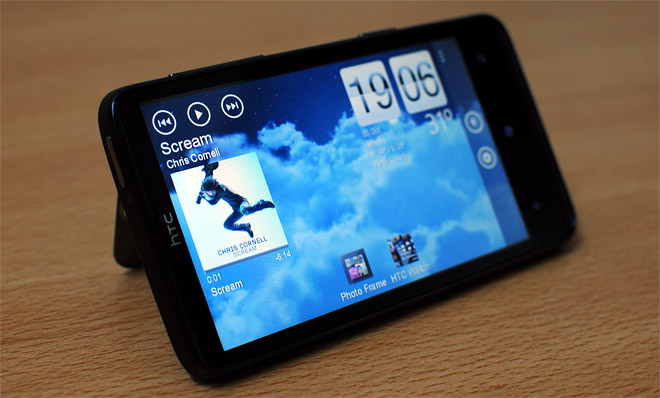
Microsoft might have struck a deal with Nokia, making it their favorite hardware manufacturer, but HTC hasn’t given up on Windows Phone 7 by any means. The latest proof of HTC’s commitment to the metro platform is the spike in apps released for Mango and the renovated HTC Hub (which has lost its excess graphics and added greater functionality). HTC Dock Mode, available in the HTC app zone of the Marketplace, is a free app that essentially turns your phone into a side-table clock and music player in the time that it’s charging or not in use. The app is particularly useful if you have a charging dock for your HTC Windows Phone or your phone has a kick stand (like the HD7) . Although the app is called Dock Mode, your device doesn’t necessarily have to be docked to use this app. All you need is an HTC device running on Mango and you’ll be able to use this app. Read More

Get Windows 8 Style Clock On Your Windows 7 Desktop

Windows 8 Desktop Clock for Windows 7 is a portable application which brings the Windows 8-style login screen look-alike clock to your Windows 7 desktop, with glowing text. Such attempts to port Windows 8 functionality to Windows 7 is frequent among the developer community and it appears that until the Windows 8 beta launch, we might get a set of tools to replicate the Windows 8 UI on our Windows 7. Having said that, W8 Desktop Clock is not just a Windows 8 replica application, but rather can be used to make your common wallpapers into a wallpaper clock. In an earlier post we showed you how to get wallpaper clocks for Ubuntu using Screenlets. However, even Screenlets only allows adding wallpaper clocks and does not transform your wallpaper into one. This give W8 Desktop Clock quite an edge and makes it a worthy application for transforming wallpapers into wallpaper clocks. Read More

Animating Flip Clock Widget – Flip Style Clock For All Android Devices

Developers have been looking to clone the digital artistry of the HTC Sense clock widget for quite some time now and finally, someone has actually managed to pull it off. Developed by Peppernut Studios, Animating Flip Clock is the only home screen clock widget we've come across so far that actually replicates the animation of HTC Sense's native clock widget. Where other clones merely copy the look, this home screen widget replicates the widget's sleek flipping animation that Android users have come to love. Still in beta phase as of this writing, the widget does not have much customizability to offer except for the option to choose between 12-hr and 24-hr time formats and to select the app that launches when the widget is tapped. Read More

Smart Desktop Adds Important Shortcuts In Tabs On Your Desktop

Smart Desktop is a dynamic application to overhaul your desktop by replacing your desktop shortcuts with a feature rich overlay menus. It contains weather, calendar and system monitoring widgets, as well as time and date display. The system monitoring widget contains information regarding CPU and RAM utilization, Network traffic and used disk space. Numerous shortcuts within the Home tab are divided into convenient sub-tabs which allow easy access to browsers, MS Office programs, Google Search, Dictionary Search, media players, system utilities, Windows accessories, etc. Similarly, the Weblinks tab from the top of the interface provides quick access to commonly used search engine, social media, news and other related websites. Smart Desktop seems to be a viable replacement for the previously reviewed Rainmeter. Smart Desktop can not just be a good replacement for multiple application shortcuts on the desktop, but also a useful way of monitoring essential system components such as the CPU and memory utilization. Read More

Fer Analog Clock Pack Is 38-In-1 Analog Clock Skin Pack For Android

There are countless free, sassy analog clock home screen widgets on the Android Market. But wouldn’t it be great if several of the most popular designs were packed into one bundle? Put together by XDA-Developers member, ferfecir, Fer Analog Clock Pack for Android is a 2 x 2 analog clock widget that comes packed with 38 different skins. While majority of the skins are well-crafted and easy on the eyes, a few of them seem a tad rough around the edges. More after the break. Read More

Beautiful Widgets For Android – Free Version Released

Beautiful Widgets, one of the most popular and applauded widget suites on the Android Market, now has a Lite version. Though Beautiful Widgets Lite sports less than half the features of the full version, it is still better than most other free clock and weather widgets out there. If you’re new to Android, live in a region where purchasing from the Market isn’t supported or simply want to try out the widget sensation without having to spend a dime, here’s your chance. And you might want to hurry up. The Lite version “might be a limited offer”. Read More