Karma Is Among The Most Full-Featured iPhone Reddit Clients Out There

Despite the presence of the official Reddit app (iReddit) and a few good alternatives in the App Store, iOS doesn’t seem to have as many quality third-party Reddit apps compared to Android. If you like accessing the internet’s front page on your iPhone often, there is finally some good news. Karma is a new Reddit client that packs almost all the features that are available on the web version of the service. You can easily manage your account, follow subreddits, vote on posts, leave your comments and even submit a new post from within Karma quite easily. To make it perfect, the app doesn't come with too many unnecessary features that many people would never require, and has a really simple interface. The app looks a lot like Reddit’s desktop version, and can display many different types of media files. Read More

How To Import All Your Google Reader Feeds Into Rockmelt For iOS

It has taken a few days, but the news of Google Reader’s looming demise has finally started sinking in, and people are now coming to terms with the fact that there are other services out there that are more than capable of replacing Reader. As for the data you might have accumulated over time, that can easily be exported to the new service you decide to use. However, most people have discussed desktop-based replacements for Google Reader until now (although Feedly does have mobile clients), but there are also those who are open to the possibility of switching completely to their iPhone to check out all the latest news stories from around the world. The previously covered Rockmelt deals with RSS feeds, and lets users sift through interesting articles using gestures. The team behind the app has taken full advantage of Reader’s end, and has made it possible to import all your Reader feeds to Rockmelt in a few easy steps. Read More

addappt Updates Your iPhone Address Book When Contacts Edit Their Info

addappt made quite a splash when it was first released a few months back, but this contacts manager had the huge limitation of being invite-only. A lot of users also felt that the app has the potential to do more, but didn't fully realize that potential. Despite these shortcomings, people appreciated the fact that addappt is capable of automatically curating your address book. Basically, all your friends are supposed to keep their profiles up to date, and the changes are reflected in your account (much like in previously reviewed IntouchID). The app also offers a great way of managing groups with utmost ease. Though most of these features aren't really useful until a lot of your friends are on addappt - something that is difficult to accomplish with an invite-only app. Thankfully, the team behind addappt has finally realized this, making their awesome app open to all iOS users. Read More

Get A Gesture-Based, Predictive Keyboard On Your iPad With Path Input

There was a time when the famous Swype keyboard was available for iOS users with jailbroken devices, but it went the way of the dodo pretty quickly. The only possible option to use a gesture-based keyboard on an iPhone these days is to compose text in a third-party app and then copy it from there. TouchPal Keyboard does a pretty good job on that front, but it is not optimized for the iPad, and makes it tough to type on the tablet’s bigger screen. Path Input is another app that has been around for iPhone and iPod touch devices for quite a while, but has lacked iPad support. Not anymore! Path Input has just been released for the iPad, and its Swype-like typing and intelligent predictions are as good as they have always been. Read More

Apple’s Podcasts iOS App Gets Playlists, Custom Stations & More

The standalone Podcasts app by Apple that was released last year has received its first major update. Previously, it just got a few minor updates to fix crashing issues, but the change log this time is a bit more substantial. Has it ever bothered you that while it is possible to easily organize songs into different playlists, the same can’t be done for podcasts? For instance I like catching up with football news while coming to work in the morning, while my evening listening sessions are all about informative shows. So, instead of manually selecting each episode, now I can take advantage of the new ‘My Stations’ feature to group particular podcasts together. The update has also added support for temporary stations, which can help people who don’t want to disrupt their playlist for a single episode. The overall look and feel of the app has been enhanced as well, and so has the iCloud syncing features. Read More

Official Reuters News App For iPhone & iPad Impresses With A Great UI

Reuters has been among the world's leading news agencies for quite a long time. It is not just an important name for the business and media sector, but is often the first to break many important news stories as well. Having said that, it is impossible for users to always be in front of their TV screens or on a news service’s website to catch the latest happenings from around the world. That is where news apps become really important. Reuters has had a presence on iOS for quite a while, and the organization has just launched a new official app for iPhone and iPad. The app has a beautiful interface that you can navigate using easy gestures. Besides keeping you up-to-date with the latest news from around the world, he app also lets you create a custom watchlist for the stock market. Read More

The Best Video Players For iPhone, iPad & iPod touch

There can be no denying the fact that thanks to their high resolution Retina screens, Apple devices can hold their own against any smartphone in terms of display. The screen resolutions and other display aspects just keep getting better and better with each new iDevice release, but what’s the use of having such extraordinary hardware if you can’t play even the most popular video formats on your iPhone? While this could have been a real problem if users had to rely solely on the stock Videos app, thankfully there are a lot of quality video players available on App Store as well as Cydia. Many iOS users might not even be aware that their iPhone can play just about any video file, thanks to some awesomely feature-rich apps. It’s all about finding the right app for your device, and that’s what we are going to help you with. In what follows, we will take a look at some of the best video players available for iPhone, iPad and iPod touch. Read More

Cross Greeting Cards With Time Capsules & You Get Keepster For iOS

It is an emotional moment for most people if they lose their text messages, but times are changing and a lot of our important conversations now reside on the cloud, thanks to services like iMessage, Facebook, Skype and the like. However, if you are the kind of person who likes to keep or share mementos and souvenirs from the past, a simple Facebook message might appear to be a bit too casual for the purpose. Keepster is an iPhone app that makes sure you express the right message at just the right time or situation. The app connects with your Facebook account to let you send visually rich greeting greeting cards, time capsules or location-triggered messages to your friends. You can also use Keepster to send a message (or photo) to your future self. Read More

Webnote Is An iPad Web Browser With Gesture-Based Text & Media Sharing

Services like Pocket and Instapaper have already popularized the concept of bookmarking material on the go in order to read the content later when offline. You can even integrate these services with your iPhone’s web browser if you have a jailbroken device. Webnote, however, is more than just a way of highlighting and bookmarking content for offline reading. This iPad browser lets you use gestures to easily save videos, photos or text to your device, while also providing you with an easy way to share this content with your Facebook and Twitter friends. Webnote is among the most social web browsers we have seen in a long time, and it even lets you follow other users and see the content they have bookmarked. Read More

PSSP Is A Full-Featured PSP Emulator For iPhone

Some people argue that handheld gaming devices don’t have much of a future due to the constant progress smartphones are making. There can be no denying the fact that modern smartphones offer a huge variety of titles, but those who prefer quality over quantity still go for the likes of PlayStation Portable or Nintendo 3DS. A lot of people are sure to appreciate a way of combining the positive points of smartphones and handheld gaming devices. PPSSPP doesn’t exactly do that, but it comes pretty close. This PSP emulator has been around on Android and Windows for quite a while now, but has just arrived on iOS. As you can imagine, the app is available as a Cydia download, since Apple isn't likely to allow such a thing to appear in the App Store. PPSSPP can be deemed a work in progress, but some PSP games that are fully compatible with it look pretty awesome on the iPhone. Read More

Import Social Media Photos To Cloud Services & Access From Anywhere With Trovebox

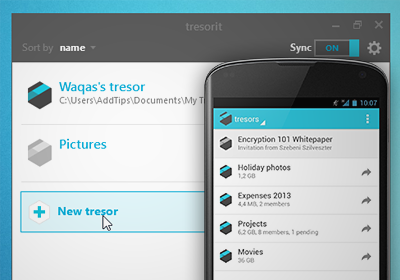
Smartphones these days are packed with super-fast processing power and a camera that easily matches performance of a mid-end digital snapper. This means people like spending more time taking photos with their phones now, than making phone calls. Since taking photos and sharing them over the internet has become quite an everyday chore, image sharing services like Instagram, Imgur and Facebook have taken the gauntlet for the task to provide us with platforms to share all our digital images on. Though if you use such many of these services, you might be looking for a way to bring all your photos uploaded to these sites together in a single place. Trovebox provides you a helping hand with exactly this. It’s a web app that lets you import photos to its cloud server and share them among your loved ones, all from one place. Read More

Paint Amazing Filters & Effects Over Photos With Repix For iOS

An iPhone or iPad photo editor is rarely labeled as unique, but apps like Repix always show that there is still room for innovation even in the most congested categories of the App Store. There are two areas where Repix differs from its competitors. The app has all the filters that are usually found in good iOS photo editors, but rather than applying these effects to entire images, Repix gives users the choice to manually apply them to specific parts of the photo. It offers brushes for all effects, and these brushes can be used to transform your photos by painting over them with your finger. It is also possible to adjust other aspects of images using simple swipe gestures. Furthermore, the intuitive interface of the app adds to its overall uniqueness. Read More

View & Create DIY Guides With Autodesk Instructables For Android & iOS

Autodesk acquired Instructables in August last year, releasing an impressive iPhone app for the online DIY portal and social community six months later.  The app has now come to the Android platform, bringing with it a vast, user-populated database of tutorials for do-it-yourself projects spanning over six different categories. Instructables for Android and iOS isn't just a collection of how-tos though; the app, like it's web counterpart, lets you create your own guides with the help of an innovative, easy-to-use tutorial builder that easily comes out on top when compared to previously reviewed Snapguide for iOS and How To for Android.  You can follow other community members, favorite and comment on their tutorials and even take part in DIY contests to win real-life prizes, all from the comfort of your smartphone or tablet. Read More

Astrid For iOS Now Lets You Sync Reminders & Add New Ones Using Siri

There can be no denying the fact that apps like Astrid outshine Apple’s Reminders by a long margin, but many users still prefer the stock app because of its integration with Siri. Astrid does have a dictate mode of its own, but nothing beats Siri when it comes to creating reminders using just your voice. Also, the stock Reminders sync across all your Apple devices over iCloud, which is great if you own multiple iOS or OS X devices and want to access your tasks on all of them. If you have been an Astrid user for a long time but still crave for these feature of the stock Reminders app, Astrid has just taken care of it. With Astrid’s latest update, you can now set reminders for it using Siri, make the app import to-dos straight from the Reminders app, and keep your tasks synced across various devices over the cloud. Read More

Spred Consolidates Photos From Instagram, Pinterest, Tumblr & More

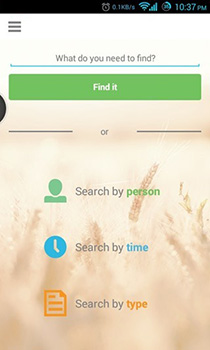
Instagram gained immense popularity by offering an easy way of sharing photos with your social circle and friends. Most profiles on Instagram are public, and anyone can discover your photos quite easily. If you are among the people who admire good photography, Instagram and Tumblr can be good sources for browsing all types of photos. Spred is an app that can help you in your quest to find the best images around the web. This new iOS release combines photo feeds from Instagram, Tumblr, Foursquare and Pintrest, based on topics. You can then maintain your own photo collections within Spred, and share any images over other social networks in bulk. Read More

Reebok Fitness Maps Out A Workout Routine For iPhone & Android Users

Since the days of the original iPod, iOS devices and fitness have always gone hand-in-hand. If nothing else, most people use their smartphone for listening to music while they are jogging or working out. With the passage of time, the app collections of Android and iOS started expanding and a lot of fitness-related tools gained popularity on both platforms. Endomondo and the entire Nike+ series demonstrate the true potential of the smartphones as your fitness trainer. Another nice addition to this genre of apps is Reebok Fitness - an official release by the famous sports equipment manufacturer. Unlike some of the Nike apps though, Reebok Fitness does not require you to own any accompanying piece of hardware to make the app work properly. Anyone with an Android or iOS device can use this app to get a full fitness plan, fine-tuned to be accommodated in your daily routine. Read More

MessageMe: Cross-Platform Mobile Messenger With Great Sharing Options

WhatsApp is by far the most popular cross-platform online messaging app for mobile devices, but there are also other really good options such as Viber, Tango, Kik and many more that offer many other features in addition to text messages. Most people hate moving from their current messenger app to a new one, but there are times when the features offered by a new one are completely worth the switch. MessageMe might not emerge as a clear winner when you pit it against a few of the giants of this genre, but the new app does have a few really nice features that make it worth a try. Released simultaneously on iOS and Android, MessageMe lets you easily connect with your friends using a BBM-like PIN, or by just searching for contacts on social media. There is also group messaging, advanced media sharing (including support for doodling and push-to-talk) and a smart typing indicator. Read More

Effortlessly Create Harlem Shake Videos With These iOS & Android Apps

Last month, we saw hundreds of thousands of short, 30 second video clips being uploaded on YouTube and other video sharing sites that showed people going absolutely nuts after hearing someone in the background say, “Do the Harlem Shake!”. Yes, we are talking about the popular “Harlem Shake” video meme that swept the Internet off its feet (literally, at times) in February. If you wish to be part of this crazy trend, you can now do so with ease, thanks to two mobile apps we discovered recently that let you make your own Harlem Shake videos in just a couple of taps. Check them out after the jump! Read More

Blux Lens Gives iDevices Remote Control Of Each Other’s Cameras

WiFi Camera and ReconBot are two very useful, but different iPhone apps. One of them lets you use iDevices as remote cameras, while the other turns your iPhone into a secret recording device. Won’t it be just great if an app combined these two functionalities, and threw in a lot of extra photo editing options for good measure? That’s exactly what Blux Lens does. We previously covered Blux Camera, and this new app acts as a remote lens for that awesome app. Using Blux Lens, you can connect any two iDevices to capture images remotely. You will still be able to use all the features of Blux Camera of course, but the scene you capture will be from the place where your other device is. This means it is possible to turn your iPhone into a spy camera or baby monitor, or use it just to capture a different angle of the scene. Read More