Run Android Ice Cream Sandwich On Your PC With WindowsAndroid

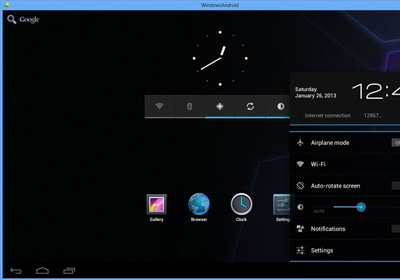
The Android platform has come a long way since the first Android phone was released in 2008, but it still primarily remains a platform for mobile devices, smart TVs, in-vehicle entertainment systems and a few small computers like the Raspberry Pi. Having access to Android on your PC can be quite useful considering its huge app ecosystem. Back in 2011, we covered BlueStacks that allows you to run numerous Android apps in full screen mode on yoru PC but if you want to use the complete Android operating system on your Windows computer, emulation is the answer. WindowsAndroid is an Android emulator that allows you to do just that, bringing you the full Android 4 Ice Cream Sandwich experience within Windows, complete with apps, widgets and settings. Keep reading to find out more. Read More

Completely Backup Android Devices To PC Without Root Or Bootloader Unlock

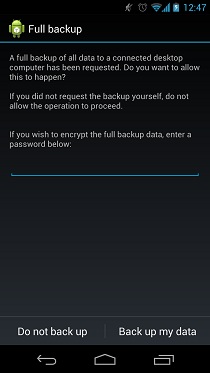
Unlocking the bootloader and consequently rooting an Android device, means loosing all your apps, the data that followed along, and all your settings. This may not seem like a big deal to experienced Android users who will take a few minutes in setting up their phone as it was before, but if a user has build up quite some data on a completely stock Android device and now wishes to root it, it's safe to to say, will be caught up in loads of trouble trying to get the apps back and obviously the data will be lost. Luckily for such users, XDA-Developers forum member Gigadroid has released a Windows based tool called Ultimate Backup Tool that lets you backup all data onto your PC, letting you restore it later. The specialty that Ultimate Backup holds over its peers is the ability to backup apps and data without root! The tool was tested by the developer on a Galaxy Nexus and is said to work for an Android device running Android 4.0 and up. Read More

Install CyanogenMod 9 Stable On Your Android Device

After months of development and testing, Android 4.0.4 Ice Cream Sandwich based CyanogenMod 9 Stable has finally been made available officially for many Android devices. CyanogenMod is undoubtedly the most famous custom Android ROM in the world and is amongst our top favorite ROMs here at AddictiveTIps. If you want to learn more about CM9, check out the list of major features, or install it on your own Android device, read on to see a list of officially supported phones and tablets, along with our complete installation guide and the download links. Read More

Install ClockworkMod Touch Recovery On Samsung Galaxy S3 GSM

The Galaxy S III gets its due share of the touch based ClockworkMod recovery! Development for this device is just beginning and the pace, is testament to the popularity the Galaxy S, S2 and S3 have garnered for themselves. Earlier we covered a tutorial on how to install, what was an unofficial port of the basic ClockworkMod recovery, but finallt the real deal has arrived on the SGS3 thanks to the efforts of XDA-Developers forum member mskip who also brought us the all in one Galaxy S3 toolkit. The ClockworkMod Touch Recovery is official and has been repacked by mskip into a tar file do that it can be easily flashed via Odin or Mobile Odin. Installation is a breeze, head on after the break for the instructions. Read More

All-In-One Toolkit For Samsung Galaxy S3 GSM

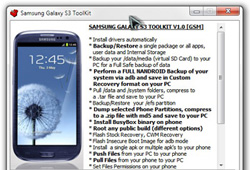
The Galaxy S III seems to be making some really fast progress in terms of third party support for software development for this device. Earlier, we had covered quite a few ways of rooting the device, including installation of ClockworkMod recovery as well. For those who fear flashing files via ODIN, XDA-Developers forum member mskip has just released a Samsung Galaxy S3 Toolkit, making life for inexperienced rooters who just got their hands on a brand new S3, very easy. If you thought the functionality is limited to just rooting, installing recoveries and kernels, the toolkit offers a plethora of functions ranging from installing APK files to pulling or pushing files onto the device. Read on for more information on this invaluable toolkit and how you can use it for your SGS III. Read More

Root Samsung Galaxy S3 I9300 With CF-Root

The Samsung Galaxy S III I9300 and I9300T can now be rooted by flashing the much popular CF-Root kernel, thanks to renowned developer Chainfire, who was responsible for rooting the device in the first place earlier on. CF-Root has been responsible for rooting a huge a list of Android based Samsung devices and is actually meant for the rooting beginners. To be used with stock Samsung firmwares (no, no custom ROMs, even if it’s Touchwiz), this root method will keep your SGS3 as close to stock as possible. More about it, and how you can root the SGS3 using CF-Root, after the break. Read More

Holo Launcher Brings The ICS Home Screen To Older (2.2 & Higher) Android Devices

According to the latest numbers, approximately 7% of all Android devices are now rocking Ice Cream Sandwich. No doubt, this progress has been steady so far, but it’s way too slow for the liking of a large contingent of Froyo or Gingerbread users who’re yearning to get their hands on the latest Android version. While there have been numerous attempts by developers to present such Android users with Holo-themed custom homescreen replacements, none of them matches the comprehensiveness of Holo Launcher, which is arguably the closest that a prior-version Android launcher has come to matching the looks and functionality of Android 4.0 Ice Cream Sandwich, making it the best option for ICS-yearning users stuck on older versions of the OS. Read More

One Click Root & Recovery For Sprint HTC EVO 4G LTE

Now you can root your HTC EVO 4G LTE in a single click using the RegawMOD EVO 4G LTE Rooter courtesy of regaw_leinad over at XDA-Developers. The tool is entirely automated and will unlock your bootloader, let you flash custom recoveries, and of course, root the stock firmware on the device. The bootloader unlock is achieved through HTCdev.com, so you will require a stable internet connection. The tool has been successful in rooting all builds up to 1.13.651.1. Being automated, you will not have to go through the tiring and slow process to unlock the bootloader at the HTC Dev website itself. Even better the tool will install the TWRP recovery as well. Read More

Install Unofficial ClockworkMod Recovery On Galaxy S III I9300

The Samsung Galaxy S III gets an unofficial ClockworkMod recovery port. This comes in from renowned XDA-Developers forum member and developer, Chainfire and has reportedly been altered a lot by him since the CWM source isn’t built to correctly deal with the Samsung setup where the internal storage vs. SD card persists. The recovery offers nothing fancy, but a stock ClockworkMod recovery which has been thoroughly tested by Chainfire through backup/restore to both internal and external storage, wipes and installation if ZIP files from both internal and external storage. Read More

How To Root Samsung Galaxy Tab 2 10.1

The Galaxy Tab 2 10.1, running Android 4.0.3 Ice Cream Sandwich has been rooted, thanks to the efforts of XDA-Developers forum member weltwon. The rooting method has worked on the P5113, P5100 and P5110 models. The method involved is actually very simple and if you’ve owned Samsung devices running Android before, you might find the method quite familiar. Unfortunately this method will work through a Windows PC only,  and Mac or Linux are not supported as yet. When done rooting the device, you will also be able to install a much needed custom recovery as well allowing you to flash ROMs and basically any zip file package meant for the device. So if you own a Galaxy Tab 2 and are looking forward to some good old rooting to run apps that require root privileges or want to apply some mods, read on. Read More

How To Root Samsung Galaxy S III I9300 [Guide]

The Galaxy S III gets rooted before launch! Just a few days back, recognized developer Chainfire over at XDA-Developers released the news to Android fans that he has managed to gain root access on the device, but since the insecure kernel being used to root the device was traceable back to the source of the leak, the kernel was not released. Not anymore! Chainfire has finally released all that is required for eager users awaiting their Galaxy S IIIs, to root the device. The monster of a phone that defied all Apple lawsuits questioning Samsung’s hardware and OS design, is ready to make its mark in the world of Android, and this early root access,has positioned the device for making a major impact. If you’re lucky enough to get your hands on an SGS III, read on for a detailed guide on how you can root the phone. Read More

Evernote For Android Gets Huge Facelift, Swipe Gestures, Location View & Plenty More

The official Android client of the popular cross-platform note-taking, syncing and sharing service, Evernote, has just been updated to v4.0.1. The favorite note-taking of many Android users (including me) looks an altogether new product as compared to what it looked just the last night, as the most recent update brings plenty of visual goodness, including a thorough ICS-style facelift, brand new homescreen interface with larger buttons to create notes, enhanced in-app navigation via various swipe gestures, context-sensitive action bars for every single app screen, map-view for notes, friendlier navigation while viewing/reading notes, new-look Notebooks and underlying Notes, revamped Notes list with option to switch between various views, and more user-friendly feel right throughout the app’s entire interface. Read More

AT&T HTC One X Gets One Click Root

The HTC One X from AT&T has been rooted! Earlier we covered a rooting guide for the retail version of the HTC One X here, but the AT&T branded model was no where released back then. However, thanks to the efforts of XDA-Developers forum member kennethpenn, not only do AT&T users have the ability to root their device in a one click fashion, but users on Rogers and other networks as well. Even better, this method will work for Windows, Linux and Mac. Read More

Download & Install ICS Based MIUI ROM For HTC One X

The HTC One X, get’s MIUI! The best, deserves the best and with the splendid screen size the One X comes with, MIUI – an already aesthetically perfect ROM – is bound to make some noise. For those of you wondering if this is the real deal, well no. The ROM is a Beta version that was put up on XDA-Developers earlier on but was taken down. This, is that exact beta. Of course a few things in it have been changed, thanks to the efforts of Leventc over at MIUI Android. Installation isn’t exactly the typical procedure you come across for flashing custom ROMs, but it’s not the hardest either. Read on for more on the ROM, and how to install it on your One X. Read More

ICS Based CM9 ROM Out For The HTC One X

The HTC One X gets CyanogenMod 9 ROM! One of the best Android phones out there right now, the device just got one of the best ROMs a Android phone could ask for. The Quad Core powered One X, is ready to take on the AOSP world of ICS ROMs thanks to the efforts of the TripNDroid Mobile Engineering Team over at Modaco. As in the case of almost every other CM9 ROM available for various Android handsets out there, this release for the One X is an experimental build as well. However, the ROM is pretty much good to go as a daily driver given the stuff that is already working fine. For further details about what’s working and what is not, and for instructions on how to install this ROM on your One X, read on after the break! Read More

Get ICS Tablet UI Mod For Samsung Epic 4G Touch

We already have ICS running on the Epic 4G Touch, but there’s nothing quite like the UI of an ICS tablet. You might have seen this before on the Galaxy Nexus and it certainly did look sweet running on that huge screen. Now the Epic 4G Touch may not be as huge as the Galaxy Nexus, but a 4.3” Super AMOLED screen will not disappoint either. The tablet mod is only meant for ICS based AOSP ROMs such as CM9 and AOKP and comes in from XDA-Developers forum member Xylograph. If you already have such a ROM setup on your device, you simply need to flash the mod over the existing ROM, however, you will need to take care of a few more things before proceeding with that. Read on after the break, to learn more about the mod and how you can have it running on your Epic 4G Touch. Read More

File Explorer Is A Basic Android File Manager With A Holo (ICS-Themed) UI

Although a stern emphasis on aesthetics is not something that most Android users have at the top of their priority list while selecting a nifty file management solution for their device, it is something that can’t be completely overlooked either. There is no doubt that robust file management features, when coupled with an easy-to-use interface and fluid navigation options, spell a well-crafted all-round file explorer for any operating system, and Android is simply no exception. This is something that we just recently found while creating a compilation of 10 of the finest Android file managers that are available in the Google Play Store. While all listed solutions sported their own unique and, for the most part, satisfying graphical UI, none of them comes close to File Explorer when talking of an Android file management app whose layout is designed in utter compliance with the latest version of Google’s mobile OS, Ice Cream Sandwich. Before proceeding with the app review, we would like to especially thank our readers for bringing our attention to this awesome app that has been floating around for quite some time, but somehow missed the limelight; albeit only thus far. If you’re looking for an app that brings some of the basic file management features along with plenty of eye-candy, File Explorer is the way to go. Read More

Install Official ClockworkMod Touch Recovery On HTC One X And One S

The HTC One X (GSM) and One S get ClockworkMod Touch recovery! This touch based recovery from Koush has been released for quite a while, for a handful of Android devices, but has just made it’s way onto the newly released HTC One X and the One S just after the device was released over a week back. The touch recovery is a serious improvement over the older ClockworkMod recovery and gives the user a very intuitive way of using the recovery. You can always install it via ROM Manager by paying a meager $1.99, but if for some reason you don’t want to do that, there’s always the manual, and cheaper method. We take a look at how you can manually install the recovery on your HTC One X and One S, after the break. Read More

How To Root HTC One S On Android 4.0 ICS

HTC One S has now been rooted thanks to XDA-Developers forum member paulobrien. The One S can be said to be the younger brother to the HTC One X, with still specs impressive enough to challenge most modern day Android devices. The best part, you get to run Ice Cream Sandwich on a handsomely large 4.3” Super AMOLED screen. Like the rooting guide we covered earlier for the HTC One X, the rooting procedure is more or less the same, using the superboot image which is basically a modified boot.img. Read More

MIUI Music Player v2.39 Released For Android 4.0.3 ICS

Android users running non-MIUI custom ROMs have already had a chance to try several goodies of the popular Chinese-based ROM on their devices. Be it the native MIUI Music Player, the recently ported MIUI File Explorer, or the MIUI-style lockscreens in the form of MiLocker, the original goodness of the ROM has been reaching the users at frequent intervals, and it doesn’t seem to be stopping just there. XDA members, DaxIΠFIΠITY and Brainmaster, have joined hands together to bring the latest version (2.3.9) of MIUI Music Player to any device running Android 4.0.3 (Ice Cream Sandwich). Yes, designed specifically for Android 4.0.3, the updated version of MIUI Music Player brings an altogether revamped UI with slick looks, enhanced equalizer, sleep timer, spectrogram and plenty other features that have been acknowledged by MIUI fans all across the globe for past few years. Among such features, we have the option of shaking the device to skip current track, auto-download album art, sing along with lyrics, multiple modes to explore music, online music streaming et al. The app comes in the form of a flash-able zip file, and can be installed via a custom recovery tool of choice. Read More