iOS 6 Jailbreak Tool evasi0n Updated To 1.1 With Long Boot & Weather App Fixes

With so many devices, firmware versions and variations of installed apps and configurations, it is essentially impossible to release a jailbreaking tool that is completely bug-free. Team evad3rs’ evasi0n is no exception. The recently released tool that comes with support for all 22 variants of iOS devices running iOS 6.0, 6.0.1 or 6.1 has three such bugs or errors, which we have discussed over the past couple of days. Read More

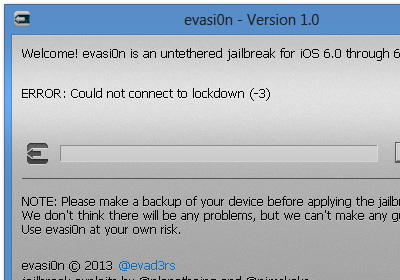
Fix iOS 6 evasi0n Jailbreak Weather App Crashing & Long Boot Issue In A Few Taps

Evasi0n has to be the easiest jailbreaking tool to use since comex’s JailbreakMe. All you need to do to get Cydia on your iOS device is to connect said device to your PC, click on “Jailbreak” in evasi0n, and tap on the “Jailbreak” icon from your iOS device. No need providing IPSW files or going into DFU Mode. However, some users are facing multiple bugs post-jailbreak like the lockdown error that can be fixed through the method we talked about yesterday, and of course, the issue of the stock Weather app crashing incessantly, and that long reboot error that causes iOS devices to be stuck at the Apple boot logo. Well, there’s good news: fixes for both issues have arrived! Read More

Fix Weather App Crash Issue After iOS 6, 6.1 Jailbreak With evasi0n

With nearly 2 million downloads within a couple of days of its release, the evasi0n iOS 6 jailbreak has been a huge success so far, but it is far from being perfect. In the past, there haven’t been too many bugs associated with jailbreak tools, but there have been a few hiccups this time round. Right after the evasi0n release, the Cydia store faced numerous issues. Furthermore, a lot of tweaks haven’t been updated to work with iOS 6.x yet, and there are reports of problems with App Store. Apart from all this, the jailbreak broke the stock Weather app for many people. While Saurik was quick to fix all Cydia-related issues, the Weather app is still crashing. evad3rs have promised that a fix is on the way, and will be released in the Cydia store pretty soon. If you cannot wait that long however, there is a way of taking matters into your own hands. Read More

How To Fix iOS 6 / 6.1 Jailbreak Lockdown Error In evasi0n

After comex’s JailbreakMe, "evasi0n" – Team Evad3rs’ untethered jailbreak tool for all devices running iOS 6 and 6.1, including iPhone 5 – has to be the easiest way to jailbreak your iOS device. You connect your iOS device to your PC, click “Jailbreak”, tap the “Jailbreak” icon on your device, and voila! Cydia and its vast repository of excellent tweaks is available at your fingertips. As robust and easy as it might be, a very small percentage of people are facing a “lockdown” error message when they try to jailbreak their device. If you too have been looking for a solution to this problem, look no further. We've got an easy fix after the jump! Read More

Jailbreak iOS 6 – 6.1.2 Untethered On iPhone & iPod touch With evasi0n

iOS 6 has finally been jailbroken on all iDevices, including the iPhone 5! Released by the team calling themselves evad3rs, evasi0n might be the most highly anticipated jailbreak ever. In the past week, the official evasi0n website has fueled the interest of all jailbreak fans by displaying a progress bar, indicating the state of the jailbreak tool. That bar reached 100% a short while ago, and now you can have untethered jailbreak on any iDevice running iOS 6 or iOS 6.1 (and now 6.1.2). There was already a tethered jailbreak for pre-A5 devices, and owners of those have good news as well because evasi0n gives them untethered jailbreak. The tool might be the simplest released for any iOS version to date. Head past the break and you are sure to agree that installing Cydia on your device has never been this easy. Read More

Give Your Windows RT Desktop A Facelift With Rainmeter

Windows RT has been around for a few months now, with Microsoft's own Windows Surface being the primary device this tablet-friendly OS has been running on so far. Recently, when XDA member clrokr successfully jailbroke Windows RT, it resulted in opening up doors of possibilities for the homebrew community to run ported x86 desktop apps on ARM architecture. By now, a multitude of app have already been ported to the platform by various users, and one of the awesome additions to the ported apps library is Rainmeter. For those who don't know about it yet, it's a fascinating desktop customization utility that allows you to give your desktop a complete makeover. In what follows, we will guide you through the process of changing that boring desktop look and spicing it up with Rainmeter’s plethora of gorgeous skin packs. Read More

Jailbreak iOS 6.1 On iPhone 4, iPhone 3GS & iPod touch 4G With Redsn0w

Apple has just released the final build of iOS 6.1 to the masses, and just like previous versions of iOS, it can easily be jailbroken, but for select devices only. Latest iterations such as the iPhone 4S, iPhone 5 and the 5th generation iPod touch aren't supported, but earlier devices which work with the famous Limera1n exploit, like iPhone 4 and iPod touch 4G can be jailbroken (tethered). Head past the jump for the step-by-step guide! Read More

Get Multiple Virtual Desktops On Windows RT Tablets With VirtualWin

Virtual desktops allow you to have multiple workspaces without having to spend money on extra monitors. If you are one of those people who are easily distracted by multiple applications open on the desktop, virtual desktops allow you to compartmentalize your work by grouping related windows together on different virtual screens. This in turn lets you avoid the clutter and distraction created by opening multiple utilities, decreasing the time wasted in maximizing and minimizing different apps and ultimately increasing your productivity. As we know, Windows RT - the tablet-only version of Windows 8 with ARM processor - does not support x86 applications, and every useful tool that you normally use cannot be installed on an RT device. However, the guys at XDA have developed workarounds for some of the applications. VirtualWin is one such application that has been modified to run on jailbroken Windows RT devices. It is a desktop manager that allows you to take advantage of multiple workspaces and increase your screen real estate. Read More

Get Classic Start Menu & Disable Start Screen On Windows RT Tablets

The Start Menu vs. Start Screen menu has been going on endlessly since Windows 8 was first showcased by Microsoft to reveal the lack of a Start menu. Fans of the classic Start Menu have since released several third-party apps to bring it back on Windows 8 devices, and we have brought you several such tools here at AddictiveTips over the past few months, which you can check out in our compilation of best Windows 8 Start Screen modifiers and Start Menu apps. However, all these previously mentioned applications only work for the x86 and x64 versions of Windows, i.e. Windows 8 and if you have a Windows RT tablet that uses ARM architecture, you will not be able to take advantage of these apps. What we have for you today is a port of previously featured Classic Shell for jailbroken Windows RT tablets (like Microsoft Surface RT) that bring the Start Menu back on the device and disables the Start Screen. Read More

How To Jailbreak Microsoft Surface & Other Windows RT Tablets

You heard it right - the jailbreak for Windows RT is finally here! While the jailbreak method itself was initially found a few days back by XDA member clrokr, it was by no means an easy task for an average Joe to use it, as it involved manually overriding kernel code in memory. Thanks to another XDA veteran netham45, we now have a much easier solution in the form of RT Jailbreak Tool that makes the jailbreak process simple for everyone. With Microsoft Surface already out there and several other Windows RT tablets being released these days, this is definitely a breakthrough development and might even trigger more sales for the platform, especially among enthusiasts and power users. Such an opportunity would open the gateway for the homebrew community to build unsigned desktop apps for Windows RT devices but as of now, the main purpose of the jailbreak is to allow users to run ports of existing desktop apps compiled for RT's ARM architecture. Read More

Downgrade From iOS 6 To iOS 5.1.1 On iPhone 4, iPad 2 & iPod touch 4G Using Redsn0w 0.9.15b2

A lot of users have refrained from updating to iOS 6 due to the lack of a proper, untethered jailbreak. Another thing that has kept jailbreak users away from the new version of the OS up until now, is the fact that once you had updated, the way back to a firmware that Apple had stopped signing was riddled with confusion. Luckily, redsn0w has come to the rescue with its latest version, 0.9.15b2. The tool now makes it much easier for users to restore their iDevices after an iOS 6 update (devices with A4 or older processors in particular). If you updated to iOS 6, and are now planning to go back to 5.x, read on past the break to know whether you can, and for a step-by-step guide if restoring is possible on your device. Read More

Jailbreak iOS 6 Tethered On iPhone 4 & iPod touch 4G, Untethered On 3GS

iOS 6 was released a year after iOS 5, almost to the day. The untethered jailbreak for the previous major update came out around Christmas last year, but the progress for iOS 6 has been a bit slower. We will be lucky even to have a tethered jailbreak for all iDevices before December (specially the newer ones with A5, A5x and A6 processors). However, this does not mean that the jailbreak community has been completely idle so far, as tethered jailbreaks for A4 and older devices have already been released, albeit with restrictions and compatibility issues. Until now, if you jailbroke your iOS 6-donning A4 device, you had to install the Cydia app manually (as outlined in our detailed guide on how to jailbreak  and install Cydia on iOS 6 Beta). Fortunately, things have finally started to move forward with the release of redsn0w 0.9.15b1. The latest update of the tool now installs Cydia itself with tethered jailbreak for A4 and older devices, and offers an untethered jailbreak for iPhone 3GS with the old bootrom. A step-by-step guide and more on supported devices past the break. Read More

Jailbreak iOS 6 GM On iPhone 4 & Other A4 Devices Using redsn0w 0.9.13dev4

Although we know almost everything about iOS 6 by now, thanks to Wednesday’s release event, and the availability of the update’s beta versions for developers, the majority of iPhone, iPad and iPod touch users will have to wait till the 19th of this month to get their hands on the next iteration of iOS. If you do have a developer account, however, then you most likely have the iOS 6 GM already flashed to your iDevice. Apple released the GM soon after the iPhone 5 event ended, and the build does have a few features that were missing in the earlier betas. As is the case with every update of iOS, the quest for its jailbreak began as soon as the first beta of iOS 6 came out. Until now, only a tethered jailbreak for iOS 6 GM is available, and that, too, just for A4 devices. So, if you happen to be using the GM build of iOS 6 on an iPhone 4, the original iPad or iPod touch 4G, you can now use the latest version of redsn0w (0.9.13dev4) to jailbreak your device. Read More

NetMeter: Monitor Your iPhone’s Data Usage From Notification Center

It might not be entirely wrong to say that mobile data gained more popularity among users with the advent of smartphones. There’s no denying the fact that the world was no stranger to capable mobile devices even before 2007, but one cannot argue with the fact (either) that Apple’s iPhone shaped the smartphone industry into what it is today, and introduced the layman to the world of easy-to-use and humane on-the-go computing. We’ve come a long way since then, and high-speed data protocols in the form of 3G and 4G LTE are the new buzz. However, mobile data doesn’t come cheap, and one thing that continues to haunt all smartphone owners are excessive data costs, should they not be on an unlimited data plan. Natively, iOS does let you monitor cellular data usage, but with a couple of caveats. One, you have to dig deep within settings to pull up the data usage stats your for device, and two, there’s really no easy way to monitor WiFi usage. True that the App Store boasts a few quite capable apps for that, again, you have to rely on an app for a reporting that should otherwise have been available at a single touch. Luckily for jailbreak users, NetMeter Widget for iOS Notification Center is a Cydia tweak that goes hand in hand with the NetMeter app, and lets you glance at your iPhone’s mobile data usage from the notification center, along with a few other useful statistics. Read More

Metroon Brings A Working Windows 8 Experience To iPhone

I remember back in the day when customization was one of the bigger reasons behind jailbreaking an iPhone. Over time, the jailbreak aesthetics scenario evolved much like the platform itself, and Winterboard was no longer the sole theming platform for iOS devices. Of the many contenders that surfaced (and vanished), Dreamboard remained the sole worthy alternative to the much-acclaimed Winterboard, and brought with it perhaps an entirely new scope for iPhone and iPod touch themes. Not only was theme switching made dead easy, but the themes and skin packs themselves were much refined and more customized on Dreamboard. We even did a roundup of our top 5 picks in free Dreamboard themes back in November 2011. What that roundup was missing, however, was the new Metroon theme, a fresh release in Cydia that brings a complete and (surprisingly) functional Windows 8 experience to jailbroken iPhones. Whether you hate Microsoft’s latest operating system or deem it a right step towards the future is another debate, but Metroon is one Dreamboard theme you have to try out, and we’ll explore it in depth just past the jump. Read More

QuickIM For iPhone: Google Talk & Facebook Chat Client With Quick Reply

One of the biggest advantages of smartphones is connectivity on the go. Although you get that with almost any phone (that’s the whole purpose of a mobile phone, anyway), these devices allow internet access without restricting mobility, and that makes the whole idea all the more practical and useful. In today’s world, Google Apps have replaced plenty of enterprise suites for a lot of organizations, and even outside that, many users prefer using Google Chat due to its deep integration with Gmail and lightweight desktop client. Then, Facebook being the most popular social network, its chat service, too, is one of the most convenient methods of staying connected on the go. All the major smartphone platforms – iOS, Android, Windows Phone et al – have a plethora of multi-protocol chat clients that allow connection to various instant messaging services. The problem, however, is that not all solutions are equally effective; some may be resource intensive, others may lack (push) notifications, while still others may have an ugly interface. Furthermore, for iPhone and iPad, even though we have Facebook Messenger, it’s not that efficient, and on the Google chat front, neither is there any official client, nor are the third-party solutions that impressive. Perhaps that’s the reasoning behind the Cydia app, QuickIM. Currently supporting Facebook Chat and Google Talk, this app for jailbroken iPhone, iPod touch and iPad makes it super easy to stay connected with your buddies on these platforms, employing an easy interface, push notifications, and quick reply & compose features. Read More

Put iPhone, iPod touch Or iPad In DFU Mode Without Using Home/Power Buttons

Jailbreaking an iPhone or any other iOS device yields many benefits, since the device literally opens up to any sort of modification and breaks free the shackles put in place by Apple. In its stock form, the powerhouse contained within an iPhone, iPod touch or iPad is quite tame, but once unleashed, these wild beasts can perform so much more than what you’d have previously thought, and I am not just talking about themes and aesthetic modifications. Apps and tweaks like MyWi, BiteSMS, InfiniFolders, Zephyr etc, change the entire scope of using an iDevice. In all honest, if you’re choosing to stick to Apple’s stock offering, you’re missing out on a lot. However, the sad truth is, not everyone is opting out of a jailbreak by choice – some people are just forced for it, mainly because of a faulty hardware. How, you may ask. Since most jailbreak methods require your device to be put in DFU mode, which, in turn, requires use of the Power and Home buttons, a broken button from either of these renders you pretty much helpless. There’s been a workaround for that for quite a while, in the form of a modified IPSW, but that required some manual working that might not have agreed with all users. Thankfully, the iPhone Dev Team, in their latest redsn0w release, redsn0w 0.9.14b2, have included an easy way to restore your iPhone, iPod touch or iPad to DFU mode without using any of the hardware buttons, making it a lifesaver for all users with faulty hardware. Read More

Downgrade iOS 6 Beta To iOS 5.1.1 On iPhone, iPad & iPod touch

iOS 6 is not yet available to the general public for a reason: it’s not ready for everyday use as of now. However, despite all the broken things within the OS, there would still be those out there who’d venture to try out the new version as soon as it became available – whether through legitimate means or otherwise. Perhaps you’re a developer who installed iOS 6 beta on your iPhone, iPod touch or iPad to ensure the compatibility of your apps with the 6th major iteration of iDevice operating system, or you may be a tech enthusiast like me who just had to install the operating system to see how it felt. If you belong to the latter, chances are high that you’d be looking for means to go back to the 5.1.1 firmware version, for many reasons. The good news is, it’s very much possible, and fairly easy. Interested? Continue reading. Read More

How To Jailbreak iOS 6 Beta & Install Cydia [Complete Guide]

Apple announced iOS 6 during WWDC 2012, and the world went into a frenzy (as it always does with any Apple offering). The 6th major iteration of the OS brought with it a lot of bells and whistles, like revamped Maps, more knowledgeable Siri, shared Photo Streams and loads more (you may want to check out the entire list of new goodies). On the same evening, iOS 6 beta became available for developers, ensuring that apps – the life and blood of iOS platform – became optimized before the operating system became available publicly. However, many, like us, just couldn’t wait to get their hands on the newest iOS for iPhone, iPod touch and iPad, and many devices, despite not belonging to developers, got the new OS up and running in a matter of days. However, doing so resulted in one thing that most jailbreakers don’t like at all – breaking the jailbreak! The good news is, iOS 6 is jailbreakable, publicly, and even Cydia can be installed through some unconventional methods. We’ll get to that just after the jump. Read More

Downgrade iPhone 3G/3GS Baseband 06.15.00 With Redsn0w 0.9.14b1 To Get Unlock & Fix GPS

Back in the days when the iPhone 3GS held the title of “the best iPhone yet”, there came a little problem with Ultrasn0w unlockers: some firmware required an upgrade to iPad's 06.15.00 baseband for the unlock to work. The reason behind this nuisance was the fact that the jailbreak gurus had managed to crash the iPad's 3G baseband, while 3GS' own 05.13.04 remained out of luck. While the unlock worked, it came with a rather hefty price of breaking push notifications and disabling GPS services. You just have to take a look at the number of apps that use GPS in their working to get an idea of the consequences of using iPad’s baseband on your iPhone 3Gs or 3G. Then, Ultrasn0w began supporting the 05.13.04 baseband, but there was no way to downgrade an iPhone 3GS or 3G from 06.15.00 to the former one. Now, thanks to redsn0w 0.9.14b1, users can downgrade the baseband on their jailbroken iPhone 3G/3GS to get working unlock, push notifications and GPS! Read More