Automate Redundant File, Application & Website Opening Tasks With WOSB

Automating processes to run when your computer comes out of stand by can come in very handy if you are required to perform the same set of tasks with the same set of applications or webpages each day. WOSB (Wake Up From Stand-by Mode & Hibernation) is a portable application for Windows that lets you specify when to wake up your PC and assign a set of tasks to perform when it does. The application provides you with very detailed options related to computer wake up, running an application or opening a file or a webpage and what to do next. You can set the schedules for the defined set of tasks depending on your requirement. More on WOSB after the break. Read More

Blacksmith Brings Mac Desktop Spaces, Launchpad & Mission Control To Windows

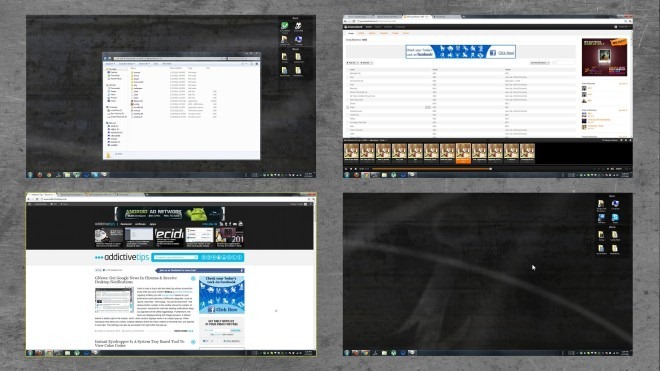
Previously, we have covered some very good desktop management applications, such as Desktop Panorama, WindowSlider and mDesktop. All of these desktop managers have their own strengths and weaknesses, some provide you with unlimited side ways scroll capability, while other allow you to preview all the virtual desktops to locate and manage the position of every running application. Today, we have another, very comprehensive, desktop management application for you, which allows you to have more than just multiple virtual desktops on your system. Blacksmith is a portable GUI extension tool and virtual desktop manager for Windows that provides you with the feel of Windows, Android and Mac OS X Lion operating systems. More on Blacksmith after the break. Read More

OEM Configurator: Change Default OEM Settings In Windows System Properties

OEM Configurator is a portable application by AskVG that allows you to personalize the information in the Windows System Properties section. This eliminates the need of any kind of manual registry editing, and allows setting accurate naming resolution and associated settings according to a standard method. Although such changes can be made individually as well, OEM Configurator, however, makes it quite easy to configure the required text, logo (e.g., company logo) etc, to set all parameters automatically for the OEM (original equipment manufacturer) information. Changing the OEM Configurations can help people accurately label computers according to the right naming convention. Such settings can help easily identify computers in a domain via the Active Directory. More after the break. Read More

View Color Values In Multiple Formats With ColorToy

One of the things enthrall graphics designers the most, is the perfect combination and blend of colors. For this very reason, HEX and RGB values of colors help them out. Inputting a determined HEX color value is easier a job instead of manual adjusting the colors. In addition, HEX values make it lucid to import and export color palettes between various tools. We have covered tools to help you extract HEX and RGB values of colors from images, for instance, both Pictures to Color and Color Finder provide HEX value extraction and a lot more. However, if you want a simplified solution and only require to find the values of a random color, give ColorToy a try. It is a portable application that allows you to select and preview a color by defining its RGB values in Floating Point, RGB or HTML syntax, or through separate sliders for each. Once the required color is selected, ColorToy enables you to view formatted results of the value of colors in Floating Point, Decimal, RGB, HEX, Delphi, C++ Builder etc, form. You can copy any value to clipboard by simply clicking it from the list. More details to follow after the break. Read More

MultiHasher: Calculate Hash Values And Upload Files To VirusTotal

You can use plenty of Windows application for calculating hash values to verify file integrity, including Digesec Hashing Utility, a tool that lets you create hash values of files and text, and  inCrypto (encrypt text and generate hex values). Other than these tools, we have also covered some very useful Shell Extensions for the same purpose, such as HashTab and FilePropsMan that add a tab, to generate hash values, in the properties of a file. These tools, like all other hash utilities, allow you to calculate and compare hash values in order to keep your computer safe from getting infected with corrupted and infected files. MultiHasher is a hashing utility that goes one step further and allows you to upload files to VirusTotal from within the application. It is capable of quickly calculating and comparing CRC32, MD5, SHA-1, SHA-256, SHA-384 and SHA-512 checksum protocols by just dragging and dropping files. The application supports multiple languages and folders can be added recursively. Read More

Tweak & Manage Laptop Hardware Settings With Notebook Hardware Control

Notebook Hardware Control is a portable application for controlling the hardware components of your Notebook. Using this application, you can prolong the battery life, reduce system heat up issues, mange full processor speed, monitor the battery charge level and system temperature, manage your hard drive using S.M.A.R.T (Self-Monitoring, Analysis and Reporting Technology) management, reduce Notebook Fan noise and more. Read past the break for details. Read More

Reduce Computer Turn Off Time With Speed Up Shutdown

Sometimes, you might have noticed that your PC takes a lot of time to shutdown, which can be a bit annoying when you have to quickly leave and don’t want to leave your PC running. One solution is to shut it down by pressing down the power button, or by taking the plug out but that would be an improper way to shutdown the computer and you can lose any unsaved information in the programs currently running. One way to increase the shutdown process is to have a lower number of active processes, because the more programs that Windows needs to shutdown before turning the computer off, the more time it takes. What you can do to decrease the shutdown time, is to disable the options to erase the system’s virtual memory and hibernation cache at shutdown. If the PC is still taking a lot of time to shutdown, give Speed Up Shutdown a try. It is a portable application that has options to reduce the time to kill applications, time to kill services and disable clear Pagefile at shutdown. You have the option to select one or all options to optimize your shutdown.

Read More

Calculate & Verify Hash Values Of Multiple Files With Md5Checker

Checking the integrity of files is very important if you don’t want your computer to get infected with viruses and malware. Sometimes, hackers modify the contents of a downloadable zip, which can sometimes even grant them remote access to your system. Developers usually provide hash values of downloadable files in different checksum protocols, enabling you to verify the file integrity of downloaded content. You can download the file, generate its hash value, and compare it with the one given on the developer's website. If you are looking for a good utility to generate and compare hash values of files, check out Md5Checker. It is one such portable application that allows you to calculate and verify hash values for multiple files at a time. After calculating the Md5, you can either compare it manually, or save it to match it with the hash value of the same file at a later time. It can also be used to verify if the file has been tampered with in any way. Read More

A Comprehensive Tool For Tweaking Windows 7 Logon Screen

One of the most beautiful features of Windows is customization. You can customize and change the look of everything you want according to your own preferences, and even when the native settings don't offer you customization options for something, third-party tools fill in the gap. Apart from Wallpapers or Icons, one element that most folks love to customize is the Windows logon screen. No one would want to gaze the same boring Windows 7 logon screen everytime they turn their PC on. Here at AddictiveTips, we also love customizing our Logon screens and we have covered some very effective Windows 7 logon screen editors, including Pulse that periodically changes the logon screen background, and Windows 7 Branding Changer to change the Windows 7 branding logo. Another logon screen customization utility that we stumbled upon is Windows 7 Logon Screen Tweaker, a portable tool that allows you to change the User Picture, Logon Screen Background, Logon Button Set, Default Logon Sound, Logon Text Branding etc. In addition, the application lets you remove certain items from the logon screen, including Easy of Access button, Logon Text Branding, Shutdown Button and add Custom Logon Screen Message. The application also has a built-in Default button to revert back any changes. Let's take an inside look to see if it stand out from our previously covered apps. Read More

RedCrab: Calculator With Formula Editing & Algebraic Equation Support

Probably one of the greatest inventions of mankind is mathematics - algebra to be more precise. Everything we do today revolves around numbers, and numbers have changed the world as we know it. If mathematics and statistics are great inventions, then calculator is even greater, which helps in performing various complex calculations, within a few seconds. Along with the evolution of Windows, the default Windows calculator has also gone from being the tool for just division, multiplication, addition and subtraction of digits to getting support for basic, scientific, programmer and statistical calculations. However, it still lacks options, such as creating charts and printing the calculations, and i suspect that these features would be ever added. While browsing the web, i stumbled upon something interesting that might delight maths and stats enthusiasts and make their job a lot easier. The application is called RedCrab and is a portable calculator with support for scientific mode, programmer, standard, fields and statistical calculations, which can then be printed directly from the application. It supports complex algebraic equations, fractions, square roots, log functions, trigonometric functions etc. Digits and symbols can be entered with the keyboard, the Function Panel or the virtual keyboard provided with the application. More on RedCrab after the break. Read More

Stealth Player: A Hotkey Controlled Music Player Without An Interface

Listening to music while working on the computer is pretty common among regular PC users, but with all the flashy interfaces that come with the latest audio players, getting distracted from your work is a major issue. Other than the interface, some audio players, such as the native Windows Media Player, hog too much memory, and might interfere with ongoing work. Stealth Player is an open source audio player that takes care of all these problems by providing users with ‘nothing’! That’s right, the music player doesn’t host an interface; instead, it just has a system tray icon, with playback being controlled through hot keys. More on Stealth Player after the jump. Read More

Name My TV Series: Cross-Platform Program To Quickly Rename Episodes

When you download a movie, an episode of some TV series, or the complete season, the files are sometimes not named correctly. Changing the names of each file one by one can be quite a tedious task if there are large number of files present. With the wide variety of TV series available, it can get confusing for you if there are a lot of unnamed, or wrongly named, episodes of different seasons stored in your hard drive. Name My TV Series is a cross-platform, portable application that allows you to easily and quickly rename the TV series present in your hard drive. You don’t have to rename one file at a time, as the tool automatically downloads the correct names for each episode of the said series, and enables you to rename your own collection with just one click. The application can download the, move and episode, name data from EPGuide, as well as TheTVDB.com, and provides several options for renaming, such as whether to use series, season and/or episode number in the title or not. Read More

Jester: Text Editor For Comparing Documents & Creating Song Parodies

Using the right tool for the right job is very important for the successful completion of any project. It can save you a lot of time and energy, enabling you to use it in other more important and productive tasks, rather than wasting your time in trying to make the wrong tool work. Speaking of right tools, what do you do when you have to compare two documents side by side? Open them in two separate windows and switch between the windows again and again? If you have to frequently perform this tedious exercise, give Jester a try. Originally compiled by the developer for creating parodies of song lyrics, in my opinion, this portable application can prove to be useful in a lot of other situations. With options like synchronized scrolling, syllable count and a built-in rhyme dictionary, Jester offers a completely different package from other programs if similar nature. Keep reading to find out more about Jester. Read More

RemoteRebootX: Shutdown, Wake & Perform Other System Actions Remotely

There are a number of application (e.g., WakeMeOn LAN), which are meant to remotely wake up computers via command sent out through the Local Area Network (LAN). Being able to remotely wakeup, shutdown or reboot computers can allow easy management of data center servers, as well as other LAN computers that may be located all over the office. RemoteRebootX is a portable application that not only provides remote wake on LAN functionality, but also enables users to remotely reboot, shutdown, ping, retrieve the last boot time and MAC address, and obtain the list of services that are set to “Automatic” on remote computers. Read More

Search Files & Folders Using Extended Filters With SearchMyFiles

Usually, there are thousands of files stored in our computer, and looking for something in that big a stash is something very hard if you have to do it manually. A better, more efficient way to look for a file is to use a search tool. When searching for files or folders, setting up the proper filters plays a very vital role in quickly locating the required file or document. The default Windows search function is a bit limited when it comes to adding multiple wildcard entries, and setting up filters for including and excluding multiple formats from the search. SearchMyFiles is a portable file searching application for Windows, developed by Nirsoft, with multiple searching modes, including Standard Search, Duplicate Search, Non-Duplicate Search and Summary Mode. It allows you to search for files in multiple, user-selected folders and exclude folders from your searches, while performing system wide searches. The application lets you apply separate wildcards for files and sub-folders, as well as add specific extensions to exclude from the search. Other filters include file size, recursive search, attributes, file time and maximum number of results. The search results can be saved and exported in HTML format for later viewing. Read More

PhotoFiltre: A Comprehensive Image Retouching Tool With Batch Support

We have covered some very light yet useful image editors, such as PixBuilder and Artweaver Free, which provide you with a set of essential tools for tweaking or styling images. Today, we have PhotoFiltre, a complete image retouching portable application that lets you perform basic and advanced editing of images, as well as apply a wide range of filters. It hosts a simple GUI, enabling users to easily learn and start using the complete assortment of the available tools. The application offers two types of selection methods; automatic shapes such as rectangle, triangle, ellipse etc, and lasso & polygon. PhotoFiltre is capable of performing batch operation on images, including Conversion, Image Resizing and Framing. More on PhotoFiltre after the jump. Read More

Subtitle Mechanic: Adjust Synchronization For SUB, SRT & TXT Subtitles

When loading subtitles for videos, there can often be synchronization issues. While there are a number of advanced subtitle editing applications to correct such issues, or to write subtitles from scratch (such as Gaupol), these applications are often too complicated to use. Subtitle Mechanic is a portable application that simplifies resolving subtitle synchronization issues, and allows changing the display timing for their SUB or SRT files. This application has been developed by the same developer who previously brought us the automatic screen locking application called ScreenBlur. Read More

Screen Capture + Print: Save, Print & Copy Screenshots To Clipboard

While writing an article, adding screenshots makes it easier for, both the writer and the reader. It helps the writer in explaining his point, and keeping the interest of the reader, and the images help the readers by providing them with a way for verifying if they are following the article properly or not. Documents, such as guides and tutorials are best supported by screenshots in this regard. Previously,we have covered a lot of useful screenshot capturing tools on AddictiveTips, such as like Greenshot, an open source utility best for taking screenshots of a particular region, and Shotty, a tool that includes Windows 7 Aero-Glass effect in screenshots with semitransparent border, along with the shadow of the active window. Today, we bring to you a lightweight and portable screenshot tool, called Screen Capture + Print, that provides you with three options after taking a screenshot; Print, Copy to Clipboard, and Save to File. The application is capable of capturing selected region, full screen, a single window or content inside a window. It supports capturing desktops with multi-monitor display, as well as transparent windows and regions. The image can be copied to clipboard and used directly from it, without having to save it in a file first. The saved area can be saved to a file in JPG, PNG, BMP, GIF and TIF formats. More about Screen Capture + Print after the break. Read More

Manage Shortcuts According To Categories With Quick Pop Menu

There are various application launchers available on the internet, each with their own set of features and UI design. Application launchers provide an easy route to access your programs. Earlier, we posted articles about how Coolbarz adds shortcuts on four sides of the screen, and how you can enable beautiful toolbars on the desktop with Gizmo Toolbar. These launchers allow you to easily access applications without opening their specific directories. However, most toolbar applications require users to do a lot of configuration before being able to use them, while most user prefer something simple and easy to use. Should you need a simple looking toolbar application then try Quick Pop Menu. It is a portable shortcut manager that lets you create shortcuts for frequently used applications, and access them with just a click. The application allows you to manage your shortcuts by creating folders for different categories and access them with hotkeys. More on Quick Pop Menu after the break. Read More

Drag & Drop To Read Comics And View Plain Images With MComix

Reading comics is a good way to take your mind off work and have fun. Everybody has a different hobby, some like to play games on their computer, some people watch movies and listen to music, while other read comics for fun. However, to enjoy whatever you want to do requires you to the right tools. For example, if you trying to watch a movie, you need to have the right video player with the correct codecs installed on your computer, otherwise the video file will not work correctly on your computer. In the same way, a good comic reader is a major requirement for enjoying reading your favorite comics. Previously, we have covered comic readers such as ComicRack, CBR and  WPF Comics Book Reader, which let you read comic books available in different formats. Today we bring to you MComix, an open source comic reader that lets you read and manage your comics. It provides you with all the basic options to control and customize your comic reading experience. Other than serving as a comic reader for archives compiled in ZIP, RAR, 7ZIP and TAR formats, it can also open plain images. Preferences can be changed for default settings of the application, such as background color, page numbers, scrolling options, display properties and language selection. The application allows you to maintain bookmarks to easily resume reading your favorite comics! Read More