How To Reset Lost Facebook Password With The Trusted Contacts Feature

Identity theft is very real; in the past, it has meant someone impersonating your identity to gain unauthorized access to important information and committing crimes under your name. In today's age of digital media, however, it can also mean someone hacking your social media accounts and putting your online reputation at risk. That's why Facebook has introduced the Trusted Contacts feature in a bid to help you fight identity theft and regain access to your Facebook account should the worst ever happen. It allows you to select three to five people in your Facebook friends’ list who can help you recover your compromised Facebook account. Here’s how to set up and use your trusted contacts to regain access to your account. Read More

Create Custom Symbols In Windows With Private Character Editor

The Character Map utility in Microsoft Windows is quite popular and known to many Windows users as a part of the OS since its very early times. It allows you to insert special characters i.e. symbols or fonts that are not available otherwise, into your documents like essays, articles, reports, stories, email etc. Though did you know that you can create your very own special characters using a tool that also comes built right into Windows? Private Character Editor is an integrated Windows app that lets you carve out custom characters from scratch. In this tutorial, we’ll guide you through the step-by-step process of using Private Character Editor to make your own special characters. Read More

How To Change iOS App Icons Without Jailbreak [Guide]

Apple's mobile operating system isn't exactly known or praised for offering users a lot of control. In fact it is notorious for being a walled garden, with Apple pretty much enforcing upon users what it thinks is right, and not giving them many options to tweak it to make it suit their individual needs best. Without jailbreak, iOS offers significantly limited customization when compared to Android; you can’t replace the keyboard, switch to a different launcher, customize app icons… or can you? Yes, we've come across a method that allows you to change the appearance of your app icons without fondling saurik’s beard! Check it out after the jump. Read More

Toggle Quiet Mode, Manage & Turn Off Desktop Notifications In Chrome

Notifications are one of the best features that several modern browsers now offer, not simply because they alert you on events happening in a tab in your browser, but also because they do for web apps what Notification Center in OS X & iOS and Notifications in Windows 8 do for system-wide apps. Granted that browser notifications are not as powerful as the notification feature of an operating system, browsers are definitely moving up in this regard. Chrome for one has implemented an experimental feature that allows you to mute notifications either for a day, an hour, or indefinitely. It is similar to the Do Not Disturb feature available for Notification Center in both iOS and Mountain Lion. Read More

How To Get Stickers In Facebook Messenger For Android Right Now

After it was released in a pool of hype, Facebook Home instantly became the target of heavy criticism from tons of disappointed fans, most of which found the lock and home screen replacement app impractical as a daily driver. There was one feature, though, that was and continues to be lauded by users - the globally accessible Chat Heads. While Facebook Messenger and thus, Home, for Android were the first to receive this feature, it was soon rolled out for the iOS variant of the official Facebook client, but to select users and heavily tied down by the limitations of Apple's mobile OS. Perhaps to give their iOS userbase something to be happy about, Facebook included chat Stickers in the update, which can be best described as enlarged, glorified emoticons. Although Stickers are yet to make it to Messenger for Android officially, they've been discovered hidden away within the current version of the app, and you can get early access to them with a simple trick, discussed past the break. Read More

How To Fix Adobe Photoshop CS6 Background Flickering In Windows 8

Microsoft took a leap of faith with Windows 8, and for the first couple of weeks after its release, it seemed the dramatic change of direction wouldn't pay off the way the Redmond giant hoped it would. The new OS and its Modern UI seem to be catching on, but at a snail's pace. Apart from the fact that quite a majority of users find themselves out of their confort zone when using the new interface, Windows 8 currently has quite a few compatibility issues as well; some with drivers and others with apps. One of the latter happens to be with the (currently) latest version of Adobe Photoshop, namely CS6. Read More

How To Password Protect Spreadsheets In Google Drive

Passwords have protected our computers, phones, and files for a long time. Just about any device can be locked with a password, and files. folders, and drives, can be encrypted with no hassle using tools built for the purpose. What’s less common is a way to encrypt files selectively in the cloud. You can always encrypt them before you upload them to services like Dropbox or Box, etc but for services like Google Drive that allow you to view files online, the encrypted files become inaccessible. This method details how you can password-protect a spreadsheet you've uploaded to Google Drive, while retaining the ability decrypt it right from your browser in order to view or edit it. Read More

Get The Old Style Right-Click Context Menu Back In Chrome

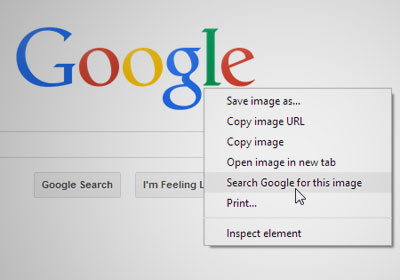
Following its last update, Chrome did something rare: it made a UI change that modified the appearance of the right-click context menu. The new look is not bad in any sense; in fact it feels quite nice and clean. When I first saw it, I thought it had something to do with one of the extensions I had installed, though a little looking around made it clear that the change was brought about by the browser itself. As pretty as the context menu is now, not everyone might like it because they might have grown accustomed to the old one. If you miss that old appearance and are having difficulty adjusting to the new look, getting it back is super-simple. Read More

Mac OS X Tips & Tricks That You Might Not Know About

OS X has some really great features that Windows’ users might envy; There are the well documented and much talked about features like Mission Control, Desktop Spaces, and the Launchpad, but OS X is also stocked full of several smaller and less hyped about features and tricks that even some veteran Mac users are unaware of. Regardless of how long you've been using the platform, it's always nice to learn a new trick or two that your Mac can do, and we've complied whole list of them to help you use your Mac more efficiently. Read More

How To Make YouTube Streaming Significantly Faster On Windows

I do not know about you, but in recent times, YouTube has been acting agonizingly slow across all my computers. I have a 1mbps connection, which should technically provide smooth streaming of 480p video, but it regularly has trouble even with 240p video. Thankfully, we have come across a very simple hack that will significantly improve your YouTube video-viewing experience. Check it out after the jump. Read More

How To Import RSS Feeds Into Microsoft Outlook For Windows

As most of you must have heard by now, Google Reader is retiring this summer and we've guided you through the process of backing up your Google Reader RSS feeds as well as given you a healthy list of alternatives for Google Reader to switch to, once it's gone. Though our list focused on apps that were always meant to be RSS feed readers, and we purposely left out the ones that offered RSS subscriptions as a side feature. Outlook - one of the most popular desktop email clients out there that's known mostly for helping you organize your contacts, remembering appointments, and sending emails - actually supports RSS feeds natively. The feature has been ignored by most so far, but the death of Google Reader has finally brought it much attention. If you use Outlook for your email, contacts and calendar already, there's no reason why it can't take care of your RSS subscriptions. So let's take a look at how you can import your feeds from Reader to Outlook, and switch to it as your RSS app. Read More

How To Share Vine Videos Longer Than 6 Seconds

Many would agree that the 6-second limit on videos shared via Twitter’s Vine makes complete sense, as the service is meant for short GIF-like clips rather than detailed videos. On the other hand, for anyone who has ever had a great idea for a Vine that just can’t be summed up in six seconds, the limitation is sure to be annoying. Previously, we told you about an easy way to embed Vine videos on websites, and now there is a way of bypassing another limitation Twitter has put on the service. If you own a jailbroken iPhone, then with a little help from iFile, it is possible to upload videos of any length to Vine. We tried the method on a video that is more than a minute in length, and everything worked as expected. Read More

How To Export Google Reader Feeds And Import Starred & Liked Items

Google is retiring Google Reader, and we just don’t know what to do with our lives - well, our RSS feeds actually - anymore. Fortunately, the grace period before Google Reader goes the way of the dinosaurs gives us ample time to back up our feeds in order to jump ship to an alternative, and Google has provided a simple way to do so. This post details how to export and save your current Google Reader subscriptions so that they can later be imported to any RSS service or app. In addition, we'll also show you how you can back up the items you've ‘starred’ in Google Reader for later access. Read More

Set Gmail To Auto-Delete Emails Older Than A Set Number Days

A few days ago, we reviewed Mailstrom, an amazing web service that helps you clean your messy inbox. It’s an amazing service that can help tame even the wildest inboxes and it’s worked great for us. Once your inbox is clean though, you might want to keep it clean. The simplest way to do that would be to read your email regularly, archive the messages you want to keep and delete the useless ones. Of course, if it were really that simple, we wouldn’t have messy inboxes to begin with. If you’re often unable to remove read messages or unimportant ones from your inbox, you can use the following Google Script to automate it for you. Read More

6 Productive Tasks Your PC Can Perform When You Aren’t Using It

So you bought a really powerful PC on Cyber Monday; it comes with a quad-core CPU, a dedicated graphics card and more RAM than you can handle. The question is: are you putting it to good use? Or is it a $999 Facebook / Reddit machine? If that’s the case, we’ve got 6 things your PC can do while it is idle that will help make the world a better place. Check them out after the jump. Read More

Customize Date & Time Displayed On Windows 8 & RT Lock Screen

If you frequently change the Lock Screen background on Windows 8 or RT, you'll probably love spending time customizing it further as well. Lock Screen is a new feature in Microsoft’s latest OS that shows off your favorite image when your Windows 8 PC or Windows RT tablet screen is locked. The Lock Screen does more than just displaying the wallpaper though, and is home to some miniscule widgets like Wi-Fi signal, battery, email notifications and a clock with date display, in addition to time. Windows doesn’t offer a way to customize the clock widget however, leaving you stuck with the stock date and time format. Thanks to Vishal at AskVG, you can now customize the clock widget’s time and date format and language by modifying a registry key. Read More

Forgot Your Passcode? Bypass iPhone Lock Screen On iOS 6, 6.1 With This Trick

iOS 6.1 has been problematic for many iOS device users out there ever since its release a few days ago. iPhone 4S users are facing unexpected battery drainage, while all iOS devices appear to have issues with setting appropriate brightness when Automatic Brightness is enabled. Today, we’ve come across an all-new, very serious security issue: you can bypass the lock screen on any iPhone running iOS 6 by following a list of simple steps. We’re discussing the set of steps that allow you to bypass your lock screen with the hope that it will be put to good use like, say, when you forget your passcode in an emergency situation. Using this method allows you to access the Phone application which, as a result, means you can make calls, access contacts and even edit them. Read More

How To Remove Multiple Windows Store Apps From Windows 8 In One Go

Removing Modern UI apps in Windows 8 or RT doesn’t work like the traditional way of uninstalling them from Control Panel. Instead, you can remove a Windows Store app directly by right-clicking its tile on the Start Screen and selecting Uninstall from the app bar. This makes uninstallation process fairly simple and intuitive, as you can instantly remove the app without going through the conventional procedure for desktop apps. Though what if you want to remove multiple Modern UI apps at once? There is no default option to do that, since when you select multiple apps on the Start Screen, the Uninstall button simply vanishes from the app bar. Thankfully, there’s a user script named RemoveWindowsStoreApp available at TechNet’s Script Center that makes the whole multi-app removal procedure a breeze, letting you get rid of all unwanted Modern UI apps from the Windows PowerShell. Read on to find how it works. Read More

How To Connect With & Use Third Party Apps In Google Drive

There is a select number of web services that allow you to save files directly to Google Drive, and of those, there is only a handful that have Chrome apps. Google Drive has just been updated with a new feature to connect these Drive-enabled apps to your Google Drive. Doing so will allow you to launch said service from within Google Drive and create a new file in it from the same ‘Create’ menu that you use to create new documents, presentations, spreadsheets, etc. This post details the simple method you can follow to add a new app to or to access it. Read More

How To Bring Start Screen-Like Feel To Desktop In Windows 8

The Start Screen is one of the key features of Windows 8. Not just because the whole Modern UI philosophy revolves around it, but also, it’s the only official way to access the stock Modern UI apps as well as the ones you install from Windows Store. Even many people like me who usually stick to the Desktop mode for the most part and find it hard to make friends with the metro environment cannot stop praising the aesthetically pleasing design of the Start Screen. Lucky for us, XDA Member tboy2000 has pointed out a simple way of bringing the same look to the desktop mode, complete with a Desktop label in the top-left and the user's profile picture in the top-right corner of the screen. This also adds a bit of uniformity among both the environments, giving them a unified feel. Read More