HTC One M7 Toolkit: Unlock Bootloader, Install Recovery, Root & More

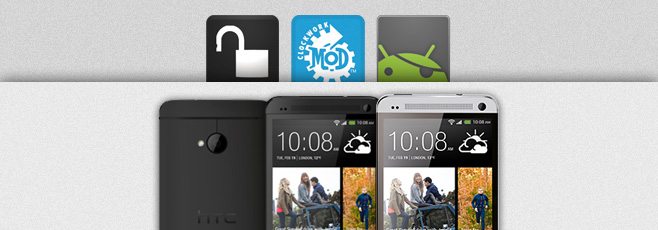
The HTC One is becoming HTC’s biggest hit to date, and rightly so since the phone is not only amazingly beautiful to look at, but also packs quite a punch when it comes to specs and features. The device was rooted soon after getting released, and we brought you our rooting guide for the device as always, though it required you to do everything manually. If you are looking for an easier way to unlock your HTC One’s bootloader, flash ClockworkMod, TWRP or any custom recovery to it, root the device or any combination of the above, there’s now an all-in-one toolkit available to help you with the process. Read More

How To SIM Unlock iPhone 3GS & iPhone 4 On iOS 6 Using ultrasn0w 1.2.8

Rather than spending cash on Gevey SIM, a lot of people with carrier-locked iPhones prefer waiting for ultrasn0w updates to gain a software unlock. For iOS 6, the wait for an untethered wait has been a long one, but it has finally arrived in the form of evasi0n. As always, a working jailbreak is closely followed by the latest update of the SIM unlock tool, ultrasn0w. With ultrasn0w 1.2.8, users of iPhone 4, iPhone 3GS and iPhone 3G can update to iOS 6.1 without losing their unlock. Of course, ultrasn0w will only work if you have been patient enough to wait for redsn0w or sn0wbreeze to start supporting your device, and didn’t update to iOS 6 without these tools. Read More

How To Unlock Verizon Galaxy Note II Bootloader

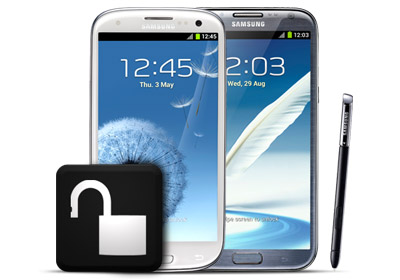
The Verizon Galaxy Note II’s bootloader has been unlocked! Verizon is and has been infamous for locking down all the devices it has to offer but fortunately, Android users have had the support of a massive developer community that is determined to defy all such ridiculous restrictions. Earlier, the DROID DNA from HTC had its shackles broken and now, the Note II has joined the list as well, thanks to recognized developer and XDA's Elite Recognized Developer AdamOutler. Custom recoveries and ROMs like CM 10.1 are now a possibility and luckily, the unlock method isn’t that complicated either, unlike the unlock for the DROID DNA. So if you own the Note II and are yearning for an 'in your face, Verizon!' moment, read on after the break! Read More

How To Permanently Carrier-Unlock Samsung Galaxy S III & Galaxy Note 2

Got yourself a brand new GSM version of Samsung Galaxy S3 or Galaxy Note II through a carrier and stuck with the carrier lock preventing you from using any other SIM card? Fret not – as you can now set your beloved device free of all carrier SIM restrictions and use it on any carrier of your choice, as long as the device hardware supports that carrier. And you’ll be surprised at how easy the process is! Hit the read more button for the complete instructions. Read More

HTC DROID DNA Toolkit: Root, Install Drivers & Flash Custom Recoveries

Earlier, we covered a guide on rooting the DROID DNA, and while it wasn’t the most complex root guide we have covered, manual root methods are never newbie friendly. So if you have been reluctant all this time - either out of fear of damaging your device or because you were waiting for a more convenient method - try recognized developer and XDA-Developers forum member hasoon2000’s HTC Droid DNA All-In-One Toolkit. The toolkit will help you easily root your device, install drivers for it on your PC, flash custom recoveries and kernels, install APKs, backup data and more. Note that it is meant for Windows only, and as specified by the developer, will not be getting Mac or Linux variants. Read More

Unlock The HTC DROID DNA Bootloader Unofficially

HTC DROID DNA gets unofficial bootloader unlock! Verizon continued following its trend as it locked down the DROID DNA just as the phone hit the shelves, pulling the plug on the official bootloader unlock method from the HTC Dev website. Those who didn't get a chance to unlock and root their DROID DNA before this should know that thanks to the efforts of recognized developer Justin Case (and a working exploit by Sean Beaupre), Verizon has been outmaneuvered. Users can now unlock the bootloader and proceed with gaining root access on the device. The method involves software mod to change the carrier information, so that the device can be unlocked from HTC Dev. More on it after the jump! Read More

Nexus 10 Toolkit: One-Click Root, Unroot, Unlock & Driver Installation

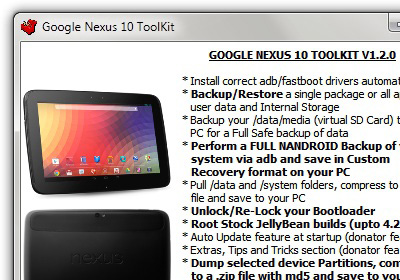
I don’t own a Nexus device, never have, and throughout that time, I have envied those who do. The reason is simple; an unbelievably paced and strong developer support. To prove my point, recognized developer and XDA-Developers forum member ‘mskip’ has just released an all-in-one toolkit for the Google Nexus 10, just a short while after releasing his toolkit for the Nexus 4. In case you’re not familiar with the Nexus 4 toolkit, this Google Nexus 10 Toolkit, in addition to unlocking your tablet's bootloader and rooting it, offers a plethora of additional features that make it a must-have for both novice and advanced users. The toolkit, as per trend, is only available for the Windows platform. Read on after the jump for more on the toolkit and how you can use it to prepare your Nexus 10 tablet for some serious mods. Read More

Root, Unlock All Google Nexus Devices On Linux & Install CWM Recovery

This universal toolkit roots the latest Google Nexus 10, Nexus 7, Nexus 4, Galaxy Nexus and Nexus S on Linux. While the guides and toolkits we covered earlier were mostly for Windows, XDA-Developers forum member tatelucas' Universal Nexus Linux Toolkit fills the platform void with an all-in-one solution for the open source OS. The toolkit is pretty easy to set up, and while it may not have a plethora of features like the Nexus 4 toolkit, it is pretty much all you need to start modding your Nexus device. Read More

How To Check If Your iPhone Is Factory Unlocked Through Its IMEI

The International Mobile Equipment Identity or IMEI number is a unique identifier for every mobile device ever manufactured in the world. It's not a mere serial number, and can tell you a lot about your phone. You just need to know what to look for in this 15-digit long string. If you have ever purchased a secondhand iPhone, you must surely have been concerned whether the device is factory unlocked or not. Your iPhone’s IMEI number can reveal this information, and the great thing is that you don’t have to do any extensive research to decipher the meaning of these seemingly random digits. There are quite a few online IMEI checkers that can do that for you, which makes them the easiest, fastest way to affirm your iPhone’s SIM lock status, warranty and other information. Read More

How To Bypass/Disable Pattern Unlock On Android via ADB Commands

Pattern unlock is one of the many device protection mechanisms available to Android users, and there are quite a lot of people out there who actually rely on said method to secure their devices from unauthorized access. The problem, however, arises in case you forget the pattern that you set to unlock the device. Worse yet, there could be a situation where your friend may have tried to play a prank on you by setting a pattern lock that you are completely unaware of. The question is, how does get out of such tricky situation without suffering any headaches? Seems like XDA member m.sabra has the answer – more than one, in fact. The dev has come up with a couple of very effective computer-based solutions in this regard that let you easily bypass/crack pattern unlock on any Android device. The only caveat in employing both said solutions is that they require ADB to be installed on your computer, and USB Debugging enabled on your device. Although both methods are known to be working with rooted, as well as non-rooted devices, employing them on a rooted device is likely to yield more fruitful results. Past the break, we’ll be taking a closer look at both solutions in detail. Read More

Unlock Your Mac With A Swipe Gesture On Your Keyboard Or Mouse

Customizing your lock screen is something you’re more likely to do on your phone, but since desktop systems are also locked, there is no reason why you shouldn’t have fun customizing that particular area of the operating system. We’ve covered quite a few lock screen apps for Mac, like Screen Vault, which lets lock your screen behind an alphanumeric password or a drawn pattern. The common thing among these apps is that they lock your screen, mimic the iOS lock screen and allow you to swipe and unlock your system, but they require you have a track pad. If you’re on a Mac Book, it’s no big deal, but for users who bought an iMac or Mac mini and didn’t go for a track pad, there is Lock Screen Plus - a Mac app worth $1.99 that gives you pretty much the same features as other lock screen apps we’ve reviewed, with the added advantage of unlocking your screen via a swipe gesture across your keyboard. Like all good screen locking apps, Lock Screen Plus has a keyboard shortcut for quickly locking your screen. You can choose which input device (mouse or keyboard) will unlock your system, and skip setting a password if you like. Read More

How To Backup iPhone SAM Activation Ticket To The Cloud via Cookie [Cydia]

To those who like to stay up to date with the latest news regarding the jailbreak world, SAM is nothing new by any means. You must also have heard of the new method through which it has become possible to carrier-unlock any jailbroken iPhone on any baseband and firmware, in a few simple steps (discussed here in detail). Although the method seemed to be a blessing from the heavens, Apple was quick to react, and is in the process of updating their servers to block the SAM unlock altogether. The jailbreak community, as always, is one step ahead. Enter Cookie, a Cydia tweak that backs up your activation ticket to the cloud, so that you can restore it at any time you want! Read More

How To Unlock Bootloader On Sony Xperia S

The Xperia S, with all that it boasts, has ben moving ahead quite fast in terms of development for the device by Android fanatics. In case of the Xperia S, the only way you can actually manage to install a custom ROM, or for that matter root your device, is to have an unlocked bootloader. Renowned XDA-Developers forum member and developer DoomLoRD has come up with a guide that takes most of its essence from lollylost100’s guide for unlocking the bootloader on an Xperia Arc. So what we now have, is the official way of unlocking the bootloader on the Xperia S. Read More

How To Unlock Any Jailbroken iPhone Baseband With SAM

For some strange reason, SAM for iPhone has been somewhat of an underdog in jailbreaking. This powerful tool has been around for quite a while, and has proved to be of use in a number of scenarios, including the activation of locked devices, fixing iMessage, FaceTime and Push Notifications (these fixes are discussed in great details here). Now, however, the usefulness of SAM has reached a whole new level, and it can be used to unlock all jailbroken iPhones, regardless of their original carrier, country or even baseband! The method for doing so might appear a little tricky, but if you follow each step discussed below, everything should work out fine. So, head past the break to find out how you can unlock your iPhone on any baseband and firmware. Read More

Unlock AT&T iPhone 4S Without Losing Jailbreak Using SAM

You can now unlock your AT&T iPhone 4S without having to lose the jailbreak privileges on your iPhone 4S, thanks to SAM (Subscriber Artificial Module). Right now, this is the only working method for unlocking a jailbroken iPhone 4S on AT&T, so do not bother trying it out with jailbreaking tools, such as redsn0w. SAM basically allows you to activate your iPhone using legitimate certificates generated through iTunes. Read on after the jump to understand how SAM works and how you can use it to unlock your iPhone 4S in no time! Read More

How To Interop Unlock Nokia Lumia 710/800 & Flash A Custom ROM

In the opinion of most Windows Phone 7 users, the Nokia Lumia series represents the best breed of WP7 devices. The awesome camera, form-factor and display of the Lumia 800 and 710 have gone a long way towards endearing Nokia’s Mango phones to the masses. Given the popularity of these devices, it makes sense that the developer community has been taking an active interest in finding an interop unlock method (or in simple terms, jailbreak) for the Lumia series. Fortunately, they seem to have stricken gold (or silver, for that matter). If you are lucky, Nokia sold you your device with an unlocked bootloader, paving the way for flashing custom ROMs and attaining interop unlock. Such bootloader is not to be found in all Lumia 800s, but the owners of Lumia 710 might be a whole lot more fortunate than that. Confused? Read on, and we will try to explain matters. Read More

FaceLock: Unlock Android Screen & Favorite Apps via Facial Recognition

If you wish to secure your favorite Android apps using facial recognition, then the previously reviewed Visidon AppLock is probably an ideal option for you. New to the Google Play Store, FaceLock is yet another handy app based on said concept that lets you unlock protected apps using the facial recognition mechanism. You can opt to include as many apps under the protection umbrella as you like, and unlock the required one via FaceLock. That’s not all; the app also supports the Android 4.0 Ice Cream Sandwich-style Face Unlock feature that helps you unlock your Android’s screen via facial recognition. To further enhance your device’s security, and to add an additional layer of protection as a backup to facial recognition, you can also specify an alternative unlocking method. FaceLock supports working with front-facing as well as rear camera, and lets you set up the protection mechanism with utmost ease. In addition, the app provides you with several customization features, so that you can modify its looks and functionality as desired. FaceLock requires Android OS v2.3 (Gingerbread) or higher to run. Read More

DS Marketplace: Get Homebrews, Wallpapers, & Games For Unlocked WP7

Despite its being rather new to the Windows Phone 7 development scene, Bazaar has become a fairly popular homebrew store for Mango phones running custom ROMs. It even has a desktop version, letting users manage their homebrew collection on a PC. However, it is always nice to see some competition, and it’s good to see that Bazaar isn’t going to monopolize the WP7 jailbreak scenario like Cydia does for iOS. This is owing to the fact that an alternative homebrew app store has been launched, titled DS Marketplace. The functionality offered by the store is almost identical to Bazaar, but with a few welcome additions. In addition to homebrews and tweaks, DeepShining Marketplace also features a lot of exclusive wallpapers, games and even a few rare apps. Read More

File Governor: Unload DLL Files & Quit Process To Resolve File Lock

Sometimes, it happens that when we attempt to rename, delete, or modify a file/folder, Windows shows an error message saying “access denied” or “file you’re trying to modify is being used by Windows or other application”. Such files, which are being used by Windows-initiated processes and services, are called locked files, and they can’t be renamed, moved or modified until Windows finishes performing locked file-related task(s). However, sometimes locked files get stuck in resource deadlocks and livelocks, leaving user with no other option than to reboot the system to perform the operation over the file. File Governor is a portable application to unlock locked files and folders, enabling users to carry out the required operations over them without having to reboot the system. Read More

Overachiever: Force-Unlock All iOS Game Center Achievements [Cydia Tweak]

Almost every game you play on your iOS device has some sort of scoring system, designed to motivate users to get ahead of their friends. For extra incentive, some games have additional “Achievements” that are logged in the Game Center. Some of these achievements are next to impossible to gain, and a thorn in the side for avid gamers. As always, the Cydia community is here with a solution. Overachiever is a new tweak that lets you force-unlock all the achievements of any Game Center-supported game you have on your iPhone, iPad or iPod touch. Read More