Free Version Of Foxit Mobile PDF Reader Now Available For Android [Review]

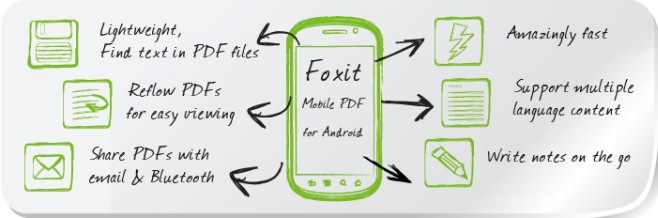
Foxit Mobile PDF is rated quite high among quality PDF readers and annotation apps on both Android and iOS. After raking considerable success among computer users, Foxit has continued its success on both leading mobile platforms, courtesy its state-of-the-art and option-rich PDF management tool with a significantly smaller size and memory footprint compared to Adobe's offering. While the paid variant of Foxit Mobile PDF for Android and iOS has been around for quite some time now, the company has just decided to provide Android users with a reader-only free version of the app. Barring the annotation feature, Foxit Mobile PDF Lite is equipped with almost all the handy PDF viewing tools that its paid equivalent has to offer, including the ability to read, view & manage locally stored PDF files in multiple ways, buttery smooth text reflow within documents, 1-tap orientation switching between landscape & portrait views, option to access password-protected files, built-in search tool to scan documents for required expressions, quick navigation to select pages within documents, remotely importing document files from computer to mobile devices over Wi-Fi, cloud integration with Box, Dropbox & KuaiPan, enhanced bookmarks management, custom brightness level setting for documents and lots more. Read More

Advanced PDF Utilities Free: PDF Converter With OCR, Split, Merge, Add/Remove Password Options
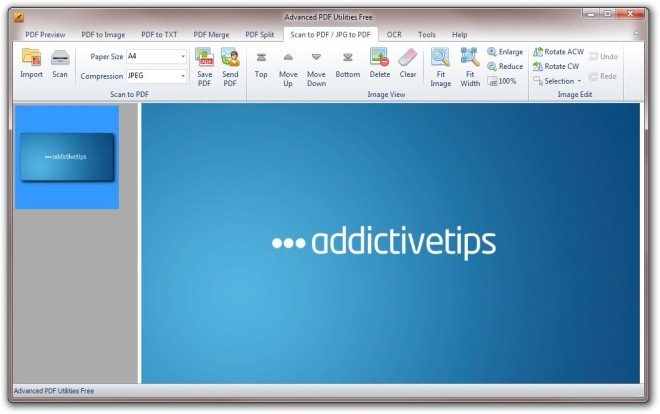
The PDF format is a widely popular document format that allows users to easily publish and share their documents. Fire up Google and you will find most of the user manuals, reports, drafts, letters, brochures etc., in PDF format. We, here at AddictiveTips, have covered a number of PDF document manipulation tools for our readers, ranging from PDF converters, PDF splitters and mergers to OCR tools. What if, instead of using different PDF tools, you could use multiple PDF tools under one roof? Yes, that’s what Advanced PDF Utilities Free is all about. This Windows application gives you a bunch of much needed PDF tools, all included in one installation package. It contains PDF Preview, PDF to Image, PDF to TXT, PDF Merge, PDF Split, Scan to PDF/JPG to PDF, OCR and a Password Removal tool. Using the tool, you can easily perform different operations over your PDF documents without having to use multiple, dedicated PDF utilities. Furthermore, it sports Office 2010 like UI design, and offers easy navigation controls to quickly find and launch the required PDF tool from within the application window. Let’s find out if it’s worth a spot on your precious hard disk space. Read More

Alternative PDF Viewer – Fast Font Rendering & Multiple Color Modes [Android]

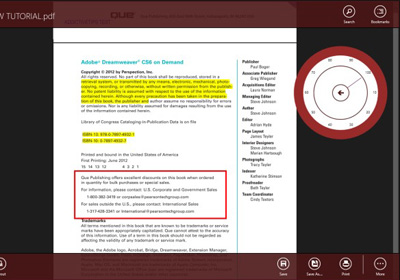
PDF is easily the most commonly used file format for viewing and sharing documents. Whether it is the user’s manual of your newly bought gadget or a tutorial of some training course, PDF file format is the preferred choice for documentation of all. Although there are many PDF readers available in the Android Market, most of them are somewhat restricted in their ability to display PDF documents according to user convenience. Whatever quality alternatives are present are either laden with all sorts of features, or tied with hefty price tags. In an attempt to make PDF file viewing easier on Android, XDA Developers member arpruss has come up with Alternative PDF Viewer. Alternative PDF Viewer supports some handy and interactive PDF reading features that are not present in other alternatives. Read More

STDU Viewer Opens Different Types Of Documents In Tabs

There are different applications required to view PDF, PalmDoc(PDB), CBZ, and other document files. A single application that may support all these and more formats can eliminate the need of installing multiple software.  STDU Viewer is an application which provides the utility of viewing multiple file formats within a single software. It supports a large array of file formats, including TIFF, PDF, DjVu, XPS, WWF, XPS, BMP, PCX, JPEG, GIF, PNG, WMF, EMF, PSD, CBR, CBZ, TCR, PalmDoc(PDB) and DCX . The aforementioned features are supported by its free version, whereas it also has a paid version and is available in portable format. It comes with a Multilanguage interface which includes English, Russian and French. However, you can also translate STDU Viewer's interface into a separate language by changing strings in it’s xml external resource. STDU Viewer comes with a tabbed interface and has viewing options, such as, thumbnail view,  page rotation, search by text layer, etc. Other features include, exporting a page or part of a page into an image file, creating bookmarks, and setting an action for tap screen. One of its primary advantage is that it replaces your common text editor, image viewer, supports comic formats like CBZ and CBR, supports PDF, provides the utility of side by side tabbed comparison of separate type of documents, and allows saving working sessions, as well as comes with a drag and drop support. Read More

MartView: Slick Eye-Candy PDF Viewer & Downloader

Sumatra and Foxit are two popular free PDF Readers, the latest feature-packed Nitro PDF Reader is also getting rave reviews all around the blogosphere. The developers behind these apps have always focused on simplicity, functionality, and speed. MartView however is different, the core aim behind this PDF viewer is to give user a slick eye-candy and book-reading experience, while keeping most of the functionalities intact. Read More

Nitro PDF Reader Brings Advanced Tools For Free

PDF files are amongst the most popular document formats these days, and their increased usage means every computer would need at least some kind of reader that could handle them. Adobe’s own reader may be good, but not only is it taxing on system resources but also leaves the user craving for ‘some more’ features. Other alternatives like Foxit and Sumatra have been around and about for quite a while, but here comes a new contender that claims to be better than all. Meet Nitro PDF Reader. Read More

PDF Reader Plugin For Chrome

Google Chrome was developed keeping web apps in mind. Want a PDF Reader for Google Chrome? Why not add Google Docs integration with Google Chrome so that every PDF link can be viewed online before downloading it?

Read More

Open PDF Links With Google Docs

PDF/PPT/TIF viewer with Google docs is a free Greasemoney script that can help you open PDF links with Google Docs. Keeping aside it’s long annoying name, it seems quite handy. We all know that the official Adobe Reader is resource hog and have listed various alternatives for you, but what we have missed is the online integration with the browser.

Read More

EPDFViewer – Lightweight PDF Viewer For Ubuntu Linux

Most  PDF Viewers consume a lot of time  to render PDF files especially if the file has high resolution images. If you want a faster lightweight version then you can try viewing your PDF documents quickly with the help of ePDFViewer.  It has a very simple user interface,  is extremely fast, and does not consume much resource of the system. Read More

Windows 7 PDF Reader & Printer

PDF being the most popular format for sharing documents is continuing to get more and more famous. Sadly, Microsoft has not added native support for PDF documents in Windows 7. The only way for users to read or print PDF document is to find a good 3rd party tool. Read More