GTKRawGallery Is A Powerful Photo Manager & Editor For Photographers

The advent of DSLR cameras and their ever-decreasing prices have turned many into part-time photographers lately. While photography is an exciting activity, it becomes much more fascinating when properly done using a DSLR. DSLRs as well as many high-end point-and-shoot snappers produce images in RAW format by default, and not many conventional image viewers and gallery manager programs support RAW formats, with all their manufacturer-specific variations. Though with apps like GTKRawGallery, you won’t need to worry about this issue at all. It’s an open-source program designed to handle RAW images with ease. The application is reminiscent of Photivo and RawTherapee that we reviewed quite a while ago, and packs tons of photo editing and management features. Read More

[Giveaway] Kestrel GX: Elegant, Feature-Rich Photo Manager & Editor For Windows

Back in 2010, we covered a feature-rich photo manager for Windows called Kestrel GX. It was unarguably one the most elegant image management applications that we had come across, not only because of its sophisticated design but also because of its slew of handy features. Unfortunately, since last year, the application is no longer available for free and has been replaced by a paid variant that carries hefty price tags of $59 and $89 for home and commercial licenses respectively. Here's where you being a regular reader at AddictiveTips pays off. Details past the break. Read More

View Enlarged Facebook Photos By Hovering Over Them In Chrome

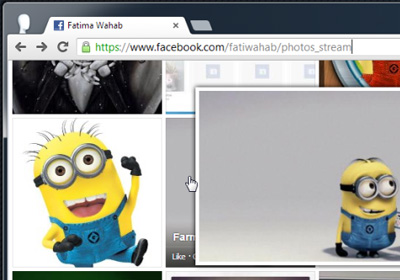
Magnifier for Facebook is a Chrome extension for viewing enlarged photos on Facebook without having to open them in the photo viewer. The extension lets you zoom into images and disable the theater view in Facebook’s photo viewer. You can view the enlarged image by moving your mouse over its thumbnail preview, or by right-clicking the image and selecting to open the image in a new tab. As its name implies, Magnifier for Facebook also zooms in on the image so that it appears larger than its actual size, but the zoom feature can be disabled or tied down to a shortcut key for toggling it. Read More

AI Picture Explorer Is A Dual-Window Image Viewer, Editor & Manager

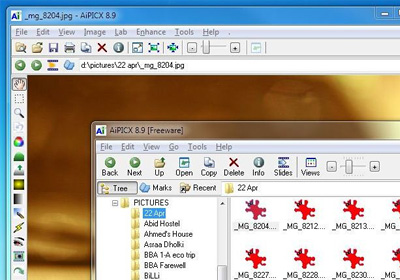
The native image viewer of Windows allows you to view images, set them as desktop background, rotate them and delete them, but that is where its functionality pretty much ends. Personally, I feel that the default Windows 7 Photo Viewer is not up to the mark, as it does not provide any image editing options, and even lags a bit when quickly switching between images. This can be especially annoying when you are trying to locate a particular image by browsing through an album. Previously, we have covered some great image viewing and editing applications such as Zoner Photo Studio and Fast Stone ImageViewer that serve as great alternatives to Windows 7 Photo Viewer. AI Picture Explorer is another Windows app that provides you with a two-window interface to manage and view your images. It features batch image editing, fixing and conversion, while allowing you to extract images from archives without having to use another tool. Moreover, you can create file and folder lists, and view the images in a slideshow with up to 173 transition effects. The tool also supports playing some common audio and video formats, in addition to images of resolutions exceeding 80 megapixels. Read More

Gallery HD: Modern UI Image Viewer For Windows 8

Taking pictures of the important moments in your life is a great way to preserve those memories forever. With pictures, you can share the fun and happiness with your loved ones who weren't lucky enough to be there with you at the occasion. For showing your picture albums to others or viewing them yourself, a good image viewer is quite indispensable. If you are using Windows 7, the default Windows Picture Viewer qualifies as a basic image viewing tool and there are a lot of third party utilities available like Picasa, FastStone Image Viewer, XnView, Windows Live Photo Gallery etc. that providing you with several extended options. However, if you have already upgraded to Windows 8, there haven't been many Modern UI apps available for viewing your images. Gallery HD aims to change that. It is an app for Windows 8 that provides you with a user friendly interface to view the images stored on your computer. The application shows the images stored in different folders, allows you to select your favorites ones, and display the pictures in a slideshow. Whenever needed, you can view the metadata information of each image without leaving the app. Keep reading to find out more. Read More

Official Android Client Of Online Photo Aggregator Pictarine Released

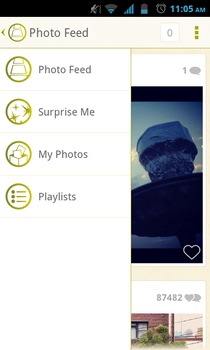
With the previously reviewed web app, Pictarine, we have already seen an effective and well-crafted photo consolidating platform that allows users to aggregate their photos from a plethora of different online services under one roof. Using the web service, you can associate accounts of your most frequently used cloud, social, micro-blogging and photo hosting services, create custom albums to fill them with photos from whatever services you prefer, and share the best ones with your buddies with ease. Now, if you’re an Android user, rejoice, for the official Android app of Pictarine has just been released in the Google Play Store with the same set of goodies. Apart from serving as a nifty local image browser, the mobile app supports integration with as many as 11 different online services, from which you can pull all your and your friends’/followers’ photos, and interact with them accordingly. Just like the web app itself, the mobile variant of Pictarine allows you to create custom playlists, complete with the best images from any of your favorite services or those lying within your device’s gallery. The most fascinating aspect of the app remains its complete offline browsing feature, meaning that you can access almost all the content that you last viewed on Pictarine even when not connected to the internet. Read More

FBFlicker: Create And Share 3D Photo Albums Out Of Your Facebook Images

Who doesn’t like sharing photos on Facebook? The social networking giant’s arguably the most popular feature is perhaps its photo sharing capability. However, if you think that sharing photos in a conventional Facebook-style manner isn’t your cup of tea any more, and those snaps you took during the vacations need some special treatment, then FBFlicker is probably what you need. It’s a small utility designed to let you create 3D photo presentations of your Facebook photo albums within the web browser. The application provides an Adobe Flash based UI, which automatically integrates with your Facebook albums so you can easily create photo presentations for all your existing albums. There are five different 3D effects (as of now) that you can play with, along with changeable album background color. Is it worth a shot? Let’s find out. Read More

Official Android App Of HP’s Photo Sharing Service Snapfish Released

From a giant of the electronics industry, Hewlett-Packard (HP), comes Snapfish - a simple but innovative online photo sharing and printing service that lets you upload, manage and share your most memorable photos and albums from both your computer and mobile device. The official iOS client of the service has been available in the iTunes App Store  for quite some time now, whereas its Android variant has just recently seen the light of day. Using the official mobile client of Snapfish, you can instantly and remotely access your personal as well as shared Snapfish photos and albums, upload newly captured and locally stored images from your device to your Snapfish cloud storage, and share all the content with your mail and social media contacts on the go. As compared to the web interface of the service, the mobile client seems rather subdued in terms of the number of features. For instance, while the web client lets you order real prints of your favorite photos, allows creating photo-based projects and supports playing slideshows of your albums, the mobile client is just restricted to letting you explore, capture, upload and share images from your Android device. Read More

View All Your Facebook Photo Updates In One Place With Friendlens

Facebook may seem the world’s greatest site to a lot of you, but if you’re tired of getting virtual gifts (or gift requests) and are really just in it because it’s a great way of sharing pictures then Friendlens might be just the thing. It’s all your Facebook pictures in one place, you can see all photos added by your friends and post comments on them. Friendlens is like a Facebook wall dedicated to photos sans the ugly photo viewer. Read More

Lightbox For Android Lets You Capture Photos, Apply Filters & Sync With Web

We finally received our private beta key for Lightbox for Android yesterday and because we’re a little late to the party, here’s a comprehensive, screenshot-abundant hands-on review of the alleged future head honcho of mobile camera apps. We’ll start by saying that Lightbox is certainly an app to look forward to, and a more feature-rich alternative to your stock camera app and gallery, but only after major improvement in the photo filter feature will it be able to become the “Instagram killer” that it is being called. Read More

Parley.im Is Advanced Facebook Chat Client With Instant Notifications

Need an advanced Facebook chat client to not only view online friends but photos, notifications, and wall updates as well? Have a look at Parley.im. It carries all those features which are not present in Facebook and in many desktop Facebook chat clients available out there. Parley.im can show all Friends who are online but not available on chat, send auto-message to respond to conversations when you’re busy, and make you appear online to only selected Friends. Other than novel chat features, it allows browsing through friends photo albums with option to download all the selected albums. Facebook Birthday module is also integrated to keep you updated with upcoming birthdays of your friends and family members. Additionally, it implements Growl like smart notification system to keep you notified about online friends and when someone amongst your specified friend list sends you message. With live notifications, you can instantly view all the Friends, Groups, and Facebook Apps requests. Read More