Install Leaked Android 4.2.2 Jelly Bean ROM On Samsung Galaxy S III

The entire Android world seems to be talking about two devices these days – Samsung Galaxy S4 and HTC One. Sammy’s latest offering comes with a lot of nifty features added to the software that make it smarter than your average smartphone. If you already have a Galaxy S III and are not sure whether you wanna shell out extra dough just to get those features or stick with what you’ve got, we have some amazing news for you! You can now get the latest S4 camera features and more on your S III without having to shell out a penny, thanks to SamMobile who have shared the latest official Android 4.2.2 XXUFME3 firmware with us that just got leaked hours ago. Read on for details & installation instructions. Read More

Root AT&T Galaxy S III I747 In One Click On Windows, Linux & Mac With CASUAL

Yes, the Galaxy S III from AT&T has been rooted for quite some time now, but for anyone who has just purchased the device and is looking for a simple and foolproof way of rooting it, XDA Elite Recognized Developer AdamOutler has just released his famous CASUAL root tool for AT&T’s S III. Short for Cross-platform ADB Scripting, Universal Android Loader, CASUAL works as a one-click root method and it’s massive appeal lies in its ability to run on Windows, Mac and Linux. To take it one step further, there's support for even Raspberry Pi. The tool uses the famous CFAutoRoot by Chainfire to achieve root access on the device. Read More

Customize Status Bar Clock & Get AOSP Lock Screen On Stock Galaxy S III

Samsung’s flagship Galaxy S series of smartphones have always created a vibrant developer community around them, thanks to their hacker-friendly, relatively open nature, and the general popularity among the masses. With so many custom ROMs, and small “mods” available, the Galaxy S III is no different than its predecessors. The latest mod we’ve come across for the device is called Statusbar Clock for Galaxy S III running stock Android 4.1.2, which lets you customize the status bar time in a number of different ways common to custom ROMs like CyanogenMod, AOKP, Paranoid Android, etc. It adds "Status Bar" options under Settings > Date and time that let you choose to show AM/PM along with the current time, display day of the week, change font size and position of the text on the status bar. There’s also an option to switch to an AOSP-style lockscreen! Read More

How To Permanently Carrier-Unlock Samsung Galaxy S III & Galaxy Note 2

Got yourself a brand new GSM version of Samsung Galaxy S3 or Galaxy Note II through a carrier and stuck with the carrier lock preventing you from using any other SIM card? Fret not – as you can now set your beloved device free of all carrier SIM restrictions and use it on any carrier of your choice, as long as the device hardware supports that carrier. And you’ll be surprised at how easy the process is! Hit the read more button for the complete instructions. Read More

Install Leaked, Rooted Android 4.1.2 Jelly Bean ROM On Galaxy S III

Samsung is really killing it with all the quick software updates for their top of the line Galaxy S series of smartphones. After Google itself and perhaps ASUS, the Korean electronics manufacturer is the fastest when it comes to the update-to-the-latest-version-of-Android game. Android 4.1.2 was leaked for Galaxy S II yesterday, and today we’ve come across Android 4.1.2 (JZO54K / I9300XXELK4) Jelly Bean for its younger, most advanced sibling: the Galaxy S III. Furthermore, this leak comes pre-rooted! Check out how you can install the leaked ROM on your Galaxy S III after the jump. Read More

How To Replace S Voice With Google Now On Samsung Galaxy S III

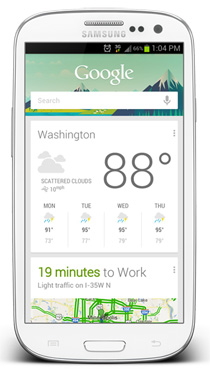
Got yourself a Samsung Galaxy S III and not too happy with its own voice assistant S Voice? Would you rather prefer the excellent Google Now app to take over all your voice-based assistant needs on your SGSIII? You’re looking at the right place. In what follows, we will show you how to install Google Now on your rooted Galaxy S III running Ice Cream Sandwich and completely replace S Voice with it, for a fully integrated Jelly Bean-like voice search and assistant experience. While Android has had pretty good voice control built-in since late 2010 from Android 2.2 Froyo onward, it wasn’t till Apple released Siri with the release of iOS 5 and iPhone 4S, that voice control of smartphone became virally popular. Since then, we have seen various Siri clones appearing for Android. We even brought you our roundup of several of those. With the Galaxy S III, Samsung decided to ship its own voice assistant S Voice, which was very well received as a decent and viable Siri alternative. Read More

Install Leaked Android 4.1.1 Jelly Bean On Samsung Galaxy S III I9300

Got an international Samsung Galaxy S III (I9300)? We’ve got news beans for you, and they’re made of jelly! A leaked Android 4.1.1 Jelly Bean build has been spotted out in the wild, and we have grabbed it to bring it here for you. This ROM is reportedly a test build of Jelly Bean and the final release may have differences. Though it looks quite refined and everything seems to be working flawlessly. The build number is XDDLG4 and it is meant only for the international version of the Galaxy S III i.e. the I9300. Also, being official Samsung firmware, it sports Samsung’s TouchWiz user interface. To learn what has changed and for the download link and installation instructions, continue reading. Read More

Jelly Bean Based CyanogenMod 10 Preview Available for Galaxy Nexus, Galaxy S II & S III

Android 4.1.1 Jelly Bean-based CyanogenMod 10 Alpha Peview is now available for all four variants of Samsung Galaxy S III, Galaxy S II and Galaxy Nexus, so those of you who can’t wait to get their hands on the latest version of the world’s most popular custom Android ROM need to wait no more to preview it right on their beloved Android devices. Details and download links for all these phones after the break. Read More

Install Android 4.1 Jelly Bean On Samsung Galaxy S3

The Galaxy Nexus may be Google’s flagship device that gets all the Android updates before any other device does, but with the mass Galaxy S3 fan following and the fast paced development by users, I can confirm that Android 4.1 Jelly Bean has found its way onto the SGS 3. Just a day back, we covered a detailed guide on how to install Android 4.1 Jelly Bean custom ROMs on Galaxy Nexus, and today, we bring you a guide on getting Jelly Bean running on the SGS3. The ROM is in fact a port from the very first OTA release that was ripped from the Galaxy Nexus GSM device, and therefore, there are quite a few things that will be missing from the ROM. Credit for releasing this ROM goes to XDA-Developers forum member Faryaab. The ROM is definitely not suitable as a daily driver if you’re wondering, and I’ll go across those reasons as I take you through the installation instructions after the break. Read More

Install ClockworkMod Touch Recovery On Samsung Galaxy S3 GSM

The Galaxy S III gets its due share of the touch based ClockworkMod recovery! Development for this device is just beginning and the pace, is testament to the popularity the Galaxy S, S2 and S3 have garnered for themselves. Earlier we covered a tutorial on how to install, what was an unofficial port of the basic ClockworkMod recovery, but finallt the real deal has arrived on the SGS3 thanks to the efforts of XDA-Developers forum member mskip who also brought us the all in one Galaxy S3 toolkit. The ClockworkMod Touch Recovery is official and has been repacked by mskip into a tar file do that it can be easily flashed via Odin or Mobile Odin. Installation is a breeze, head on after the break for the instructions. Read More

How To Run Ubuntu Linux On Samsung Galaxy S III

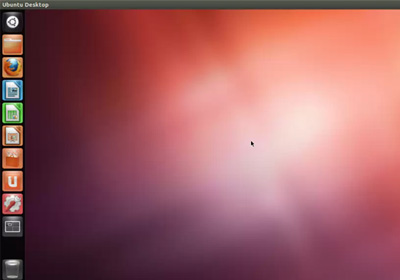
The Galaxy S III is making some serious inroads with development that seems to be speeding up with every step. The latest big news to hit SGS3 users is Ubuntu and Backtrack Linux beeing booted onto the device. Honestly, I don’t personally see the point of using Linux on an Android device, but if it’s Android and you’re a true geek, having the option and being actually able to pull it off, is a feat on its own. As for the procedure, we have XDA-Developers forum member tiborri to thank for jotting up a tutorial, and of course, a few pieces of the tutorials have actually been borrowed from other tutorials. So if you have patience and are familiar with executing scripts, read on after the break to learn more about how you can get Linux running on your Galaxy S III. Read More

All-In-One Toolkit For Samsung Galaxy S3 GSM

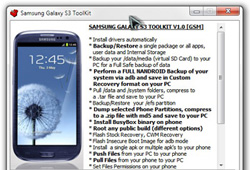
The Galaxy S III seems to be making some really fast progress in terms of third party support for software development for this device. Earlier, we had covered quite a few ways of rooting the device, including installation of ClockworkMod recovery as well. For those who fear flashing files via ODIN, XDA-Developers forum member mskip has just released a Samsung Galaxy S3 Toolkit, making life for inexperienced rooters who just got their hands on a brand new S3, very easy. If you thought the functionality is limited to just rooting, installing recoveries and kernels, the toolkit offers a plethora of functions ranging from installing APK files to pulling or pushing files onto the device. Read on for more information on this invaluable toolkit and how you can use it for your SGS III. Read More

Root Samsung Galaxy S3 I9300 With CF-Root

The Samsung Galaxy S III I9300 and I9300T can now be rooted by flashing the much popular CF-Root kernel, thanks to renowned developer Chainfire, who was responsible for rooting the device in the first place earlier on. CF-Root has been responsible for rooting a huge a list of Android based Samsung devices and is actually meant for the rooting beginners. To be used with stock Samsung firmwares (no, no custom ROMs, even if it’s Touchwiz), this root method will keep your SGS3 as close to stock as possible. More about it, and how you can root the SGS3 using CF-Root, after the break. Read More

Install Unofficial ClockworkMod Recovery On Galaxy S III I9300

The Samsung Galaxy S III gets an unofficial ClockworkMod recovery port. This comes in from renowned XDA-Developers forum member and developer, Chainfire and has reportedly been altered a lot by him since the CWM source isn’t built to correctly deal with the Samsung setup where the internal storage vs. SD card persists. The recovery offers nothing fancy, but a stock ClockworkMod recovery which has been thoroughly tested by Chainfire through backup/restore to both internal and external storage, wipes and installation if ZIP files from both internal and external storage. Read More

How To Root Samsung Galaxy S III I9300 [Guide]

The Galaxy S III gets rooted before launch! Just a few days back, recognized developer Chainfire over at XDA-Developers released the news to Android fans that he has managed to gain root access on the device, but since the insecure kernel being used to root the device was traceable back to the source of the leak, the kernel was not released. Not anymore! Chainfire has finally released all that is required for eager users awaiting their Galaxy S IIIs, to root the device. The monster of a phone that defied all Apple lawsuits questioning Samsung’s hardware and OS design, is ready to make its mark in the world of Android, and this early root access,has positioned the device for making a major impact. If you’re lucky enough to get your hands on an SGS III, read on for a detailed guide on how you can root the phone. Read More