A Look At Chrome For iOS’ Fullscreen, PDF To Drive & Print Features

The iOS app of Google Chrome has gone through a few changes since its release last summer, but the app hasn't received any major updates yet. The previous update gained more popularity for the crashing issue it introduced in jailbroken devices, rather than the few new features it brought. The latest update, however, is a lot more significant. The app now has a full screen mode, lets you convert any webpage to a PDF, and enables you to print pages via AirPrint or Google Cloud Print right from within Chrome. This brings Chrome almost at par with Mobile Safari, as other than the ‘Reader’ mode, you can now do everything with Chrome that can be accomplished in Safari, and then some. Read More

Stezza Is A Metro-Inspired iPhone Music Player Ideal For Road Trips

The Modern UI offered by Windows Phone and Windows 8 is not just aesthetically unique; it also makes it really easy for users to navigate between different apps. After all, it is always more convenient to tap or click a tile, rather than a small icon. You might not be in favor of having Modern UI for the entire OS but in some apps, it can undoubtedly be of use. One can certainly make a strong case for feature-rich music apps, but when you are driving or just aren't in the mood for navigating through a myriad of options to start listening to a song, a music player with a Windows Phone-like interface might be just what you need. Stezza is a music app for iPhone and iPod touch devices aimed at providing users the best way of enjoying their song collection, especially while they are driving or are busy elsewhere. Read More

LightMail Is An Elegant iPhone Mail App That Displays All Attachments In One Place

Apps like Sparrow gained popularity on iOS owing to the stock Mail client having a lot of shortcomings. Apple overhauled the email experience with iOS 6, but there are some new apps around that have managed to gain a considerable number of users. The Mailbox app experimented by combining mail and to-do lists, which is why people even put up with its waiting queue. LightMail doesn't offer changes that are as dramatic as those introduced by Mailbox, but the new app is still great if you are looking for an improved version of the iOS Mail app. LightMail supports a few gestures for letting you respond to messages quickly, and comes with a section where attachments from all your mails are accessible in one place. It is also possible to easily insert attachments from past messages into mails you are composing on your iPhone. Read More

Place Text & Doodles Over iPhone Photos In Real Time With Text Camera

A few months back, Instagram announced its decision to remove live filters from the famous app, and not many have received this omission kindly. You can always edit your photos after you have snapped them, but the capability of applying filters and other image effects even before shooting the picture is sure to come in handy every once in a while. A testament to this is the popularity apps offering real-time filters have gained in the recent past. Text Camera for iPhone goes beyond simple image effects, and lets you overlay doodles, text snippets and even quotes over the scene you are about to capture. You can easily adjust the position of these entities by simply dragging them around, and to keep you coming back for more, Text Camera offers the option to unlock more effects by sharing photos through it. Read More

Make Objects In Photos Pop Out Of Their Frames With PopAGraph For iOS

Instagram can make your photos look good without much effort, but this convenience comes at a cost. Since there are a only a limited number of photo effects available in all one-touch photo editors, a lot of times monotony might start creeping into your pictures. This is why there is always a market for photo editors that aren't too complicated but still offer some level of control over the output. If you are looking for an iOS app of this kind, ColorStrokes might be the simplest available option, while AnyShape is a similar though more complicated photo editor. The newly released PopAGraph offers a way to edit selective portions of an image, making an object within pop out of the photo. The app lets you mask objects within a photo, apply a frame and then have these objects seem as if they're popping out of the frame, forming a 3D effect of sorts. Read More

Pit Your Karaoke Skills Against Friends With Just Sing It! For iPhone

The popularity might have started to subside now, but games like Letterpress and Draw Something have managed to become the favorite time-killers for many iOS users. The main factor behind the success of such games is their ability to let you compete against real people, including your friends. So, you can easily show off your drawing skills or mental superiority using these games, but what if singing has always been your strongest point? Or maybe you just like karaoke and want to have some fun singing your favorite songs. Previously covered Sing! is a great app for karaoke singing but if you want an incentive to keep singing, you should definitely give Just Sing It! a try. Like Songify and Jam, the app augments your singing with different sound effects. You can share your songs over various social networks, and also challenge your friends (and strangers) to karaoke face-offs. Read More

ClipCrop For iPhone Lets You Crop Photos Using Shapes & Characters

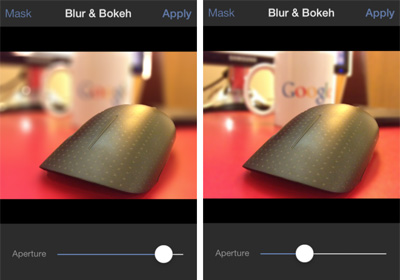
The concept of cropping photos to fit different shapes and frames is not really new. Even if you don’t want to turn on your computer to edit photos, you can easily crop them or apply masks over them using several iPhone apps. In the past, we have covered apps like PIP Camera and SymbolGram, both of which allow you to use different masks to cut photos into patterns of your choice. While no app is likely to rival the vast collection of frames offered by PIP Camera, the app could have been a bit better in terms of customization options and sharing. SymbolGram, on the other hand, lacks variety. ClipCrop is a new app of this genre, and it seems to have found the perfect balance between simplicity and variety. The app offers a decent number of masks, a great UI, and plenty of sharing options. Read More

Udemy Brings Its Virtual Academy Of Video Courses To iPhone

Education is not a process that should end at a certain age. After every few years, your skills get a bit outdated, and if you really want to stay at the top of your game, constant improvement is needed. Thanks to the internet and portable connected devices, it has become really easy to keep learning new things. A lot of apps in the ‘Education’ category of App Store are meant to help children, but even if you are a university student or are just trying to enhance your skill set on your own, there are apps like iTunes U that can be of assistance. In recent years though, people have started moving from books to videos as one of their primary modes of education. This is why Udemy has gained considerable fame in the few years it has been around. The service offers online courses for programming, cooking, designing, photography and almost any subject you can think of. Udemy has just released its iPhone client, and now you can truly keep learning new things anytime and anywhere. Read More

mosaic.io Combines Multiple iPhones To Create One Big Display For Viewing Photos & Sharing Files

People always love apps that are capable of performing mundane tasks in novel ways. If an app can also add convenience to the mix, even better. Bump and Chirp both are basically designed for file sharing, but one uses sound to transfer files between iDevices, while the other requires touching two devices together to share photos quickly. mosaic.io for iPhone, iPad and iPod touch does something similar, but in a way more fun and unique way. This universal iOS app lets its users place multiple iDevices side by side, and then stretches a single photo across all their displays. In simple words, if you own more than one iDevice, mosaic.io lets you create one big real-life photo mosaic out of their screens! The app is also capable of transferring Dropbox files between two or more devices (that are located in close proximity) via a simple gesture. Read More

Reeder Bids Google Reader Farewell, Mac & iPad Apps Go Free

Although Google Reader still has a few months of life left in it, a mass exodus has already begun. People are switching to alternatives of the service, and have started discovering that the world won’t end on the 1st of July. If you are on iOS, apps like Rockmelt offer options that are certainly better than Reader itself in many ways, and it is nice to see that there are other conventional Reader alternatives available as well. Reeder is one of the most popular Google Reader clients available on iOS and Mac. Since it has, up till now, relied on Google Reader to function, its users feared the worst, and assumed that it will stop working as soon as Reader goes down. Fortunately, the Reeder team has refused to throw in the towel, and the service is expected to become independent of Google Reader before July 1. Not only that, the Mac and iPad clients of Reeder are now available for free! Read More

Photo Date Is An iOS Photos App Alternative That Shows Date Taken

The iPhone has partially (or, in some cases, fully) replaced many expensive portable gadgets within the space of 3-4 years. Starting with lower-cost items like graphing calculators, to more expensive ones like a point and shoot camera.  I say the iPhone has partially replaced such devices because despite all the significant advances in hardware within the last couple of years with the iPhone 4S and 5, small things like, for example, not being able to see the date you took a photo are incredibly frustrating. Read More

Lingo Is A Foreign Language Translator For iPad That Remembers Your Queries

If you want to learn a new language using your iDevice, you can find several apps such as Duolingo and Babbel that serve the purpose. Though these apps take a rather traditional approach towards teaching you new languages. The freshly released Lingo, on the other hand, is much more practical. When using Duolingo, you might feel the need of having a dictionary of the language you are learning, but Lingo itself doubles as a language teacher and a dictionary. This iPad app supports Spanish, French and Italian, but won’t force you to go through endless lessons in order to get proficient at these languages. You just need to know enough English, and Lingo does the rest. The app works by offering word-by-word English translations of text snippets in the three supported languages. However, rather than showing you the translation and then forgetting all about it, Lingo remembers the words you have learned. This word list can then be viewed any time you want, or you can even email it to someone (or yourself). Read More

Discover & Stream Free Music On The Go With Lively.fm For iPhone

Lively.fm has been around on the web for quite a long time, and has managed to established a decent reputation as a place where you can easily discover some good emerging artists. Much like Grooveshark, Lively.fm has a mobile-optimized website, so some of you might have been using the service on your iPhone through the browser already. Having said that, an HTML 5 website isn't always good enough to make up for the lack of a dedicated smartphone client. This is why the team behind Lively.fm has released the service’s very own iOS client. Now you can discover new music, browse through your activity feeds and listen to the best songs floating around the blogosphere, all on your iPhone. Read More

OBOTO Is A Smart, Augmented Reality Pet Robot For iPhone Users

Do you like those cute and interesting virtual talking pets for mobile devices? Forget Talking Tom Cat and Candy Flick, because the mighty OGGIE can annihilate all these with a single blast from its augmented reality laser. OBOTO is an iOS app that lets you have your very own pet robot that's capable of dancing, responding to external stimuli, and also going on its mean streak, which sometimes induces it to shoot laser beams at everything that comes in its path, and splat black ink onto your iPhone’s screen. Sounds a lot like Talking Tom Cat, doesn't it? The biggest positive OBOTO enjoys over other entertainment apps of this kinds is that it does everything in the real environment around its users. The app makes use of augmented reality to let you place the robot on top of any object in the vicinity. You can then capture OGGIE’s antics in the form of videos and photos. Read More

Forecast Is A Mobile-Optimised Weather Web App With Precipitation Maps

After being the only web app pinned to my iPhone’s SpringBoard for exactly a month, the Sun weather app finally has some competition. The newly launched Forecast might not be as colorful and good-looking as some of the other apps already available for smartphones, but it can certainly hold its own when it comes to uniqueness and features. Forecast is a web app but unlike Sun, it works on both desktop and mobile devices. Both versions are a bit different of course, but their core functionality remains the same. In addition to the usual weather data you can find in any app of this genre, Forecast offers animated weather indicators, access to weather archives of any location, and a precipitation chart that can be used to track the movement of clouds around the world. Read More

How To Create & Share Your Own Flipboard Magazines On iOS

Flipboard has always been touted as a news app that displays stories in form of a beautiful, customizable magazine. While it has received many updates in the past, the basic concept behind Flipboard hasn't evolved to a great extent. Finally though, the team behind the popular news apps has decided to take things to the next level. Rather than bringing the changes to all platforms simultaneously, Flipboard's latest update has gone live just for iOS presently. There are other changes as well, but the biggest addition to the app is user-curated magazines. Rather than relying on Flipboard to come up with interesting news stories, now anyone can create and maintain a magazine of their own. Your friends and other users can then subscribe to your magazine if it suits their taste. Read More

Discover Events & Places While Travelling With TripWhat For iPhone

It is better to plan ahead of time if you are going to take a tour of a new city, but not everyone wants to spend a lot of time just trying to draw up plans that might not get followed at all. Besides, the whole point of sightseeing is to maintain a sense of adventure, which might be diminished if you try and plan too much. iOS apps like TimeTraveler are capable of automatically planning an entire trip just by looking at your destination and available time. TripWhat, on the other hand, lets users keep the control of their travels in their own hand, while providing assistance only when needed. Using this app, you can find worth-visiting places, concerts and tourist destinations anywhere in the world. Read More

Karma Is Among The Most Full-Featured iPhone Reddit Clients Out There

Despite the presence of the official Reddit app (iReddit) and a few good alternatives in the App Store, iOS doesn’t seem to have as many quality third-party Reddit apps compared to Android. If you like accessing the internet’s front page on your iPhone often, there is finally some good news. Karma is a new Reddit client that packs almost all the features that are available on the web version of the service. You can easily manage your account, follow subreddits, vote on posts, leave your comments and even submit a new post from within Karma quite easily. To make it perfect, the app doesn't come with too many unnecessary features that many people would never require, and has a really simple interface. The app looks a lot like Reddit’s desktop version, and can display many different types of media files. Read More

How To Import All Your Google Reader Feeds Into Rockmelt For iOS

It has taken a few days, but the news of Google Reader’s looming demise has finally started sinking in, and people are now coming to terms with the fact that there are other services out there that are more than capable of replacing Reader. As for the data you might have accumulated over time, that can easily be exported to the new service you decide to use. However, most people have discussed desktop-based replacements for Google Reader until now (although Feedly does have mobile clients), but there are also those who are open to the possibility of switching completely to their iPhone to check out all the latest news stories from around the world. The previously covered Rockmelt deals with RSS feeds, and lets users sift through interesting articles using gestures. The team behind the app has taken full advantage of Reader’s end, and has made it possible to import all your Reader feeds to Rockmelt in a few easy steps. Read More

addappt Updates Your iPhone Address Book When Contacts Edit Their Info

addappt made quite a splash when it was first released a few months back, but this contacts manager had the huge limitation of being invite-only. A lot of users also felt that the app has the potential to do more, but didn't fully realize that potential. Despite these shortcomings, people appreciated the fact that addappt is capable of automatically curating your address book. Basically, all your friends are supposed to keep their profiles up to date, and the changes are reflected in your account (much like in previously reviewed IntouchID). The app also offers a great way of managing groups with utmost ease. Though most of these features aren't really useful until a lot of your friends are on addappt - something that is difficult to accomplish with an invite-only app. Thankfully, the team behind addappt has finally realized this, making their awesome app open to all iOS users. Read More