VPN Web Browsers: Everything You Should Know
A browser with a built-in VPN (Virtual Private Network) feature is called a VPN web browser. This kind of browser allows users to privately browse the internet with a different IP address without the need to download and install a VPN app. A VPN web browser routes the user’s data through a secure server in a different location to mask the real IP address and encrypts the traffic with various protocols to protect the user. However, instead of routing all of the network traffic from the user’s device, it encrypts only the traffic related to the browser.
In this article, we will introduce the benefits and use cases of browsers with built-in VPN functionality and recommend some of the best and most secure options available.
Benefits of a Web Browser with a Built-in VPN
Switching your regular browser to one equipped with a built-in VPN comes with lots of benefits. Here are some of the most important ones:
- Access to Geo-Restricted Content: One of the main use cases of VPNs in general is to bypass geo-restrictions and access content that are not available in your own locations. Browsers with built-in VPNs are more than capable of bypassing these restrictions and in most of them, you can select many servers and locations, so the target web server will detect a different IP address and allow the user to access the content.
- Enhanced Online Privacy: When browsing online, there are always trackers and websites that try to save your IP address and personal browsing information for various purposes. If you wish to have a more private and secure experience, using a VPN web browser will provide it for you as it can encrypt your traffic. On top of that, some of the browsers offer advanced security features that will add extra layers of protection to your online experience. For users concerned about their personal information appearing in online databases, services like DeleteMe background check removal can work alongside VPN browsers to enhance overall digital privacy.
- Ease of Use: Traditional VPN software requires downloading, installing, and in some cases complicated configurations. With a VPN web browser, you can toggle the built-in VPN on and start browsing like you always do, without any additional steps.
- Flexibility: Browsers with built-in VPNs are considered more flexible options because you don’t have to route all your system’s traffic through a VPN server. Unless you’re using split tunneling, a VPN app will encrypt all your traffic from various apps and browsers. Users can use other regular browsers for different websites and only take advantage of the VPN protection when in need of extra privacy or in the face of restricted content.
When a Browser VPN Is Genuinely Useful
Browser VPNs shine most in specific everyday situations where you need a quick layer of privacy inside your browser without the overhead of a full VPN app. Common scenarios include:
- Public Wi-Fi: Browsing on airport, hotel, or café networks exposes you to potential snooping. A browser VPN masks your IP and reroutes your browser traffic so that other users on the same network have a harder time intercepting your activity.
- Researching sensitive topics: Looking up health, financial, or legal information without those searches being tied to your real IP address adds a useful layer of everyday privacy.
- Comparison shopping: Retailers and travel sites sometimes adjust prices based on your location. Using a browser VPN can help you shop without exposing an obvious local IP that triggers location-based pricing.
- Job searching: Researching employers or browsing job listings with fewer location signals can be useful if you prefer to keep your search discreet.
Keep in mind that in all of these scenarios, the added protection applies only inside the browser. Any other apps running on your device — email clients, streaming apps, or background system processes — remain outside the browser tunnel and are not protected.
Best VPN Web Browsers
The ideal VPN web browser should provide satisfying privacy and security while being fast enough for browsing. Moreover, the built-in VPN should be easy to use. Here are some of the best options to compare and choose from based on your needs:
Opera Browser
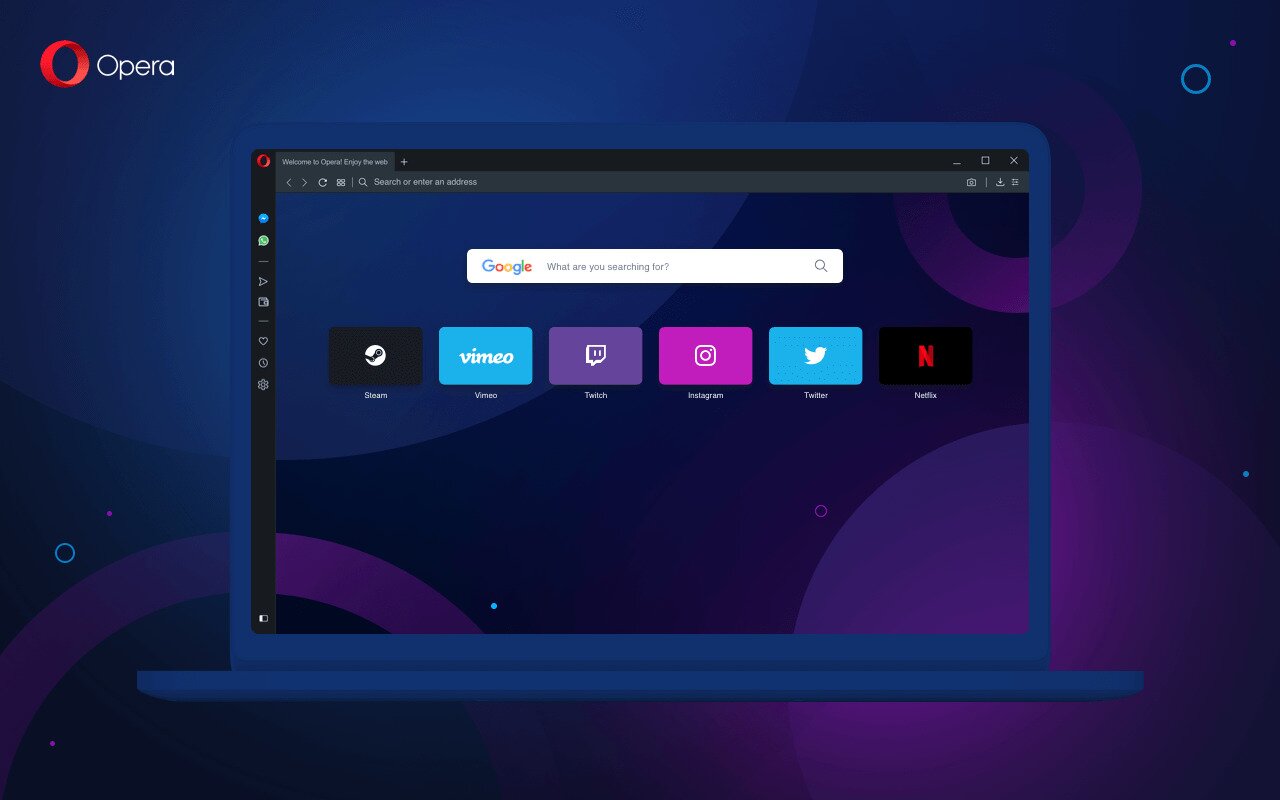
Opera is a free browser full of features dedicated to the privacy and security of the users. It offers a built-in VPN that you can easily toggle on. The free plan provides 100+ high-speed servers across 3 general locations and is currently positioned primarily for Android and desktop users. Opera’s paid VPN Pro tier expands that to 48 unique locations and 3,000+ servers at around $4/month. The VPN doesn’t log any of the online activities. Other features include Aria, the free browser AI helping users with their browsing, a built-in ad blocker, and integrated messengers and social media.
Pros
- Free ad blocker and browser AI
- Support for Android and desktop with data sync between them
- Easy to use VPN
- Unlimited data
Cons
- Limited server locations on the free plan
- Limited customization options
Anonymity Alternative: Tor Browser
Important note: Tor Browser is not a VPN browser. It is included here as a separate anonymity-focused alternative so readers can understand how it differs from the options listed above. Tor uses onion routing, which sends your traffic through multiple volunteer-run relays rather than through a single VPN server. It does not offer normal VPN-style location selection, and it comes with meaningful trade-offs: browsing speeds are considerably slower due to the multi-relay path, and many websites detect Tor traffic and block access or present frequent CAPTCHAs.
Tor Browser is best suited for users who need a high level of anonymity and can tolerate slower speeds and occasional site blocks. It changes the IP address frequently for IP masking purposes. It’s completely free and available for Windows, macOS, Linux, and Android.

Pros
- High level of privacy and anonymity via onion routing
- Completely Free and open-source
- No tracking and logging
Cons
- Not a VPN browser — uses onion routing, not a VPN tunnel
- Slow speed due to multiple relay hops
- Many websites block or restrict Tor traffic
Epic Privacy Browser
Epic Privacy Browser is another option that offers a free built-in proxy/VPN to block hundreds of tracking attempts while browsing. Users can enable free VPN servers in many locations including the US, France, Germany, Canada, the UK, and more. Epic Privacy Browser is focused on making the online experience untraceable with no tracking IDs, no web cache, and no DNS pre-fetching. It’s also equipped with an ad blocker and fingerprinting protection. The browser is available to download for Windows, Mac, iOS, and Mac.

Pros
- Advanced protection against tracking
- Fingerprinting protection
- Free ad blocker
- Free VPN with many server locations
Cons
- Lack of extension support
- Basic user interface
Brave Browser
Brave is a free browser but offers VPN and firewall features with a paid subscription. That’s why it provides 300+ VPN servers across 40+ regions. With firewall protection and a no-logs policy, it’s a great option for users who want extra security and privacy. The subscription supports up to 10 devices across Windows, Android, macOS, and iOS.
With the Brave Shields feature, even if you don’t get the subscription, the free version lets you remove trackers and ads with a single click. Moreover, Brave has its own AI assistant named Leo that helps users with their browsing.

Pros
- VPN servers within many locations
- Firewall protection
- Free tracker and ad blocker
- Free AI assistant
Cons
- VPN is not free unlike other options
- Limited device support
Aloha Browser
As a browser focused on privacy and security, Aloha Browser is a free option that provides unlimited VPN protection in a few locations. The VPN connection is protected with 256-bit AES encryption and DNS leak protection. Aloha Browser also has a Premium version that offers more than 80 server locations. In addition, the browser provides an ad blocker with a regional filter and app redirect blocking. Aloha Browser is available on Windows, Mac OS (Beta), Android, and iOS.

Pros
- No logs and data collection
- Unlimited data
- Advanced encryption
- Free ad blocker
Cons
- Limited VPN server locations
- Some features are locked behind subscription
| VPN Web Browser | Security Features | VPN server locations | Pricing |
|---|---|---|---|
| Opera Browser | No-log service, DNS leak protection, data encryption | Free: 3 locations, 100+ servers; VPN Pro: 48 unique locations, 3,000+ servers | Free; VPN Pro ~$4/month |
| Tor Browser (Anonymity Alternative) | Multi-relay onion routing, no-logs policy — not a VPN | No selectable locations (relay-based) | Free |
| Epic Privacy Browser | Advanced tracking protection, Fingerprinting protection, no log and data collection | 7 countries | Free |
| Brave Browser | Firewall protection, tracker protection, ad blocker, no-logs policy | 40+ regions | 9.99$ per month for VPN |
| Aloha Browser | No data logs, 256-bit AES encryption | Free: few locations Premium: 80+ locations | Free Premium for $7.99 |
VPN Web Browsers vs. Standalone VPN Services
Before comparing these two approaches, it is worth clearing up a common misconception. Many so-called browser VPNs are actually browser-only proxies or secure relays, not full device-level VPN tunnels. They reroute your browser traffic through an intermediary server to mask your IP address, and they rely on HTTPS to handle page-level encryption rather than wrapping your connection in a dedicated VPN protocol.
The practical distinction is straightforward: a browser VPN or proxy protects browser traffic only and masks your IP inside the browser; a standalone VPN creates a whole-device encrypted tunnel that covers all apps, downloads, and system traffic at once.
Standalone VPN services that are not limited to browsers are very popular among users who regularly use VPNs. You can compare a VPN web browser with standalone VPN services in different areas to find out which one is the best fit for your needs:
- Coverage: Browser-based VPNs only protect browser traffic, while standalone VPNs usually encrypt all internet traffic. So if you are using other apps on your device, they won’t be protected by the VPN server. This can provide more flexibility for some users who only need to protect their browsing data and don’t want other traffic to go through the VPN server.
- Security: Standalone VPNs usually offer better security with stronger encryption. On the other hand, to keep the browsing speed high enough, browsers with built-in VPNs use more basic encryptions and don’t offer the most advanced privacy and security features.
- Speed: Using basic encryptions and adding fewer layers to the connections makes browser-based VPN solutions generally faster than standalone options that take advantage of heavy encryption methods.
- Server Locations: Standalone VPN service providers usually offer a wide range of servers worldwide. Whereas, to keep it simple and cost-efficient, built-in browser VPNs provide limited servers to choose from.
- Cost: Many options with built-in VPN functionality are free or provide the feature at an affordable cost. Standalone services are more competitive and try to provide many features and servers, hence the higher subscription prices.
What a Browser VPN Does Not Do
It is easy to overestimate how much protection a browser VPN provides. Here are the concrete limitations you should know before relying on one:
- It does not protect other apps or background traffic. Email clients, messaging apps, streaming applications, and any other software running outside the browser send and receive data without any protection from the browser VPN tunnel.
- Some websites and streaming platforms may detect or block browser VPN traffic. Services that actively screen for proxy or VPN connections can identify browser-level rerouting and restrict access, just as they do with full VPN services.
- Free browser VPN plans often come with data caps or fewer server locations. Many free tiers limit how much data you can route through the proxy each month or restrict you to a small number of regions, which affects both privacy and usability.
- DNS requests and other system-level traffic may remain outside the tunnel. Depending on the browser and its implementation, DNS lookups or other low-level network activity can bypass the browser proxy entirely, potentially leaking information about the sites you visit.
Quick decision rule: Use a browser VPN for lightweight browsing privacy — masking your IP on public Wi-Fi, bypassing basic geo-restrictions, or reducing tracking while you browse. Use a standalone VPN when you need device-wide protection that covers all your apps, downloads, and system traffic, or when you want reliable access to streaming services.
Turn your Regular Browser into a VPN Web Browser
If you want to keep using your favorite browser, you can simply turn it into a VPN web browser by installing VPN extensions or add-ons. Most reliable VPN service providers offer extensions for popular browsers such as Firefox and Google Chrome. According to the Electronic Frontier Foundation, browser extensions that enhance privacy are among the most accessible tools for everyday users. For example, you can explore the Decodo extension to add secure proxy features to your browser.
These extensions are often lightweight versions of the full VPN service and, like a dedicated VPN web browser, they encrypt traffic that passes through your browser. If you’re specifically looking for Chrome VPN browser picks, there are several excellent options available. If CyberGhost is on your shortlist, this CyberGhost trial walkthrough can help you test it before committing. Here are some of the best VPN providers that offer extensions and add-ons for browsers:
- NordVPN – Chrome, Firefox, Edge
- ExpressVPN – Chrome, Firefox, Edge
- Surfshark – Chrome, Firefox, Edge
- CyberGhost – Chrome, Firefox
Conclusion
Overall, a good VPN web browser is a reliable option for getting extra security and privacy while browsing. Most are available for free and, alongside VPN protection, provide tracker and ad blockers. We recommend using the ones with a no-logs policy and multiple server locations. However, if you need maximum security and a high level of encryption, standalone paid VPN services are better options that offer advanced features and protection.
Frequently Asked Questions
Are free VPN web browsers safe?
Most well-known VPN web browsers are safe to use and will provide enough protection for regular use cases but they are mostly limited to a few VPN servers and basic encryptions.
Do VPN browsers slow down internet speed?
Yes, to some extent, but most VPN web browsers manage to keep the browsing speed high because they only encrypt browser traffic and don’t use advanced encryption techniques.
Can I be tracked when I use a VPN web browser?
VPN web browsers significantly lower the chance of being tracked and block most of them but still, if the browser doesn’t offer advanced protection, websites can track you through cookies, fingerprinting, and more.
Can I use web browser VPNs for streaming?
Yes, you can visit the web version of the streaming services with VPN browsers but if you want to use streaming apps and have a smoother streaming experience, you need a standalone VPN app on your device.

