How to Watch Game Of Thrones for Free, Legally
Game of Thrones is the most pirated TV show in history — but there’s no longer any need to go that route. If you want to legally watch Game Of Thrones on HBO, the path is straightforward: all 8 seasons, all 73 episodes, are fully available to stream on HBO Max right now. This isn’t a live-season situation where you need to scramble for access before the next episode airs. Game of Thrones is a finished catalog title, and you can subscribe to HBO Max directly, without a cable subscription or an HBO Go login, and start watching from Season 1 today.
There is no verified free trial currently offered for HBO Max in the U.S. If your goal is to watch the entire series as cheaply as possible, the most straightforward legal option is a single month of HBO Max — enough time to get through all 73 episodes — and then cancel. We’ll walk through all your current options below.

Please note: this post does not contain any spoilers for the current or any previous seasons of Game of Thrones.
How to Legally Watch Game Of Thrones On HBO Max
Game of Thrones is now fully available on HBO Max — all 8 seasons, every episode, ready to stream whenever you like. This is no longer a live-season viewing situation. The show is a complete catalog title, and you don’t need a cable subscription or an HBO Go login to watch it. HBO Max is HBO’s standalone streaming service, and it’s where the entire series lives today.
In the U.S., HBO Max plans start at $10.99/month (with ads) or $15.99/month (ad-free). You can cancel anytime. There’s no need to track down an HBO Go account or deal with any legacy login requirements — just sign up for HBO Max directly and start watching from Season 1.
Every HBO Max plan — including the entry-level ad-supported tier — gives you access to the complete Game of Thrones series. You do not need a more expensive plan to unlock additional episodes or seasons. The difference between plans comes down to features, not content: higher tiers offer things like more simultaneous streams, offline downloads, and 4K video with Dolby Atmos audio where available.
If your only goal is to legally watch Game Of Thrones on HBO Max, the most affordable plan gets you everything you need without paying for extras you won’t use.
If you plan to keep HBO Max beyond a single binge, it’s worth checking whether annual billing is available on your chosen plan. Paying annually typically reduces the effective monthly cost compared with rolling month-to-month payments, and HBO Max has offered annual options on both its ad-supported and ad-free tiers.
Pricing, plan names, and promotional offers vary by country. If you’re outside the U.S., check your local HBO Max signup page to confirm current terms before subscribing — do not assume U.S. pricing or plan structures apply to your region.
Check Regional Availability Before Using a VPN
If you’re outside the U.S., the first thing you should do is check whether HBO Max is officially available in your country. HBO Max has expanded to a growing number of regions, and Game of Thrones is available on legitimate local HBO Max services in many of them. Signing up through your country’s official HBO Max page is always the legal and most straightforward route to legally watch Game Of Thrones on HBO.
If HBO Max isn’t available where you are, the legitimate alternatives are to subscribe through whatever local service carries HBO content in your region, or to purchase individual episodes or full seasons from an authorized store such as Apple TV or Amazon Prime Video.
A VPN can be a useful privacy and security tool, but it should not be used to bypass regional signup rules or to access a service you aren’t entitled to in your country. If you do use a VPN for legitimate privacy reasons while streaming content you’ve properly subscribed to, these are reliable options that won’t slow down your connection:

These are your best options for a VPN that won’t lack speed and won’t break the bank.
- ExpressVPN is our top choice for unblocking geo-restrictions. AddictiveTips readers get three months free on the yearly plan with that link — that’s 49% OFF at just $6.67 per month
- NordVPN is the more budget-friendly option, where a 3-year plan brings a huge 75% discount, if you do the math it only costs $2.99 per month.
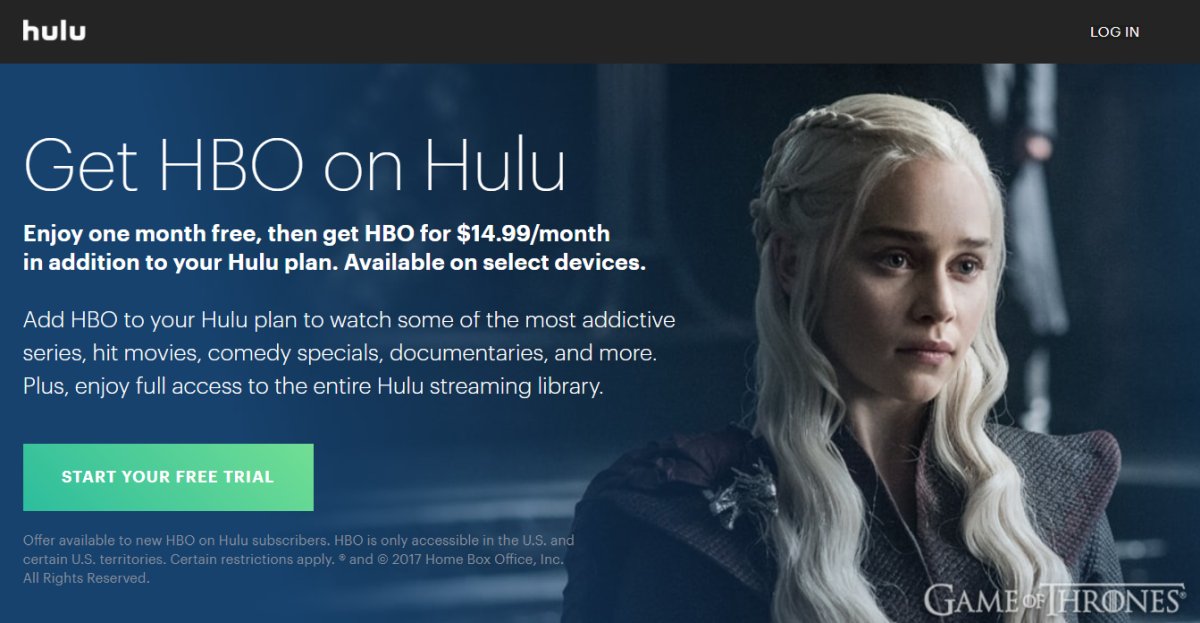
Watch Game Of Thrones On Hulu (Paid)
Game of Thrones is not included with a standard Hulu subscription. To access the full series through Hulu, you need to add HBO Max as an add-on to an eligible Hulu plan. That add-on is currently priced at $10.99/month. Once activated, you can stream all 8 seasons of Game of Thrones directly through the Hulu app alongside your existing Hulu content.
Note that Hulu with the HBO Max add-on is available only in the U.S. and certain U.S. territories. Additionally, some HBO Max content may require you to open the HBO Max app directly rather than streaming it through Hulu — check the Hulu help pages for the current list of any such titles.
Where to Legally Watch Game Of Thrones On HBO and Beyond
There are several legitimate ways to watch or own Game of Thrones today. Here’s a straightforward map of your current options:
- HBO Max (streaming) — The most direct option. All 8 seasons are included with any HBO Max subscription. Plans start at $10.99/month in the U.S. Cancel anytime. This is a streaming-only option.
- Hulu with HBO Max Add-On (streaming) — If you already subscribe to Hulu, you can add HBO Max as an add-on to access the full Game of Thrones library alongside your existing Hulu content. This is a streaming-only option.
- Amazon Prime Video — HBO Max Add-On (streaming) — In regions where it’s available, you can subscribe to HBO Max as an add-on channel through Prime Video. All 8 seasons are included. This is a streaming-only option.
- Apple TV or Amazon Prime Video — Buy to Own (digital purchase) — You can purchase individual episodes or complete seasons of Game of Thrones through Apple TV or Amazon Prime Video without a subscription. This is a buy-to-own option, meaning you keep permanent digital access even if you cancel any streaming service.
- Blu-ray or DVD (physical purchase) — The complete Game of Thrones series is available on Blu-ray and DVD. This is the best option for viewers who want permanent, offline access with no ongoing subscription costs and no reliance on a streaming platform staying in business.
What’s Cost Effective?
Now that the full series is available through several different services, it’s worth comparing the real costs before you commit to one path. Whether you want to legally watch Game Of Thrones on HBO Max or own it outright, there’s an option to suit every budget.
- HBO Max standalone — from $10.99/month: The ad-supported plan is the cheapest way to stream all 8 seasons. At roughly 73 episodes, you could realistically finish the whole series in a month or two and cancel — making the total cost as low as $10.99–$21.98 depending on your pace.
- Hulu + HBO Max Add-On: If you already pay for Hulu, adding HBO Max brings your combined cost higher, but it gives you access to both libraries. Only worth it if you’re actively using Hulu for other content too.
- Disney+ / Hulu / HBO Max Bundle — from $19.99/month: Disney offers a bundle that includes all three services. If you’re already subscribed to Disney+ or want access to all three platforms, this bundle gives you HBO Max (and therefore all of Game of Thrones) as part of the package for less than subscribing to each separately.
- Buy seasons on Apple TV or Prime Video: Individual seasons typically cost $19.99–$29.99 in HD, and the complete series package is often available at a discount. Buying outright costs more upfront than a single month of HBO Max, but you own it permanently and never have to worry about it leaving a platform.
- Complete series on Blu-ray: Physical ownership at a one-time cost. Prices vary, but a complete series box set routinely appears for under $60. Best value if you plan to rewatch, lend it, or simply want no dependency on a streaming subscription.
Best if you want the cheapest binge: Subscribe to HBO Max’s ad-supported plan at $10.99/month, watch all 8 seasons, then cancel.
Best if you already use Hulu: Add HBO Max to your existing Hulu subscription, or upgrade to the Disney+/Hulu/HBO Max bundle if you want Disney+ access too.
Best if you want to own the series permanently: Buy the complete series on Blu-ray or purchase all seasons digitally through Apple TV or Prime Video — no subscriptions, no expiry dates, no surprises. Either way, you can legally watch Game Of Thrones on HBO-licensed content without any ongoing costs.
If you need a VPN for a short while when traveling for example, you can get our top ranked VPN free of charge. NordVPN includes a 30-day money-back guarantee. You will need to pay for the subscription, that’s a fact, but it allows full access for 30 days and then you cancel for a full refund. Their no-questions-asked cancellation policy lives up to its name.

