MSN Free Games – Play Classic & Fun Online Games Free
Versions of Windows released before Windows 8 came with pre-installed games like Solitaire, Minesweeper, and Hearts. While modern versions of Windows no longer include these pre-installed games, you can access free MSN games directly through your browser at any time.
Free MSN games are browser-based titles that don’t require downloads, installation, or even an account to get started. You can simply visit the website and start playing right away.

Microsoft Casual Games (like the Microsoft Solitaire Collection app) work a bit differently—they’re downloadable apps you can install on Windows, iOS, and Android devices. These usually require you to sign in with a Microsoft account or Xbox Live, and you’ll often see optional in-app purchases or ads.
What Are Free MSN Games? Your Complete Guide
Free MSN games refers to Microsoft’s web-based gaming platform that hosts hundreds of casual titles you can play directly in your browser. The platform features classic games that defined casual gaming in the late 1990s and early 2000s, as well as more modern puzzle games, card games, and brainteasers.
The free MSN games library includes classics like Solitaire, Minesweeper, Mahjong, jigsaw puzzles, and word games. All titles are optimized for modern browsers and work on desktop computers, laptops, and smartphones without requiring any special software or plugins.
Note: While MSN Games historically relied on Flash, the current platform uses HTML5, ensuring compatibility with all modern devices and browsers.
Online Free MSN Games You Can Play Today
1. Battleship

Battleship is simple to play: you’re given five ships to place on the board, and your opponent gets three shots per turn to try to sink them. Similarly, you get three shots per turn to sink your opponent’s ships. While shooting, you only see a grid, so where you decide to shoot will involve a little luck and some guesswork based on your previous turns. The aim is to sink your opponent’s ships before all your ships have been destroyed.
2. Chess

Chess needs no introduction. The interface isn’t the most user-friendly, but MSN Games Chess has a ‘How to play’ guide to get you started. Their version of chess is multiplayer, so you can challenge other people online to a game when you’re tired of playing the computer.
3. Sudoku
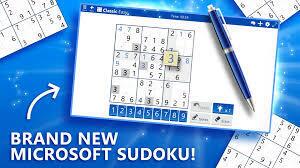
If you enjoy working with numbers, Sudoku is a great fit. Think of it as a crossword puzzle that swaps words for digits and rewards logic over luck. The objective is simple: fill each row on a 9×9 grid with numbers from 1 to 9 without any number repeating in any row or column. You can play an easier game where some numbers are pre-filled, or a harder version where you must complete even more numbers.
4. Microsoft Crosswords
Microsoft Crosswords are, as the name suggests, straightforward crossword puzzles. But the structure adds a layer of progression that keeps you moving. Instead of isolated grids, you play across a world map, with each completed crossword unlocking the next location. Once you finish a puzzle, the next one unlocks automatically. Clear every crossword in a region, and the map opens up further.
5. Microsoft Solitaire Collection
The Microsoft Solitaire Collection has all the nostalgic card games you love, including titles like Klondike, Spider, FreeCell, Pyramid, and TriPeaks. Daily challenges, events—and achievements keep the games fun and engaging. By signing into your Microsoft account, you can track your progress, earn rewards, and sync your games across devices.
6. Spot the Difference

Spot the difference is aimed at a younger audience. Players must compare two similar images and spot the differences between them. If you’re looking for a way to help a child blend learning and fun, this game is worth checking out.
7. Microsoft Jewel
Microsoft Jewel is a match-three puzzle game where you swap adjacent gems to form rows or columns of three or more matching jewels. It’s easy to pick up but increasingly challenging as you progress through levels. Daily Challenges give returning players a fresh goal every day, making it one of the most reliably replayable titles among free MSN games.
8. Microsoft Bubble
Microsoft Bubble is a classic bubble-shooter game played entirely in your browser. Aim and fire colored bubbles to create groups of three or more matching colors and clear them from the board before they reach the bottom. It’s fast-paced, satisfying, and a great pick if you only have a few minutes to spare.
9. Microsoft Mahjong
Microsoft Mahjong is the browser-based version of the beloved tile-matching classic. Match pairs of identical tiles to clear the board, working your way through beautifully designed layouts. Daily Challenges and a relaxing pace make it one of the most-played free MSN games on the platform, carrying the same nostalgic feel as the original Windows version.
10. Microsoft Mahjong 3D
Microsoft Mahjong 3D takes the classic tile-matching formula and wraps it around three-dimensional shapes such as cubes and pyramids. You rotate the structure to find and match hidden pairs, adding a spatial reasoning challenge that sets it apart from the flat board version. It runs smoothly in any modern browser with no download needed.
11. Microsoft Minesweeper
Microsoft Minesweeper is one of the most iconic casual games in Windows history, and the browser version faithfully recreates the experience. Uncover tiles on a grid while using number clues to avoid hidden mines. Choose from Beginner, Intermediate, or Expert difficulty, or tackle the Adventure mode for a story-driven twist on the classic formula.
12. Microsoft Jigsaw
Microsoft Jigsaw lets you assemble digital jigsaw puzzles featuring scenic photography and artwork. You can choose your piece count to suit your difficulty preference, from a quick 12-piece warm-up to a challenging 1,000-piece puzzle. Daily Challenges and a rotating puzzle catalog give you a new reason to return every day.
13. Microsoft Wordament
Microsoft Wordament is a real-time multiplayer word game where you compete against players around the world simultaneously on the same letter grid. Swipe connected letters to form as many words as possible before time runs out, then see how your score ranks globally. It’s a great brain workout and one of the few free MSN games with a true live competitive element.
14. Microsoft Ultimate Word Games
Microsoft Ultimate Word Games bundles three word games into a single browser experience: Crosswords, Word Twister, and Jumble. It’s ideal if you enjoy variety without jumping between different game pages. Daily Challenges are available across all three modes, and the clean interface makes it easy to switch between them mid-session.
Browse Free MSN Games by Category
Rather than scrolling through every title on the homepage, the free MSN games library is organized into categories that make it easy to find exactly the type of game you’re in the mood for. Here’s how the main categories break down, along with example titles in each.
Microsoft
This category highlights the flagship Microsoft-branded titles. Expect to find Microsoft Solitaire Collection, Microsoft Minesweeper, Microsoft Mahjong, Microsoft Jewel, Microsoft Jigsaw, and Microsoft Wordament here. These are the games most closely associated with classic Windows gaming and are typically the first ones new visitors seek out.
Puzzle
The Puzzle category covers logic and spatial games, including Microsoft Jigsaw, Microsoft Minesweeper, and Spot the Difference. If you enjoy methodical problem-solving rather than fast-twitch reactions, this is your go-to section.
Word
Word games include Microsoft Crosswords, Microsoft Wordament, and Microsoft Ultimate Word Games. These titles reward vocabulary and pattern recognition, and most offer Daily Challenges to keep the experience fresh.
Arcade
The Arcade category features faster-paced titles such as Microsoft Bubble and Battleship. These games are designed for shorter sessions and quick entertainment rather than deep strategy.
Card
Card games center on Microsoft Solitaire Collection and its five variants — Klondike, Spider, FreeCell, Pyramid, and TriPeaks — along with other card-based titles. This is one of the most popular sections on the platform, driven largely by nostalgia for the classic Windows Solitaire experience.
Multiplayer
Multiplayer titles let you play against real opponents online. Chess and Microsoft Wordament are standout examples. If competing against other people rather than the computer is your preference, start here.
Match
Match games include Microsoft Jewel and Microsoft Bubble, both of which are built around matching colors or patterns to clear the board. These are ideal for casual play and work particularly well on touchscreen devices.
Strategy
Strategy titles reward planning and forward-thinking. Chess and Battleship both appear here. These games tend to have longer session times and a steeper learning curve compared to the arcade or match categories.
Casino
MSN and The Zone also group casino-style and chance-based games into their own dedicated section. Titles in this category include Texas Hold’em and The Price Is Right Plinko, among others. It’s worth noting that these are entirely free browser games designed for casual entertainment — there is no real-money gambling involved, and no deposits or wagers of any kind are required to play.
Special Collections: Solitaire, Mahjong, and Brain Games
Beyond the main categories, the platform groups related titles into dedicated collections. The Solitaire games collection gathers every Solitaire variant in one place. The Mahjong games collection covers Microsoft Mahjong, Microsoft Mahjong 3D, and related tile-matching titles.
The Brain games collection pulls together word, number, and logic puzzles — including Sudoku, Crosswords, and Minesweeper — for players who want a mental workout.
To explore beyond the homepage, use the category menus or look for a “See All” link within any section. Browsing by category is the most efficient way to discover free MSN games that match your interests rather than relying on the homepage’s featured selection.
How to Access Free MSN Games
Accessing the free MSN games library is easy—just follow this step-by-step guide to get started:
Step 1: Open your preferred web browser (Chrome, Edge, Safari, or Brave).
Step 2: Go to MSN Play (or the U.S. variant at msn.com/en-us/play) as your starting point. For the full game catalog, you can also browse directly at The Zone on zone.msn.com. MSN Play is the front-end portal where Microsoft surfaces featured and popular titles, while many individual game pages actually open on zone.msn.com — both are official Microsoft destinations.
Step 3: Browse or search for the game you want to play (browse hundreds of free games across multiple categories).
Step 4: Sign in with a Microsoft account if you want to save progress, track achievements, or sync supported games; most games can be started as a guest.
Step 5: Click on the thumbnail to start playing your game.
The Most Popular Free MSN Games People Play
The free MSN games collection includes many popular titles that Microsoft is actively featuring on its official pages right now:
- Microsoft Solitaire Collection (includes Klondike, Spider, FreeCell, Pyramid, and TriPeaks)
- Microsoft Jewel
- Microsoft Bubble
- Microsoft Mahjong
- Microsoft Mahjong 3D
- Microsoft Sudoku
- Microsoft Wordament
- Microsoft Minesweeper
- Gravity Blocks by Microsoft
- Microsoft Gem Drop
- TRIVIA FOR YOU
Each game loads quickly and runs smoothly in your browser, providing the same satisfying experience you remember from classic Windows gaming.
Why Get the Microsoft Solitaire Collection App?
While the free MSN games website offers browser-based Solitaire variants, Microsoft Solitaire Collection is a downloadable native app compatible with Windows 10/11, iOS, and Android devices that offers an expanded Solitaire experience.
It includes five different Solitaire games: Klondike, Spider, FreeCell, TriPeaks, and Pyramid. The app also features daily challenges, Xbox Live integration, tournaments, and achievement tracking.
The key distinction between free MSN games and Microsoft Solitaire Collection is that free MSN games include browser-based Solitaire you can play instantly without downloads, while Microsoft Solitaire Collection is a feature-rich downloadable app designed for players who want a deeper gaming experience with progression and challenges.
Download the collection from the Microsoft Store if you prefer a dedicated app experience with enhanced features.
Can You Play Free MSN Games on Your Mobile Device?
Yes, but it’s important to understand how the mobile experience actually works. The core MSN Games and The Zone experience is browser-based on mobile — you visit the site in your phone’s browser, and most games will automatically adapt to your screen size. This is the primary way to play the majority of MSN titles on a phone or tablet.
Only a select number of Microsoft-branded titles offer dedicated iOS and Android app downloads. The clearest example is Microsoft Solitaire Collection, which has official apps available on both the App Store and Google Play. Most other free MSN games, however, do not have matching mobile apps and are designed to be played through the mobile web browser rather than as standalone downloads. If you search for a specific MSN game title in the App Store or Google Play and can’t find it, that’s expected — open your mobile browser and play it directly at msn.com/play or zone.msn.com instead.
Troubleshooting Free MSN Games Issues
Several issues can prevent you from enjoying your browser-based games as they should run. The good news is that these issues are usually easy to resolve with just a few clicks.
If your game won’t load or displays a blank screen:
- Clear your browser cache and cookies
- Disable browser extensions or ad blockers
- Update your browser to the latest version
If your game is slow or lagging:
- Close unnecessary browser tabs
- Check your internet connection
- Restart your browser
- Ensure your device meets the minimum system requirements
If you’re experiencing audio issues:
- Check your device’s volume settings
- Verify the game’s audio controls are enabled
- Test audio in other applications to rule out device issues
Note: If your game still isn’t loading, try using a different browser or device. Alternatively, these issues may have nothing to do with your device and can be the result of an outage. Check MSN Game Help or support pages for status updates.
MSN Free Games vs. Microsoft Casual Games
Here’s a quick side-by-side comparison highlighting the core differences between free MSN games and Microsoft Casual Games.
| Feature | MSN Free Games | Microsoft Casual Games |
| Platform | Web browser (no download required) | Downloadable apps (Windows, iOS, Android), including Microsoft Solitaire Collection |
| Cost | Completely free | Free with optional in-app purchases and ads (no adds with premium subscription) |
| Login Requirements | No account required (optional for saving progress) | Microsoft Account or Xbox Live required for Microsoft Solitaire Collection and other apps |
| Device Compatibility | Any device with a modern web browser | Windows 10/11, iOS, and Android devices |
| Game Library | Classic MSN Games: Solitaire, Minesweeper, Mahjong, Jigsaw, and more | Expanded game selection, including Microsoft Solitaire Collection |
| Offline Access | Internet connection required; runs in a web browser | Available offline after download for supported apps such as Microsoft Solitaire Collection |
| Features | Instant play, no installation | Daily challenges, achievements, leaderboards, Xbox integration |
Both platforms offer quality gaming experiences, but free MSN games offer the most convenient way to access classic Microsoft titles instantly, with no downloads or account setup required.
Why You Should Play Free MSN Online Games
If you’re nostalgic for fun, the free MSN games catalog has everything you need. They have an impressive library with numerous variations of classic games, like Solitaire, Freecell, and Mahjong.
Frequently Asked Questions
Are MSN Free Games really free?
Yes. All titles on the MSN Free Games platform are completely free to play. You don’t need to subscribe or unlock premium tiers to access them. Some games display on-page ads to support the platform. However, those ads don’t restrict features or require payment to continue playing.
Is registration required to play MSN Games?
No, registration is not required to play most MSN Games. You can start playing immediately as a guest without creating an account. However, signing in with a Microsoft account gives you additional benefits, such as saving your progress, tracking achievements, and syncing across devices.
Do I need to download anything to play MSN Free Games?
No downloads are required. All games run directly in your web browser using HTML5 technology. Simply visit the MSN Games website, click on any game, and start playing instantly. This browser-based format works on any device with a modern web browser and internet connection.
Can I play MSN Games offline?
No, MSN Free Games requires an active internet connection since the games run through your web browser. To play games offline, you can download Microsoft Casual Games apps like Microsoft Solitaire Collection, which allows offline play after installation.
Do I need a Microsoft account to play?
No, you don’t need a Microsoft account to play MSN Games. You can access and enjoy any game on the platform as a guest. However, creating a free Microsoft account allows you to save your progress, track high scores, and sync your game data across multiple devices.
