Snapchat Streak Lost? Here’s How to Recover It
Snapchat is intuitive and engaging due to its myriad of fun features, albeit many users would argue about Snapstreak being their favorite of the pack. If you’ve had a Snapchat streak lost unexpectedly, you’re not alone — this is one of the most common frustrations on the platform. While I share their sentiments about loving streaks, note that this feature requires commitment, with failure to keep up resulting in a loss of the challenge you initiated with a friend.
However, there’s no need to fret if you lost your Snapstreak. Snapchat has made provisions for a recovery process that you can harness to resume your streak from where you left off. Read on below to find out how.

How Does Snapchat Streak Work?
If you lost your Snapchat Streak, chances are you only have a limited understanding of how the features work, hence your reason for trivializing it.
While a Snapstreak is just a symbol that denotes the uninterrupted daily exchange of snaps between two users, failure to keep up with the momentum in a day will make you lose your streak.
To get a Snapstreak, you and a friend must have shared direct snaps for more than three consecutive days. You get a 24-hour grace to send a direct snap to your friend per day, and there’s an hourglass timer ⌛ to remind you of your streak.
Snapstreak automatically kick-starts after you do, as discussed earlier, and you can ascertain this with the fire symbol 🔥 that appears in front of your friend’s name. You also get to see a number indicating the number of days the streak has been on.
One brilliant aspect of Snapstreak I love is that the symbol is not static; depending on the number of days your streak has been on, you’ll get a special sign indicating that you’ve reached certain milestones.
Snapchat Streak Lost: How to Recover It
With the breakdown of how the feature works out of the way, it’s time to recover your lost Snapstreak. The first thing you should do is check for an in-app Restore option — this is Snapchat’s primary recovery method and the fastest route back to your streak.
Follow these steps to try the in-app restore first:
- Open the Snapchat app and go to your chat list
- Look for a Restore button next to the chat where the streak was lost
- Tap Restore and follow the in-app prompts to complete the process
If you do not see a Restore button, or if the in-app restore attempt fails, you can fall back on the Snapchat support form. Follow the steps below:
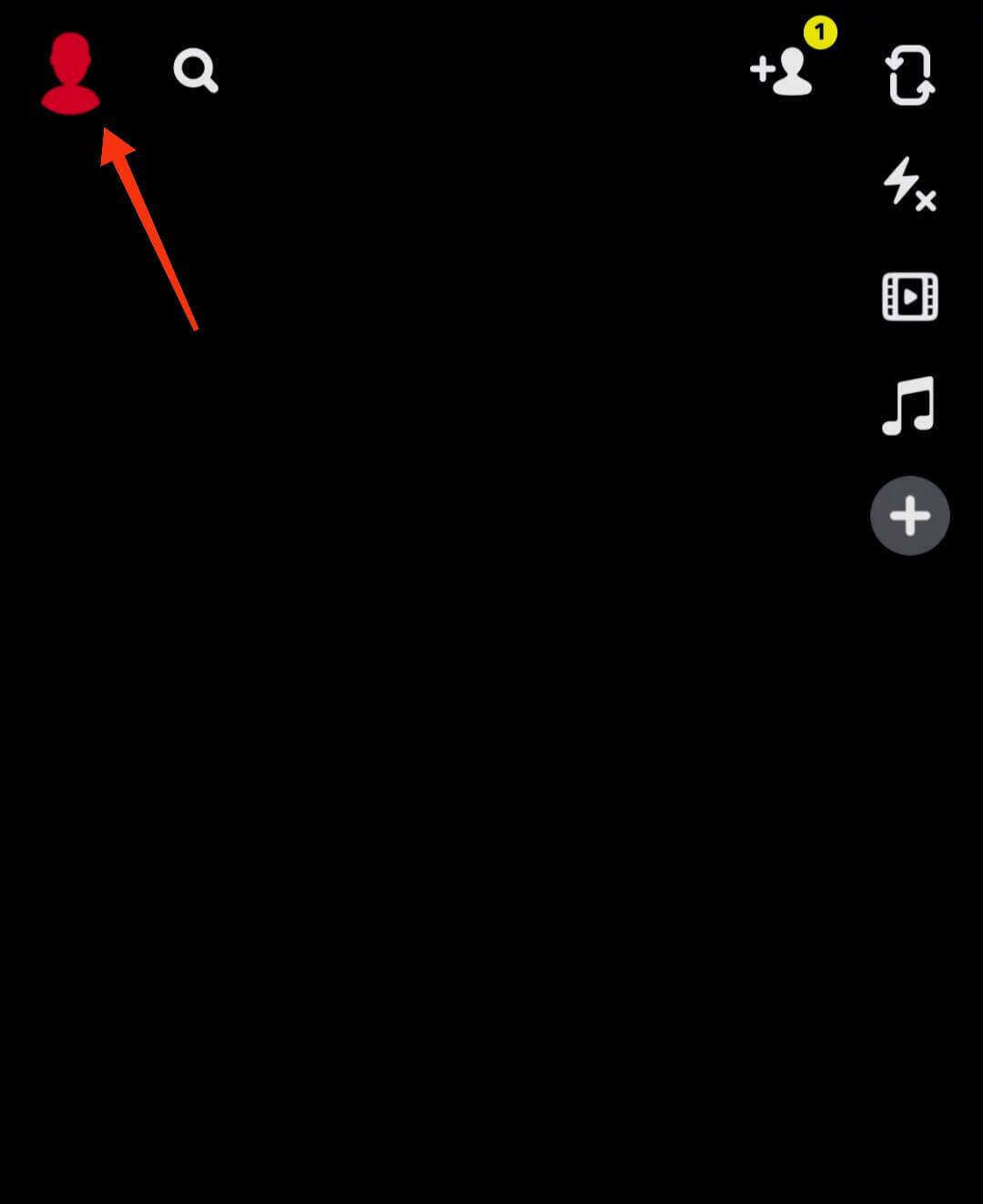
- Open the Snapchat app and tap your profile in the left corner of the screen
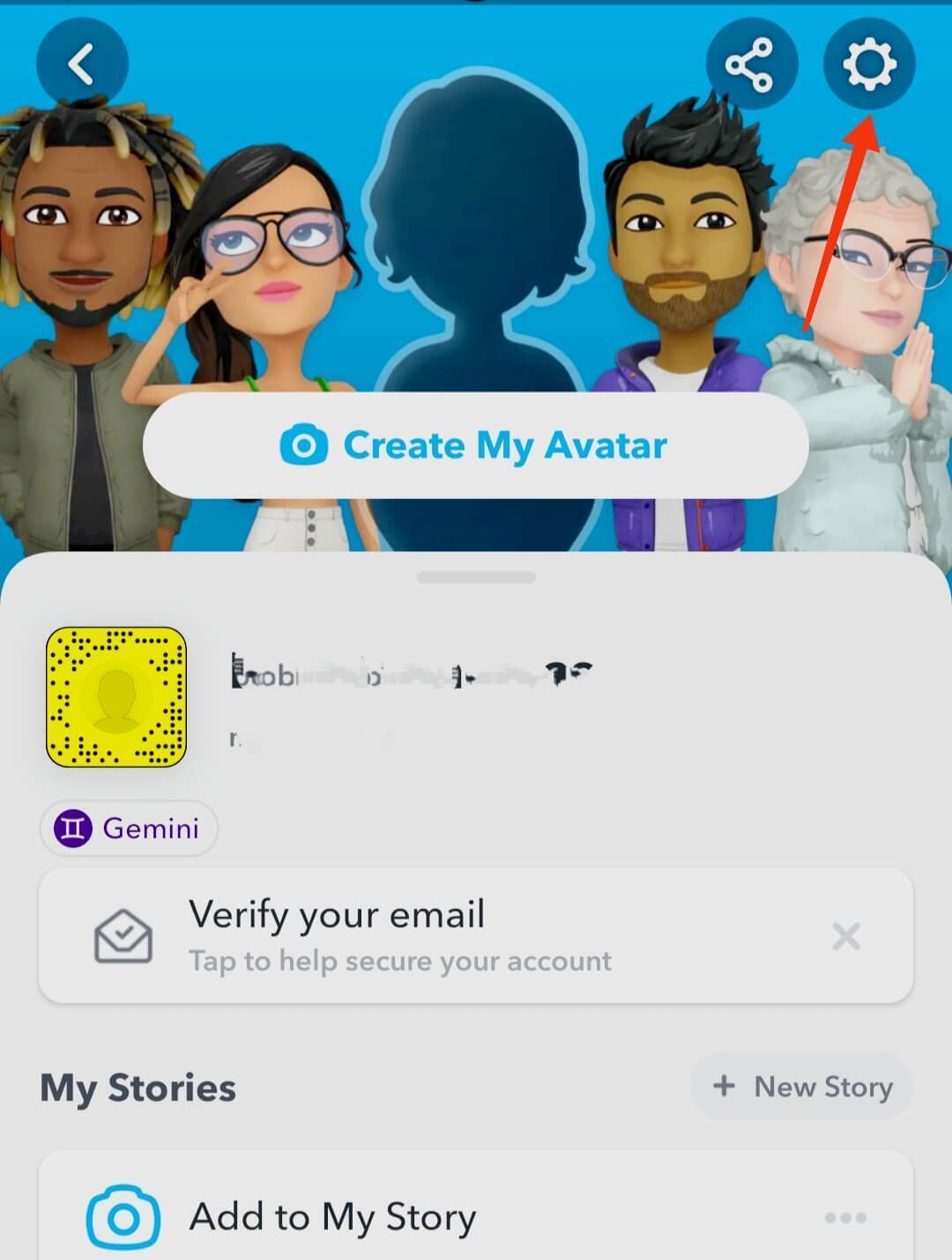
- Next, tap the Settings icon at the top-right corner
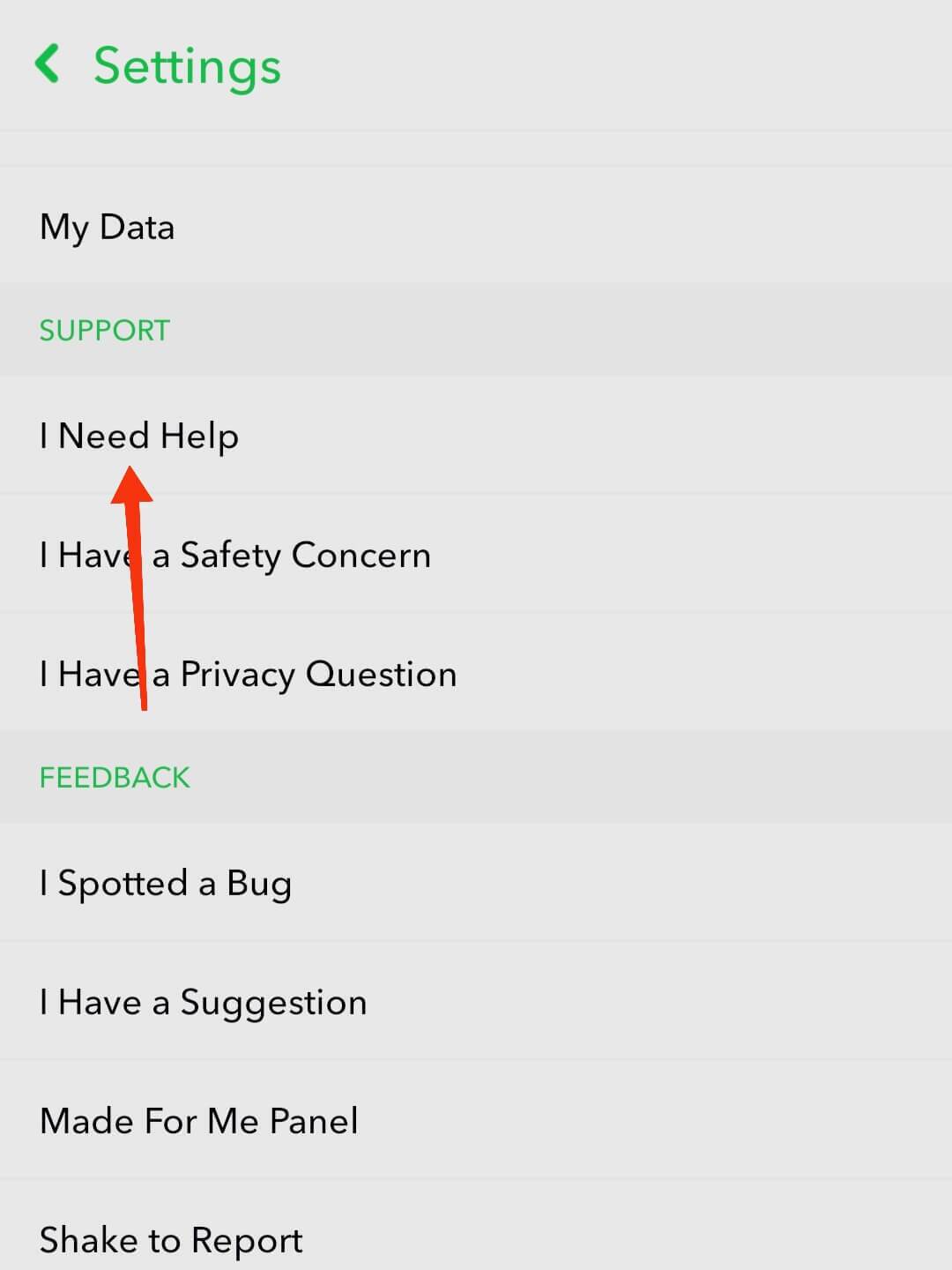
- You’ll be taken to the Settings screen. Scroll down to the Support section and click I Need Help
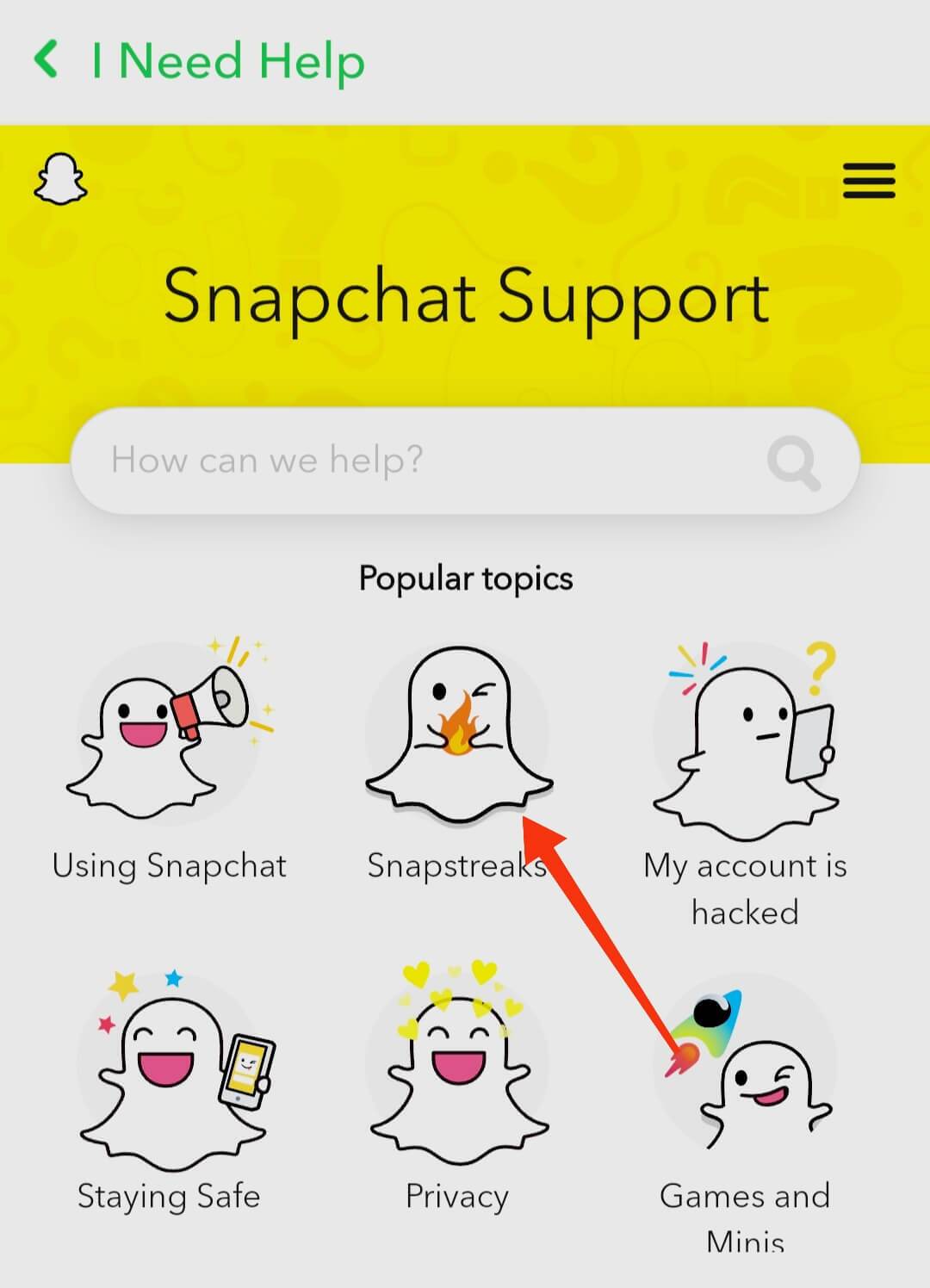
- On the next screen, click on the Snapstreaks icon
- You’ll be taken to a FAQ screen for Snapstreak. Scroll down and find a blue-colored Let Us Know text
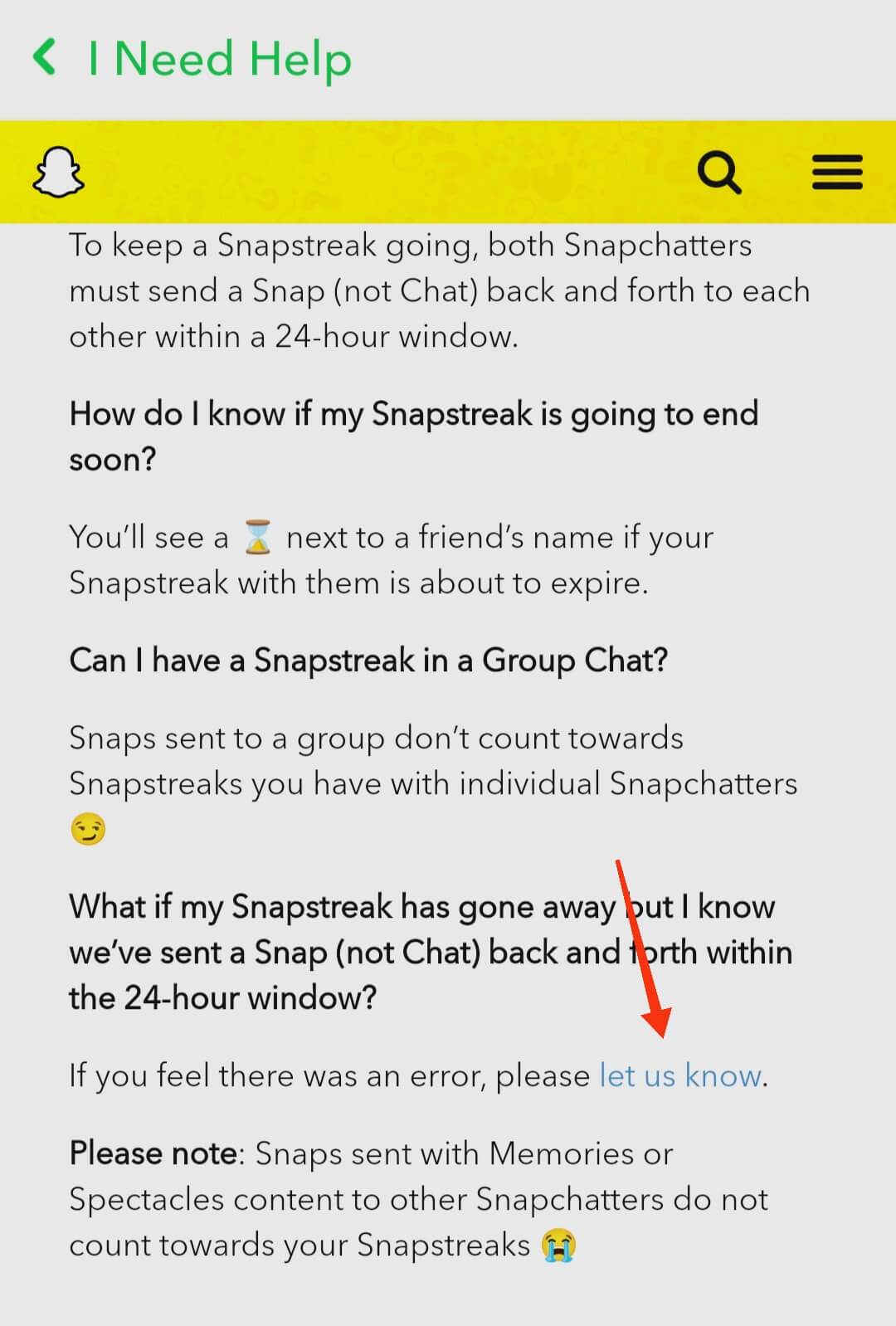
- Next, select from the options I’ve Lost My Snapstreak
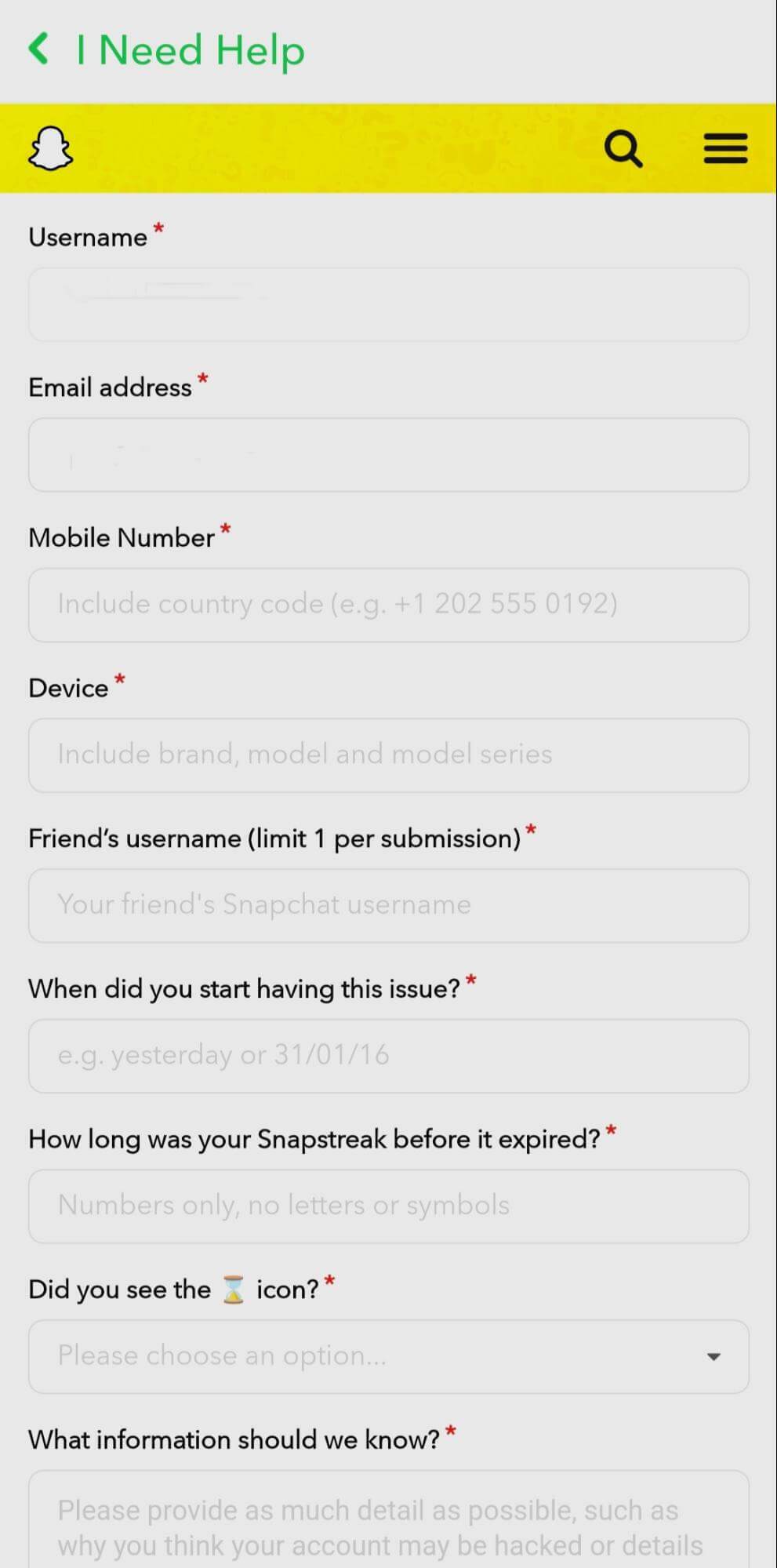
- Scroll down a little and then fill out the provided form
- Tap Send when you’re done filling the form
When a Snapchat Streak Lost Can and Can’t Be Restored
Not every lost streak is eligible for recovery, so it’s worth knowing what to expect before you go through the restore process.
The most important factor is timing. Snapchat only allows restores for recently expired streaks. While Snapchat does not publicly define an exact timeframe, its support pages make clear that there is a limited restore window — and once that window closes, the streak is generally gone for good.
The clearest signal that a restore is still possible is the presence of a Restore button next to the affected chat in your chat list. If you can see that button, act quickly. If there is no Restore button next to the chat, Snapchat generally treats the streak as too old to bring back, and submitting the support form is unlikely to change that outcome.
In short: if you see the Restore button, you still have a chance. If you don’t, the streak has most likely passed the recovery window.
Does Snapchat Charge to Restore a Snapchat Streak Lost?
Yes, restoring a lost Snapchat streak may involve an in-app purchase. The exact price is shown to you inside the Snapchat app during the restore flow, so you’ll be able to see the cost before committing to anything.
If your restore purchase will not complete, the issue is usually on the payment side rather than with Snapchat itself. Check your billing details through the Apple App Store or Google Play Store, depending on your device, and make sure your payment method is up to date.
If you completed a Streak Restore purchase by accident, or if you were charged but the streak was not restored, Snapchat provides separate help for accidental Streak Restore purchases and refund requests. You can reach that through the Snapchat Support page and navigate to the relevant billing topic.
Why Did Your Snapchat Streak Get Lost or Disappear?
If your Snapchat streak lost its progress suddenly — despite you and your friend sending snaps to one another as required — don’t fret. There are such instances on the app, which mostly stem from a bug. When this is the case, you can report to the Snapchat support team, and they’ll help rekindle the fire on your profile and that of your friend.
If your streak disappeared unexpectedly, the first step is to check your chat list for the in-app Restore button next to the affected chat. If it’s there, tap it and follow the prompts — this is the quickest path to getting your streak back. If the in-app restore option is not available or the attempt fails, you can submit the official support form for review.
Keep in mind that restoration is not guaranteed. Snapchat reviews each case individually, and recovery is generally limited to recently expired streaks. To report your missing streak, visit Snapchat Support and select the bubble for My Snapchat isn’t working. You’ll get a response from the support team that reads, “Oh no! What isn’t working?” Tap on the bubble for Snapstreak to respond to this query.
At this point, you’ll see all the rules and guidelines for keeping a streak going. If you’re sure about not flouting any of them, tap Yes next to Still Need Help? You’ll get a form to fill out as in the previous section. Provide all the necessary details accurately to give your request the best possible chance of being reviewed.
How to Keep a Snapstreak Without the Other Person Replying
If the other person you’re on a streak with doesn’t reply to your snaps, you’ll lose your snapstreak in 24 hours. The only way to salvage the situation is to send them a reminder outside of Snapchat. Waiting for the other person to come on Snapchat might just not cut it.
If you know an Instant messaging app where they’re more active, shoot them a message there, be it WhatsApp, Facebook, or Instagram. And if worse comes to worst, dial up their phone number or send an SMS. The other person might just not give much importance to the streak as you.
Do anything it takes to keep the streak going — a Snapchat streak lost is always easier to prevent than to recover. There’s no harm done in sending a quick reminder to your friend before the 24-hour window closes.
Related: How to Delete Snapchat: Learn the Right Method
Snapchat Streak Ideas
Looking to keep your streak going at all costs? Then you might find these ideas handy:
Send a black screen: Not going out for the day or don’t have a decent picture to send? No problem. Just cover your camera lens with a piece of clothing or your finger, then send it as a snap. Yes, just about any snap counts to keep your streak. It doesn’t matter what it looks like.
Edit Your Friends’ Name: Snapchat sorts your friends in the order of how frequently you contact them, so the rest drops to the bottom of the list, even if they’re on a Snapstreak with you. To make them easy to find and remember that you’re on a Snapstreak, edit their names and add a symbol or number that’ll make them easy to identify. This simple habit can help you avoid ever having a Snapchat streak lost due to forgetfulness.
Final Notes
That’s all you need to do to stand any chance of recovering your Snapstreak. The rest boils down to the support team finding the information in your form convincing. Ensure all information in the questionnaire is accurate.
If you’re lucky enough to get your streak back, do well to send snaps of just about anything to your friends. This keeps your streak going, so you don’t always have to wait for that perfect moment or background to take a pic of yourself. Remember, the best way to handle a Snapchat streak lost situation is to act fast — the sooner you attempt a restore, the better your chances of success.
