What is Amazon Digital Charge?
If you’re wondering what is Amazon digital service and why it appears on your bank statement, don’t worry. This is simply the cost paid for Amazon’s online services and products. There are a few names for it that you may see listed on your payment statements, such as AMZN MKTP, AMZN DIGITAL CHARGE, or similar variations. Depending on which services you use, these payments may be automatic, though some you will have to deliberately purchase.
Though the concept is very simple, Amazon digital services have a lot of categories, which will affect your fees, dues, and even payment period. We’ll go over all the ins and outs of all these types of services so you can decide which ones might be worth your while and what to expect from them.
What Does “Amazon Digital Services LLC” Mean on Your Bank Statement?
When you see a charge labeled “Amazon Digital Services LLC” on your bank or credit card statement, it is not a sign of fraud on its own. Amazon Digital Services LLC is Amazon’s legal billing entity for digital products and subscriptions — essentially the company name that appears when Amazon processes a charge for something that is not a physical, shipped item.
Depending on your bank and the specific purchase, the statement descriptor can appear in several different ways:
- Amazon Digital
- Amazon Digital Services
- Amazon Digital Services LLC
- AMZN Digital
- Prime Video
- AMZN*Prime
Seeing any of these labels simply means a digital order, rental, channel add-on, or recurring subscription was charged to your payment method — not a physical purchase from Amazon’s main marketplace. Here are six of the most common charges that can appear under this label:
- Kindle eBooks or magazines — a one-time purchase or a Kindle Unlimited subscription charge
- Prime Video rentals or purchases — individual movies or TV episodes you rented or bought outright
- Prime Video Channels — add-on streaming subscriptions such as Paramount+, Starz, or MGM+ billed through Prime Video
- Audible membership renewal — monthly or annual billing for your Audible Plus or Premium Plus plan
- Amazon Music Unlimited — a separate paid subscription for full catalog music streaming
- Apps, in-app purchases, or Amazon Appstore content — paid apps, game add-ons, or in-app currency purchased through Amazon’s Appstore
If the charge looks unfamiliar, the first step is always to check your Amazon account before assuming it is fraudulent — most of the time, a quick look at your Digital Orders or Subscriptions page will explain exactly what it is.
Overview of What Is Amazon Digital Service
Once you purchase digital content, the charge will show on your bank or credit card statement. Here is an example of how it may look:

The key word here being, “AMZN,” or “Amazon.” Keep in mind, not all digital services are subscription based. Sometimes you’ll have a single purchase, such as an app, a particular ebook or video, etc. If you don’t use Amazon very often and forget about this purchase, it can be jarring to see the charge on your account, so pay attention to your orders so they don’t catch you by surprise.
Why am I getting this charge? If a charge has appeared and you are not immediately sure why, work through this checklist of the most common legitimate causes — and the exact place in your Amazon account to verify each one:
- A free trial converted to paid. Many Amazon digital services offer 30-day free trials. If you did not cancel before the trial ended, you were automatically billed. Check Memberships & Subscriptions in your Amazon account to see active plans and their next billing date.
- A Prime Video Channel add-on. You may have signed up for a premium channel such as Paramount+, Showtime, or AMC+ through Prime Video. These bill separately from your main Prime subscription. Check Prime Video Channels under your Prime Video settings.
- A movie rental or purchase. A one-time Prime Video rental or digital purchase will show as an Amazon Digital charge. Check Digital Orders in your account to find the title and date.
- A Kindle book or magazine subscription. A Kindle eBook purchase or a Kindle magazine/newspaper subscription renewal will appear here. Check Digital Orders and look under the Books or Magazines category.
- An Audible membership renewal. Audible charges monthly or annually depending on your plan. Check Memberships & Subscriptions or log in to Audible.com directly.
- Amazon Music Unlimited. This is a separate paid subscription from the basic Amazon Music included with Prime. Check Memberships & Subscriptions to see if you have an active Music Unlimited plan.
- An app or in-app purchase. Paid apps and in-app purchases from the Amazon Appstore appear as Amazon Digital charges. Check your Appstore purchase history under Digital Orders.
- An Alexa voice purchase. If voice purchasing is enabled on your Echo device, a spoken request may have triggered a purchase. Check Digital Orders and review your Alexa app order history.
- A family member or child using a shared account. If you share your Amazon account or have Amazon Household set up, another member — including a child using Kids+ — may have made the purchase. Check Digital Orders and filter by the relevant household profile.
Also keep in mind there are a lot of scammers out there who will claim your Amazon account was hacked, that you have fraudulent charges, or that you were somehow compromised. You may get texts, emails, or even phone calls regarding this. Remember, the worst thing you can do is respond directly to these claims. That’s how they trick you, manipulating you into giving up important information such as your account numbers.
Instead, look into your charges and account yourself, being sure to use valid phone numbers and web addresses that YOU find on your own. Following any links or phone numbers the scammer gives you will not end well.
Usually, you can tell immediately if their claims are false. Check your debit, credit, and bank accounts to see if there are unfamiliar charges. Everything look good? It’s most likely a scam call then. That’s why it’s so important to be on top of your Amazon account and bank statements. Being able to recognize routine and correct charges vs unfamiliar ones helps keep you protected. If you’re ever concerned about suspicious or fraudulent claims towards your account, here’s Amazon’s “Report something suspicious,” page.
What Is Amazon Digital Service Content?

Amazon digital service content comes in many forms. Here’s an overview of the most common ones:
Apps and Games:
There are a host of applications and games available to purchase through Amazon that can be used on your phone or mobile device. Many of these will be one time purchases whereas others may be recurring. Here’s a link to Amazon’s bestselling apps.
Amazon Prime:
Amazon Prime is a broader membership program that bundles together a wide range of Amazon benefits — fast shipping, shopping perks, and access to several digital services — for a recurring monthly or annual fee. It is important to understand that Amazon Prime itself is not the same thing as the “Amazon Digital Services” billing category you may see on your bank statement. Many digital services, such as Prime Video Channels, Kindle purchases, and Audible, are billed separately under the Amazon Digital Services LLC entity even if you are already a Prime member. Prime membership perks include:
- Included access to Prime Video (ad-supported by default; see Prime Video section below)
- Twitch Prime benefits
- Free and expedited shipping to applicable items from Amazon’s main site
- Extra savings at Whole Foods Markets
- Early access to Lightning Deals on Amazon.com
- Access to Amazon Music (limited catalog; see Amazon Music section below)
- Various deals and discounts on shopping
- Prime Reading
Amazon Prime Video:
If you already are an Amazon Prime member, Prime Video is an included benefit. Otherwise, you can purchase this digital service separately. It gives you access to online movie and television streaming with both original content and many popular films and TV shows. Note that Prime Video now shows ads by default in many regions, including the US and UK. To watch without ads, you need to pay for an ad-free add-on on top of your existing Prime or standalone Prime Video subscription.
Speaking of Prime Video, here’s how to watch Prime from anywhere.
Kindle Unlimited
If you’re already an Amazon Prime member, you get to access Prime Reading, which is an ebook service. There are a few thousand titles to peruse with Prime Reading, but Kindle Unlimited offers titles in the millions. That’s why so many readers pay for Kindle Unlimited subscriptions, as it vastly expands their digital library, even if it means paying extra. Kindle Unlimited is available in many countries through their local Amazon marketplace, and Amazon continues to expand availability to additional regions.
Amazon Kids+
This is a digital subscription for children ages 3-12 with books, games, videos, and other content designed for kids. All the heavy hitting entities are represented, including Disney, Nickelodeon, National Geographic, Marvel, and PBS Kids. There’s a parent dashboard for controls and customization, and it’s available on multiple mobile devices, like Fire tablets and Android and iOS systems.
Amazon Audible:
Like Kindle Unlimited, Audible does not come with Prime membership. Rather, it’s a separate Amazon digital service that opens up a world of podcasts, audio performing arts (like comedy), and, of course, tons of audio books. This is great for anyone who loves to listen to books on their commute or while doing dishes, but it’s also a really great alternative for the visually impaired too.
Amazon Music:
Amazon offers two distinct music streaming tiers, and it is important not to confuse them. Amazon Music Prime is included with an Amazon Prime membership — it gives you access to a rotating selection of ad-free songs, playlists, and stations, but with a more limited catalog and fewer on-demand features than a dedicated streaming service. Amazon Music Unlimited is a separate paid subscription that gives you full on-demand access to tens of millions of songs, better sound quality options, and a much larger catalog. Simply being a Prime member does not give you Amazon Music Unlimited; that requires an additional monthly or annual fee.
If you love music but don’t use Amazon, here are top trusted sites for free music downloads.
Amazon Luna:
This is a subscription based Amazon digital service for gaming. It allows you to game on devices like Windows PC, Mac, Fire TV, Fire Tablets, Chromebooks, iOS and Android devices, and more. It utilizes a Luna Controller that works directly from the cloud so you don’t need specific gaming consoles.
Amazon Photos:
This Amazon digital service is free to Prime members, giving them unlimited full-resolution photo storage, secure back ups, access across devices, and discounts on shipping when you order prints. There are additional storage plans for a small monthly fee, if desired. Note that Amazon Drive, the broader cloud storage service that also supported documents and files, has been discontinued. Amazon Photos remains the active photo-focused storage service for Prime members. According to Amazon Web Services, cloud-based storage solutions continue to evolve rapidly, making it important to stay informed about which services best suit your needs.
Amazon Digital Service Prices
The charges for each Amazon digital service vary. We’ll break down the fees for these subscription services so you get an idea of how they all stack against each other. Please note, prices are listed in USD and were last verified in mid-2025. Prices vary by country, applicable taxes, promotional offers, student status, and plan type, and Amazon updates pricing periodically without notice. Always check the official Amazon pricing page for the most current figures before subscribing.
Amazon Prime:
Amazon Prime membership can be paid monthly or annually. As of mid-2025, the standard monthly fee is in the range of $14.99 and the annual fee is approximately $139 per year, though these figures are subject to change. Keep in mind that prices do sometimes increase. Also, if you have a trial or temporarily free membership, you’ll automatically be charged for the next membership period. This means if you are doing a trial period and don’t like it, you’ll want to cancel subscription services before you get charged. Also be aware that, depending on where you live, you may be subject to additional taxes.
If you’re a student you can get a significant discount on your Amazon Prime subscription at a lower monthly and annual rate. Reduced pricing may also be available if you are enrolled in select government assistance programs, such as Medicaid or EBT. Check Amazon’s Prime Access page to see if you qualify, and visit Amazon’s official Prime pricing page for the most up-to-date rates.
Amazon Prime Video:
If you’re already a Prime member, Prime Video is included in your subscription. A standalone Prime Video plan is available for non-Prime members; visit Amazon’s Prime Video page for current standalone pricing. Note that an additional ad-free add-on fee applies if you want to watch without advertisements.
Kindle Unlimited:
Kindle Unlimited is a monthly subscription giving access to millions of titles. Pricing is in the range of approximately $9.99–$11.99 per month plus applicable taxes, with a free trial available for new subscribers. Exact pricing and trial availability vary by region. Visit Amazon’s Kindle Unlimited page for current rates in your country.
Amazon Kids+:
Amazon Kids+ is available at a lower rate for Prime members than for non-Prime subscribers, with both monthly and annual billing options. Pricing has varied over time, so visit Amazon’s Kids+ page for the current price in your region.
Audible:
Of all the Amazon digital service options, Audible is one of the more complex, pricing wise. There are several different tiers of plans and a free trial for new subscribers. Tiers range from a lower-cost Audible Plus plan that gives access to a curated catalog, up to Audible Premium Plus plans that include monthly credits redeemable for any title, including premium bestsellers and new releases. Annual plans with bundled credits are also available at a discounted per-credit rate. Because Audible pricing and tier names are updated regularly, visit Audible’s membership page for current plan prices and what each tier includes.
Amazon Music Unlimited:
Amazon Music Unlimited is priced differently depending on whether you are an existing Prime member, an individual non-Prime subscriber, or a student. Family plans covering multiple accounts are also available. Because pricing changes periodically, visit Amazon’s Music Unlimited page for the current rates that apply to your account type.
Amazon Luna:
If you have Prime, you get free access to a rotating selection of games. There are channel bundles you can purchase as well for access to broader libraries or publisher-specific catalogs such as Ubisoft titles or party games. Pricing for individual Luna channels changes as Amazon updates its gaming lineup. Visit Amazon’s Luna page for current channel pricing and availability in your region.
Amazon Photos:
Photo storage is free for Prime users with unlimited full-resolution photos. Additional paid plans are available for expanded video storage. Storage plan pricing is subject to change; visit Amazon’s Photos storage plan page for current pricing on additional storage tiers.
How to Dispute an Amazon Digital Service Charge

Now that we’ve covered what is Amazon digital service and how it works, we’ll answer, “How do I dispute a charge?” Because Amazon is such a massive entity, it can be overwhelming when you need to contact them over disputes. Here are the steps to help you through the process of how to cancel Amazon digital charges.
Prevention
Ideally, you’ll avoid an unnecessary digital service charge to begin with. Here’s how:
- Keep your contact information up to date
- Remember to cancel any digital services you no longer need, including trial periods that are ending.
- Disable one-click checkout if you’re worried about your kids buying things behind your back or you have a troublesome cat that likes to walk across your keyboard when you’re not looking. Yes, this really does happen to people.
- Be careful where you use your debit and credit cards so the info doesn’t fall into the wrong hands.
- Check that your bank statements are accurate on a regular basis. It’s easier to address problems right away, rather than not noticing them for months.
Access your Amazon Transaction History
To see if everything looks correct, you’ll want to keep an eye on your transactions. Here’s how:
- Log in to your Amazon account and go to the account section

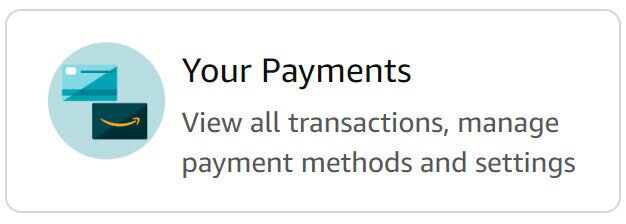
- Go to “Your Payments“

- From there, you can access your recent transactions, looking through each one to be sure that they are accurate.
- You can also go to your account to access “Memberships and Subscriptions.” Once you click on that, it will list these items. To the right of the screen there are options to cancel your subscriptions if you desire.[file:memberships; alt:Memberships and subscriptions section]
How to dispute a charge
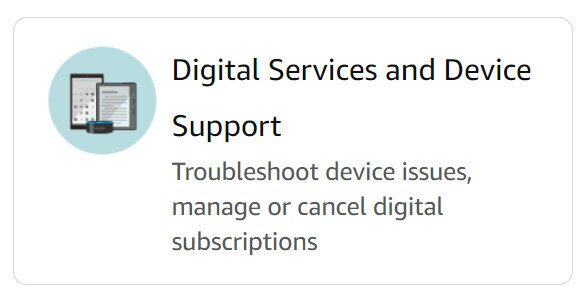
There are lots of reasons to dispute charges on your Amazon digital account. Sometimes they were supposed to cancel a subscription but didn’t, maybe your card got compromised, etc. In the case of an actual dispute, your best bet is to contact Amazon customer service. You may or may not get your refund, Amazon has the final say, but usually you will find this route helpful. Here are the steps:
- Log into your Amazon account
- Click Your orders

- Click Digital Orders
- You’ll see your listed digital transactions and subscriptions
- Click Order Details

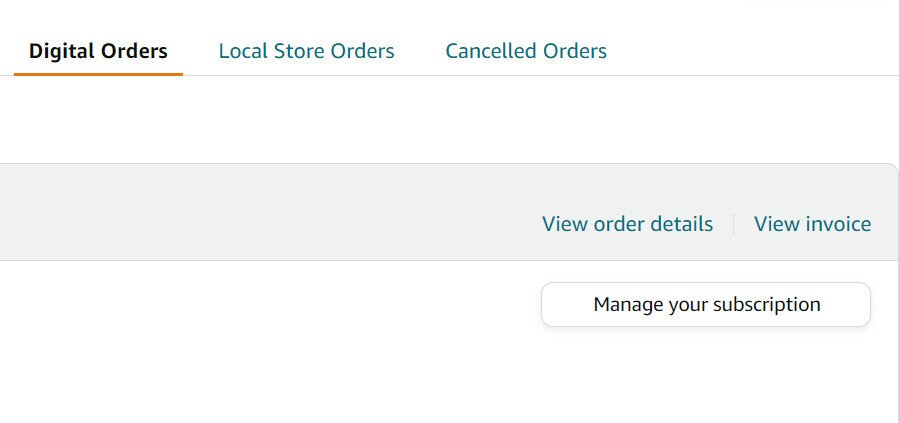
- From there you can request a refund or contact customer support to talk to a representative
Final thoughts
So what is Amazon digital service, in summary? It’s any of the fees you get from the numerous digital subscription services that Amazon has to offer. As you can see, there are so many different platforms and content types that it’s really easy to get overwhelmed and forget where your money is going.
Just be sure to keep track of your Amazon digital bill, keep your eyes open for if and when subscription prices go up, and realize that maybe you don’t need to subscribe to everything under the sun. Those fees add up. If you’re trying to budget, try to only purchase the services you’ll actually use. I know what I’m talking about too. I love books but I haven’t used my Kindle in over two years. And yet I stubbornly keep paying for it. Every month.
If you decide you’re sick of Amazon, overall? Here’s how to delete your Amazon account.
