Elden Ring Multiplayer: Everything You Need to Know
Elden Ring multiplayer is one of the most exciting features of this open-world action role-playing game (RPG), directed by Hidetaka Miyazaki and developed by FromSoftware in collaboration with iconic fantasy writer George R. R. Martin. The game creates a massive open world integrated with different gameplay experiences. Different players can play for the same period of time and end up with a different storyline — meaning no two playthroughs are exactly alike. This is possible due to its expansive open world capable of occupying many players with different stories to explore.
Elden Ring was launched on February 25th, 2022 and is available on PC, Xbox One, PlayStation 4, PlayStation 5, and Xbox Series. With millions of players worldwide, it has become one of the most celebrated games of its generation.
The most exciting part of the experience is the Elden Ring multiplayer section. It is the part that sends thrills down players’ spines. Players encounter some of the toughest boss battles around, and you can invite a friend to help conquer them. You can also get your friend to help you finish your quests, and if you enjoy co-op action in similar titles, our guide to the best weapons in Dungeons is worth checking out too.
Let’s get to it…
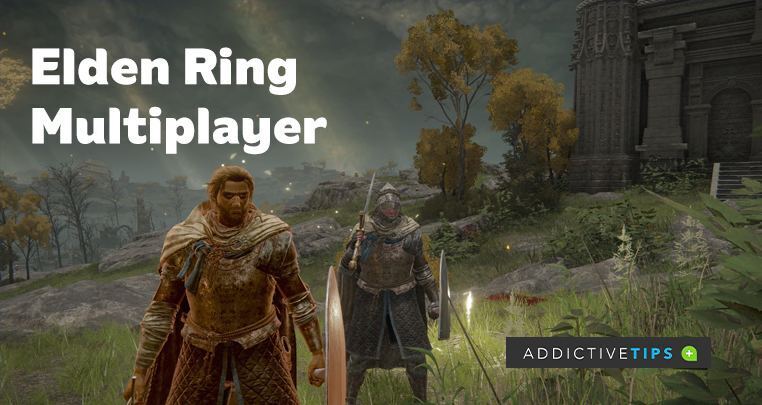
About the Elden Ring multiplayer
There are two multiplayer game modes in Elden Ring:
Players Vs Enemies (PvE): is a co-op gaming experience where you can team up with your friends to play and help conquer a powerful enemy together.
Players Vs Players (PvP): is an online gaming mode where you can battle directly against your friends or other players.
Note: Elden Ring doesn’t have any offline multiplayer game mode. All multiplayer features require an active internet connection and a valid online subscription depending on your platform.
How to play Elden Ring multiplayer?
- Complete the game tutorial: the game tutorial will fill you in on the game’s storyline and the controls.
- Get online and connect to the game’s server
- Go to the in-game menu and select multiplayer
- Pick from the range of options provided in the multiplayer mode to get started
Although there is a wide range of options in the Elden Ring multiplayer mode, you will still need specific items to unlock certain modes. Understanding which items you need before diving in will save you a lot of time and frustration. Here is a quick breakdown of every key multiplayer item and what it does:
- Furlcalling Finger Remedy (Co-op): Use this as the host to reveal gold and white summoning signs left by other players on the ground near you. Consumed on use, so stock up.
- Tarnished’s Furled Finger (Co-op): Use this as a guest to place a gold summon sign directly on the ground at your location so a nearby host can see and summon you into their world.
- Small Golden Effigy (Co-op): Broadcasts your summon sign to all active summoning pools in the region, giving you a wider reach without needing to stand in one spot.
- Finger Severer (Co-op/PvP): Ends a multiplayer session and sends phantoms back to their own world. Both hosts and guests can use it.
- Duelist’s Furled Finger (PvP — consensual duel): Places a red summon sign on the ground, inviting another player to challenge you to a duel in your world.
- Small Red Effigy (PvP — consensual duel): Broadcasts your red duel sign to summoning pools in the region, working the same way the Small Golden Effigy does but for PvP challenges.
- Bloody Finger / Recusant Finger (PvP — invasion): Both items let you invade another player’s active session uninvited to try to defeat the host. The Bloody Finger is reusable once obtained; the Recusant Finger serves a similar role and is tied to a specific questline.
- Taunter’s Tongue (PvP — invasion): Equipping this item makes your world permanently open to invasions even when you are playing solo, increasing the frequency of invaders entering your game.
- White Cipher Ring (Defense): When equipped, this automatically sends a request for a Hunter to join your world and help defend you if you are invaded.
- Blue Cipher Ring (Defense): When equipped, this makes you available to be automatically summoned as a Hunter into another player’s world to help them repel an invader.
Elden Ring Co-op (PvE)
Elden Ring co-op supports up to 4 total players in a session, but as the host you can normally summon a maximum of 2 co-op allies into your world at one time. To start seeing gold summon signs left by other players, use the Furlcalling Finger Remedy. This item is consumed on use and reveals golden and white signs that cooperative players have placed on the ground near you.
If you want to enter someone else’s game as a guest, use the Tarnished’s Furled Finger. This places your gold summon sign directly on the ground at your location. A host who activates a Furlcalling Finger Remedy nearby will then be able to see your sign and tap it to summon you. Alternatively, if you want a broader reach without standing in one spot, use the Small Golden Effigy to broadcast your sign to all active summoning pools across the region.
Near many boss arenas you will find an Effigy of the Martyr statue. Interacting with it sends your summon sign to the summoning pool for that area, making it easier for a host in that zone to find and summon you without needing you to stand right outside the fog gate. Think of these statues as a regional broadcasting system for summon signs rather than a hard requirement for every boss summon — a host can still see a directly placed Tarnished’s Furled Finger sign without the pool being active, as long as they have a Furlcalling Finger Remedy active.
To avoid being pulled into a stranger’s game, you can protect your session by setting a password. This ensures you can only be summoned by your friends and not random players. According to Bandai Namco, the publisher of Elden Ring, the multiplayer system is designed to be flexible and accessible for all types of players.
How to prevent being summoned into a stranger’s game
To control who can summon you during Elden Ring multiplayer sessions, you need to understand how passwords work — and importantly, what they do not cover. Here is how to set one up:
How to password-protect your Elden Ring multiplayer session
- Go to the multiplayer pause menu
- Select Multiplayer Password
- Enter any word and make sure your friends enter the same password
A Multiplayer Password restricts summon-sign and duel-sign matching so that you and your friends only see each other’s signs rather than those of random players. This is the most reliable way to co-op exclusively with people you know. For the best results, agree on a password in advance, have your friend place their Tarnished’s Furled Finger sign or use their Small Golden Effigy near a summoning pool, then activate your Furlcalling Finger Remedy to see their sign and summon them.
There is also a separate Group Password option in the same menu. A Group Password does not restrict who can summon you — instead, it simply prioritizes showing you messages, bloodstains, phantoms, and summon signs from players in the same group. It is useful for staying loosely connected with a community without locking down your session.
Important: Neither a Multiplayer Password nor a Group Password will block invasions. If you are playing with one or more co-op phantoms in your world, your session becomes open to invasion by players using Bloody Fingers or Recusant Fingers regardless of any password you have set. The Blue Cipher Ring and White Cipher Ring systems for Hunter support also operate independently of passwords. If you want to minimize invasion risk, play solo or clear areas quickly with your co-op partners.
Elden Ring PvP multiplayer
The PvP mode allows you to duel fellow players — friends or strangers — to test your build and skills. There are several distinct ways to engage in PvP, each using a different item and following different rules.
The Duelist’s Furled Finger item: this item leaves a red sign on the floor that other players can see, signifying a consensual duel challenge. Any player that sees the sign can accept and fight you on agreed terms — the host’s world acts as the arena.
The Bloody Finger: allows you to invade any player’s active session uninvited. You enter their world as a red phantom and must defeat the host and any co-op allies to win. The Recusant Finger serves a similar invasion function and is tied to a specific in-game questline.
Taunter’s Tongue: equipping this item makes your world permanently open to invasion even when you are playing solo, drawing in more invaders and raising the stakes of your session.
Hunter and Cipher Ring system: if you are invaded and have the White Cipher Ring equipped, the game automatically calls for a Hunter — a friendly blue phantom — to help defend you. Players who want to serve as Hunters equip the Blue Cipher Ring and get pulled into invaded worlds to assist the host.
Colosseum PvP
Beyond open-world invasions and sign-based duels, Elden Ring now includes a dedicated Colosseum PvP system added after launch. Colosseums are structured arenas located in Limgrave, Caelid, and Leyndell that offer organized, rules-based matches separate from the chaos of field invasions. Formats available in the Colosseums include one-on-one duels, three-on-three team fights, and free-for-all matches with up to six players. Because Colosseum matches operate under a fixed ruleset, they provide the most balanced and competitive PvP experience in the game and are the best starting point if you want consensual player-versus-player combat without the unpredictability of a live invasion.
Multiplayer rules and limitations
Before jumping into a session, it helps to know the ground rules that govern how Elden Ring multiplayer works. Several of these limitations are the most common reasons co-op attempts fail or end unexpectedly.
- Co-op sessions end automatically if the host dies or if the area’s main boss is defeated. Summoned phantoms are returned to their own world immediately in either case.
- Torrent, the spectral steed, is not available to summoned players. Only the host can mount and ride Torrent during a co-op session, so travel through open areas will be on foot for guests.
- Some areas are segmented by loading zones and can disconnect phantoms when the host crosses into a new region. If this happens, guests simply need to re-place their summon sign and be summoned again.
- Multiplayer only works within the same platform family. PlayStation players (PS4 and PS5) can play together, and Xbox players (Xbox One and Xbox Series) can play together, but cross-platform play between PlayStation, Xbox, and PC is not supported.
- Matchmaking is influenced by character level and weapon upgrade level. If you and a friend have characters that are too far apart in progression, your signs may not appear for each other. Using a shared Multiplayer Password overrides some of this range restriction, making it the most reliable way to connect with friends at different progression levels.
Can’t see a summon sign? Run through this checklist
- Same platform family: confirm both players are on PlayStation or both on Xbox/PC as appropriate.
- Multiplayer Password: verify that both players have entered the exact same password, or that both have no password set.
- Furlcalling Finger Remedy active: the host must use this item to make summon signs visible. It is consumed on use, so check that it has actually been activated.
- Boss state in the area: if the host has already defeated the area’s main boss, summon signs typically will not appear in that zone. Try a different area or start a new playthrough.
- Character and weapon matchmaking differences: large gaps in character level or weapon upgrade tier can prevent signs from appearing. Using a shared Multiplayer Password reduces this restriction significantly.
Conclusion
Elden Ring multiplayer still doesn’t support cross-platform play. If you are a PlayStation player, you won’t be able to connect with Xbox or PC players and vice versa. While Elden Ring continues to dominate the gaming landscape, fans of other major franchises are eagerly awaiting the anticipated GTA 6 launch, and a GTA 6 preorder guide can help them prepare for their next big gaming experience.
However, Elden Ring does offer a cross-gen feature, which enables players using the same brand of gaming system to play together regardless of the generation. PS4 and PS5 players can play together, while Xbox One players can connect with Xbox Series X or S players. This cross-gen support makes the Elden Ring multiplayer experience more accessible than ever for returning and new players alike.
