What Is A MagSafe Case? 5 Easy Facts You Need
If you’ve ever wondered what is a MagSafe case, the answer is straightforward: it’s an iPhone accessory built around Apple’s magnetic MagSafe system. The magnets inside the case align with the ones in compatible iPhones, letting chargers, wallets, stands, and other accessories snap into place and stay connected.
As MagSafe accessories have become more common, iPhone owners look for cases that support this system so that they can charge wirelessly and use magnetic add-ons without removing their case.
Below, we explain why you might want a MagSafe case and share a shortlist of our favorites.
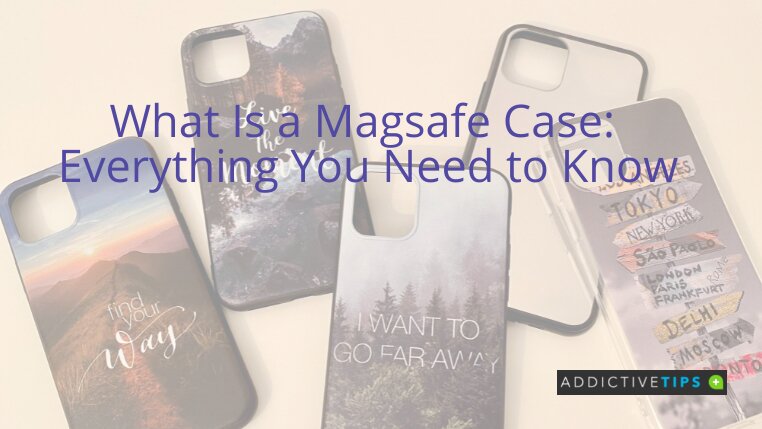
What Is a MagSafe Case?
A MagSafe case is an iPhone case designed to work with Apple’s MagSafe magnetic system. Inside the case is a ring of magnets that lines up with the magnets built into modern iPhones. This magnetic alignment lets accessories snap into place and stay positioned correctly.
The case design lets you protect your phone while still using MagSafe features. Chargers, wallets, stands, and battery packs can attach directly to the back of the case. And since the magnets line up precisely, accessories connect quickly and stay centered while you use them.
Manufacturers build each MagSafe case with this magnetic ring integrated into the case itself. This ensures the magnets remain strong enough to support accessories without interfering with wireless charging or how the phone is used.
How the MagSafe System Works
MagSafe uses a circular array of magnets placed inside the iPhone and matching accessories. When a compatible accessory moves close to the phone, the magnets guide it into the correct position through magnetic alignment.
This alignment helps create a secure attachment between the phone and the accessory. For example, chargers stay centered on the charging coil, which ensures proper charging efficiency compared to potentially loosely placed wireless chargers.
The magnets hold the accessory in place, so charging can continue even if the phone is bumped or moved slightly. This is one of the key reasons to understand what is a MagSafe case before choosing your next iPhone case.
MagSafe vs Regular Wireless Charging
MagSafe is not simply another name for wireless charging — it is a magnet-assisted version of it, and the distinction matters when you are shopping for a case or charger.
Magnetic alignment keeps the coil centered. MagSafe uses a ring of magnets to guide the charging coil on the charger into perfect alignment with the coil inside the phone. Standard Qi charging has no such guidance system, so the charger can drift slightly off-center, which can reduce efficiency or interrupt charging altogether if the phone is nudged.
Regular Qi charging works without magnets, but with trade-offs. A conventional wireless charger can still power your iPhone, but because there is no magnetic alignment, the connection is easier to knock out of position. You also lose the ability to attach magnetic accessories like wallets, mounts, and battery packs — those require the MagSafe magnet array to hold securely.
Charging speeds depend on the phone model and charger. MagSafe charging topped out at 15W on earlier supported iPhones such as the iPhone 12 and 13 lineups. Newer supported models paired with the right adapter can reach up to 25W. Standard Qi charging on an iPhone is typically slower than MagSafe, often capped at 7.5W. Always check which wattage your specific iPhone model supports before assuming you are getting the fastest wireless charge available.
A case can support wireless charging without being a true MagSafe case. Some cases advertise “wireless charging compatible” without including the internal magnetic ring required for MagSafe. Those cases allow Qi charging to pass through, but they do not support magnetic accessory attachment or the precise alignment that MagSafe delivers. If magnetic accessories matter to you, look specifically for MagSafe compatibility, not just wireless charging compatibility.
Common Features of a MagSafe Case
In many ways, a MagSafe case resembles a standard iPhone case. It just includes additional design elements that support the magnetic accessory system.
These features help accessories connect more easily, keep wireless charging working reliably, and still provide protection for your phone.
- Built-in magnetic ring: A circular array of magnets inside the case lines up with the magnets in compatible iPhones.
- Works with magnetic add-ons: Wallets, battery packs, stands, car mounts, and other MagSafe accessories can attach directly to the back of the case.
- Consistent wireless charging: The magnetic alignment helps keep the phone positioned correctly on MagSafe chargers, which can help with steady charging. It’s similar to the reliability of a brand-new charging cable, but wireless.
- Phone protection: A MagSafe case still serves the core purpose of a case, which is to help guard against scratches and minor drops.
- Slim design: Many MagSafe cases keep a relatively thin profile so that the magnets can still connect strongly with accessories.
- Quick case changes: Most cases are flexible enough to remove easily. This makes it simple to swap cases or clean your phone.
Which Devices Work With MagSafe Cases?
MagSafe cases are primarily designed for iPhones. Some accessories also bring MagSafe-style features to other devices. For example, MagSafe AirPods cases can attach to magnetic chargers or mounts, and our AirPods waterproof details can help clarify how much exposure they can handle.
Android phones don’t include Apple’s MagSafe system, though some third-party cases add magnets to mimic the experience.
| Device | Compatibility | Description |
|---|---|---|
| iPhone 12 lineup and later mainline iPhones with MagSafe | Full MagSafe support | Built-in MagSafe magnets allow secure attachment and optimized wireless charging. Not every newer iPhone qualifies — the iPhone SE (2022), for example, supports Qi wireless charging but does not include the MagSafe magnetic array. Always confirm your specific model before purchasing a MagSafe case. |
| iPhone 11 and older | Limited compatibility | Some magnetic cases exist, but these phones lack the built-in MagSafe system |
| Samsung Galaxy phones | Partial compatibility | Certain third-party cases add magnetic rings to support MagSafe-style accessories |
| Google Pixel phones | Partial compatibility | Same deal here: Some cases include magnets to support MagSafe accessories |
| AirPods (MagSafe charging case models) | Accessory compatibility | MagSafe charging cases support magnetic alignment with compatible chargers |
| Standard phone cases | No magnetic system | Conventional cases offer protection, but don’t support magnetic accessories |
MagSafe Cases vs. Standard Phone Cases
At a glance, a MagSafe case and a regular phone case can look pretty similar. They’re designed to protect your phone and fit snugly. The main difference, of course, is that MagSafe models include a built-in magnetic ring.
| Feature | MagSafe Case | Regular Case |
|---|---|---|
| Wireless charging | Aligns with MagSafe chargers for consistent charging | May support wireless charging, but alignment can vary |
| Magnetic accessories | Supports magnetic add-ons like wallets and mounts | Typically doesn’t support magnetic accessories |
| Attachment stability | Magnets help keep accessories positioned correctly on the back of the phone | Accessories must rely on clips, adhesives, or separate mounts |
| Case construction | Includes a magnetic ring designed for MagSafe accessories | Focuses mainly on protection (no magnets) |
| Ecosystem compatibility | Works with Apple’s lineup of MagSafe accessories | Limited compatibility with magnetic accessories |
| Everyday protection | Protects the phone from scratches and drops | Protects the phone from scratches and drops |
What Is a MagSafe Case Good For? Pros and Cons
A MagSafe case is convenient if you regularly use Apple’s magnetic accessories, but it also comes with a few limitations compared to simpler phone cases. Looking at both sides can help you decide whether a MagSafe case makes sense for how you use your phone.
Advantages of MagSafe Cases
- Better charger alignment: The ring helps position the phone correctly, so you might notice that it’s easier to charge your phone.
- Works with accessories: If you use wallets, battery packs, stands, or mounts with your phone, a MagSafe case lets these things attach to the back of the case without clips or adhesives. It’s one less thing you have to carry around.
- Quick accessory changes: Accessories can snap on or off in seconds, which makes it easy to switch between things like a wallet or charging pack.
- No need to remove the case for MagSafe charging: Cases designed for MagSafe allow compatible chargers to work while the case stays on your phone.
Potential Drawbacks of a MagSafe Case
- They’re usually more expensive: MagSafe models often cost more than comparable standard cases.
- Accessory compatibility limits: Some popular accessories, like certain PopSocket grips, might not work as well unless they’re specifically designed for MagSafe.
- Wireless charging heat and battery wear: As with any wireless charging method, frequent use can generate heat, which can in turn affect your phone’s battery health (however, this is only a concern over long periods).
Best Accessories to Use with a MagSafe Case
These accessories use MagSafe magnets to fit different needs. You can charge your phone, use it for navigation in the car, or go hands-free with a mount.
Charger
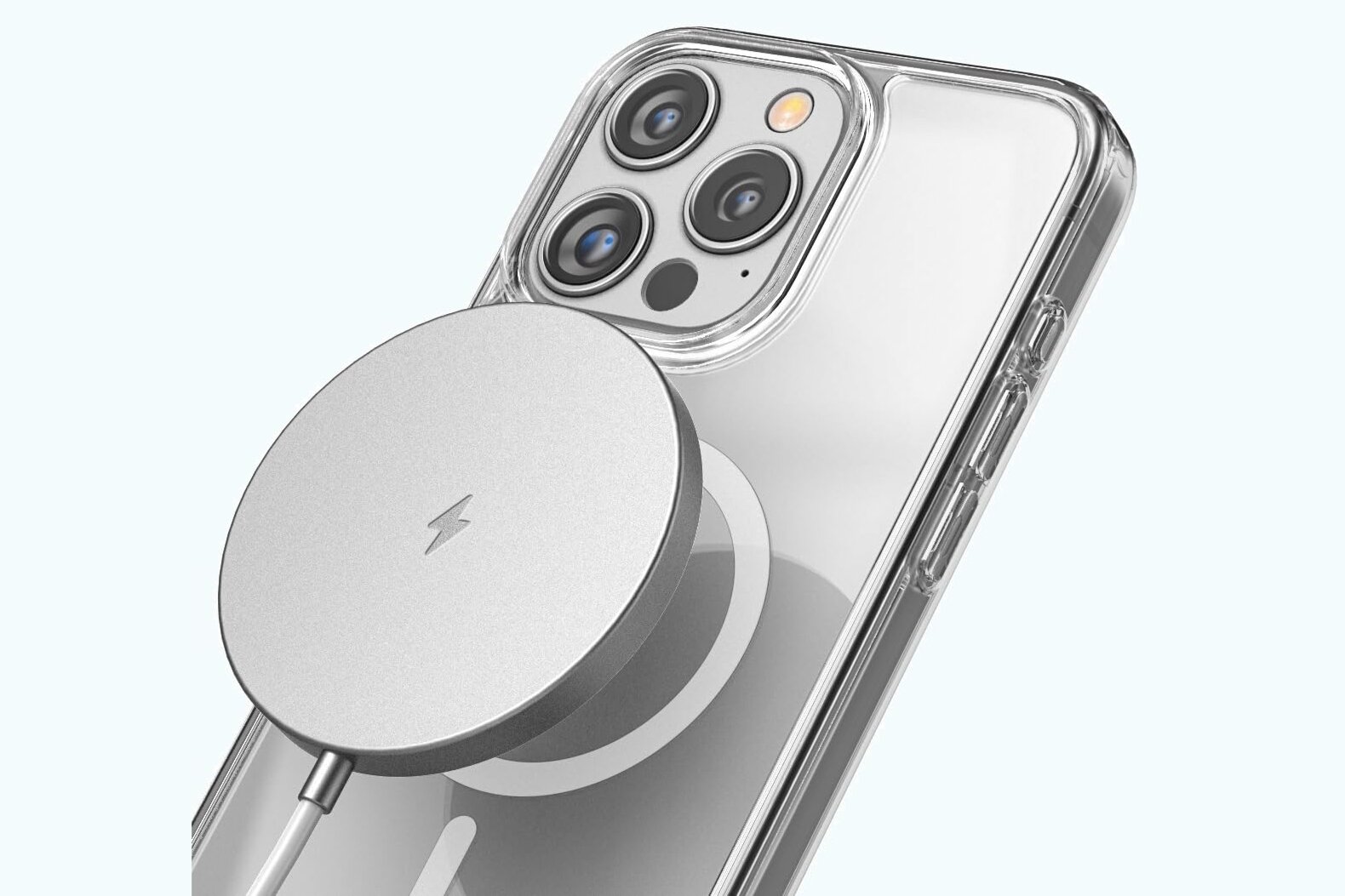
Magnetic wireless chargers made for MagSafe iPhones snap to the back of the phone for easy charging without the need for a cable.
Wallet
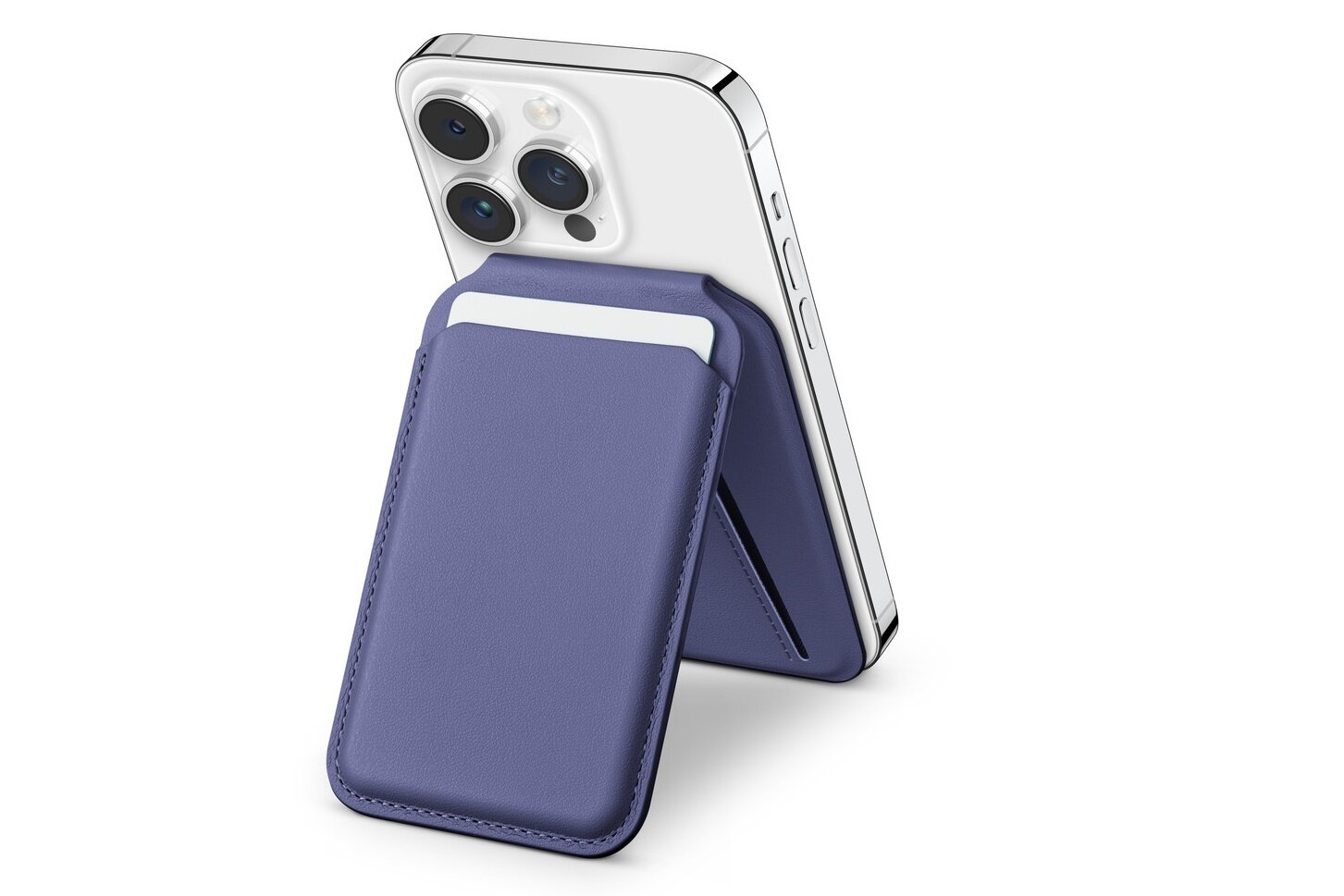
Instead of carrying your phone and wallet separately, you can use a magnetic wallet with your iPhone. Magnets in the wallet attach to the back of your phone just like a MagSafe charger. Some versions also include RFID protection for extra security.

Car Mount
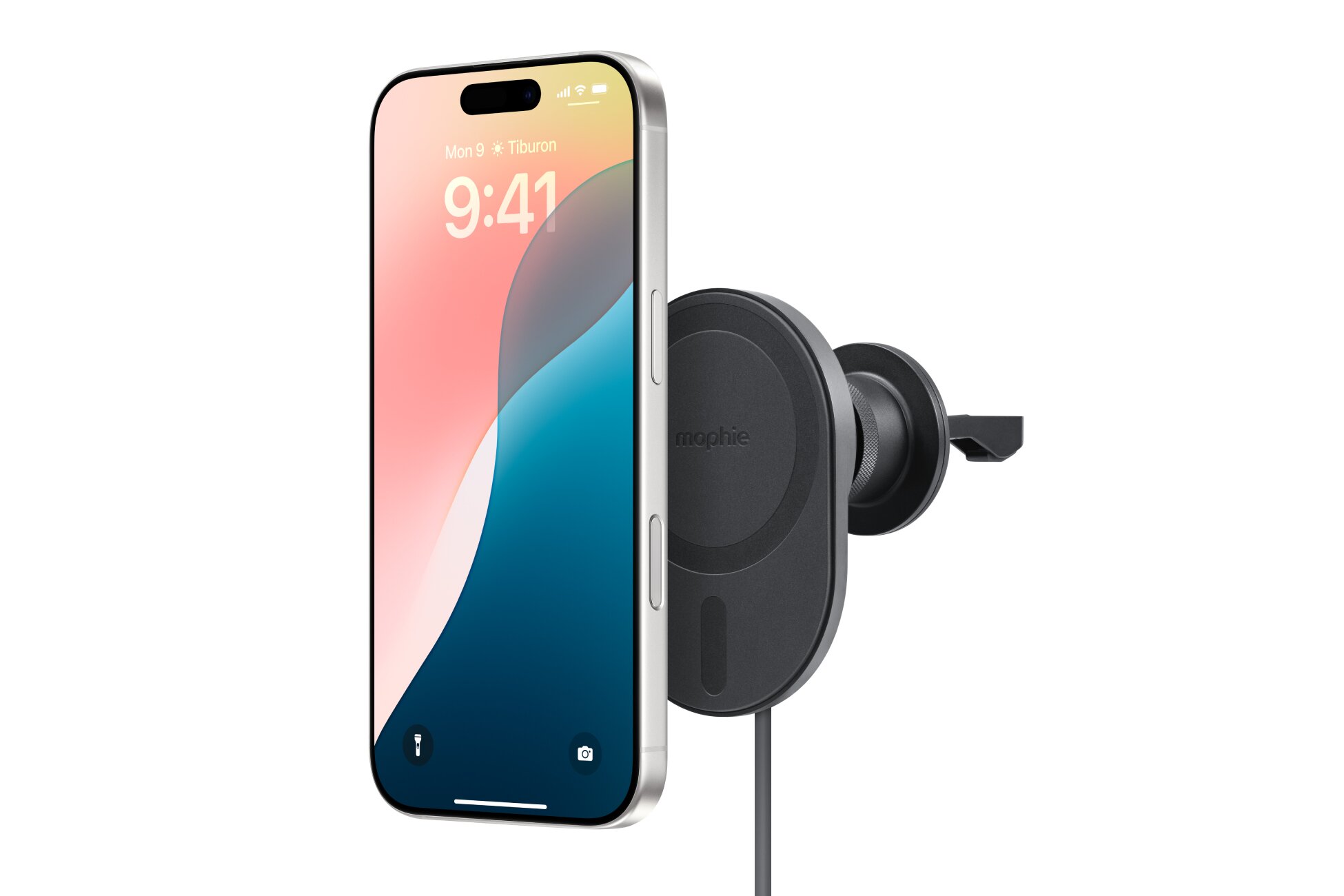
Hands-free driving is safer and, honestly, much easier with a MagSafe-compatible mount. Simply install it on your dash or air vent, and your iPhone attaches with the same secure connection as a wallet or charger. From there, you can take calls, follow your map app, control music, and much more.
Battery Pack
This might be one of the most useful MagSafe accessories, especially when your phone’s battery is about to die. Like a wireless charger, a battery pack attaches to the magnets in your phone to provide power the moment it’s secured.
It’s a really useful way to extend your iPhone’s battery life.
Phone Stand
MagSafe stands mount your iPhone upright so you can see and use the screen without having to hold the device. They’re especially handy when doing things like following recipes in the kitchen or watching a long video.
Tripod Mount
Useful for photography and videography (where stability is key), this magnetic mount lets you attach your iPhone securely to a tripod so it stays in place while you shoot.
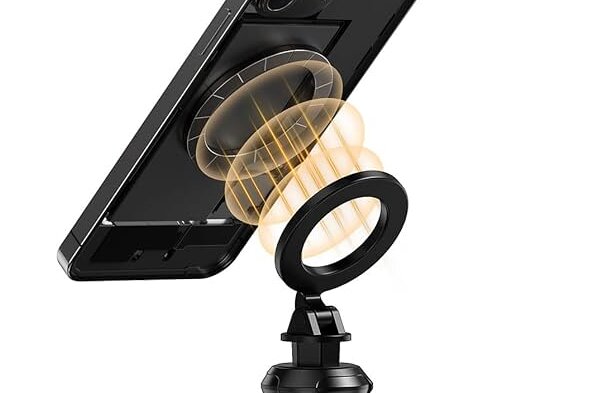
Desk Mount
Attaching to your desk or nightstand, this accessory provides a stable base for your iPhone while it charges wirelessly. It keeps your device easily accessible and eliminates the hassle of tangled cords. Many desk mounts are adjustable for changing viewing angles and ergonomic positioning.
Protective Case
A MagSafe-compatible protective case improves performance by providing a secure attachment point for magnetic connections, helping accessories stay firmly attached to your phone.
How to Tell if a Case Is Truly MagSafe-Compatible
Not every case labeled “magnetic” or “wireless charging compatible” is a genuine MagSafe case. Knowing what to look for before you buy can save you from an expensive mistake — particularly if you plan to use magnetic wallets, car mounts, or battery packs that depend on a strong, well-positioned magnet array.
Use this checklist when evaluating a case:
- Look for an explicit built-in magnetic ring. A true MagSafe case contains a circular array of magnets embedded in the case itself — not a sticky magnetic plate added after the fact. The product listing or packaging should describe this ring specifically.
- Verify it supports both MagSafe charging and magnetic accessories. Some cases allow wireless charging to pass through but do not have strong enough magnets to hold a wallet or car mount securely. Confirm that the case supports magnetic accessory attachment, not just charging.
- Confirm the exact supported iPhone models. MagSafe compatibility is model-specific. A case listed for “iPhone 14” may not fit or align correctly with an iPhone 14 Pro Max. Check that the listing names your exact model.
- Avoid vague “wireless charging compatible” claims. This phrase only tells you that radio-frequency charging can pass through the case material. It says nothing about whether the case includes magnets. If the word “MagSafe” does not appear explicitly, treat the case as a standard wireless-charging-passthrough case only.
- Check whether the brand makes magnetic strength or charging-performance claims. Reputable MagSafe case makers typically specify that their product meets Apple’s alignment standards or passes MagSafe magnetic hold requirements. Vague language is a warning sign.
The practical difference between these two case types is significant. A case that merely allows charging to pass through it will let you place the phone on a Qi pad, but the connection can drift and you will have no magnetic hold for accessories. A true MagSafe case snaps firmly to MagSafe chargers, holds a wallet flat against the back of your phone, locks into a car mount without wobbling, and keeps a battery pack centered while it charges — all because the internal magnet ring is strong enough and positioned correctly to do those jobs.
Should You Get a MagSafe Case?
A MagSafe case does much more than just protect your phone. The magnets embedded in these cases introduce a range of new ways to use your iPhone.
For example, a MagSafe case lets you charge your phone wirelessly while you’re at home, and then easily transition to using your phone safely while driving via a mount. With one of these cases, your iPhone retains its MagSafe magic for charging and introduces other smart and convenient ways to use your phone.
A MagSafe case could be a good fit if:
- You regularly use a wireless charging stand and want the phone to snap into the correct position without adjusting it each time.
- You like the idea of attaching a wallet to the back of your phone so you can carry a few cards around without bringing a full wallet.
- You often use your phone while driving and want a magnetic mount that holds it in place but still lets you grab it in seconds for phone calls.
- You want a cleaner desk or nightstand setup where your phone connects to a charger by simply placing it in the right spot.
- You already own MagSafe accessories and want a case that lets you keep using them while still protecting your phone.
Explore the Best MagSafe Cases
We spent some time researching over a dozen MagSafe cases and narrowed the list down to five standouts, most of which are MagSafe cases compatible with the latest iPhones.
- Best Overall—OtterBox SYMMETRY SERIES: This case protects your phone with style. It’s slim with raised edges that guard the camera and screen from drops and scratches. It fits iPhone 15, 14, and 13 models and comes in more than 20 designs.
- Best Budget Case—Smartish Gripmunk MagSafe Case: A low-cost pick for iPhone 17 that’s made from soft-touch microfiber for a comfortable grip, this one’s been tested to handle drops directly onto concrete with no damage whatsoever.
- Best Clear Case—ZAGG Crystal Palace Snap MagSafe Case: Transparent cases keep the Apple logo visible on the back of your phone. This one—for iPhone Air and several other models—is made from scratch-resistant material and includes the same impact-absorbing material found in protective gear for drop protection.
- Best Leather Case—Belemay Leather MagSafe Case: If you want a MagSafe case that feels as good as it looks, this one uses premium leather with a soft microfiber lining to protect your iPhone.
Best Protective Case—CASETiFY Bounce MagSafe Case: Sturdy as ever, these cases feature raised bezels to shield your screen and camera from damage. Many iPhone models are supported, and you can pick from a long list of colors. For peace of mind, the case has been drop-tested from heights of up to 21 feet.
Frequently Asked Questions
Do you actually need a MagSafe case for wireless charging? The short answer is no — but whether you need one depends on how you use your phone. Here are the three real-world scenarios to consider:
No case at all: A bare MagSafe iPhone can attach directly to a MagSafe charger and charge magnetically. The magnets in the phone and the charger connect without any case in between, so alignment is at its strongest and charging works as intended.
A regular non-MagSafe case: A standard case may still allow Qi wireless charging to pass through, so your phone can charge on a wireless pad. However, the case does not contain a magnetic ring, which means you usually lose magnetic alignment with MagSafe chargers and lose the ability to hold magnetic accessories like wallets, mounts, and battery packs securely in place.
A true MagSafe case: A properly designed MagSafe case preserves both wireless charging alignment and full magnetic attachment for accessories. The built-in ring keeps MagSafe chargers centered and holds wallets, car mounts, and battery packs as firmly as they would attach to a bare phone.
One practical warning worth keeping in mind: thick case materials, metal plates, or metal card inserts in a magnetic wallet can interfere with both wireless charging efficiency and the magnetic hold strength. If you notice slower charging or accessories that feel weaker than expected, the case material or a nearby metal object is often the cause.
What’s the purpose of a MagSafe case?
It lets your iPhone connect securely to magnetic accessories like chargers and mounts while also protecting the phone.
What are some downsides of MagSafe cases?
They typically cost more than standard cases, and some non-magnetic accessories or mounts may not work well unless they’re designed for MagSafe.
Does MagSafe charging affect battery life?
MagSafe itself doesn’t drain the battery, but wireless charging can generate heat, which may contribute to battery wear.
Is a MagSafe case required for wireless charging?
Wireless charging works without one. The magnets just help align the phone with MagSafe chargers and accessories.
Do MagSafe cases work with Android phones like Samsung or Pixel?
Android phones don’t include Apple’s MagSafe system, though some third-party cases add magnets so certain MagSafe-style accessories can attach.
Can a PopSocket be used with a MagSafe case?
Yes, if you use a MagSafe-compatible PopSocket. Standard adhesive versions might not stick well to some cases.
Do MagSafe cases protect an iPhone as well as regular cases?
Most provide the same protection against things like bumps and scratches as other phone cases.
What accessories connect to MagSafe cases?
Common options include magnetic chargers, wallets, battery packs, stands, and car mounts.
Will a MagSafe case slow down charging?
A well-designed MagSafe case shouldn’t affect charging in any noticeable way.
Can MagSafe accessories fall off easily?
Magnetic accessories are designed to hold tight during regular phone use, but they can detach with enough force.
