Solar Movie & Top Alternatives: Stream Movies and TV Shows Free
If you’ve landed here, you’re probably trying to figure out one of a few things: whether SolarMovie still works, which domain is actually the real one, whether that app you found is safe to install, or which VPN will protect your privacy while you stream. This guide answers all of those questions directly, then walks you through the best VPNs we’ve tested for use with SolarMovie.
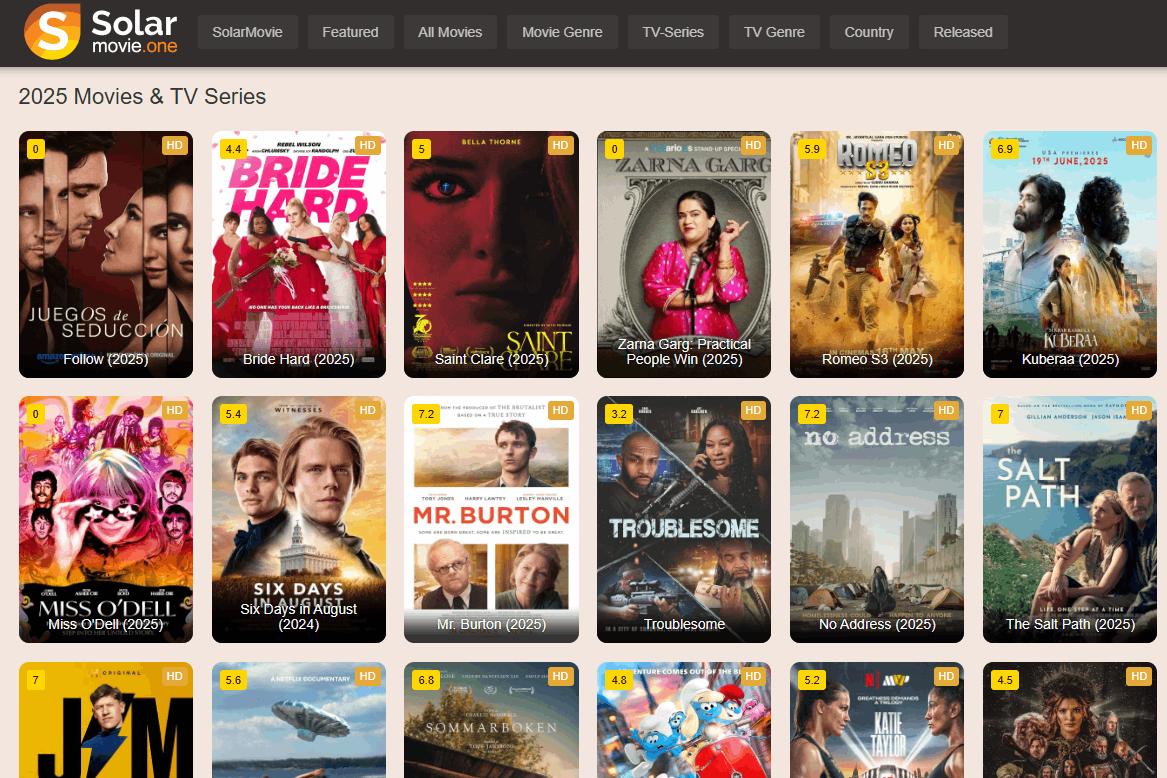
SolarMovie Quick Answer
Here’s what most people want to know right away:
- Does SolarMovie still work? Yes, but the domain changes frequently. There is no single permanent address. Sites operating under the SolarMovie name appear across multiple domains, and the active ones shift over time. Always verify a domain before using it — we explain how below.
- Is SolarMovie safe? It carries real risks. Mirror sites and clone domains can serve aggressive ads, pop-unders, or worse. The content itself is also legally gray in most countries, including the US. Using a VPN and an ad blocker significantly reduces your exposure.
- Is there an official SolarMovie app? No verified official app exists. Apps and browser extensions claiming to be SolarMovie appear on Google Play and the Chrome Web Store, but their official status is unconfirmed. We cover what to check before installing anything below.
- Does a VPN help? Yes, in several ways. A VPN hides your streaming activity from your ISP, lets you switch to a different server if a domain is blocked in your region, and adds a layer of protection when browsing mirror sites. Our top pick for SolarMovie is NordVPN.
Current Working SolarMovie Domains and How to Verify Them
SolarMovie has a long history of domain changes. The original site was shut down in 2016, and it has since reappeared across a rotating set of domains. This volatility is important to understand: no domain we list here is guaranteed to remain active, and new ones appear regularly. The domains currently appearing in search results include variations under .ma, .lol, and .com.co TLDs, among others — but these shift frequently enough that we recommend treating any domain as provisional and verifying it yourself before use.
Here’s how to tell whether a SolarMovie-style site is likely legitimate or a risky clone:
- Forced extension installs: If a site immediately asks you to install a browser extension before you can watch anything, leave. Legitimate streaming sites do not require this.
- Immediate pop-unders or redirects: A single click that opens multiple new tabs or redirects you to unrelated sites is a strong warning sign of a malicious clone.
- Fake login walls: SolarMovie-style sites do not require account creation to browse. If a site demands you sign up or log in before showing any content, treat it with suspicion.
- Mismatched branding: Check that the site’s visual design, logo, and layout match what you’d expect. Clone sites often use slightly different color schemes, fonts, or logos.
- Suspicious domain names: Domains with random strings of numbers or letters appended to “solarmovie” (e.g., solarmovie123xyz.net) are almost always clones or scam sites, not mirrors of the original.
The safest approach is to use a reputable VPN before visiting any SolarMovie domain, keep your ad blocker active, and never install anything a streaming site asks you to install. If you’re uncertain about a domain, the legal alternatives listed later in this guide are a lower-risk option.
Are SolarMovie Apps and Extensions Official?
You may have noticed that searching for SolarMovie turns up results on both the Google Play Store and the Chrome Web Store. This is worth addressing directly, because the existence of an app or extension in an official store does not mean it’s an official SolarMovie product.
The Google Play listing for a SolarMovie-branded app appears to be published by a third-party developer, not a verified SolarMovie organization. Similarly, the Chrome Web Store extension uses SolarMovie branding but has no verifiable connection to whoever currently operates the SolarMovie domains. Neither listing has been confirmed as official by any independent source.
Before installing any app or extension claiming to be SolarMovie, run through this checklist:
- Check the publisher name: Is it a recognizable company or organization? An anonymous developer name with no web presence is a red flag.
- Review the permissions: Does the app or extension request access to your camera, microphone, contacts, or all browsing data? A streaming app has no legitimate need for most of these.
- Read the reviews critically: Look for patterns in negative reviews. Complaints about aggressive ads, redirects, or unexpected behavior after installation are warning signs.
- Check the install count and update history: Very low install counts or an app that hasn’t been updated in years may indicate an abandoned or low-quality product.
- Consider whether you need it at all: SolarMovie-style sites work in a standard browser. Installing an app or extension adds risk without adding much convenience. Browser access is almost always the safer route.
Our recommendation: skip the apps and extensions entirely. Use a trusted browser with an ad blocker and a VPN active, and access the site directly. If you want a mobile-friendly experience with no installation risk, the legal alternatives listed later in this guide all have well-maintained official apps.
What Makes a Good VPN for SolarMovie?
SolarMovie and sites like it have a history of raising flags with ISPs and content rights holders. ISPs have been known to log user activity and, in some cases, share it with outside parties. To keep your streaming private, you need a VPN that actually holds up under scrutiny — not just one with a flashy website. Here’s what we looked for when building our recommendations:
- Logging policy: If a VPN keeps detailed traffic logs, your activity can potentially be linked back to you. A genuine zero-logging policy — ideally one that’s been independently audited — is non-negotiable for real privacy.
- Speed and streaming performance: Buffering kills the experience. We tested each provider’s real-world download speeds and consistency, specifically for browser-based streaming rather than just raw throughput numbers.
- Security features: Every VPN we recommend includes DNS leak protection and an automatic kill switch. These are essential for keeping your real IP address hidden if the VPN connection drops unexpectedly.
- Server network: A larger, well-distributed server network means more options for finding a fast, unblocked connection — which matters when SolarMovie domains are intermittently restricted by some ISPs.
- Jurisdiction: Where a VPN is registered affects what data it can legally be compelled to hand over. Providers based outside Five Eyes and Fourteen Eyes countries generally offer stronger privacy protections.
- Device support: A good VPN should cover your desktop browser and your phone, ideally with apps for Windows, Mac, iOS, Android, and Linux.
- Payment options: Paying with bitcoin or another cryptocurrency adds an extra layer of anonymity by keeping your name off the subscription record.
How We Tested the Best VPNs for SolarMovie
We didn’t just pull specs from provider websites. Each VPN in our list was evaluated hands-on against criteria that matter specifically for SolarMovie-style streaming. Here’s what our testing process covered:
- Site access: We confirmed each VPN could reliably reach SolarMovie-style domains without triggering blocks or redirects, including testing from US-based servers.
- Speed consistency: We measured download speeds across multiple servers and times of day, focusing on whether streams loaded quickly and played without buffering at HD quality.
- DNS leak protection: We ran DNS leak tests on each provider to confirm that our real IP address and DNS requests were not exposed while connected.
- Kill switch behavior: We tested what happens when the VPN connection drops mid-session — specifically whether the kill switch cut internet access immediately to prevent IP exposure.
- Device coverage: We checked app availability and usability across Windows, Mac, Android, and iOS, since SolarMovie is accessed across all of these platforms.
- Domain switching: We tested whether switching servers allowed access when a specific SolarMovie domain appeared blocked or slow from a given location.
Comparison Of The Best VPNs For SolarMovie
Here’s a side-by-side look at the VPNs we recommend for SolarMovie, based on our hands-on testing. All providers listed maintain strict no-logs policies and include DNS leak protection and a kill switch as standard features.
| VPN | Our Rating | Servers | Countries | Simultaneous Connections | Best Price | Money-Back Guarantee |
|---|---|---|---|---|---|---|
| NordVPN ⭐ Top Pick | 4.5 / 5 | 6,800+ | 113 | 10 | From $2.99/mo | 30 days |
| Surfshark | 4.4 / 5 | 3,200+ | 100 | Unlimited | From $1.99/mo | 30 days |
| ExpressVPN | 4.0 / 5 | 3,000+ | 105 | 8 | From $6.67/mo | 30 days |
| PureVPN | 4.3 / 5 | 6,500+ | 78 | 10 | From $2.08/mo | 31 days |
| IPVanish | 3.9 / 5 | 2,400+ | 115 | Unlimited | From $2.99/mo | 30 days |
| VyprVPN | 3.8 / 5 | 700+ | 70 | 10 | From $5.00/mo | 30 days |
All six providers in this table operate a verified no-logs policy — meaning none of them record your traffic, DNS requests, IP address, or browsing activity. This is the most important feature for anyone using a VPN with SolarMovie or similar sites. The “Logs Present” label that appeared in a previous version of this comparison was inaccurate and has been corrected.
Read on for our full breakdown of each provider, including what makes each one specifically useful for SolarMovie streaming.
Top VPNs for Streaming SolarMovie
Finding a good VPN isn’t easy, but we’ve done most of the heavy lifting for you. Below, you’ll find our most recommended VPN providers — all tested hands-on for SolarMovie-specific use cases including domain access, streaming speed, DNS leak protection, and kill switch reliability.
1. NordVPN

NordVPN is our top pick for SolarMovie. Its NordLynx protocol — built on WireGuard — delivers consistently fast speeds that hold up well for HD browser-based streaming, even when you’re routing through servers in other regions to reach a blocked domain. In our testing, NordVPN was the most reliable option for switching virtual locations quickly when a SolarMovie domain appeared slow or restricted from a given ISP.
The network currently spans 6,800+ servers across 113 countries, giving you plenty of options if one server is congested. NordVPN’s zero-logging policy covers traffic, DNS requests, timestamps, and IP addresses — none of your activity is ever recorded or shared. That’s backed by independent audits, not just a policy statement.
On the security side, all data is encrypted with 256-bit AES, and the app includes an automatic kill switch and DNS leak protection as standard. If your VPN connection drops mid-stream, the kill switch cuts your internet access immediately so your real IP never slips through. Additional features include double-VPN servers, onion routing, dedicated IP addresses, and reliable access to Netflix even when other VPNs are blocked.
Apps are available for Windows, Mac, Linux, Android, iOS, and more. NordVPN supports up to 10 simultaneous connections and offers a 30-day money-back guarantee.
Read our full NordVPN review.
2. Surfshark

Surfshark is the best value option in this list, and it doesn’t cut corners on the features that matter most for SolarMovie. All connections use 256-AES-GCM encryption, and you can choose between OpenVPN, IKEv2/IPSec, and WireGuard protocols — the last of which is particularly good for keeping streaming speeds high while maintaining strong privacy.
Surfshark’s 3,200+ servers across 100 countries run on RAM-only infrastructure, which means no data is ever written to disk. Their no-logging policy has been independently audited. For SolarMovie specifically, Surfshark’s unlimited simultaneous connections make it a great choice if you want to protect every device in your household under a single subscription.
The app includes a kill switch, IP/DNS/WebRTC leak protection, and built-in ad blocking and anti-malware features — useful when navigating mirror sites that can serve aggressive ads. Surfshark offers a 30-day money-back guarantee.
Read our full Surfshark review.
3. ExpressVPN

When raw speed is the priority, ExpressVPN remains one of the strongest performers. Its proprietary Lightway protocol is optimized for fast connection times and consistent throughput, which translates directly to smoother HD streams on SolarMovie with minimal buffering.
ExpressVPN operates 3,000+ servers across 105 countries. Its privacy setup is solid: 256-bit AES encryption on all data, a zero-logging policy covering traffic, DNS requests, and IP addresses, DNS leak protection, and an automatic kill switch. The app is notably easy to use — one tap connects you to the fastest available server, which is ideal if you just want to get streaming quickly without adjusting settings.
ExpressVPN supports up to 8 simultaneous connections and has apps for Windows, Mac, iOS, Android, and Linux. There are no restrictions on bandwidth or P2P traffic, and it reliably unblocks Netflix, Disney+, Amazon Prime, and BBC iPlayer. The 30-day money-back guarantee applies to all plans.
Read our full ExpressVPN review.
4. PureVPN

PureVPN stands out for the sheer size of its server network — 6,500+ servers across 78 countries — which gives you a wide range of IP addresses to choose from when you need to switch regions or find a faster connection to a SolarMovie domain. That breadth is particularly useful when certain ISPs throttle or block specific streaming domains.
Beyond the standard VPN features (256-bit AES encryption, zero-logging policy, DNS leak protection, kill switch), PureVPN includes optional built-in anti-virus protection, malware filtering, and DNS-level web filters. These extras are genuinely useful when browsing mirror sites, where the risk of encountering malicious scripts or aggressive ad networks is higher than on mainstream platforms.
PureVPN supports up to 10 simultaneous connections and has apps for Windows, Mac, iOS, Android, and Linux, plus browser extensions for Chrome, Firefox, and Safari. There are no restrictions on torrent or P2P traffic, and the plan comes with a 31-day money-back guarantee.
Read our full PureVPN review.
5. IPVanish

IPVanish is a particularly strong choice if you watch SolarMovie on a Fire TV Stick or other lightweight streaming device. It’s one of the most popular VPNs for Firestick users specifically, with a well-optimized app that’s easy to navigate on a TV interface. That said, it works just as well on desktop and mobile.
IPVanish deploys 2,400+ servers across 115 countries, backed by a pool of 40,000+ shared IP addresses. Built-in IP switching options make it harder for anyone to track your activity across sessions. The privacy setup includes 256-bit AES encryption, a zero-logging policy on all traffic, DNS leak protection, and an automatic kill switch. A wide range of port and protocol options also helps bypass ISP-level censorship blocks.
IPVanish supports unlimited simultaneous connections — every device in your home can be covered under one subscription. There’s no throttling, no bandwidth caps, and no restrictions on P2P or torrent traffic. The plan includes a 30-day money-back guarantee.
Read our full IPVanish review.
6. VyprVPN

VyprVPN is the most configurable option in this list, and its standout feature is Chameleon — a proprietary protocol that wraps encrypted packet metadata in an additional layer of encryption. This defeats deep packet inspection (DPI), which ISPs sometimes use to identify and throttle VPN traffic or flag streaming activity. If you’re on an ISP that aggressively monitors traffic, Chameleon is a meaningful advantage.
VyprVPN owns and operates its entire server infrastructure — no third-party data centers — which means complete control over hardware security and upgrades. The network covers 700+ servers across 70 countries, with 300,000 IP addresses available. Privacy features include a zero-logging policy on traffic and DNS requests, an automatic kill switch, DNS leak protection, and 256-bit AES encryption across all devices.
VyprVPN supports up to 10 simultaneous connections and has apps for Windows, Mac, iOS, Android, and Linux. It comes with a 30-day money-back guarantee.
Using a VPN with SolarMovie
A VPN helps with SolarMovie in three specific ways. First, it hides your streaming activity from your ISP, which matters because ISPs have been known to log user activity and, in some cases, share it with content rights holders. Second, if your ISP or network blocks a particular SolarMovie domain, connecting to a VPN server in a different location often resolves the issue. Third, a VPN adds a layer of protection when you’re navigating mirror sites, where the risk of encountering malicious scripts or aggressive ad networks is higher than on mainstream platforms.
The practical setup is simple: connect to your VPN before opening a browser, choose a server in your preferred region (US servers work well for most SolarMovie domains), and then navigate to the site. Keep the VPN active for the entire session — disconnecting mid-stream can briefly expose your real IP address if your VPN doesn’t have a kill switch engaged.
Which Site Is the Real SolarMovie?
SolarMovie has had a complicated history. The original site was shut down in 2016 when a number of high-profile streaming sites were taken down. It has since reappeared across multiple domains, though not always with the same content library or features as the original. This created an opening for copycat sites to launch fake versions, many of which are unreliable or outright malicious.
The honest answer is that there is no single “official” SolarMovie domain that we can point to with confidence. The active domain shifts regularly, and what appears to be the primary site today may redirect to something different in a few weeks. Several TLDs — including the original .ph and .com domains — no longer function as expected, and a number of other domains now redirect to ad-heavy or suspicious sites.
Rather than listing a specific domain that may be outdated by the time you read this, we recommend using the verification checklist in the “Current Working SolarMovie Domains” section above to assess any domain you find. The key signals to watch for: no forced extension installs, no immediate pop-unders, no fake login walls, and branding that matches what you’d expect from a SolarMovie-style site. When in doubt, the legal alternatives listed below carry none of these risks.
Is SolarMovie Safe to Use?
The honest answer is: it depends on which domain you’re using and what precautions you’ve taken. The SolarMovie concept — a browser-based streaming site with no mandatory sign-up — is straightforward enough. But the reality of the current landscape is that multiple domains operate under the SolarMovie name, and not all of them are equally safe.
The main risks fall into a few categories. Malicious clone sites can serve drive-by malware or phishing scripts disguised as video players. Aggressive ad networks on less reputable mirrors can deliver pop-unders, audio ads, or redirect loops. And from a legal standpoint, streaming unlicensed content sits in a gray area in most countries — your ISP can see what you’re doing unless you’re using a VPN.
Here’s how to reduce your exposure if you choose to use SolarMovie:
- Install a tracker blocker: Scripts on some streaming sites track your activity across the web. Privacy Badger blocks these automatically and is free to install.
- Use an ad blocker: Even on domains that don’t always show ads, they can appear intermittently. uBlock Origin is the most effective free option and handles pop-unders well.
- Keep your VPN active at all times: Streaming from legally gray sites without a VPN means your ISP can log your activity. A VPN running in the background keeps that data encrypted and out of reach.
- Use anti-virus software: Most operating systems include basic anti-virus protection. Keep it active and updated when visiting any streaming site outside the mainstream platforms.
- Never install anything the site asks you to install: Legitimate streaming sites do not require browser extensions, plugins, or app downloads to play video. Any prompt to install something before watching is a red flag.
What to Know About Proxy and Mirror Sites for SolarMovie
When the main SolarMovie domain is unavailable, some users turn to proxy or mirror sites. It’s worth understanding what these actually are — and how they differ from each other — before deciding whether to use them.
A mirror site is a copy of the original site hosted on a different domain, typically created to keep the content accessible when the primary domain is blocked or taken down. A proxy acts as an intermediary that fetches the original site’s content on your behalf, masking the fact that you’re accessing it directly. A clone site is something different and more dangerous: it’s a site that mimics the appearance of SolarMovie but is operated by an unknown third party, potentially with modified content, injected ads, or malicious scripts.
The problem is that from a user’s perspective, mirrors, proxies, and clones can look nearly identical. You can’t always tell which you’re dealing with just by looking at the page. Clones carry the highest risk because whoever is running them has complete control over what gets served to your browser — including scripts that don’t appear in the visible page content.
Using any of these sites also sits in a legal gray area in most countries. They typically host or link to unlicensed content, which is why they get taken down in the first place. If your goal is simply to protect your privacy rather than access a specific site, a VPN combined with a legal streaming alternative is a lower-risk path to the same outcome.
SolarMovie’s Best Features
SolarMovie built its reputation on being genuinely easy to use. No mandatory account creation, no complicated setup — you find a title, click, and watch. Here’s a quick summary of the features that users consistently highlight:
- Browse by genre: Action, sci-fi, animation, family, mystery, romance, documentary, and over two dozen more categories are available for filtering.
- Watch by country: Sort movies by country or region of origin, including Korea, China, France, India, the US, and Japan.
- Top IMDb: Browse the highest-rated movies as ranked by IMDb users — useful when you want something well-regarded rather than just recent.
- TV series: A large collection of TV shows grouped by series, covering both current and classic television.
- Advanced filtering: After selecting a category, a filter menu lets you sort by most viewed, most favorited, latest releases, highest rated, quality, year, and genre simultaneously.
- Multiple stream sources: Many titles have more than one source available. If one stream is choppy, switching to another source often resolves the issue without leaving the page.
- Built-in subtitles: English subtitles load automatically when available, without requiring any additional setup.
- HTML5 streaming: The site uses HTML5 rather than Flash, which means it works across a wide range of browsers and devices including tablets and phones.
- Keyword tags: Browse by actor, director, title, or series using a tag system displayed on each video page.
Legal Alternatives to SolarMovie
If you’d rather not deal with domain uncertainty, ad risks, or the legal gray area that comes with SolarMovie-style sites, there are solid free and paid alternatives that let you watch movies and TV shows legally. All of the services below are available in the US and have official apps for mobile devices.
- Freevee (Free): Amazon’s Freevee offers a wide range of movies and TV shows at no cost, supported by occasional ads. All you need is a free Amazon account — Prime membership is not required.
- Tubi (Free): Tubi is one of the largest free legal streaming libraries available, covering all the standard genres plus curated collections like Award Winners and Only Free on Tubi. Ad-supported, no subscription needed.
- Pluto TV (Free): Pluto TV combines on-demand movies with live TV channels in a cable-style guide format. It’s free and ad-supported, and works well if you like the experience of channel surfing rather than searching for specific titles.
- Netflix (from $7.99/month): Netflix offers unlimited streaming of original and licensed content across multiple subscription tiers. The Standard with Ads plan is the most affordable entry point if cost is a concern.
- Disney+ (from $9.99/month): The best option for family-friendly content from Disney, Marvel, Star Wars, and National Geographic. The Basic plan includes ads; the Premium plan removes them and adds downloads on up to 10 devices.
RELATED READING: Best alternatives to Netflix
Free With Ads or Pay to Watch? Choosing the Right Streaming Option
There are two main ways to stream movies and shows legally: ad-supported free services and paid subscriptions. Each has genuine trade-offs depending on what you value most.
Ad-supported platforms like Tubi, Pluto TV, and Freevee cost nothing. You can start watching immediately, but you’ll sit through periodic ad breaks — typically less frequent than traditional TV. The trade-off is that the content library skews toward older titles and catalog films, though most offer movies from at least the last few years. Importantly, these are all fully legal, ad-supported services, which is a meaningful distinction from SolarMovie-style mirror sites that also carry ads but without the legal backing or content licensing.
Subscription services like Netflix and Disney+ charge a monthly fee in exchange for a larger, more current content library and, on most plans, an ad-free experience. If you watch regularly or want access to specific new releases and originals, the monthly cost is usually worth it. The main downside is that fees add up quickly if you’re subscribed to multiple services simultaneously.
Some services, like Hulu, split the difference with lower-cost plans that still include some ads. The right choice depends on how much you watch and how much ad interruption you’re willing to tolerate. If you’re primarily looking for a SolarMovie replacement that’s safe, legal, and free, Tubi or Freevee are the most direct substitutes.
SolarMovie FAQ
Is SolarMovie legal?
In most countries, including the US, streaming unlicensed content from sites like SolarMovie sits in a legal gray area. The site itself does not host files directly — it links to third-party streams — but accessing copyrighted content without authorization can still carry legal risk depending on your jurisdiction. Using a VPN reduces your exposure by keeping your activity private from your ISP, but it doesn’t change the underlying legal status of the content.
Is there an official SolarMovie app?
No verified official SolarMovie app exists. Apps and browser extensions using the SolarMovie name appear on Google Play and the Chrome Web Store, but none have been confirmed as official by any independent source. We recommend skipping these entirely and accessing the site through a standard browser with a VPN and ad blocker active. If you want a mobile streaming experience with proper app support, the legal alternatives listed above all have well-maintained official apps.
Why do SolarMovie domains keep changing?
SolarMovie-style sites are frequently targeted by copyright enforcement actions, which can result in domain seizures or hosting takedowns. When a domain goes down, the operators typically move to a new one. This is why there’s no single permanent SolarMovie address — the domain landscape is inherently unstable, and what works today may not work next month.
Do you need a VPN to use SolarMovie?
You don’t technically need one, but using a VPN is strongly recommended. Without one, your ISP can see that you’re accessing a streaming site associated with unlicensed content. A VPN encrypts your traffic and hides your activity from your ISP. It also helps if your ISP or network blocks a particular SolarMovie domain, since connecting through a VPN server in a different location often bypasses those restrictions.
What’s safer — using a SolarMovie mirror or a legal alternative?
A legal alternative is always the safer choice. Mirror sites are operated by unknown third parties, carry no content licensing, and can serve malicious ads or scripts. Legal alternatives like Tubi and Freevee are free, ad-supported, and carry none of those risks. If your goal is simply to watch movies at no cost, the free legal options are a direct substitute without the security or legal concerns.
What’s the difference between a SolarMovie mirror and a clone?
A mirror is a copy of the original site hosted on a different domain to keep it accessible when the primary domain is blocked. A clone is a site that mimics SolarMovie’s appearance but is operated by an entirely separate, unknown party — often with modified content, injected ads, or malicious scripts. From a user’s perspective they can look identical, which is why the verification checklist earlier in this guide is worth following before using any SolarMovie-branded domain.
Conclusion
SolarMovie has a lot going for it as a concept — a clean, browser-based streaming experience with no mandatory sign-up and a large catalog of movies and TV shows. The practical reality in 2026 is more complicated. Domains shift constantly, clone sites are a genuine risk, and no official app exists despite what you might find in app stores. That doesn’t mean SolarMovie is unusable, but it does mean you need to approach it with some care.
The three things that make the biggest difference: verify the domain before you use it, keep a reputable VPN running the entire time you’re on the site, and have an ad blocker active. Of the VPNs we tested, NordVPN is our top recommendation for SolarMovie — it’s the most consistent performer for domain switching, streaming speed, and privacy protection. Surfshark is the best value option if you want unlimited device coverage at a lower price point.
If you’d rather skip the domain uncertainty entirely, Tubi and Freevee are free, legal, and genuinely good alternatives that cover most of what SolarMovie offers — without the risks. Whatever path you choose, the goal is the same: a safe, private streaming experience that doesn’t come back to bite you later.
RELATED READING: The best free movie streaming apps
If you need a VPN for a short while when traveling for example, you can get our top ranked VPN free of charge. NordVPN includes a 30-day money-back guarantee. You will need to pay for the subscription, that’s a fact, but it allows full access for 30 days and then you cancel for a full refund. Their no-questions-asked cancellation policy lives up to its name.

