Best Gaming Mouse 2026: Top Picks & Expert Guide
If you’re looking for the best gaming mouse, we’re here to help. We’ve compiled this list of the top 13 gaming mice so that, regardless of what kind of gamer you are, you can spend less time shopping and more time playing (and winning).
Whether it’s maneuvering characters, optimizing device specs, or even beating bandwidth limitations imposed by ISPs, the difference between a pro and casual gaming mouse ultimately comes down to control.
Alongside your gaming keyboard, no gadget in your arsenal is more important for control than your best gaming mouse. But not all gaming mice are created equal.
We have 13 gaming mouse options tailored to different play styles. Whether you’re an MMO gamer needing extra buttons for hotkeys, an FPS prodigy needing the ultimate precision, or you’re simply looking for a customizable catch-all, this article is for you.
Tip: Your new mouse will go great with a gaming mouse pad!
Best Gaming Mouse Picks: Our Top 13 Recommendations
The market is absolutely saturated with gaming mouse options. Rather than succumb to analysis paralysis, check out our top 13 list to get a feel for which best gaming mouse fits your needs and budget.
Best Overall – Razer Basilisk V3
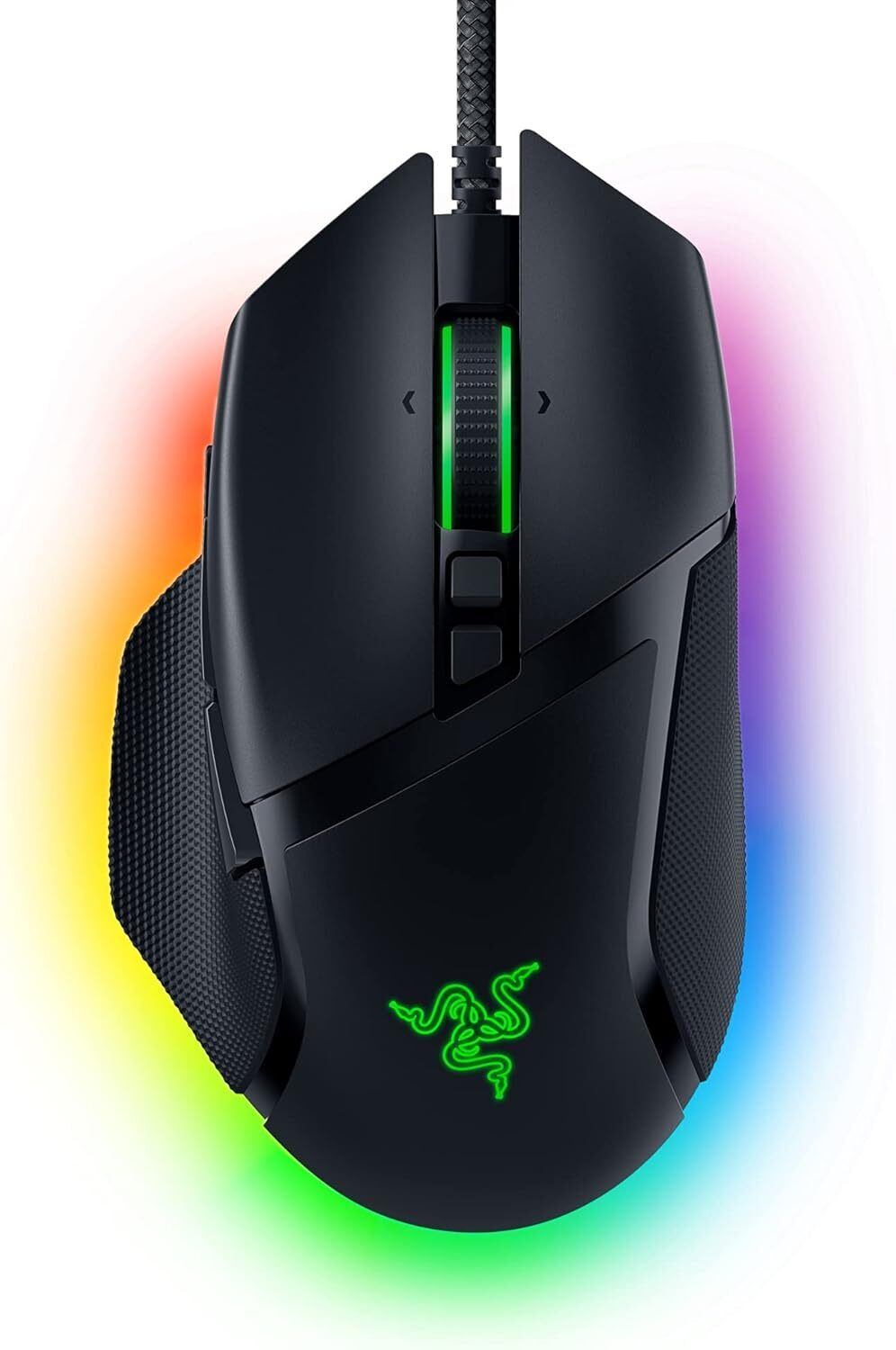
This is our well-rounded favorite best gaming mouse on this list. The Basilisk has a comfy design, lots of customizable buttons, and high-performance sensor abilities. It’s a great fit for any kind of gamer. Here are more features we love:
- 11 programmable buttons to assign secondary functions
- 11 Razer Chroma RGB lighting zones to customize from over 16.8 million colors and lighting effects
- Ergonomically designed with thumb rest and hand support
- Optical mouse switches Gen2 to eliminate unintended misclicks
- Responsive execution and 0.2ms actuation speed
- Focus Plus 26K DPI optical sensor tracks movement with no smoothing, giving you precise accuracy
- Hyper-scroll tilt wheel free spins until you stop it or change to tactile mode. This is perfect if you have a lot of skills or weapons to scroll through.
Best Wireless Option – Razer DeathAdder V3 Pro
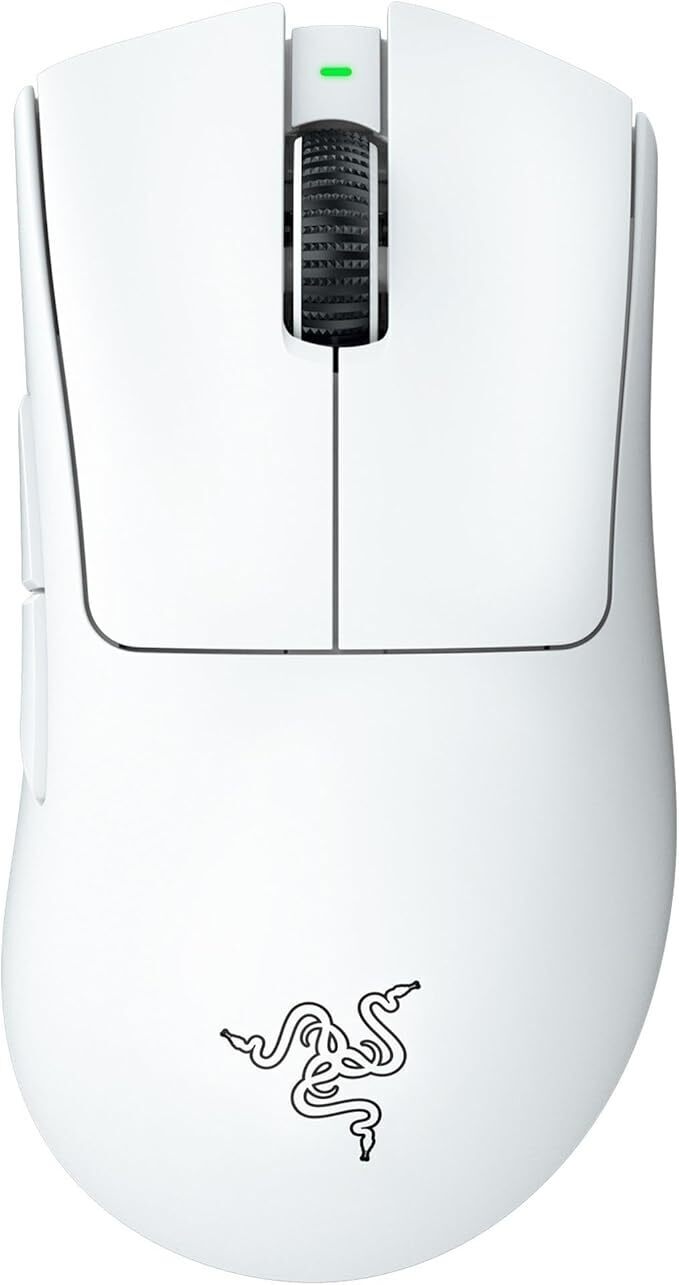
This lag-free wireless gaming mouse is highly regarded in the gaming community. The cutting edge sensor means precise tracking and it has comfortable ergonomics for long gaming sessions. Other amazing qualities:
- Focus Pro 30K optical sensor gives incredible tracking on a larger variety of surfaces, such as glass
- Ultra-lightweight
- Up to 90 hours of battery life with continuous play
- Razer Hyperspeed wireless decreases latency and improves wireless connections
- 90 million clicks, no double-clicking, no debounce delay, and 0.2ms actuation
- One of the very top gaming peripheral brands in the industry
Best for Lightweight Budget Options – Corsair Katar Pro XT
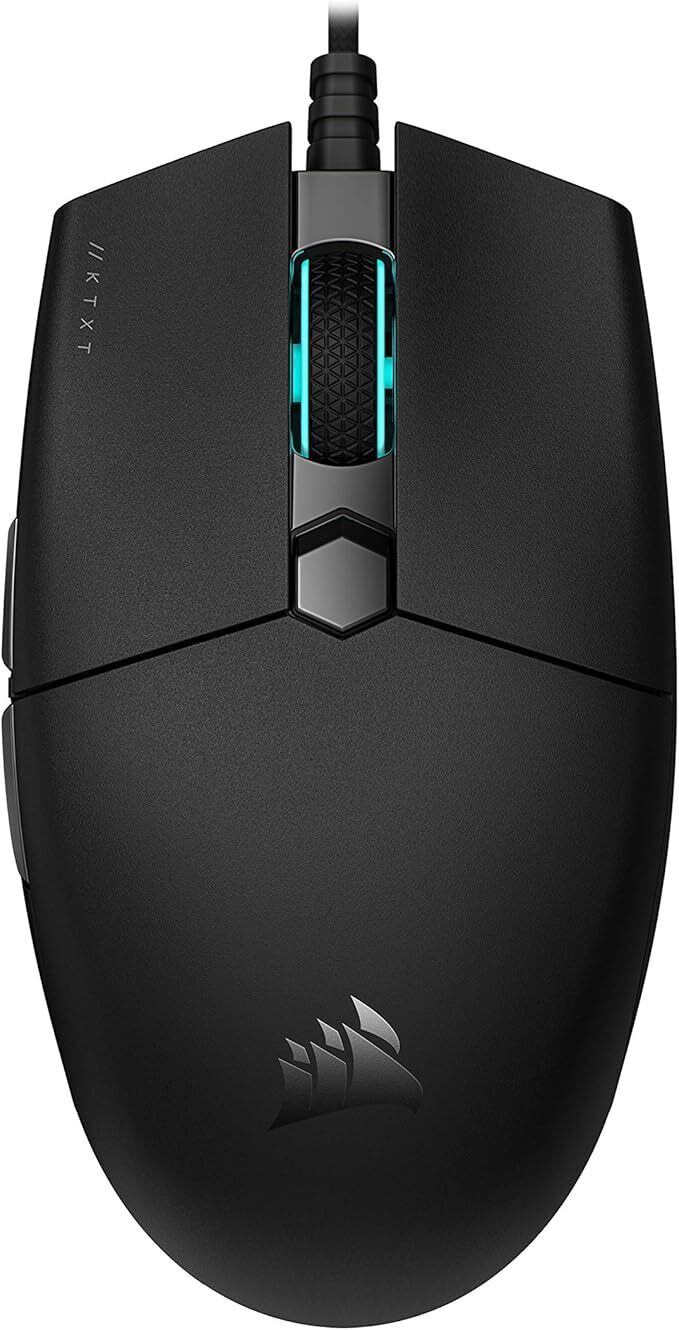
First off, if you can’t find the Katar Pro in stock on Amazon, you can buy it directly from Corsair, so don’t be discouraged. This is our favorite lightweight, affordable gaming mouse. It’s wired for greater connectivity and has a simple yet effective design. Here are more design functions:
- Compact and symmetrical, it’s ideal for finger and claw grips
- Very light and agile for quick reaction times and fast-paced gaming
- Rated for 50 million clicks
- Drag-reducing paracord cable doesn’t hinder your movements
- Quickstrike buttons have a spring-loaded design so your actions are extra responsive
- Customizable 1 DPI steps and 3 DPI presets
- 18,000 DPI optical sensor
Best Budget Alternative – Logitech G203 Lightsync
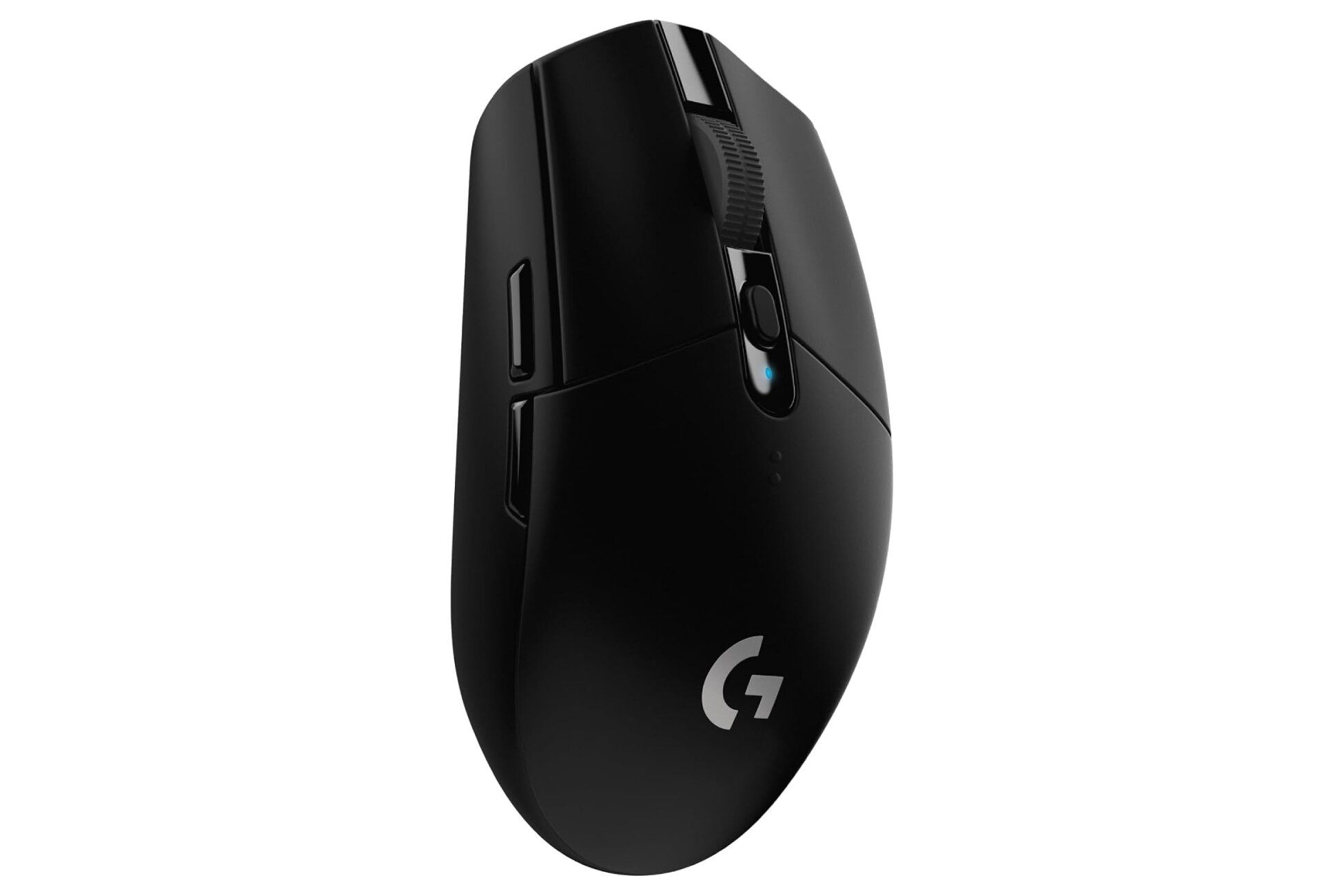
Another low-cost pick, this wired gaming mouse is precise, has a responsive sensor, and customizable buttons. It even comes in 4 different color options for those wanting that stands out. Other benefits:
- Customizable Lightsync RGB color wave effects with 16.8 million color choices
- Screen mapping options
- Customize sensitivity settings for up to 5 DPI settings
- 8,000 DPI sensor
- 6-button layout with individual customizations available through Logitech G HUB software
- Precision clicks and accurate feedback
- Classic, ergonomic design
Best for MMO/MOBA Gaming – Razer Naga V2 Pro
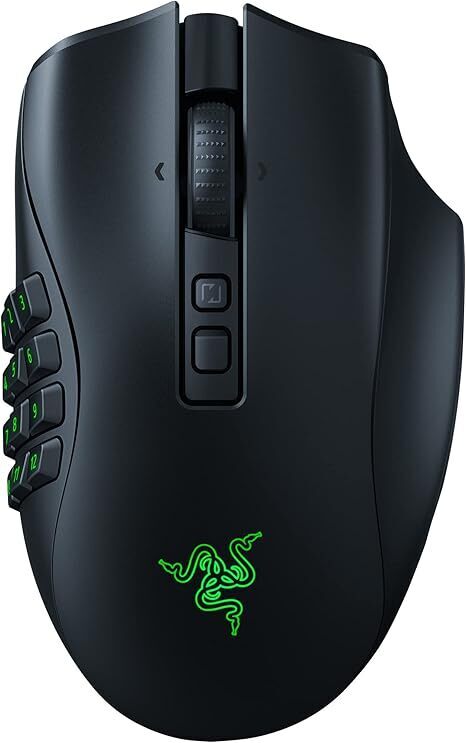
MMO (massively multiplayer online) and MOBA (multiplayer online battle arena) games have high demand requirements for players. These games are where tons of players are on the same server. Sometimes you may be working together or you may be pitted against each other. Either way, you need a very responsive best gaming mouse. The Razer Naga is the perfect fit, with a 2.4GHz wireless connection and tons of buttons for macros and abilities. If you’re serious about MMO gaming, you’ll also want to check out our guide to the best MMO mouse options available.
- 16,000 DPI sensor
- Razer hyper-scroll pro wheel lets you have precise scrolling for weapon switching
- Ultra-low latency wireless, to keep you from losing your competitive edge with other players
- 12, 6, and 2-button magnetic side plates let you program several backlit buttons
- Optical mouse switches Gen-3
- 90 million clicks
- No debounce delay with 0.2ms actuation
- 6 scroll modes
- Focus Pro 30k optical sensor gives you great tracking on more surface types
- Power lasts up to 150 hours on HyperSpeed or 300 hours via Bluetooth
- 99.8% resolution accuracy
- 3 connectivity modes
Best for Lightweight FPS – Logitech G Pro X Superlight 2
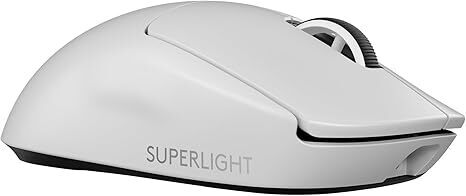
First-person shooter games (FPS) need pinpoint accuracy and the ability to react quickly. This lightweight wireless gaming mouse does both with comfort and an ergonomic design. The 95-hour battery life is a particularly nice bonus too.
- Designed in collaboration with top Esports gamers
- Zero-additive PTFE mouse feet ensure smooth gliding
- Hybrid optical-mechanical switch tech gives reliability and accuracy
- Ultra-low latency
- Optical actuation
- Most advanced optical sensor in the industry, tracking 500+ IPS and up to 32,000 DPI
- No smoothing, filtering, or acceleration
- Faster, improved report rate
Best Alternative for FPS – Zowie EC2-C
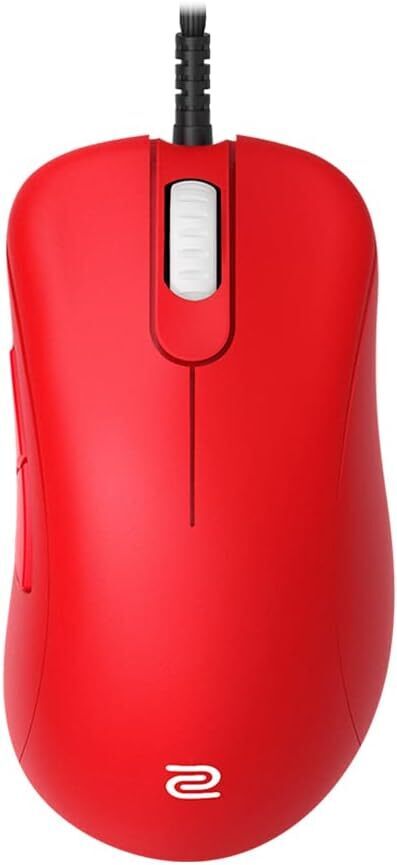
Also a great fit for first-person shooters, the wired Zowie gaming mouse is simplistic yet responsive. The sensor is one of the best available and it has an ambidextrous shape that fits either palm or claw grip comfortably:
- 3 sizing options so you find the best fit for you (small/medium/large)
- 24-step scroll wheel
- Paracord cable minimizes pull and drag while maximizing movement
- Optimized optical sensors for FPS, 3360 optical sensor with 4 adjustable DPI levels (400/800/1600/3200)
- Adjustable polling rate without the need for extra software
- 1-year limited warranty
- Cable attachment is raised and tilted to avoid mousepad interference
- Additional mouse feet included
Best for Customization – Logitech G502 X Plus
If you’re looking to make your gaming mouse your own, the G502 X Plus has tons of programmable buttons. It’s also fast, responsive, and has a high-performance sensor. Here are some of the other things it can do:
- Lightsync RGB has glowing 8 LED lighting
- Pro-grade wireless connectivity that gives 68% faster response rates than previous models
- Lightforce switches provide a hybrid optical-mechanical blend to provide precise actuation and fast response times
- Dual-mode scroll wheel that you can alternate between hyper-fast free spin or precise ratcheting mode
- Hero 25K gaming sensor improves precision with zero smoothing, acceleration, or filtering
- Reversible/removable DPI-shift button for grip preferences
- Battery can last for up to 120 hours
- Powerplay compatible with charging pad capabilities
Best for Comfort – Roccat Kone XP Air
If you tend to have long sessions, this gaming mouse might be your best choice. It’s built for comfort, has great customizable buttons, and lots of additional features. It combines ergonomics and personalization into a very useful product for any serious gamer:
- RGB rapid charge dock
- 4D wheel and 29 programmable inputs
- 3D RGB AIMO lighting with 5 programmable zones
- 100 hours of battery life
- Kone shape provides comfort for marathon gaming sessions
- 2.4 GHz wireless/Bluetooth dual connectivity
- ROCCAT Owl-Eye 19K dpi optical sensor
- Lightweight and responsive
Best for Lightweight Speed – Glorious Model O Wireless
If you want to be able to move fast, this is the gaming mouse for you. It’s zippy, lightweight, and highly responsive. It has pinpoint precision and is particularly well-suited for competitive gaming. That said, if you have trypophobia, the honeycomb design may not be your favorite. (If you can’t get this mouse on Amazon, try the Glorious Gaming website.)
- 2.4GHz wireless connectivity for some of the lowest latencies on the market
- 71 hours of battery life in wireless mode, or you can play as it charges too
- 400 IPS tracking speed
- 19,000 Max DPI
- Up to 1,000Hz polling rate
- Customizable RGB with 16.8 million color possibilities
- Honeycomb shell keeps it lightweight while also adding durability
- 6-button, ambidextrous design
- Pixel perfect tracking
Best RGB Gaming Mouse – SteelSeries Aerox 5 Wireless
If lighting is part of your setup’s personality, then the SteelSeries Aerox 5 Wireless is an easy choice for your best gaming mouse with RGB flair.
This mouse balances flashy lighting with serious gaming hardware. The RGB zones are bright and customizable without feeling gimmicky, and, as a lightweight mouse, it’s agile during fast-paced play.
Besides looks, here are some other ways this one stands out:
- Customizable RGB lighting with multiple zones
- Lightweight design that still feels solid
- Responsive sensor for competitive gaming
- Comfortable shape for long sessions
- 180-hour wireless performance
Best Ambidextrous Gaming Mouse – Razer Viper Ultimate
If you’re left-handed or prefer a symmetrical design, the Razer Viper Ultimate is one of the safest bets you can make. The mouse is built specifically for ambidextrous use; it has a shape that feels natural no matter which hand you play with.
Other reasons to prefer this gaming mouse include:
- Lightweight and easy to control
- Excellent wireless responsiveness
- Optical switches for fast clicks
- Comfortable for claw and fingertip grips
Best Budget Wireless Gaming Mouse – Logitech G305 Lightspeed
The Logitech G305 Lightspeed hits a sweet spot if you want wireless freedom without paying a premium price. It keeps things simple and reliable (and affordable) while still delivering performance that holds up in competitive games.
You’ll like this best gaming mouse if you want:
- An affordable wireless option with low latency
- An excellent sensor accuracy for the price
- Up to 250 hours of battery life on a single AA battery
- A straightforward design that just works
More Wireless Gaming Mouse Options
There are lots of great wireless gaming mouse options among our favorites, with low latency and strong connections to reduce or eliminate lag.
That said, if you prefer wired mice to prevent any possibilities of connection problems, here is a reminder of the wired products in our list:
Tips When Shopping for the Best Gaming Mouse
Picking out the right best gaming mouse among the many hundreds of options can be stressful. And that’s compounded when you start to take a look at all the specs and buzzwords that companies and users throw around.
Here are some things to keep in mind when shopping around that can make the decision a