Free Trial VPN: Best VPNs to Try Before You Buy
If you’re planning to invest in a virtual private network service, trying it first can make the decision a lot easier. That’s where this free trial VPN guide comes in, so you can quickly see which providers let you test things before you spend any money.
We’ll walk through pros and cons, security and privacy protections, trial durations, and core features. You’ll also see how device compatibility stacks up, plus which platforms let you sign up without sharing any payment details. By the end, you’ll know the best free trial VPN options to try before you buy.
Why Try a Free Trial VPN?
Virtual private networks (VPNs) create a secure tunnel that encrypts data and keeps browsing habits private. VPNs hide your IP address (and therefore your location) and help shield data from hackers and third parties that want to track activity.
Because VPNs play such a big role in online safety in an increasingly risky digital landscape, more people rely on them for secure browsing. At the same time, the huge number of options can feel overwhelming.
Using a free trial VPN gives you space to test online safety, privacy protection, and day-to-day functionality. You can even try multiple providers back-to-back to see which one fits your routine, streaming services, and devices. Many leading VPNs offer risk-free testing, often without a credit card. For platforms that do require payment details, you usually get a generous money-back guarantee, so you still have plenty of ways to try before buying.
How Free Trial VPNs Work

VPN services offer free access in a few main ways. While they tend to follow similar patterns, knowing how each one works helps you pick the right option. Here’s a quick overview of common terms:
- Trial periods: This is the length of time you can use a free trial VPN without being charged. Common windows are 24 hours, 7 days, or 30 days. Some of these trials don’t require payment information, while others do.
- Free plans: Certain VPN providers offer forever free plans, which means you can use a limited version of the VPN without paying. These plans usually restrict features and performance, but they work well if you want to get a feel for the service before spending money. Just make sure you choose a reputable provider. Many free VPNs are unsafe, may sell your data to third parties, or even install malware on your device.
- Money-back guarantee: This type of risk-free testing gives you full access to the VPN, but you must actually pay upfront. You then have a set period to change your mind, effectively letting you use the VPN for free during that window. Just remember to request the refund well within the time limit.
Best Free Trial VPNs in 2026
In a hurry? Use this quick VPN comparison table to scan the best free trial VPN options available right now.
| VPN | CyberGhost | Surfshark | NordVPN | ExpressVPN | IPVanish | ProtonVPN | Hide.me | PIA |
| Trial Type | True free trial (no payment on Windows/macOS) + money-back guarantee | True free trial (via App Store/Play Store) + money-back guarantee | True free trial (Android via Google Play only) + money-back guarantee | Money-back guarantee only | True free trial (iOS/Android via stores) + money-back guarantee | Forever free plan + money-back guarantee on paid plans | Forever free plan + money-back guarantee on paid plans | True free trial (iOS/Android via stores) + money-back guarantee |
| Trial Duration | 24-hour free trial (Windows/macOS); 3-day trial (Android); 7-day trial (iOS); 45-day money-back guarantee | 7-day free trial (iOS/Android); 30-day money-back guarantee | 3-day free trial (Android via Google Play); 30-day money-back guarantee for all other platforms | 30-day money-back guarantee | 7-day free trial (iOS and Android); 30-day money-back guarantee (annual/2-year plans only) | Free plan (no expiry); 30-day money-back guarantee on paid plans | Free plan (no expiry); 30-day money-back guarantee on paid plans | 7-day free trial (iOS and Android via stores); 30-day money-back guarantee |
| Trial Platforms | Windows and macOS (no payment); iOS and Android (via App Store/Play Store) | iOS and Android (7-day trial); all platforms (30-day money-back) | Android only (3-day trial via Google Play); all platforms (30-day money-back) | All supported platforms (money-back only) | iOS and Android (7-day trial); all platforms (30-day money-back on eligible plans) | All platforms (free plan); all platforms (money-back on paid) | All platforms (free plan); all platforms (money-back on paid) | iOS and Android (7-day trial via stores); all platforms (30-day money-back) |
| Devices During Trial | Varies by platform; full plan device limits apply on money-back | Up to 3 devices during 7-day free trial; unlimited on paid plans | Up to 10 simultaneous connections | Up to 8 (base plan) or 14 (top tier) | Unlimited simultaneous connections | 1 device on free plan; unlimited on paid plans | 1 connection on free plan; up to 10 on paid plans | Unlimited simultaneous connections |
| Full Features or Restricted? | Full premium access during trial | Full premium access during trial | Full access to chosen plan tier | Full access to chosen plan tier | Full access during trial | Restricted: 5 server countries, slower speeds on free plan; full access on paid | Restricted: 8 server locations, speed limits on free plan; full access on paid | Full premium access during trial |
| Qualifying Plans | Any plan for money-back; desktop trial requires no plan signup | 12-month and 24-month plans qualify for 7-day free trial | Any plan for money-back; Android trial initiated via Google Play | Any plan | Annual plan for 7-day free trial; annual or 2-year plan for 30-day money-back | N/A for free plan; any paid plan for money-back | N/A for free plan; any paid plan for money-back | Via App Store or Google Play for 7-day trial; any plan for 30-day money-back |
| After Trial Ends | Auto-renews to paid plan unless canceled | Auto-renews to paid plan unless canceled before trial ends | Auto-renews to paid plan unless canceled | Auto-renews to paid plan unless refund requested within 30 days | Auto-renews; month-to-month plans not eligible for refund | Free plan continues indefinitely; paid plan auto-renews | Free plan continues indefinitely; paid plan auto-renews | Auto-renews to paid plan unless canceled before trial ends |
| Credit Card Required? | No card needed for Windows/macOS free trial | Yes (via App Store or Play Store billing) | Yes | Requires payment info | Yes (via App Store or Play Store billing) | No for free plan | No for free plan | Yes (via App Store or Play Store billing) |
| Standout Features | 45-day money-back guarantee | Unlimited connections on paid plans | Fast, with extensive server network | High speed | Advanced VPN tier with extra features | Forever free plan | Unlimited data, even with free plan | Open source; 7-day mobile free trial |
How We Evaluated These Free Trial VPNs
Ranking VPN free trials is not as simple as listing who has the longest window. Trial terms, restrictions, and cancellation mechanics vary significantly between providers, and the details matter a great deal for anyone trying to avoid surprise charges or wasted time. Here is how we assessed each provider on this list.
- Payment requirements: We prioritized providers that let you test the service without entering credit card details, and clearly labeled those that require upfront payment before any risk-free access begins.
- Real trial length: We verified the exact number of days available through each path — desktop free trial, mobile App Store trial, and money-back guarantee — rather than treating them as equivalent.
- Platform coverage: We checked which specific devices and operating systems qualify for each trial type, since some providers only offer a true free trial on mobile while desktop users must rely on a paid refund window.
- Signup and cancellation ease: We walked through the signup and cancellation flow for each shortlisted provider to assess how straightforward the process is and whether cancellation requires contacting support or can be handled self-serve.
- Full access vs. restricted trial: We noted whether the trial delivers full premium features or a limited version of the service, since testing a restricted build does not give you an accurate picture of what you are paying for.
- Simultaneous device limits: We recorded how many devices you can connect at once during the trial period, which often differs from the limits on paid plans.
- Speed and leak protection: We ran speed tests across multiple server locations and checked for DNS, IPv6, and WebRTC leaks to confirm that each recommended provider actually protects your traffic rather than just claiming to.
- Qualifying plan terms: We confirmed which subscription lengths are eligible for a free trial or money-back guarantee, since several providers exclude month-to-month plans from refund eligibility.
Only providers that passed on privacy fundamentals — an independently audited no-logs policy, strong encryption, and a functioning kill switch — were considered for inclusion, regardless of how generous their trial terms appeared.
Detailed Reviews: Top VPNs with Free Trials
Now that you have a high-level view of which providers offer what, let’s go deeper into the details. In this section, you’ll see which free trial VPN options work best for iOS or Macs, which ones come with the longest trial periods, what “forever free” really means, and more.
CyberGhost
Trial Period:
- 24-hour free trial for Windows and macOS
- 3-day trial for Android
- 7-day free trial for iOS
- 45-day money-back guarantee for full plans
Device Compatibility:
- Windows
- Fire TV
- iOS
- macOS
- Android
- Smart TVs
- Fire TV
- Chrome
- Firefox
- Linux
- Gaming consoles
- Android TV
Payment information needed:
- For Windows: No
- For Mac: No
- For iOS: Yes
- For Android: Yes
Pros:
- One of the most generous refund time periods of any VPN
- Lots of device compatibility
- Free trial provides an unlimited plan with full, premium access to all features and servers
- Robust VPN features overall
Cons:
- Free trial structure varies by device and can be confusing
- Free trials are limited to specific operating systems, so it’s not a great trial VPN for Linux and some other platforms
- Can be slightly slower than certain competitors
CyberGhost is a strong free trial VPN option for Windows, iOS, Android, and Mac, and our CyberGhost free trial guide breaks down exactly how to access it. It’s actually a solid VPN for many types of devices, but the official free trial only covers those four operating systems, so keep that limitation in mind. If you want more flexibility, you can use the very generous 45-day money-back guarantee on almost any supported device, although that does require upfront payment.
On the security and privacy side, CyberGhost performs well. The service uses industry-leading encryption, maintains a no-logs policy, and operates from Romania, where robust privacy laws offer extra protection.
For VPN extras, CyberGhost checks a lot of boxes: unlimited bandwidth, global servers in over 100 countries, zero throttling for streaming or gaming, split-tunneling, and several more advanced tools. If you decide to stick with a paid plan, introductory pricing is competitive, typically ranging from $2.19 to $12.99 per month, depending on commitment length.
Surfshark
Trial Period:
- 7 days
- An additional 30-day money-back guarantee technically gives you 37 days
Device Compatibility:
- Android
- Chrome
- Windows
- Mac
- iOS
- Firefox
- Linux
- Apple TV
- Fire TV
- Edge
Payment information needed:
- Yes
Pros:
- 4,500+ VPN servers in 100 countries
- Apps for all major platforms and devices
- Free trial includes use of advanced cybersecurity tools
Cons:
- Can only use the free trial on 3 devices, even though the pay to use plan is unlimited
- Must give payment information for free trial
- Can only get a free trial on 12-month and 24-month plans
Surfshark is one of our favorite VPN providers overall, and our Surfshark free trial guide explains how to access it. Performance is fast, apps feel responsive, and unlimited simultaneous connections on paid plans stand out, since that perk remains somewhat rare in the VPN space. That said, only paid members get unlimited devices; the free trial VPN access allows use on just 3 devices.
Other strengths include 4,500+ servers in 100 countries, so you have plenty of global options, plus an independently verified no-logs policy. Surfshark apps work with all major operating systems, browsers, and many smart TVs.
Beyond the basics, Surfshark excels in advanced features and security tools. Highlights include data breach alerts, malware protection, tracker and ad blockers, and modern protocols such as WireGuard, IKEv2, and OpenVPN. Rotating IPs and Dynamic MultiHop add yet another layer of protection. For users who upgrade to a paid plan, introductory prices remain highly competitive, usually between $1.99 and $4.19 per month.
NordVPN
Trial Period:
- 3 days for Android users
- For all other devices, no traditional free trial, but a 30-day money-back guarantee
Device Compatibility:
- Mac
- Linux
- iOS
- Android
- Windows
- Firefox
- Chrome
- Edge
- Smart TVs
- Routers
- Tablets
Payment information needed:
- Yes
Pros:
- 7,000+ VPN servers across 118 countries
- 10 simultaneous connections
- OpenVPN, NordWhisper, and NordLynx protocols
- 24/7 live chat customer support
Cons:
- Free trial is limited to Android users only
- Renewal fees are significantly higher than introductory prices
- Can be a bit more expensive than other options
If you’re looking for an official free trial VPN, NordVPN is a good VPN for Android users, who get a 3-day trial through Google Play. Everyone else needs to buy a plan first, then use the 30-day money-back guarantee to test the service. While that isn’t ideal for anyone wanting a no-strings experience, it does give you full access to your chosen tier, including every feature.
Even with its limited free trial setup, NordVPN ranks among the top providers on the market. The service runs a network of 7,000+ servers across 118 countries worldwide, covering the vast majority of locations most users will ever need. NordVPN also offers fast speeds, with some servers reaching up to 10 Gbps.
Security and feature sets are likewise strong. Users get unlimited bandwidth, integrated ad-blocking, dedicated IP options, dark web monitoring, double VPN, private DNS, and more advanced capabilities. While pricing can be a touch higher than budget VPNs, introductory deals typically range from $2.99 to $6.89 per month.
In many cases, you genuinely get what you pay for with NordVPN: performance, reliability, and a long list of premium features that make it a top-tier free trial VPN option worth considering.
ExpressVPN
Trial Period:
- 30-day money-back guarantee
Device Compatibility:
- Mac
- Linux
- iOS
- Android
- Windows
- Firefox
- Chrome
- Edge
- Smart TVs
- Routers
- Tablets
Payment information needed:
- Yes (multiple payment methods supported)
Pros:
- Tracker and ad blockers
- Servers in 105 global locations
- Unlimited bandwidth
- Lightway protocol
Cons:
- Up to 14 simultaneous connections only on the highest tier plan
- More expensive than many VPN providers
ExpressVPN does not offer a separate free trial VPN period; instead, you get a 30-day money-back guarantee. Some users find this less appealing, since you must pay upfront before deciding whether to stick with the service.
Even so, ExpressVPN remains a strong choice for anyone who values a reputable brand with premium features. Security tools include DNS/IPv6 leak protection, a kill switch, post-quantum encryption support, and a strict no-logs policy. ExpressVPN is also headquartered in the British Virgin Islands, a jurisdiction without mandatory data retention laws, which many privacy-minded users appreciate.
Only the top-tier plan supports up to 14 devices at once, though even the base plan includes 10 connections, which is still generous. For users who choose the most expensive tier, extra benefits such as Identity Defender and Dedicated IP add value, alongside advanced security enhancements.
ExpressVPN also offers 24/7 live chat support and several next-generation 10-Gbps servers. Pricing tends to run slightly higher than that of some rivals, with introductory plans generally between $3.49 and $7.49 per month.
IPVanish
Trial Period:
- 7-day free trial for iOS and Android users, 30-day money-back guarantee for all others
Device Compatibility:
- Windows
- macOS
- iOS
- Android
- Chrome
- Firefox
- Linux (Debian or RedHat-based distros)
- Router firmware
Payment information needed:
- Yes
Pros:
- 56,000+ IP addresses
- 24/7 customer support via live chat, email, or phone
- Unlimited connections
- Independently audited no-logs policy
Cons:
- Getting the free trial through Apple or Google Play can be complicated
- Fewer servers than some other providers
- 30-day refund only available with yearly or two-year plans
IPVanish operates around 3,200 servers in 150+ locations worldwide. While that total is smaller than that of some competitors, it still covers most users’ needs. IPVanish focuses on high-speed, stable connections, which work well for streaming and online gaming with minimal lags or buffering. Unlimited simultaneous connections add further appeal for households with many devices.
Several features help IPVanish stand out. Double Hop VPN lets you route traffic through two servers for extra privacy. Threat Protection blocks malicious websites and trackers. iOS-specific tools such as On Demand, along with customized split tunneling, give more control over traffic routing. Extra security tools like QR Checker help scan QR codes for suspicious elements before you open them.
For a true free trial VPN experience, you must use Apple or Android mobile devices, and the trial lasts 7 days. It only applies to yearly subscriptions, which you can cancel within 30 days for a full refund. If you choose the 2-year plan, you lose the 7-day free trial but still have access to the 30-day refund period. Month-to-month plans are not eligible for refunds, which makes things a bit confusing. To clarify the specifics, you can review the official IPVanish free trial guide.
Proton VPN (free plan)
Trial Period:
- 30-day money-back guarantee for paid plans
- Completely forever free plan also available
Device Compatibility:
- Windows
- macOS
- Android
- iOS
- Linux
- Chrome
- Firefox
- Chromebook
- Android TV
- Apple TV
Payment information needed:
- Yes, for the 30-day guarantee on pay-to-use plans
- No payment needed for the forever free plan
Pros:
- No-logs policy is externally audited
- Forever free plan offers simplified but reliable VPN capabilities
- Paid tiers offer premium features and tools
- Free plan has no ads, no data caps, and no speed limits
Cons:
- Many advanced features remain behind a paywall
- Slower speeds and other limitations for the free plan
Free VPN services deserve caution. Providers still need revenue, and many rely on heavy ads, data sales to third parties, or even hidden malware to stay profitable. Despite this, a few reputable free VPN options exist, and Proton VPN is one of them.
Proton VPN can offer a no-cost tier because it also sells paid plans, which help fund the service. The free tier works as a safe testing ground so you can understand how VPNs function and figure out which features you actually value. It’s an especially good fit for users who are brand new to VPNs and want a free trial VPN experience without any time pressure.
The free plan carries noticeable limitations, so power users will likely upgrade quickly. For instance, you can only secure one device at a time, only access servers in 5 randomly selected countries, and experience slower speeds. Even so, you still receive core protections like a kill switch, Stealth Protocol access, and basic VPN security.
That combination makes Proton VPN’s free tier a low-risk way to experiment without watching the clock on a trial period. For anyone who wants the full experience, the 30-day money-back guarantee on Proton VPN’s paid plans offers another risk-free path.
Hide.me (free plan)
Trial Period:
- 30-day money-back guarantee for paid plans
- Forever free plan is also available
Device Compatibility:
- Windows
- macOS
- Android
- iOS
- Linux
- Chrome
- Firefox
- Chrome-
- book
- Android TV
- Apple TV
Payment information needed:
- No payment needed for the free plan
- Payment required for the 30-day refund option
Pros:
- Price guarantee for paid plans avoids deceptive pricing or sudden renewal hikes
- Free plan has no data limitations
- No-logs policy on all plans
- Free plans still includes robust security protections
Cons:
- Free plan is heavily limited in features
- Speeds on the free plan are restricted
Like Proton VPN, Hide.me is one of the few free VPN providers we’re comfortable recommending. As with any free trial VPN or free plan, you should expect some limitations. With Hide.me’s free plan, you only get one connection at a time, speed restrictions, and access to just 8 server locations. On the positive side, you don’t need to provide payment information or even create an account to use the service.
Additional benefits on the free plan include 99.9% uptime, no data caps, no ads, and no logging of your online activity, plus 24/7 customer support that extends to free members, which remains rare.
Hide.me delivers decent functionality on the free tier, but the real value surfaces at higher-tier levels. For example, streaming-optimized servers only appear on premium plans. As usual, you get what you pay for. Being able to try a free trial VPN version, however, lets you learn the interface, test privacy tools, and decide whether a higher-tier plan justifies the cost. If you upgrade, you’ll have 30 days to request a refund, and pricing remains fairly competitive.
Private Internet Access (7-day free trial + money-back guarantee)
Trial Period:
- 7-day free trial for iOS and Android users (via App Store and Google Play)
- 30-day money-back guarantee for all plans
Device Compatibility:
- Mac
- Linux
- iOS
- Android
- Windows
- Firefox
- Chrome
- Edge
- Smart TVs
- Routers
- Consoles
Payment information needed:
- Yes (via App Store or Google Play billing for the 7-day trial)
Pros:
- Unlimited bandwidth
- No-logs policy
- OpenVPN, WireGuard, and IPSec encryptions
- Unlimited device connections
Cons:
- 7-day free trial only available on iOS and Android via the respective app stores
- Add-ons cost extra
- Fewer servers than some competitors
Private Internet Access (PIA) suits users who want strong security, powerful features, and open-source transparency. Anyone can inspect the code to understand how the apps and protocols function, which boosts confidence that there are no hidden surprises or malicious components.
Mobile users on iOS and Android can access a genuine 7-day free trial by downloading PIA directly from the Apple App Store or Google Play Store. The trial starts through the store’s billing system, so you will need an Apple ID or Google account with a payment method on file. If you do not cancel before the 7 days are up, the subscription auto-renews. Desktop and other platform users do not qualify for the free trial but can take advantage of the 30-day money-back guarantee across all plan types, which requires payment upfront followed by a refund request if you decide not to continue.
Other perks include a free email breach monitor, a 10-Gbps network backbone for higher speeds, and 24/7 customer support available in English, French, German, and Romanian. PIA also allows unlimited simultaneous connections across devices, which works nicely with split tunneling for smoother performance.
Advanced features such as an enhanced kill switch, obfuscation, port forwarding, and DNS leak protection further round out PIA’s toolkit. Introductory plans are budget-friendly, usually between $1.98 and $11.95 per month depending on the tier. As with most VPNs, renewal prices rise after the initial term, so keep an eye on future costs.
How to Set Up and Use a Free Trial VPN
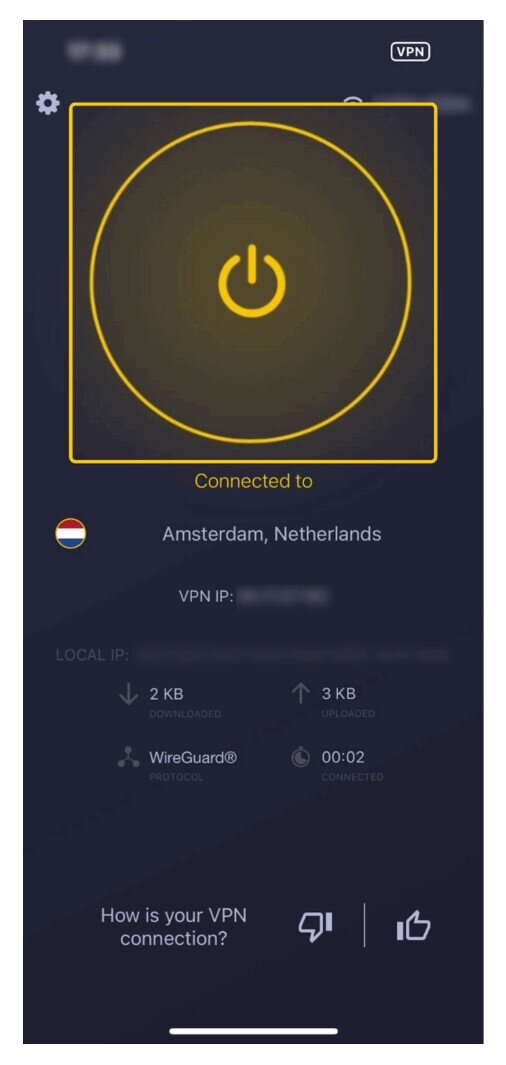
[file:set-up; alt:CyberGhost VPN on phone screen]
Because VPN providers use a couple of different approaches for free access, we’ll walk through how to set up both common types: trials without payment information and trials that require payment information.
VPN set up for free trial without payment info:
- 1. Find a platform that offers a free trial without requiring payment info (such as CyberGhost for Windows or Mac).
- 2. Download the VPN from the provider’s website or the official app store for your device.
- 3. If prompted, create your trial account and save your login credentials.
- 4. Connect to the VPN from your user dashboard. Most free trials give full access to features, but this varies by provider.
If you’re using a forever free VPN, you don’t need to worry about an expiration date, but you will need to accept limitations on features, servers, or speeds.
VPN set up for free trial with payment info:
- 1. Choose a plan that qualifies for a free trial or 30-day money back guarantee, depending on how your provider structures “risk-free” testing.
- 2. Enter your email address and payment information at checkout.
- 3. Create your account and record your login information.
- 4. Download the VPN from the provider’s website or the official app store for your device.
- 5. Log in, open your dashboard, connect to a server, and start using any features included in your plan.
- 6. Set reminders to cancel your service before the trial or refund window ends so you don’t accidentally keep a plan you didn’t intend to keep.
Tips for Getting the Most From Your Free Trial VPN
While you’re in your free trial VPN period, you’ll want to squeeze as much insight out of it as possible. Consider the following tips:
- Install the VPN on the devices you actually plan to use, so you can verify real-world performance.
- Double-check device compatibility and whether the VPN truly works as a VPN for all platforms you rely on, including smart TVs, consoles, or specific browsers.
- Test online safety features to confirm that the VPN is genuinely protecting your traffic.
- Check internet speeds and performance changes. For example, try streaming Netflix or other high-bandwidth services and see how smooth the experience feels.
- Make sure your chosen plan qualifies for a refund, as many month-to-month subscriptions do not.
How to Cancel a VPN Free Trial and Get a Refund
Canceling a VPN free trial is one of the most important steps to get right, because nearly all trials auto-renew to a paid subscription the moment the trial period ends. The exact cancellation process depends on how you originally signed up, so it helps to know which path applies to you before the deadline arrives.
Canceling a Trial Started Directly on the VPN Website
If you signed up through the VPN provider’s own website, cancellation and refund requests are handled through your account on that same site. Log in to your account dashboard, navigate to the subscription or billing section, and look for a cancel or request refund option. If the self-serve option is not obvious, contact the provider’s live chat support and ask them to process the cancellation or refund directly. Most providers that offer a money-back guarantee require you to submit the refund request before the deadline — they will not automatically issue one when the window closes.
Canceling a Trial Started Through the Apple App Store
If you started your free trial by downloading a VPN from the Apple App Store, your subscription is billed through Apple, not through the VPN provider. That means you must cancel through your Apple ID settings, not through the VPN app itself. On your iPhone or iPad, go to Settings, tap your name, select Subscriptions, find the VPN subscription in the list, and tap Cancel Subscription. On a Mac, open the App Store, click your name in the sidebar, and manage your subscriptions from there. Canceling the app or deleting it from your device does not cancel the subscription.
Canceling a Trial Started Through Google Play
If you signed up for a VPN trial through the Google Play Store, billing goes through Google. Open the Google Play app on your Android device, tap your profile icon, go to Payments and subscriptions, select Subscriptions, find the VPN, and tap Cancel subscription. You can also manage this through play.google.com in a browser. As with the App Store, deleting the VPN app does not stop billing.
Key Warnings Before You Cancel
- Trials auto-renew without warning. Set a calendar reminder at least two days before the trial end date to give yourself time to complete the cancellation process.
- Money-back guarantees usually require a separate refund request. Canceling a subscription stops future charges but does not automatically trigger a refund for the amount already paid. You need to contact the provider and explicitly request the refund within the guarantee window.
- Some providers only honor refunds on annual or multi-year plans. Month-to-month subscriptions are frequently excluded from money-back guarantees, as is the case with IPVanish. Always check the terms before you subscribe.
- App Store and Google Play refunds follow the store’s own policies. If you want a refund on a trial that billed through Apple or Google, you may need to request it through the respective store’s refund process rather than through the VPN provider, since the provider does not control those transactions.
Free Trial VPNs vs. Free VPN Plans vs. Money-Back Guarantees
We already covered broad definitions for free trials, free plans, and money-back guarantees, but a quick comparison of pros and cons makes it easier to decide which method you prefer for risk-free testing when choosing a free trial VPN.
| Free Trials | Free Plans | Money-Back Guarantees | |
| Pros | May not always require payment info Often provide full or nearly full functionality for testing Ideal if you’re seriously evaluating a provider | Great forever free unlimited plan so you never have to pay Often don’t require any payment info Perfect for users with very light VPN needs | You can usually try any plan with full functionality and feature access Works well for users who want the complete experience before committing |
| Cons | Trial periods are often quite short May require payment information, which forces you to cancel before auto-renewal starts | Features are heavily limited Finding a truly reputable free VPN provider can be difficult | Requires upfront payment information You must remember to cancel and request a refund before the guarantee window ends |
What to Look for in a Free Trial VPN
If you care about strong privacy and secure browsing, a VPN is essentially a must-have. Instead of grabbing the first free trial VPN available, it helps to think about what the full VPN brings to the table and whether that long-term value matches your needs. If cost is part of that equation, comparing current deals on a PrivateVPN coupon page can also help. Watch for these key features when you evaluate providers:
- Privacy protections: Verify that user privacy truly sits at the top of their priorities. Look for a third-party audited no-logs policy, which confirms that the provider doesn’t store identifying data. This is a must-have for most users.
- Secure browsing features: Strong encryption and modern VPN protocols are essential so that your browsing activity remains protected.
- Device compatibility: While most VPNs support major operating systems, broader compatibility is always better. If you use Linux, ensure it’s supported. If you rely on specific smart TVs, browsers, or gaming consoles, confirm that the VPN works well there too. Aim for a VPN for all platforms you regularly use.
- Free trial duration period: If you want to try before you buy, make sure you have enough time to explore essential features and performance before you commit.
- Payment options: For free trials, see whether you can avoid sharing credit card details entirely. For money-back guarantees, remember that you’ll pay first, then request a refund if you’re not satisfied.
- VPN features: Look for must-have tools such as obfuscated servers, a kill switch, large server fleets, IP masking, and other advanced privacy options.
Conclusion
VPNs are quickly becoming a standard part of everyday browsing for many users. Privacy and security protection grow more important as the digital world continues to evolve. If you’re ready to explore this space, trying a free trial VPN or using a money-back guarantee gives you a low-risk way to see how VPNs fit into your routine.
With the right service, you can keep your browsing habits private, better protect your identity and location, and even access geo-blocked content that would otherwise stay out of reach. Free trial VPN options let you test whether all that extra protection and flexibility feels worth it to you.
You can pick a reputable provider, test online safety and privacy features, and do it all without long-term risk or commitments. Even mildly curious users can experiment with forever free plans just to get some hands-on experience and see how VPNs work in practice.
