How to Search Instagram By Phone Number
You cannot find someone on Instagram by typing a phone number directly into the search bar — Instagram blocks that for privacy reasons. The only official method is contact syncing, which surfaces accounts linked to numbers in your phone’s contacts. If that doesn’t work, there are several other approaches worth trying. This guide covers every working method, explains why some searches fail, and shows you how to protect your own privacy in the process.

Editor's Pick May 2026

Find Instagram Accounts by Phone Number
Instagram doesn’t offer a direct phone number search, but there are a few native methods that use phone numbers indirectly. Here’s how each one works.
Find People You Know via Contact Syncing
When you allow Instagram to access your phone’s contacts, it matches those numbers against accounts that have linked their phone number to Instagram. The results appear in the “Discover People” section of your profile.
Note: These steps reflect Instagram’s current UI on iOS and Android. The exact labels may vary slightly depending on your app version.
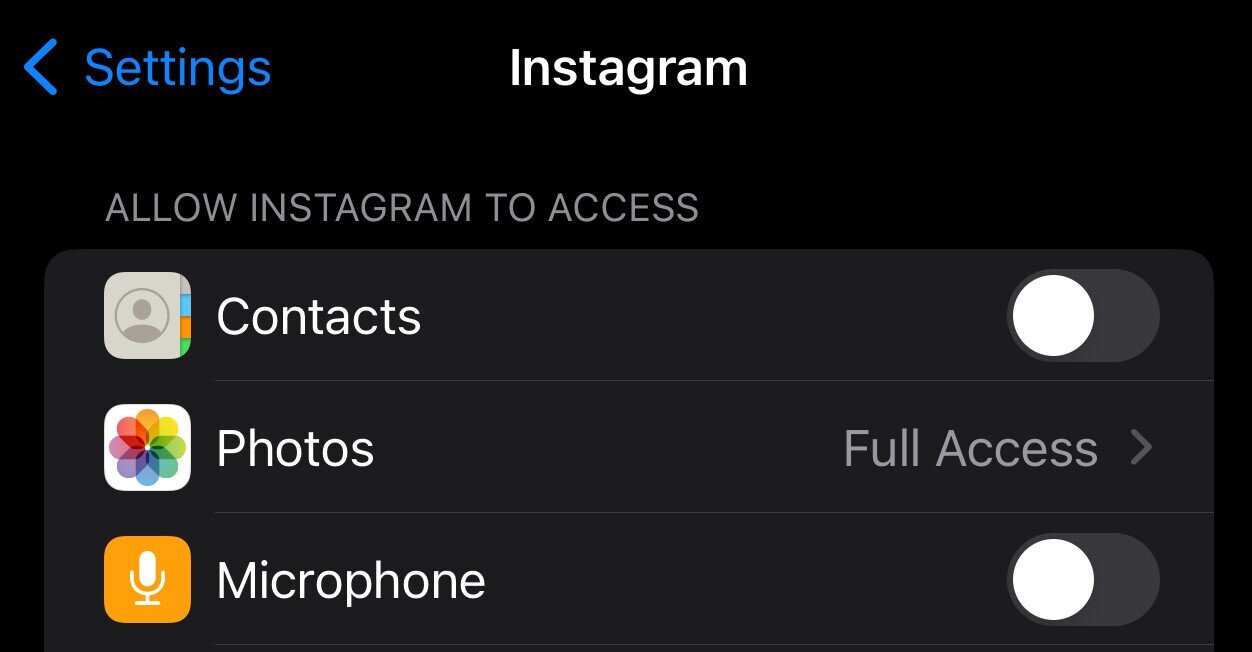
Step 1 — Grant Instagram access to your contacts (do this on your phone first):
On iPhone (iOS):
- Add the person’s number to your phone contacts.
- Open the Settings app.
- Scroll down and tap Instagram.
- Tap Contacts and set it to On.
On Android:
- Add the person’s number to your phone contacts.
- Open the Settings app and go to Apps.
- Tap Instagram, then Permissions.
- Tap Contacts and select Allow.
Step 2 — Enable contact syncing inside Instagram:
- Open the Instagram app.
- Tap your profile picture in the bottom right to go to your profile.
- Tap the hamburger menu (three lines) in the top right corner.
- Tap Settings and Privacy.
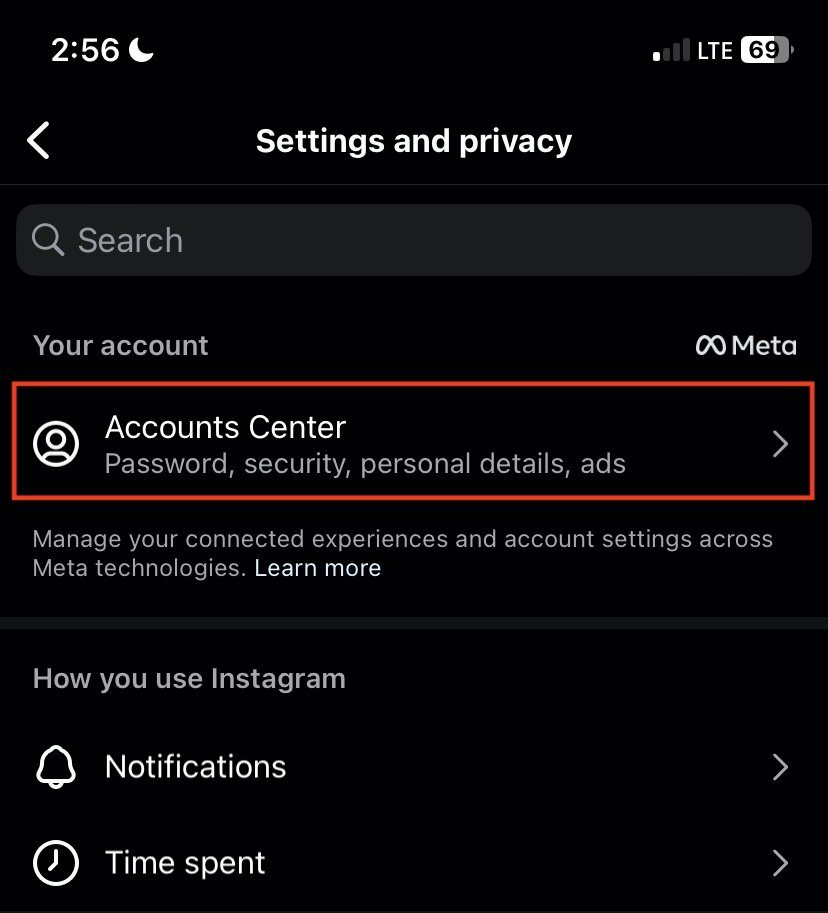
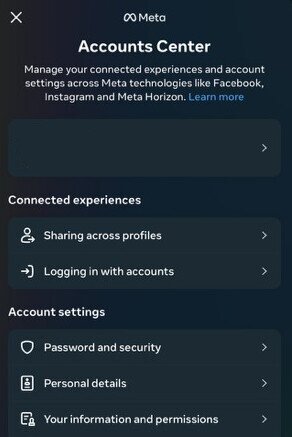
- Tap Accounts Center.
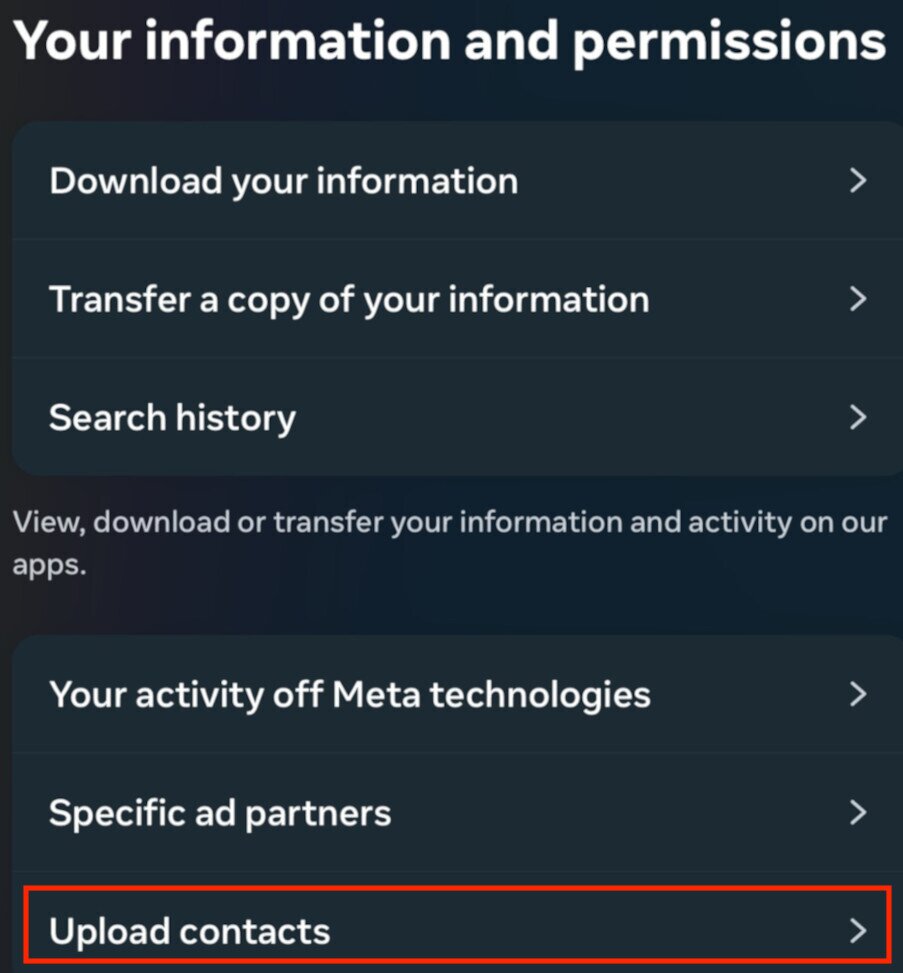
- Tap Your Information and Permissions.
- Tap Upload Contacts (this may also appear as Manage Contacts or Connect Contacts depending on your app version).
- Make sure the Connect Contacts toggle is turned on (blue).
- Go back to your profile. Tap the person-with-a-plus icon near the top right. Instagram will now show account suggestions based on your synced contacts.
After syncing, the Discover People screen shows profile photos, usernames, and any mutual connections for each suggested account. If the person you’re looking for has their phone number linked to Instagram and hasn’t disabled contact syncing, their profile should appear here. Tap their name to view their profile, then tap Follow to connect.
If you already had contact syncing active, skip to step 13 — you only need to tap the Discover People icon to see suggestions. Keep in mind that this method only works if the other person has linked their Instagram account to their phone number. Many people don’t, for privacy reasons. If that’s the case, the methods below can help.
Check if a Phone Number Is Linked to an Instagram Account (Password Reset Method)
This is one of the few native Instagram flows that directly interacts with a phone number. It won’t reveal the username, but it confirms whether a number is associated with an account.
- Open the Instagram app and go to the login screen.
- Tap Forgot password?
- Enter the phone number (including area code) in the search field.
- If an account is linked to that number, Instagram will display a message offering to send a reset code to that number. This confirms the number is connected to an account.
- Do not proceed with the reset — tap Back to exit without changing anything.
This method only tells you that an account exists — it doesn’t show you the username or profile. To find the actual account, you’ll still need to use contact syncing or one of the other methods in this guide.en you’re getting these apps, as sometimes the default is you agreeing to something you’re not paying attention to. Also, many of these are pay-to-use, so keep in mind if the fees are really worth it.
Using Third-Party Tools
Several data aggregator services let you search by phone number and may surface linked social media profiles, including Instagram. These tools rely on publicly indexed information — they do not have direct API access to Instagram, so results can be incomplete or outdated.
| Tool | Social Media Search | Cost | Realistic Expectation |
|---|---|---|---|
| Spokeo | Yes — includes social profiles | Paid (subscription or per-report) | May surface Instagram if the profile is publicly indexed |
| BeenVerified | Yes — includes social media accounts | Paid (subscription) | Comprehensive but depends on publicly available data |
| PeopleLooker | Yes — searches online databases | Paid (subscription) | Results vary; best for finding publicly listed numbers |
| USPhoneSearch | Limited — uses public data | Free (basic) | Less reliable; may not surface Instagram specifically |
A few things to keep in mind before using these services: they pull from publicly available data, not Instagram’s database directly, so an account that’s set to private or uses a different name may not appear. Many require a paid subscription to view full results. Always use reputable, established services and read the terms before signing up.
Other Search Options When the Phone Number Method Fails
If contact syncing didn’t surface the person you’re looking for, it likely means they haven’t linked their number to Instagram, or they’ve disabled syncing. The methods below work when you have partial information — a name, a city, a mutual connection, or a known interest.
Search by Name on Instagram
Instagram’s search bar accepts real names, not just usernames. Results are ranked by relevance and mutual connections, so accounts with shared followers tend to appear higher.
- Open the Instagram app.
- Tap the magnifying glass icon to open search.
- Type the person’s first and last name into the search bar.
- Scroll through the results. If you know their city or employer, try adding that to narrow results.
- Tap the account you’re looking for, then tap Follow.
Tip: If the name is common, try searching their name alongside a known detail — for example, “John Smith Chicago” or “John Smith photographer.” This can significantly narrow down results.
Using the Discover People Feature
Discover People suggests accounts based on your synced contacts, mutual followers, and Facebook connections. It’s the most direct way to find someone through contact syncing — and it’s different from “Follow and Invite Friends,” which is for inviting people who aren’t on Instagram yet.
- Open Instagram and go to your profile.
- Tap the person-with-a-plus icon near the top right of your profile.
- Browse the suggestions that appear.

- Tap on any account to view their profile and follow them.
Why Finding Someone by Phone Number Might Not Work
Even if you have a person’s number, you might not be able to locate them on Instagram. Here’s why:
No Direct Phone Number Search: Instagram does not provide a direct “search by phone number” option. Unlike searching by username or hashtag, you can’t simply type a phone number into the search bar and expect results. The only way numbers are used is indirectly—through contact syncing or account suggestions.
Privacy Settings: Users can choose to keep their phone number private and prevent it from being linked to their Instagram account.
Unlinked Accounts: Not everyone registers their phone number with Instagram. Many users sign up using only an email address.
Disabled Syncing: Some people disable contact syncing, which means their number won’t show up in search or friend suggestions.
Platform Restrictions: Because of privacy and security reasons, Instagram limits how phone numbers are used to protect user data.
Blocked or Restricted Accounts: If the person has blocked you, their account will not appear in search results—even if their number is linked to Instagram. Similarly, if they’ve restricted their visibility, you may not see them in your “Discover People” or synced contacts list. This creates the impression that the account doesn’t exist, when in reality you’ve just been limited from viewing it.
These limitations are important to understand because they explain why, even with the right number, your search may come up empty.
How to find Instagram accounts without a contact list
Sometimes, you don’t have someone’s contact information available, such as if you don’t know their full name or when you follow celebrities or influencers on Instagram. Here’s how to find these users.
Using the Search Option
You can use the search feature to try to look for the person by their real name, their Instagram username, or even their phone number. If you don’t know their username perfectly, you can usually come close and scroll through the results until you find what you’re looking for:
- Go to the Instagram app.
- Tap on the search function (the magnifying glass icon).
- Enter the username into the search bar.
- Look through the results that appear.
- Tap on the account you’re looking for.
- Tap the follow button.
Using the Discover People Option
If you use the Discover People option on your account, it will suggest all kinds of people Instagram thinks you should be following. This could be friends from your contacts list or even celebrity accounts that might interest you.
- Open your Instagram.
- Go to your profile.
- Tap on the Discover People option.
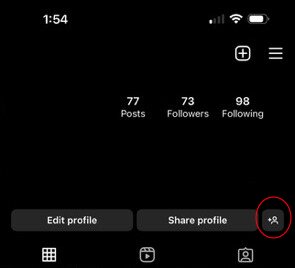
- Look through the results that appear.
- Tap on the account you’re looking for and follow them.
Finding Instagram profiles through hashtags
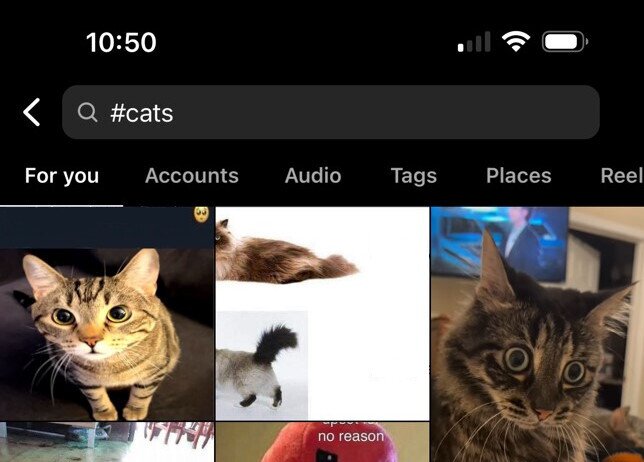
Hashtags are a way to increase coverage of Instagram posts and find a wider audience by subject matter. If you’re looking for someone who has used a specific hashtag, you can use this to discover people.
- Open Instagram.
- Go to the search function.
- Enter # (hashtag) and whatever text you’re looking for.

- Search the results to find the right account.
Try Their Other Social Media Usernames
It’s pretty common for people to use the same username or a similar variation on multiple platforms. If you already know their Twitter (X) handle or other social media username, you may try looking it up on Instagram, too. LinkedIn is another great platform to try, as people may be more prone to putting their phone number on their professional work account.
Other ways to find related accounts
Here are a few more things to try when looking for accounts:
Contacts Syncing
Under the follow and invite section mentioned earlier, you’ll see you can send invites through email, text, and other social networks by allowing Instagram contacts syncing. With this method, you share your Instagram profile with that person, with a friendly message asking them to follow you.
Search Engines
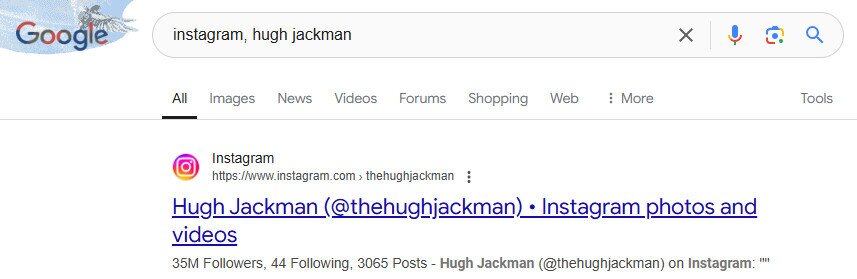
You can use search engines by putting their name, username, etc., and the word Instagram. If their account is set to public, and you have the correct information, it should pop up.
Why Instagram has No Direct Phone Number Search
Imagine that everyone who has your phone number can find your Instagram account by simply entering it in the search bar. They could have gotten your number in the work WhatsApp group, from your résumé, or even from a business’s page. This would be anxiety-inducing for anyone who wants to keep their social media separate from their professional persona.
Fortunately, Instagram does not allow users to search for phone numbers. This is a security measure to protect user privacy, so that random people can’t find your social media pages from your phone number alone. Likewise, this means that you can’t search for people on Instagram by typing their number directly into the search bar.
Suggested lists and web pages
Instagram will be fairly intuitive when suggesting relevant accounts through your network. Some of these might be mutual friends your contacts follow, popular accounts, or accounts with related subject matter. You might run across users through organic searches, such as finding a business’s Instagram link.
Reasons You Can’t Find Someone on Instagram
- They might not be on Instagram.
- They may have their IG on private, which requires a follow request.
- Account could be deactivated.
- You may be blocked or banned by the user.
- You don’t have their correct account info.
- They don’t have their account linked to their phone number.
- They may be using a different phone number than the one you have for them.
The Importance of User Consent
While phone numbers can be a convenient way to find people on Instagram, it’s important to remember that consent matters.
Respect for Privacy: Not everyone wants their phone number connected to their Instagram account. Linking numbers without permission can feel invasive.
Ethical Considerations: Just because you can sync contacts doesn’t mean you should automatically assume consent. Always consider whether the person has agreed to be found this way.
Data Security: Phone numbers are sensitive personal information. Misusing them—especially through third-party tools—can put both you and the other person at risk.
By respecting user consent, you help maintain trust, protect privacy, and ensure that social media remains a safe environment for everyone.
Privacy Risks of Linking Phone Numbers to Instagram Accounts
While linking your phone number to Instagram can make it easier for friends to find you, it also comes with potential privacy risks:
Unwanted Discovery: Anyone with your number—even distant contacts—could find your Instagram profile, which might expose parts of your personal life you’d prefer to keep private.
Spam & Scams: Phone numbers can sometimes be targeted by malicious users or bots, increasing the risk of spam or phishing attempts.
Data Breaches: If Instagram or a third-party service syncing your number experiences a security breach, your phone number could be exposed.
Cross-Platform Tracking: Because many people use the same number across multiple services, linking it to Instagram makes it easier for companies—or bad actors—to track your online activity across platforms.
To minimize these risks, carefully review Instagram’s privacy settings and consider whether linking your phone number is worth the trade-off between convenience and security.
How to Disable Contact Syncing on Instagram
After reading this article, you may not want to use Instagram’s contact sync feature. There are several reasons for this, including not wanting to see family members or work colleagues in your “People you may know” section.
This step-by-step guide shows you how to quickly disable syncing on Instagram once and for all. Instagram will no longer make recommendations based on your device’s contact list after disconnecting contact syncing.
- Tap on Profile or on your Profile Picture
- Tap the Hamburger Button/three vertical lines to open the navigation panel
- Select Accounts Center, then tap Your Information and Permissions
- Choose Upload Contacts, then choose the account you would like to control contacts for
- Tap the Toggle next to Connect Contacts to turn off contact syncing. This will change the toggle from blue to gray.
- Tap
Congratulations, you’ve successfully un-synced your device’s contacts from Instagram. However, It’s important to note that doing this will not delete contacts that were previously synced when permissions were turned on.
Use the following short guide to remove all previously synced contacts.
A Step-by-step Guide to Deleting Synced Contacts on Instagram
- Log in to Instagram on your computer
- Click on your Profile Picture
- Click Edit profile, then select See more in accounts Center
- Select Your information and permissions, then click Manage Contacts.
- Click Delete all, then Select Delete to confirm selection.
It can take up to 90 days for the deletion process to be completed. You may still receive suggestions based on your contacts during this three-month period.
Conclusion
If you want to find someone on Instagram by phone number, the first step is allowing the app to access your contacts. From there, tap the person-with-a-plus icon on your profile to search for connections. With that in place, you generally have three options:
1. Using your phone number:
If your Instagram account is linked to your number, others who have it saved may see your profile suggested. While this can make you easier to find, it also reduces anonymity. If privacy matters, consider setting your account to Private. Keep in mind that Meta has faced criticism for questionable data collection, so think carefully before sharing your number and contacts.
2. Removing your phone number:
You can unlink your number, but first ensure your email is connected for account recovery. Without it, you risk being locked out. Once your email is added through Account Center → Personal Details, you can disable Two-Factor Authentication under Password and Security to remove your number.
3. Respecting privacy:
If you still can’t locate someone, it may be because they don’t want to be found. Technically, you may be able to search by number, but whether you should is another question. Respecting boundaries is important—going out of your way to track someone down against their wishes could cause problems.
In the end, Instagram phone number searches are limited, and privacy considerations often outweigh convenience. The best approach is balancing your own account security while respecting others’ choices.
I want to change my phone number
Hi Instagram my phone number I not use I one change my phone number pis 🤧
My id find
Sir disabled my account undisabled plz dineshverma66695918@gmail.com my account
I Want how to find social networks by mobile number
My instagram id is lost but I want back my id