12 Best PlayStation Vue Alternatives in 2026
Sony’s PlayStation console should need no introduction, especially if you’re not new to the gaming scene. If you’ve been searching for the best PlayStation Vue alternatives, you’re in the right place. You can do a lot of things with a PlayStation console (at least PS4s or PS5s) aside from gaming, such as listening to music, watching your favorite movies, and even use streaming platforms.
Not too far ago, you could’ve used your PlayStation console to stream live television by taking advantage of PlayStation Vue. This service was restricted to the US, so you couldn’t enjoy it from a different location if you weren’t using some means of masking your online identity, such as a VPN.

However, that’s all history now, seeing as Sony pulled the plug on PlayStation Vue on January 30, 2020, without any intention of revisiting its decision anytime soon. If you were an avid Vue user things could feel tough right now, but we assure you that there are some excellent PlayStation Vue alternatives that could fit your needs better.
What is PlayStation Vue?
PlayStation Vue was a US-based television streaming service owned by Sony. It has been around for a few years, considering that it’s been launched on March 18, 2015, and has served millions of users before Sony decided to shut it down completely at the end of October 2019, and finally doing it in January 2020.
The service wasn’t your regular TV streaming platform, as it combined multiple functionalities. Namely, you could’ve used PlayStation Vue to watch live TV directly on your console, but the service also had on-demand video and cloud-based DVR that enabled you to stream movies, TV programs, and even sporting events to any supported device (Smart TVs, apps, digital media players, and your PlayStation console) without a cable or satellite TV subscription.
Even after the service’s demise, many still see PlayStation Vue as a viable could-have replacement for traditional “Pay TV” providers, when in fact the service was meant to act as a complement to broadcast TV and subscription-based services like Netflix, Hulu, and Amazon Prime Video.
What can I use instead of PlayStation Vue?
It’s been a while now since PlayStation Vue has been shut down, and some of its former users are still wondering either when will it come back or what can they replace it with. Judging by Sony’s decision, we can safely assume that PlayStation Vue won’t make a comeback anytime soon, but fortunately, we’ve got a lot of PlayStation Vue alternatives that we can replace it with.
Although there are several TV streaming providers you can turn to in lieu of PlayStation Vue, not all of them feature PlayStation support. Or better yet, the PlayStation console may not support them, so you’ll have to use another device in order to stream their content on your TV. That being said, there are still some streaming providers that offer apps for your PS4, PS5 consoles.
PlayStation Vue Alternatives (Quick Guide)
In the following section, we’ll provide you with a shortlist of PlayStation Vue alternatives, each followed by a brief, relevant description. You can use this list if you don’t have time to browse through our full article. In addition to our list, we’ll elaborate a bit and focus on each service’s weaknesses and strong points, so you can make an educated decision by the end of our guide.
DirecTV Stream
DirecTV Stream is a live TV streaming service offering multiple plans that vary by channel count and price. Its base Entertainment plan includes sports networks like ESPN and Fox Sports, and you can step up to Choice, Ultimate, or Premier tiers for broader sports and regional coverage. All plans include unlimited cloud DVR storage. Plans start at around $64.99 per month.
Hulu
Hulu is commonly known as a Video-On-Demand (VOD) service, but few know that you can also use Hulu to enjoy live TV streaming without additional equipment in your house such as cables, satellite dishes, or media boxes. The Hulu + Live TV plan includes 90+ channels, unlimited DVR, and works on PS4 and PS5. It starts at around $82.99 per month with ads.
BBC iPlayer
BBC iPlayer is a free alternative to PlayStation Vue since you don’t have to pay, or even register an account in order to use it. The downside is that it’s available exclusively to those who live in the UK. Furthermore, the live TV component is quite limited, as you can only use this platform to watch a bunch of BBC channels. However, the VOD library holds many popular titles, such as Sherlock and Top Gear.
YouTube TV
YouTube TV lets you choose from over 100 live TV channels you can watch, and all of that without the hassle of installing extra hardware in your house. You can use YouTube TV to stream on up to three devices at the same time on the same account and you can benefit from unlimited cloud DVR storage that keeps your recordings for up to 9 months. The downside is that it’s only available in the US.
Crackle
Crackle is a free alternative to PlayStation Vue, seeing as you don’t need to register an account or pay anything in order to enjoy the content available in its library. However, just as many other free services, you should expect quite a few ads and commercials while streaming on Crackle. Unfortunately, this service is only available in the US, but you can simply use a VPN to bypass any unfair geographical restrictions.
Sling TV
Sling TV is one of the cheapest PlayStation Vue alternatives (except for the ones in this guide that are free), as it offers quite accessible prices for the plans it showcases. Each plan also includes 50 hours worth of cloud DVR, doesn’t require you to sign any contracts, and is tailored to specific needs (i.e. one plan is more fit for news and entertainment, while the other is for sports and families).
Pluto TV
Pluto TV is yet another free alternative to PlayStation Vue that’s made our list. It lets you watch no less than over 250 live TV channels and thousands of on-demand content such as movies, dramas, reality shows, and TV series, and all of these for free. You don’t even need to create an account to use Pluto TV, let alone give your credit card details or provide any other payment method. It’s only available in the US, but you can use a VPN to access it from anywhere.
Philo
Philo started as an experiment in Harvard after two seniors used a makeshift satellite dish made of aluminum foil to get live TV. This service includes both live and on-demand TV content, lets you use unlimited cloud DVR (recordings saved for one year), and comes with a free trial, so you can test the service’s capabilities well before you decide whether or not you should commit to purchasing a subscription plan.
Tubi TV
Tubi TV is a completely free service that requires absolutely no subscription that you can use to watch thousands of movies and TV shows. Unfortunately, Tubi TV doesn’t offer a live TV streaming component, but you can get over that considering that it’s 100% free to use it. You can create an account if you want to keep tabs on movies that you already watched and organize content better. The service is ad-supported, but according to the official website, it displays fewer ads than you see on live TV.
USTVNow
USTVNow is a streaming service that was specifically tailored for US citizens who no longer live in the United States, overseas US troops, as well as members of the US armed forces. Although it’s a US-based service, you can’t access USTVNow from the US if you don’t already have a cable subscription from one of USTVNow’s partners. Accessing USTVNow from abroad can be done if you’re an American citizen with a valid passport or a legal resident with a green card.
TVPlayer
TVPlayer is a live TV streaming service that offers both premium and free live streams. It’s based in the UK, so you can only access it if you’re currently in the UK or you have a trustworthy VPN you can use to connect to a UK server. The premium live TV streaming plan comes with a free 1-month trial, after which it costs 6.99 GBP per month.
FuboTV
FuboTV is a streaming service that was designed to cater to the needs of sports fans everywhere. Although you can use it to stream various entertainment channels, the team behind FuboTV seems to have paid a lot of attention to sports events, given that you can stream them in 4K quality. Each plan comes with unlimited cloud DVR, and base plans start at around $79.99 per month.
Note that aside from not being able to access all of the services above from your PlayStation console, you may also be not able to access them at all due to geographical restrictions that are in place, or because of some limitation that your network manager or ISP have decided to impose on your network. If you’re dealing with carrier restrictions, VPNs for mobile networks can help. If that ISP happens to be Vodafone, using a Vodafone access VPN can help you get around those limitations.
However, we’ve found that most, if not all of the PlayStation Vue alternatives listed above, can be easily accessed from almost anywhere in the world by using a VPN.
Using a VPN to unblock PlayStation Vue alternatives
A VPN can easily bypass geographical restrictions and enable you to access your favorite content by masking your physical location and assigning you a different, virtual one. For instance, if you choose a server in the US, all of your traffic will be re-routed from its usual path and through the server you chose (i.e. the one in the US).
That way, third parties that may keep an eye on your connection and virtual location such as your ISP or the geo-restricted service you’re trying to access will have no idea of your real whereabouts and will simply assume that you’re wherever the VPN server is at. If you’re new to VPNs and want to learn more about how to use VPN services effectively, there are comprehensive guides available to help you get started, including this Armenia unblock guide if you’re trying to stream from Armenia.
In addition to re-routing your traffic, VPNs also encrypt it. Thus, even if someone were to target you with a merciless Man-In-The-Middle (MITM) attack and intercept your traffic, they wouldn’t be able to make much of it, given that it’s well-hidden behind one or several more layers of encryption.
NordVPN – Best for streaming

NordVPN is, in our opinion, the most efficient VPN on the market that can not only help you circumvent geo-restrictions gracefully, but it also does wonders for your privacy and can lift several restrictions and limitations such as ISP bandwidth throttling, or network congestion.
This VPN features a generous network of servers that have been strategically placed in various places throughout the world to ensure that you won’t run out of options if you’re trying to connect to a specific area, country, or even city.
In addition to this server network, NordVPN also features high connection speeds, which is a quite important factor considering that streaming live TV or any other type of multimedia content needs to be backed up by a fast, stable connection to avoid buffering, quality loss, or sudden disconnections.
NordVPN features an incredible array of features that can guarantee your online privacy and overall security. For instance, it provides its customers with military-grade 256-bit encryption that is virtually impenetrable. Furthermore, it comes with a double VPN feature that bounces your connection through one more server, making it even more difficult for intruders to follow your trace.
NordVPN is one of the few VPN services that offer obfuscation features, which are very important to avoid the VPN detection mechanisms of various online services and network providers. For instance, Netflix has one of the best VPN detection systems at the time being, and VPN traffic is, although virtually undecipherable, pretty easy to detect.
NordVPN’s obfuscation feature disguises VPN traffic so that it looks like regular traffic, making it incredibly difficult for detection mechanisms to identify VPN traffic, let alone block it. This makes NordVPN a particularly strong choice when you want to access PlayStation Vue alternatives that enforce strict geo-blocking.
Last, but not least, NordVPN customers can benefit from fewer ads while browsing the Internet thanks to CyberSec, an awesome feature that helps you block ads system-wide (while connected to the VPN server of your choice). CyberSec also blocks known malware domains, and the database of harmful or suspicious domains gets updated on a regular basis, so you’ll always be in the loop.
If you want to find out more about this VPN and all the ways that it can help you (besides enabling you to access geo-restricted PlayStation Vue alternative services), read our full NordVPN review.
- Works with Netflix, BBC iPlayer without breaking a sweat
- Different IP addresses aervers
- Up to 6 simultaneous connections
- “Double” data protection
- Live Chat Support.
- Some servers can have average d/l speeds
- Apps can sometime be slow to connect.
Note: Our readers get a special offer that can help them save 68% of the plan’s 2-year plan, as well as extra service time added automatically after purchasing a NordVPN subscription plan.
Best alternatives to PlayStation Vue
1. DirecTV Stream
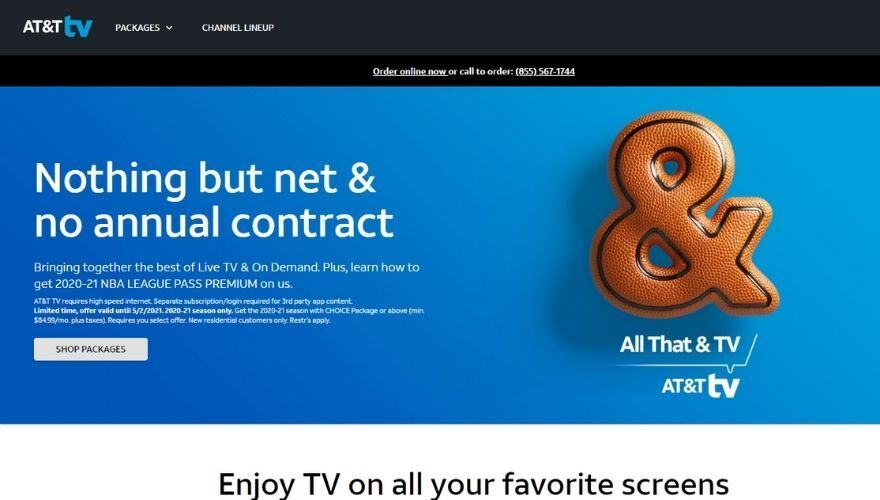
DirecTV Stream — formerly known as AT&T TV and, before that, DirecTV Now — is one of the more comprehensive live TV streaming services available today, making it a capable PlayStation Vue alternative. Plans currently start at around $64.99 per month for the base Entertainment tier and scale up through Choice, Ultimate, and Premier options.
The Entertainment plan gives you around 75+ channels, including staples like ESPN, Fox Sports 1, and A&E. If you need regional sports networks or broader sports coverage, you’ll want to step up to the Choice plan or higher, since RSNs are only available on select tiers. The Premier plan bundles in the most channels across entertainment, sports, and premium networks.
All DirecTV Stream plans include unlimited cloud DVR storage, which is a genuine plus — recordings are kept for 9 months. You can stream on up to 3 devices simultaneously on most plans, which is plenty for a typical household. An unlimited streams add-on is also available if you need more.
DirecTV Stream does not currently have a native PlayStation 4 or PlayStation 5 app. Instead, you can access it through a wide range of other devices including iOS and Android phones and tablets, Amazon Fire TV, Apple TV, Roku, and Samsung Smart TVs, as well as through a web browser on your PC or laptop.
Like most live TV services, DirecTV Stream is restricted to the United States. If you’re traveling abroad or living outside the US and want to access it, a VPN connected to a US server is your best option for bypassing that geographic restriction.
2. Hulu
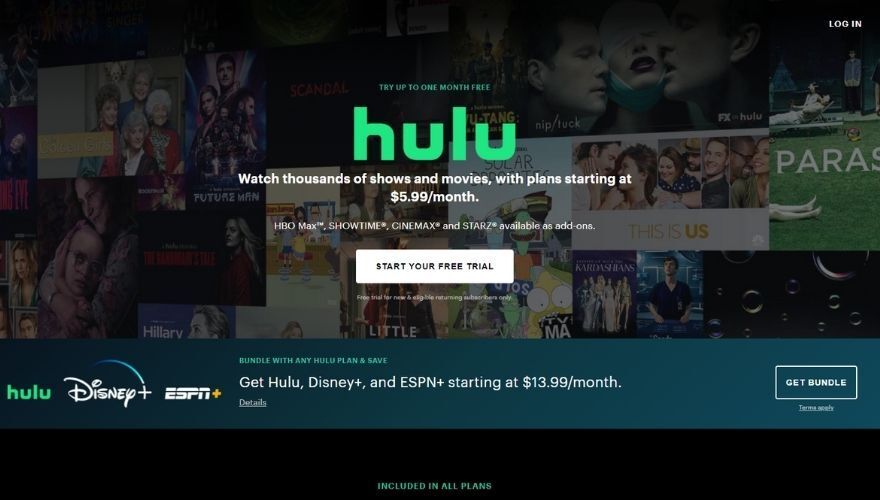
Although you probably know Hulu as a platform where you can watch several movies or TV shows, you should know that it also features a live TV option that does exactly what it says it does: lets you stream live TV content directly from the platform. However, this option is not included in any standard Hulu plan, and is only available as a separate, albeit more expensive purchasable plan.
The Hulu + Live TV plan is what former PlayStation Vue subscribers should be looking at. It currently starts at around $82.99 per month with ads (or approximately $95.99 per month for the ad-free version of the on-demand library). For that price, you get 90+ live channels, including local broadcast networks in most markets, ESPN, Fox Sports, and a solid selection of cable staples. The plan also bundles in Disney+ and ESPN+ at no extra cost, which adds considerable value.
Cloud DVR is unlimited on the Hulu + Live TV plan, so you can record as much as you like. You can stream on two screens simultaneously by default, though you can upgrade to unlimited screens for an additional monthly fee.
Hulu can be accessed on a broad range of devices, including your PC, TV, laptop, phone, or tablet, and get this: you can also use Hulu on your PS4 or PS5 console, which makes it a strong PlayStation Vue alternative. Compared to other services, Hulu lets you create up to 6 profiles on the same account.
You can also add a series of add-ons to your current Hulu plan, but only after you sign up for one of the packages described above. These extensions include Max, SHOWTIME, and STARZ, but you can also opt for an enhanced Cloud DVR experience, unlimited screens, or other channel bundles.
As you may know, Hulu is restricted to US citizens, so you may need to use a VPN to unblock Hulu in another country and stream without restrictions. The same applies if you’re traveling outside of the US and want to watch Hulu from your current location, despite that you already have an account and a plan that you’re paying for.
3. BBC iPlayer
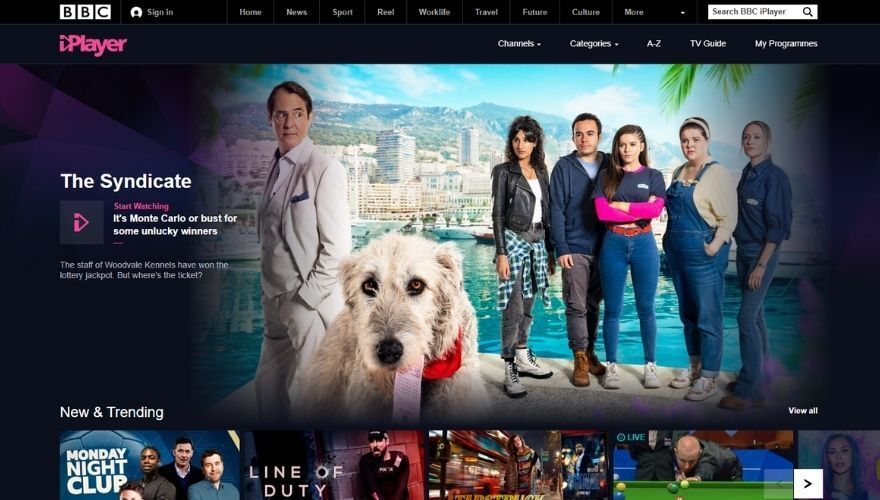
BBC iPlayer is a UK-based streaming service that could be a great PlayStation Vue alternative. However, if live TV is the thing you miss the most about PlayStation Vue, you may want to keep searching for a better match. While BBC iPlayer does provide you with a live TV option, it’s quite limited compared to other services on our list.
In fact, you can only watch BBC One, Two, Three, Four, Radio 1, CBBC, CBeebies, BBC Scotland, News, Parliament, BBC Alba and S4C. On the other hand, watching live TV on any of the aforementioned channels is completely free, just as long as you live in the UK or have found a clever method to bypass BBC iPlayer’s location detection system and make it believe that you’re in fact in the UK. Oh wait, you can use a VPN.
If you’re interested in this service, you’ll be glad to learn that in addition to the free live TV there’s also a great library of on-demand content, such as Doctor Who, Peaky Blinders, Line of Duty, Top Gear, Sherlock, Westworld, and even Snooker, if you’re into that. The on-demand content you can access is as free as the live TV, so as long as you have a BBC iPlayer account, you should be able to access everything we’ve mentioned above, and even more.
One important aspect of BBC iPlayer is that you can install the app on your PlayStation console. At the time being, there’s no PS5 app for BBC iPlayer, but if you have a PS4 and you live in the UK, you can install it and watch your favorite content or live TV directly from your Sony-signed entertainment center. If you have a PS4 but live outside of the UK, you can use a VPN to circumvent geoblocking by either deploying it on your PlayStation or on the router that your PS is connected to.
If you’re not a fan of using your PS as your main streaming device, not to worry! BBC iPlayer is also available on a broad range of devices, including but not limited to desktop PCs, laptops, Android phones and tablets, iOS phones and tablets, Smart TVs, Chromecasts and Amazon Fire Sticks.
Probably the most obvious downside to using BBC iPlayer is that there’s no option to stream in 4K quality, compared to other PlayStation Vue alternatives. However, given that this service is completely free, we can’t, or better yet shouldn’t complain about that and just enjoy what this streaming service has to offer.
4. YouTube TV
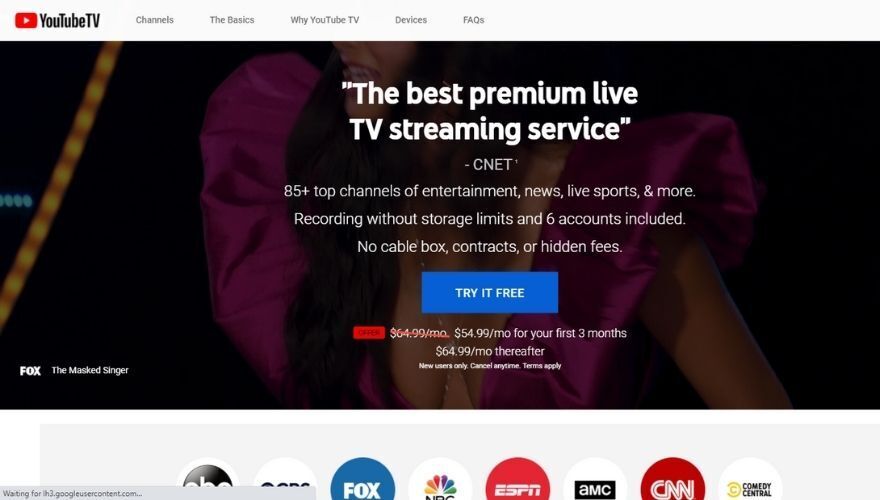
YouTube is slowly turning into an all-in-one entertainment service where you can find and select from a huge library of multimedia content, ranging from music and music videos to instruction tutorials, home-made videos, animations, and now even live TV. YouTube TV has been around for a few years, but unfortunately, it’s not the most obvious option for many who might be seeking viable PlayStation Vue alternatives.
YouTube TV is only available in the United States and currently offers a single base plan priced at around $72.99 per month. The service is available nationwide, so you shouldn’t encounter any difficulties accessing YouTube TV as long as you’re located anywhere in US territory. If you’re not but you still want to access YouTube TV, you could use a VPN (such as NordVPN) that can help you bypass this unfair geo-restriction and enjoy the streaming service just as any other user who is located in the US.
This live TV service is available on a plethora of devices, including but not limited to LG smart TVs, Samsung smart TVs, Sharp smart TVs, Hisense Smart TVs, Vizio Smart TVs, Nvidia Shield, Android TVs, Chromecast with Google TV, Apple TVs, Roku Players and TVs, Fire TV Sticks and Cube, Xbox Series X, Xbox One, Xbox One S, Xbox One X, Xbox Series S, PlayStation 4, and PlayStation 4 Pro, Nest Hub and Nest Hub Max, as well as Android and iOS phones and tablets.
Obviously, you can also watch YouTube TV on your laptop or desktop PC as long as you have a working Internet connection and a web browser.
YouTube TV provides you with live TV from more than 100 networks, includes up to 6 accounts per household, and grants you access to unlimited cloud DVR storage — recordings are kept for up to 9 months. You can stream on up to 3 devices simultaneously, with additional streams available as a paid add-on. Most importantly, you won’t have to install a new cable, or any other additional accessories, seeing as YouTube TV is entirely digital.
The built-in Google Nest Audio devices support makes sure that you can use voice commands to play, pause, or start a recording of your screen as long as the TV you’re streaming on has Google Chromecast, either built-in or plugged in. Last, but not least, if you already have a YouTube Premium membership, you’ll be able to watch YouTube content on YouTube TV without ads, including YouTube originals.
5. Crackle
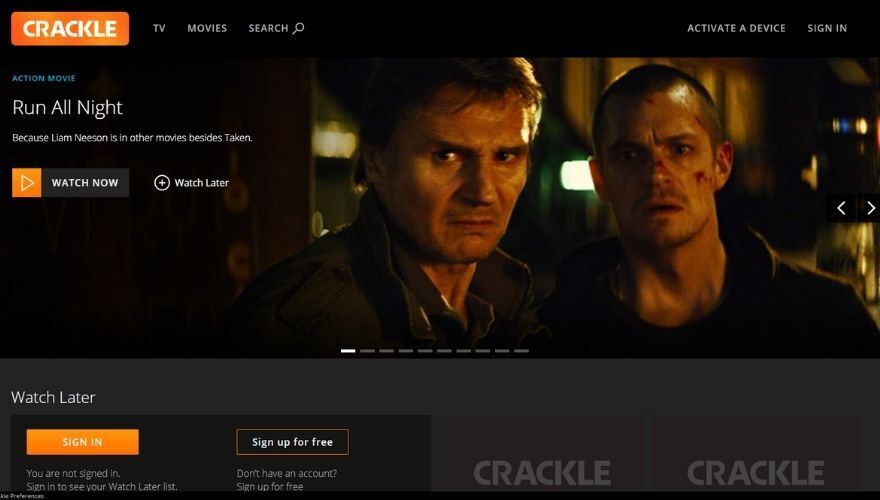
Crackle is a video streaming platform that’s owned by Chicken Soup for the Soul Entertainment. The service was founded by an independent company named Grouper, which is how the platform was initially called. In 2006 it was purchased by Sony who renamed it Crackle, then Sony Crackle a few (11) years later. After buying a majority stake of the platform, Chicken Soup for the Soul renamed the service immediately back to Crackle. Subsequently, Sony sold the remainder of their stake to the same company that now owns the service.
Currently, Crackle is available in 21 countries, is completely free to use, and has been that way for a long long time. You may get to see an ad every now and then, but we believe that’s totally fair, considering the amount of content you can stream on your favorite multimedia-ready device for free. For a brief moment (of 3 years), Crackle was only available as a paid ad-free service in Latin America starting with late 2016.
It’s worth mentioning that you can’t use Crackle if you want to watch live TV, so if you’ve been hooked on PlayStation Vue’s live TV options and looking for something similar, just keep looking. On the other hand, there are several TV shows and movies that you can stream for free on Crackle, including The Ides of March, The Man Who Killed Don Quixote, and Zodiac.
Furthermore, Crackle also provides you with a library of originals, including Comedians in Cars Getting Coffee, Sports Jeopardy, On Point, StartUp, The Oath, Snatch, Going from Broke, Road to Raceday, and Heroes of Lucha Libre.
As far as device compatibility goes, you can access Crackle from your browser (laptop, desktop PC), but there are also many apps tailored for specific devices, such as Smart TVs, Amazon Fire TVs, Chromecast, PlayStation 4, Roku, Xbox One, Apple TVs, Android phones and tablets, as well as iOS phones and tablets.
If you’re not located in the US and territories, you will not be able to access or use Crackle. However, we found that using a trustworthy VPN works extremely well and should let you enjoy all the content that Crackle has to offer. Just make sure you connect to a US server before you access Crackle. If that doesn’t work, try a different server in the same location, or clear your browser’s cache and cookies before you try again.
6. Sling TV
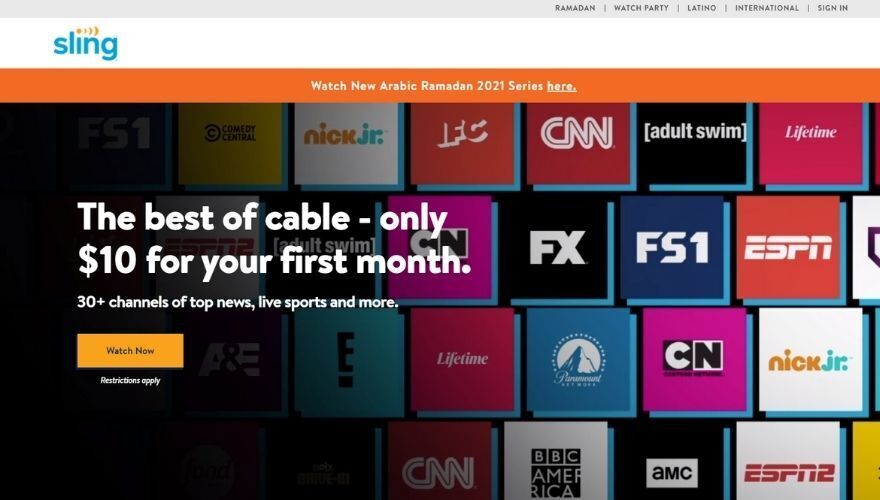
Sling TV is one of the least expensive options when it comes to finding a live TV streaming service and a solid PlayStation Vue alternative. The Sling Orange and Sling Blue packages are each priced at around $40 per month individually, and you can bundle both together for approximately $55 per month. You can choose the plan that fits your needs best by reviewing the channel lineup of each package. For instance, some of the most notable channels in the Sling TV Orange plan are CNN, ESPN, AMC, TBS, and the Food Network, while Sling Blue showcases El Rey, Viceland, FX, and the USA Network.
All Sling plans include 50 hours of cloud DVR storage, with the option to upgrade to more. The Orange plan supports 1 simultaneous stream, Blue supports 3 streams, and the combined Orange + Blue plan supports up to 4 streams — handy if you want to share the bill with others in your household.
Unfortunately, you won’t be able to install Sling TV on your PS4 or PS5, as there’s no support for this service on either console. However, you can still install it on a fairly impressive range of devices and enjoy it from there.
For instance, aside from being able to stream Sling TV from your laptop or desktop PC through your web browser, Sling TV also works on Amazon Fire TVs, LG Smart TVs, Apple TVs, Roku, Android phones and tablets, iOS phones and tablets, Mac, and even Xbox One consoles.
It’s worth mentioning that Sling TV is exclusively available in the United States, so you won’t be able to access the website, let alone use the service if you’re anywhere else in the world. Even if you’re a US citizen and you’re traveling abroad, you won’t be able to access Sling TV’s website from the non-US region you may be in.
However, using a VPN enables you to bypass this limitation and not only access Sling TV’s website from anywhere in the world, but also register for an account and enjoy the content this streaming platform provides to you.
7. Pluto TV
Pluto TV is, without a doubt, one of the best PlayStation Vue alternatives, especially if you’re a fan of free content and don’t feel like burning a hole in your pocket to replace your favorite VOD and live TV streaming service. First of all, it’s important to know that Pluto TV is owned by Paramount Global and is a US-based streaming service.
We know that usually when a streaming service is US-based it involves that you won’t be able to access it from your country if that country is not part of the United States. However, Pluto TV makes an awesome exception and lets you access the website and its great library from a growing number of countries, including the UK, Germany, Austria, and even Latin America.
Now for the content, you’re so interested in: Pluto TV provides you with live TV content from a wide range of networks, including but not limited to the NFL, MTV, Sky, CNN, CBSN, NBC, Bloomberg, Comedy Central, and Fox sports. However, you’ll discover that most of the content is organized by category, so finding a specific channel you want to watch while using Pluto TV may prove a tad confusing if you’ve never used the service before.
If you want to take a step back and see all the available categories you can choose from, just click the Show Guide button. Doing so should minimize the video streaming component to a smaller size and give you a full view of all the categories you can access. These include News + Opinion, Reality, Entertainment, Classic TV, Home + DIY, Sports, Gaming + Anime, Music, Kids, Latino, Crime, and Local.
But that’s not it. In addition to the live TV component that lets you enjoy content from your favorite networks live on your device, there’s also a VOD component that hosts a quite impressive collection of content, especially considering that Pluto TV is a free service. All you have to do to access the On-Demand version of Pluto TV is to click the On Demand button at the top of the screen.
The left-hand menu consists of various categories you can browse through, including Top TV Series, Most Popular Movies, Trending Now, Sitcoms, TV Dramas, Action, Black Cinema, LOL Network, and MLB. If you want to watch a movie, you’ll have to select it from the list and click the Watch Now button. After simply selecting the movie you’ll get a bunch of details about it such as the year it’s been released and the general plot.
As you may expect, Pluto TV will display ads while you’re watching live TV or movies on it. However, it’s to be expected from a service that doesn’t even require you to create your account. Note that Pluto TV does not offer a cloud DVR feature — it is a live and on-demand service only, so you can’t record content to watch later.
Although Pluto TV is available in multiple countries, there is still a good chance that your region is not supported. However, you can use a VPN such as NordVPN to bypass these unfair limitations and access Pluto TV from anywhere in the world. All you have to do is launch the VPN and connect to a server in a supported location. After that, you should be able to stream Pluto TV content from just about everywhere.
If you’re wondering about device compatibility and how far does it go, you’ll be delighted to find out that Pluto TV is available on a broad variety of devices, ranging from your PC or laptop through your web browser, to Amazon Fire TV, Apple TV, Roku, Android phones and tablets and iOS devices. We saved the best one for last. Pluto TV is also available on both PS4 and PS5 systems, making it an awesome PlayStation Vue alternative.
8. Philo
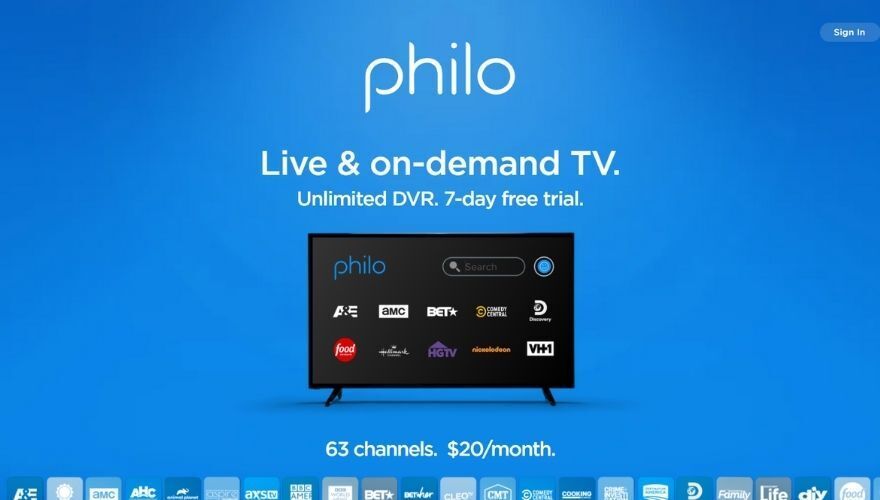
Yet another video streaming service that’s only available for those that currently are on US soil, Philo can provide you with a selection of 70+ channels for around $28 per month — making it one of the most affordable live TV options available. This platform was started as an experiment when two Harvard seniors, Tuan Ho and Nicholas Krasney turned aluminum foil into a makeshift satellite dish so that they could “pick up TV signals and deliver them wirelessly to their laptops via a jerry-rigged server.”
Although the experiment was merely a way to circumvent the fact that Harvard wasn’t providing cable TV for its students, the launch of the actual service was a huge success. So much so that half of the Harvard population registered for Philo in the very first weeks after the service was made available to others.
One of the best things about Philo is that it comes at a low price, at least when you compare it to other similar services that you can find nowadays on the market. On the other hand, Philo deliberately excludes local broadcast networks and sports-focused channels, which is a key reason it can keep prices so low. If you follow regional sports leagues or need ABC, NBC, CBS, or Fox over the air, Philo is not the right fit.
The most notable channels that you can find bundled in this service’s offer are Nickelodeon, Food Network, VH1, HGTV, DIY Network, TLC, Paramount, Nick Jr., Nick Toons, BBC America, BBC World News, Animal Planet, Comedy Central, A&E, Discovery, Inc., AMC, Bloomberg Television, and Revry. Compared to other PlayStation Vue alternatives that only allow you to stream their content on up to two devices at the same time, Philo is a bit more permissive and lets you stream on up to three devices simultaneously.
Furthermore, it allows you to create up to 10 profiles per account, making it easy to share them with your friends or people in your household, especially if you have not-so-similar tastes in live television. There’s a free trial that you can use in order to test Philo and decide whether or not you should purchase a subscription plan.
Philo also includes unlimited DVR for all subscribers — and unlike some competitors, recordings are saved for a full year before expiring, which is genuinely generous. You can also add premium channel packages such as STARZ for an additional monthly fee.
Compatibility-wise, Philo is quite flexible, seeing that it works with your web browser, iPhone, iPad, Android TV, Android phones and tablets, Apple TV, Roku, Chromecast, and Amazon Fire TV. Note that Philo does not currently offer a PS4 or PS5 app. All you need to have to get started is a mobile phone number or email address, a payment method, a broadband Internet connection, and a supported device.
As we mentioned above, Philo is not available outside the US. However, using a VPN could help you circumvent this unfair restriction and use Philo at your leisure.
9. Tubi TV
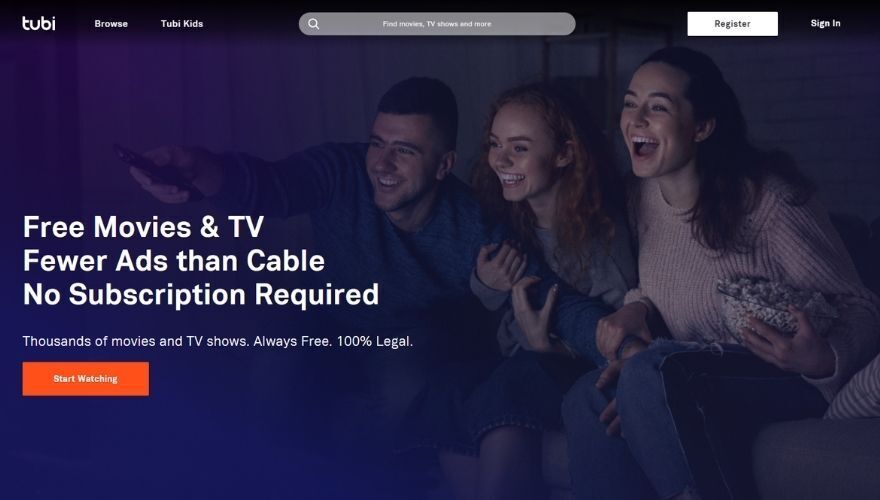
Perhaps the most important thing about Tubi TV is the fact that it’s free, which makes it possible to use it for as long as you like without reaching for the credit card in your wallet. Tubi is owned by Fox Corporation and is available in the US, Canada, and Australia, among other markets.
It goes without saying that if you’re looking for a suitable PlayStation Vue alternative and you don’t want to break the bank, Tubi TV may be exactly what you’re looking for. On the downside, it won’t be able to replace PlayStation Vue 100% given that there’s absolutely no way to watch live TV on Tubi TV, and it makes sense. Almost all live TV services on our list are not only premium services, but they’re quite costly, too.
Now the not-so-pleasant side; Tubi TV is both free and legal, meaning that it must generate revenue some way, right? Well, here’s the deal: it’s ad-supported, meaning that you’ll bump into the occasional ad every now and then, and that could get a bit annoying especially if you’re really invested in the movie or TV show you’re currently watching. But hey, you get free service, you can’t complain.
More so, you won’t even need to register for an account in order to use Tubi TV. You just access the website, browse the service’s generous library of content and enjoy your favorite movies or TV shows. You might need to get a VPN involved in this scenario if you’re not from the US, but you should’ve seen that coming.
If you’re committed to having a PlayStation Vue alternative with everything that this entails, Tubi TV could be what you’re looking for, especially considering that there are PS4 and PS5 apps you could download and install on your PlayStation consoles. However, note that the apps may not be available just about everywhere, so you might need to either install a VPN on your PlayStation or deploy such a service on the router that your console is connected to. One pretty important aspect of installing a VPN on your router is that your entire network will benefit from it.
However, aside from PlayStation consoles, Tubi TV can also be enjoyed on other devices, such as your laptop or desktop PC through your web browser, Android phones and tablets, Mac, Amazon Fire TV, Apple TV, iOS phones and tablets, as well as Samsung and Sony smart TVs.
10. USTVNow

USTVNow is a multimedia streaming service that was designed specifically for US citizens who live abroad, overseas US troops, and members of the US armed forces. First thing’s first, it’s worth mentioning that USTVNow is not free, so you’ll have to pay for it if you plan on using it to stream live TV to your location.
Furthermore, there’s absolutely no commercial-free option since the service is used to stream live TV, and we all know that there’s no such thing as commercial-free live television. If you’re still interested, then we should move on to more interesting aspects of this service. First of all, although the service is clearly meant to serve US citizens, there are strict regulations for using it.
On a similar note, this is the kind of service that is not only geo-restricted but also limited in several other ways, so simply using a VPN to bypass geo-blocking in order to access and enjoy USTVNow won’t be enough. As an American citizen, it is possible that you can access and enjoy USTVNow, but only if you live outside the United States and have a valid passport. The same regulation applies to legal residents who have green cards and can provide proof of their papers’ existence.
If you’re in the United States and want to access USTVNow, you can also do that, but there’s a catch: you’ll have to use it in combination with a regular USTVNow partner cable subscription. However, seeing as USTVNow only provides you with a few channels (compared to a regular cable subscription), getting the service isn’t exactly justified, but hey, it’s your call.
Moving on, if you’re planning to install USTVNow on various devices, you’re once again out of luck. This service is mainly available on laptop/desktop PCs and mobile devices through web browser playback. You may be able to find a USTVNow app for your Android phone or tablet, but it’s not on the Google Play Store, so you’ll have to dig around for the APK file, get it on your device by either copying it or downloading it directly there, and install it manually. If you do that, you should be careful where you download the app from, given that numerous sites offer fake or malware versions of popular apps.
Given that you can almost exclusively access USTVNow from desktop PCs, laptops or mobile devices with web browser playback capabilities, getting an app for your PS3, PS4, or PS5 is entirely out of the question. So from that standpoint, USTVNow wouldn’t be such a good PlayStation Vue alternative. You may be able to get your PS4 to stream USTVNow content by using its built-in browser. Some users have reported that it worked at some point, so you may get lucky after all.
USTVNow offers several plans with varied prices to its customers. As you’d expect, the plan prices vary based on the feature each of them comprises, as well as the type of content they grant you access to. There’s also a free plan you can use, but you’ll only be able to stream classic and western movies. Almost all plans also include cloud DVR access, and based on the plan you chose, you can either get limited or unlimited access to this feature.
Plans with limited cloud DVR will let you unlock recording slots by referring family or friends. You can unlock four recording slots per referral, and a maximum amount of 20 slots overall. Furthermore, limited DVR plans will delete your recordings after 2 weeks (14 days). If you go for a plan with unlimited DVR storage, you can save as many programs as you see fit. However, USTVNow will delete them after four weeks.
11. TVPlayer
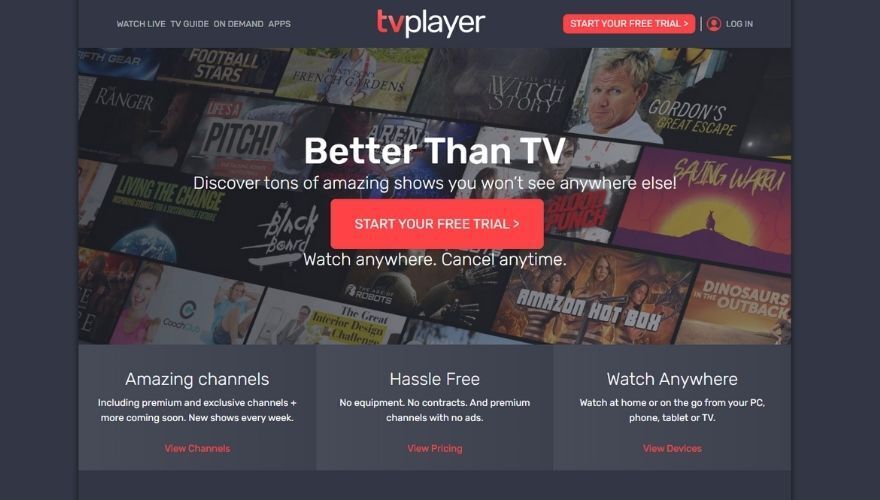
TVPlayer is a TV subscription service based in the UK, as opposed to many services listed in this guide. However, this doesn’t involve by any means that the service is not geo-restricted, so if you’re anywhere else other than the UK, you won’t be able to access TVPlayer without proper tools that can dodge geo-blocking (i.e. VPNs).
You can use TVPlayer to watch both free and paid TV streams. If you choose the free version, you’ll be able to stream a bunch of channels including but not limited to BBC One, BBC Two, Channel 4, and ITV. However, if you just want something running idly in the background, we suppose that free TV streaming is just as good as any.
It goes without saying that the premium version of TVPlayer grants you access to a broader range of channels, such as Fox HD, Lifetime, Comedy Central, Sky History, Species, Nat Geo WILD, Think Nature, The Big Issue, Unbeaten, and Crime+Investigation.
The monthly plan of TVPlayer costs 6.99 GBP and includes both free and premium channels. Furthermore, if you opt for the premium, paid version, you’ll have access to more than two dozens live channels and without adverts, which is not something we could say about the free version. Yes, there will be interruptions if you go with the free version, but that shouldn’t come as a surprise to you, considering that almost all free content needs to generate revenue somehow, and more often than not that revenue is based on advertisements.
If you’re the type of user who likes to take certain products or services on a test run before deciding whether or not they’re worth the spend, you’re in for a treat. TVPlayer lets you have one month of premium on the house. However, you still have to put in your credit card details and be careful to cancel your automatic subscription if you’re not 100% satisfied with the service.
Compatibility-wise, TVPlayer is quite a versatile service, seeing as you can enjoy it from a broad range of devices. Aside from the obvious web browser access you can use with any desktop or laptop (PC and Mac), TVPlayer is available on Apple TVs, Amazon Fire TVs, Samsung Smart TVs, as well as Android phones and tablets and iOS devices.
Which options are true PlayStation Vue replacements?
Not every app on this list is a like-for-like replacement for PlayStation Vue. PlayStation Vue was a live TV service — it offered real-time broadcast and cable channels, local stations in supported markets, sports, and cloud DVR. If that is what you are trying to replace, it helps to separate the field into two clear groups.
Live TV replacements
These services deliver live channels, and some include local broadcast stations and sports networks — the closest experience to what PlayStation Vue offered:
- YouTube TV — Live channels: Yes (100+). Local stations: Yes, in most markets. Sports: Yes, including regional sports networks on the base plan. DVR: Unlimited (9 months). PS4/PS5 app: Yes.
- Hulu + Live TV — Live channels: Yes (90+). Local stations: Yes, in most markets. Sports: Yes. DVR: Unlimited. PS4/PS5 app: Yes.
- Sling TV — Live channels: Yes (30–50+ depending on plan). Local stations: Limited and varies by market; may require an antenna for full local coverage. Sports: Yes on both Orange and Blue plans. DVR: 50 hours included. PS4/PS5 app: No.
- Fubo — Live channels: Yes (150+). Local stations: Yes. Sports: Strong focus on sports, including soccer and 4K events. DVR: Unlimited. PS4/PS5 app: No.
- DirecTV Stream — Live channels: Yes (75–150+ depending on plan). Local stations: Yes. Sports: Yes, including regional sports networks on Choice and above. DVR: Unlimited. PS4/PS5 app: No.
- Philo — Live channels: Yes (70+). Local stations: No. Sports: No sports or RSNs. DVR: Unlimited (1 year). PS4/PS5 app: No.
On-demand and FAST complements — not direct replacements
These services are free and genuinely useful, but they are not live TV replacements in the PlayStation Vue sense. Think of them as a complement to whichever live TV service you choose:
- Pluto TV — Offers live “linear” channels organized by genre, but no sports league coverage, no local broadcast stations, and no DVR. Free and ad-supported. Available on PS4/PS5.
- Tubi — On-demand movies and TV shows only. No live channels, no DVR. Free and ad-supported. Available on PS4/PS5.
- Crackle — On-demand movies, TV shows, and originals only. No live channels, no DVR. Free and ad-supported. Available on PS4.
If replacing live TV is your primary goal, focus on the first group. If you just want free content to fill in the gaps around a paid live TV subscription, the second group offers excellent free legal viewing choices.
How to choose the best PlayStation Vue replacement
PlayStation Vue appealed to subscribers for a specific combination of reasons: local broadcast channels, live sports, included cloud DVR, and the ability to stream on multiple devices simultaneously without a cable box. When evaluating alternatives, those are exactly the criteria worth comparing — not just price.
Here is a practical framework to help you decide quickly:
Do you need local broadcast channels (ABC, NBC, CBS, Fox)?
If yes, YouTube TV and Hulu + Live TV offer the most consistent local channel coverage across US markets. DirecTV Stream and Fubo also carry locals. Sling TV’s local availability is patchier and varies significantly by ZIP code — always check your address on the Sling website before subscribing. Philo carries no local channels at all, so skip it if locals matter to you.
Do you follow regional sports or specific leagues?
Regional sports networks (RSNs) are the trickiest part of the streaming landscape right now. YouTube TV includes RSNs on its base plan in supported markets, making it one of the strongest options for local sports fans. Fubo also prioritizes sports coverage, including international soccer. DirecTV Stream includes RSNs on its Choice tier and above. Sling TV and Hulu + Live TV have more limited RSN availability. Philo has no sports networks at all — it is best suited to entertainment and lifestyle viewers.
How important is cloud DVR to you?
PlayStation Vue had cloud DVR baked in, so this is a feature former subscribers tend to miss. YouTube TV and Hulu + Live TV both offer unlimited cloud DVR as a standard inclusion — YouTube TV stores recordings for 9 months, which is among the best in the industry. Philo also offers unlimited DVR with a generous one-year retention window. Sling TV includes 50 hours as standard, which is workable but can fill up fast if you record a lot. DirecTV Stream and Fubo also include unlimited DVR on their plans.
How many simultaneous streams do you need?
If you have multiple TVs or share an account with family members, stream limits matter. YouTube TV allows 3 simultaneous streams and lets you add more for a fee. Hulu + Live TV allows 2 streams by default with an unlimited screens upgrade available. Fubo’s base plan allows 10 simultaneous streams, which is unusually generous. Sling Orange limits you to 1 stream, while Sling Blue allows 3, and the combined plan supports 4. Philo allows 3 simultaneous streams.
What is your budget?
If cost is a priority: Sling TV is the most affordable paid live TV option, starting around $40 per month. Philo at around $28 per month is even cheaper, but only works if you can live without sports and locals. For the most well-rounded PS Vue replacement with locals, sports, and unlimited DVR, expect to pay in the $73–$83 per month range for YouTube TV or Hulu + Live TV. If you just want free content and can forgo live TV, Pluto TV, Tubi, and Crackle cost nothing.
Bottom line: YouTube TV is the closest overall replacement for PlayStation Vue if you want strong local channel coverage, reliable DVR, and broad sports access in one package. Sling TV is the right call if you need to keep costs low and are comfortable filling local channel gaps with an antenna. Philo is a smart budget pick exclusively for entertainment and lifestyle viewers with no interest in sports. And always verify local channel and RSN availability by entering your ZIP code on any service’s website before you commit to a subscription.
Don't miss this great deal