How P2P VPNs Work and the Best Choices for Secure Torrenting
Editor's Pick August 2026

A P2P VPN (Peer-to-Peer Virtual Private Network) is an optimized VPN that can connect to dedicated P2P servers. Using a P2P VPN, users can anonymously connect to multiple hosts for peer-to-peer file sharing and torrenting. So, with this, you can stay away from cyber threats and simultaneously prevent internet service providers from monitoring activities. It’s a robust solution for torrent users to stay safe while downloading and uploading.
There are many premium and free peer-to-peer VPNs out there but finding the best one based on your needs can be quite challenging. In this article, we’ll explain all the necessary facts about these services and introduce the best ones offering P2P connections.
Short on time? These are the best P2P VPNs:
- NordVPN – Best for P2P– NordVPN delivers top-tier security and privacy, keeping your data safe.
- ExpressVPN – It offers lightning-fast speeds and top-notch security.
- Surfshark – Optimized for peer-to-peer, a VPN that provides private browsing with unlimited devices.
- CyberGhost – Offers AES 256-bit encryption and DNS leak protection.
- Windscribe – Windscribe gives you freedom online with fast servers, but limited P2P servers.
How Does a P2P VPN Work to Keep You Safe and Private

A quick note on terminology: “P2P VPN” actually refers to two different things, and it’s worth knowing the difference before diving in. The first meaning — and what this article focuses on — is a standard VPN service that supports peer-to-peer (P2P) traffic such as torrenting and file sharing on all or some of its servers. The second meaning is a decentralized or peer-routed VPN, where your traffic is relayed through other users’ devices rather than through a provider’s central server infrastructure, similar in concept to Tor or overlay networks.
Here is a quick comparison of the two models:
VPN with P2P Support (this article’s focus): A centralized VPN provider runs the servers. Your traffic is encrypted and routed through those servers, which are optimized to allow torrent and file-sharing traffic. This is the model used by NordVPN, ExpressVPN, Surfshark, and similar services. It’s fast, reliable, and backed by a provider with a clear privacy policy and independent security audits.
Decentralized or Peer-Routed VPN: Instead of routing traffic through a company’s servers, your connection hops through other users’ devices on the network. This model is used by experimental or open-source tools and some residential proxy-style services. While it can offer greater censorship resistance, it also introduces real risks: you’re trusting unknown peers, performance is less predictable, and accountability is limited. Some providers in this space have faced serious privacy controversies.
For most users who want to torrent safely or share files privately, the first model — a trusted VPN service with P2P-optimized servers — is the right choice, and that is what the rest of this article covers.
A peer-to-peer VPN mostly functions in a similar way to regular VPNs. It encrypts the user’s internet traffic with various protocols such as AES-256 and routes it through a VPN tunnel to keep the user’s real IP hidden and secure. So the user will appear with a different IP address on the websites and as a result, web servers will have a hard time identifying the real location and IP address.
What is different is that these VPNs are equipped with dedicated servers optimized for tasks such as torrenting. That’s why when using them, users will experience a stable connection and high data transfer speeds. Some VPN servers have restricted access to file-sharing services due to the laws in different jurisdictions. Conversely, the dedicated P2P servers allow unrestricted access to these services including torrent websites, and the same privacy tools are often useful when comparing Pornhub unblock VPNs in regions where adult sites are blocked.
In many countries, ISPs monitor peer-to-peer activities, and if they’re related to torrenting, they might limit the user’s bandwidth. So, using a VPN with strong encryption will make it very hard for ISPs to detect torrenting, and the user can have a safe and private experience without interruptions and slowdowns.
How to Choose the Best P2P VPN
Not all VPN services handle P2P traffic the same way. Before subscribing, run through this checklist to make sure a provider will actually meet your needs:
- P2P allowed on all servers or only dedicated ones? Some providers like NordVPN and CyberGhost designate specific servers for P2P traffic, while others like ExpressVPN and Surfshark support it across most of their network. Knowing this upfront helps you avoid unexpected blocks mid-session.
- What happens on unsupported servers? A good provider will either block torrent traffic with a clear error message such as “No P2P traffic permitted,” automatically redirect you to a P2P-compatible server, or both. Providers that silently allow connections on non-P2P servers without proper optimization can cause unpredictable performance and routing behavior.
- Kill switch and DNS/IP leak protection: These are non-negotiable for P2P use. A kill switch cuts your internet connection if the VPN drops unexpectedly, preventing your real IP address from being exposed to the torrent swarm. Leak protection ensures your actual DNS and IP addresses never slip out during a session.
- No-logs policy — and is it independently audited? Look for a provider that has had its no-logs claim verified by a reputable third-party audit firm. Self-reported policies carry less weight, especially if a provider has faced legal data requests in the past.
- Protocol support: WireGuard and OpenVPN are the gold standard for P2P use — WireGuard for speed, OpenVPN for compatibility and proven long-term security. Avoid providers that only offer proprietary protocols without transparency about how they function.
- Data limits and bandwidth caps: Any data cap will eventually interrupt a torrent session. Free or entry-level plans often impose caps that make sustained torrenting impractical. Confirm you are on an unlimited bandwidth plan before committing.
- Speed and server network size: A large server network gives you more options for finding a fast, nearby P2P server. Look for providers with servers in countries with torrent-friendly legal environments, such as the Netherlands and Switzerland.
- Advanced torrenting features: Port forwarding can improve torrent speeds and peer connectivity. A SOCKS5 proxy option adds an extra layer of identity protection directly within your torrent client. Not every provider offers these, but they are worth prioritizing if you torrent regularly.
The providers listed in this article — NordVPN, ExpressVPN, Surfshark, CyberGhost, and Windscribe — all pass the core criteria above: they support P2P traffic, include a kill switch, use strong encryption, and maintain no-logs policies. NordVPN and CyberGhost stand out for their clearly labeled dedicated P2P servers, while ExpressVPN and Surfshark make P2P more convenient by supporting it across most of their networks. If you also want strong local coverage in other regions, our guides to top VPNs for Austria and top Armenia VPNs can help you compare region-specific options.
The Best P2P VPN Providers for Fast and Safe Connections
Many VPN providers support peer-to-peer networks and among them are a few providers that not only offer optimized servers, they take security and privacy of connection very seriously. To find the best VPN for peer-to-peer connections, check out these reliable options:
NordVPN
NordVPN is one of the most respected providers out there that offers many servers optimized for fast, smooth, and safe P2P traffic. NordVPN provides access to more than 7000 ultra-fast VPN servers from 118 countries.
Except for a few servers in Europe, almost all of the servers are optimized for P2P connections. This VPN is equipped with strong encryption and security features such as a no-logs policy, a built-in kill switch option, and support for up to 10 devices at once with one plan.
Read our full NordVPN review.
ExpressVPN
Another popular option is ExpressVPN which offers peer-to-peer connection support in more than 100 countries. ExpressVPN users have access to AES-256 encryption to keep their traffic safe. In addition, with the Lightway Protocol, users can experience lightning-fast speed.
If you want the best VPN for torrenting, you can benefit from the innovative technology of ExpressVPN named TrustedServer which makes sure no user data will be written to a hard drive. The provider offers the other usual features such as kill switch and tracker blockers to keep your connection extra safe.
Read our full ExpressVPN review.
Surfshark
With more than 3200 servers in 100 countries, Surfshark is a suitable VPN provider for secure peer-to-peer connections. Expect very few servers in specific countries such as Brazil, Ukraine, and Turkey, most of the servers support file sharing and allow users to run P2P software.
Surfshark provides advanced technology to keep the connection private such as split tunneling, double VPN, and kill switch. Moreover, with Obfuscated servers you can hide the fact that you are using a VPN.
Read our full Surfshark review.
CyberGhost


- Unblocks US Netflix in web browser
- Peer-to-peer (P2P) torrenting allowed
- No leaks detected
- Strict no-logging policy
- 45-day money-back guarantee
- Can’t unblock some other streaming sites
CyberGhost is a user-friendly VPN provider that specifically mentions torrenting as one of many ways you can use its services. The provider offers thousands of servers in 125 locations and 100 countries.
Many of them are physically located within the borders of the specified country and are optimized for ultra-fast torrenting and peer-to-peer file sharing. The VPN benefits from AES 256-bit encryption and DNS leak protection.
Read our full CyberGhost review.
Windscribe
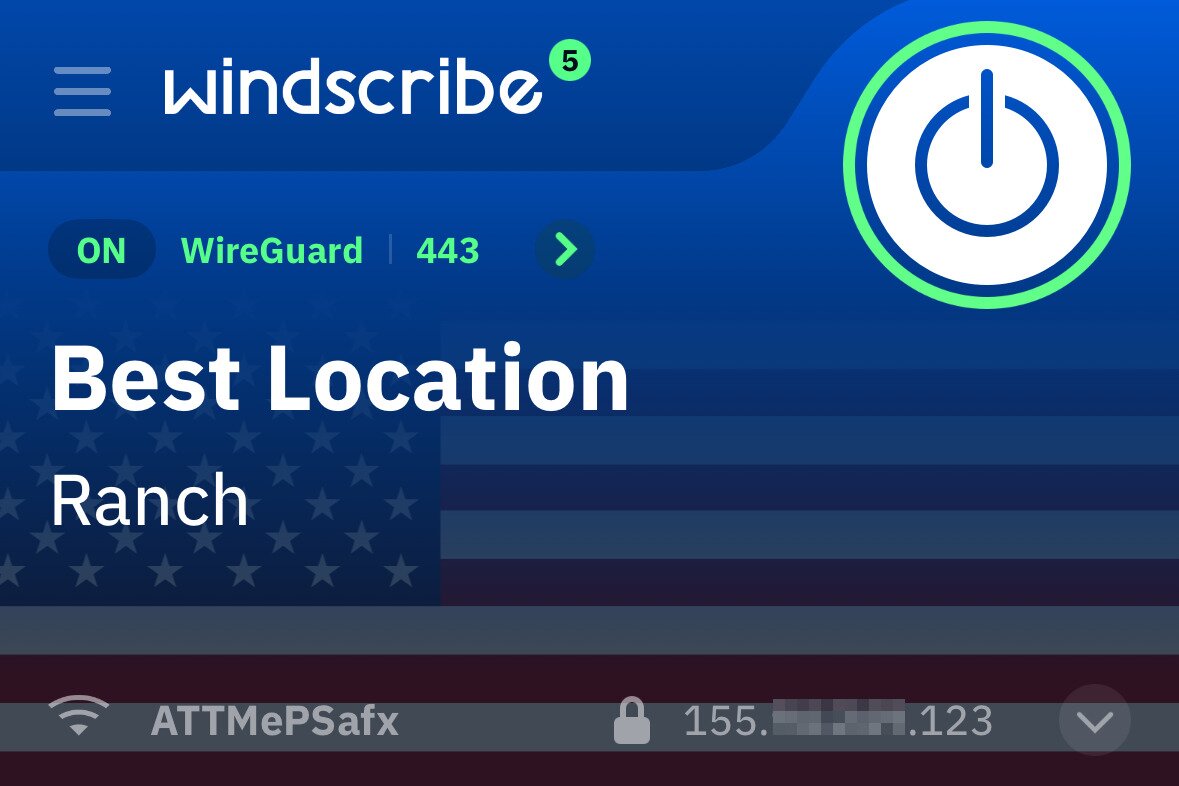
If you’re not ready to pay for a peer-to-peer VPN, then Windscribe is a reliable free option with limited data. Among many unprotected free options with basic security options, Windscribe provides advanced encryptions, a firewall system for enhanced privacy, and multiple secure protocols including WireGuard, OpenVPN, and IKEv2 at no charge.
This provider offers split tunneling, packet size settings to improve performance, and no identifying logs. With that said, Windscribe Pro is available for $9.00 per month, suitable for people who want unlimited data, access to all locations, and more.
| P2P VPN Provider | P2P support | Security Features | Price (1-Month Plan) |
| NordVPN | Optimized P2P servers | Onion Over VPN, Threat Protection Pro, Split Tunneling, AES-256 Encryption, Kill Switch | €12.99 |
| ExpressVPN | P2P support for most servers | TrustedServer, Split Tunneling, Kill Switch, AES-256 Encryption | €12.63 |
| Surfshark | P2P support for most servers | Obfuscated Servers, Double VPN, Split Tunneling, AES-256 Encryption, Kill Switch | €15.45 |
| CyberGhost | Optimized P2P servers | DNS Leak Protection, Split Tunneling, Kill Switch, AES-256 Encryption | €11.99 |
| Windscribe | P2P support on select servers | Kill Switch, AES-256 encryption, Multiple Secure protocols | Free Windscribe Pro: $9 |
Should You Choose a Free or Paid P2P VPN
There are many VPN providers that offer peer-to-peer support for free, but most of them come with basic security, data limits, fewer server locations, and slower speeds. Critically, many free plans do not allow P2P traffic at all. Some providers reserve torrenting support exclusively for paid tiers or dedicated servers, meaning a free account may trigger an outright block the moment you start a torrent client.
Proton VPN, for example, displays a “No P2P traffic permitted” error on its free-tier servers and reserves P2P access for paid plans. This is not a minor limitation — it means a free account with that provider is simply not usable for torrenting.
Even when a free plan technically supports P2P, strict data caps create a practical problem. If you hit your monthly data limit mid-session, the VPN may disconnect. If your kill switch is not configured correctly, that disconnection can briefly expose your real IP address to the torrent swarm, one of the key torrent privacy dangers, before you notice anything is wrong.
PrivadoVPN is one of the few genuinely free options that permits torrenting, but it enforces a 10GB monthly cap and covers a limited range of server locations — enough for occasional use, but not for regular downloading.
So if you only need peer-to-peer connections temporarily and you can work within those limitations, a free option can be a logical starting point. However, you should only use ones equipped with necessary security measures and no data logging, as your personal information can be at risk. Free P2P VPNs are best suited to occasional, low-bandwidth, legal downloads only. For anything beyond that, a paid plan is the right choice.
On the other hand, paid VPNs with P2P support are usually the best option for a reliable connection and unlimited access. Premium services offer dedicated servers for optimal torrenting performance with strong encryption protocols.
They often come with a strict no-logs policy and additional security features such as split tunneling and a kill switch that will make sure your real IP address and personal information won’t be easily accessible to trackers and websites. Moreover, with premium VPNs, you’ll have access to a reliable customer support team that can answer your questions and fix your connection problems.
Steps to Make Sure Your P2P Connection is Secure
After choosing a reputable VPN provider, to ensure your P2P VPN is providing the maximum security while torrenting and visiting various websites, we recommend following these steps:
Step 1: Use Optimized P2P Servers
Don’t forget to choose a VPN server that is optimized for peer-to-peer connections. These servers are built to handle torrent traffic efficiently and reliably. If you connect to a non-P2P server, the encryption is generally the same — but the server may block your torrent traffic entirely, redirect you automatically to a P2P-compatible server, or simply perform poorly for file sharing.
Depending on the provider, you may see an error message such as “No P2P traffic permitted.” Check your provider’s server list or app interface to confirm which servers support P2P, and switch to a designated P2P server if you run into any of these issues.
Step 2: Enable the Kill Switch feature
Most advanced VPN providers offer a Kill Switch for VPN connections. Kill Switch will automatically disconnect you from the internet when the VPN server suddenly shuts down. This ensures that your real IP address and sensitive information won’t be exposed while using P2P servers for torrenting.
Step 3: Enable Strong Encryption and Protocol
VPN services usually offer multiple encryption and protocols that are suitable for different applications. If you need a secure connection for peer-to-peer activities, we recommend using AES-256 encryption which is very strong and nearly impossible to hack. The most secure VPN protocols that will provide satisfying speed for downloading and uploading through torrents are WireGuard, OpenVPN, and IKEv2/IPSec.
Step 4: Check for IP and DNS Leaks
Sometimes you can’t just trust the VPN provider and you have to test the connection yourself to make sure it’s secure. To do this, you can utilize websites designed to check for IP and DNS leaks. One of the best options is IPLeak.Net which allows you to see your current IP and DNS addresses. If your real IP and DNS are visible, then your VPN is not secure — for a broader look at the risks, see unsafe torrenting explained.
Step 5: Use a Secure Torrent Client
Torrent users should always pair their VPN with a trustworthy torrent client such as uTorrent, qBittorrent, or Deluge. Avoid less-known clients and the ones with built-in adware that tracks your online activities and displays personalized ads based on them.
Final Thoughts on P2P VPNs for Smooth Torrenting
Overall a P2P VPN can make torrenting and peer-to-peer file sharing a safe and pleasant experience. It can ensure your real IP and DNS won’t be accessible to trackers and websites. On top of that, it will keep the download and upload speed of torrenting at a satisfying level.
Of course, all of this depends on the VPN provider that you choose to use. In this situation, a premium service with advanced encryption and no data logging is a logical choice.
Frequently Asked Questions
Is torrenting with a P2P VPN legal?
Yes, the act of torrenting and using a peer-to-peer VPN for it is legal but downloading copyrighted content without permission is illegal in most countries.
Is it safe to use a P2P VPN?
It depends on the VPN provider. Premium and well-known providers will usually guarantee a safe connection with advanced security measures. On the other hand, you should be very careful with less known and free options that log your data.
Can I use a P2P VPN on mobile?
Yes, most VPN providers offer solutions such as dedicated apps for iOS and Android that support peer-to-peer connections for torrenting and other applications.
Will a P2P VPN slow down the internet speed?
Using a VPN always will have an impact on your internet speed because of encryptions that add more layers to the connection. However, the best VPN providers use advanced technology and high-speed servers to minimize the impact.
