How To Quickly Add Space Before Paragraph In Word 2010
Sometimes document looks untidy because of lack of proper indentation, formatting etc. We found out that it is primarily because of improper spacing between paragraphs. In this post we will demonstrate how to quickly make document tidy by adding space between paragraphs.
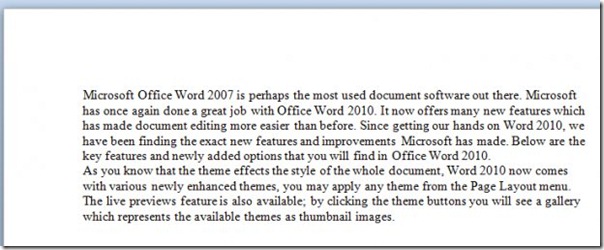
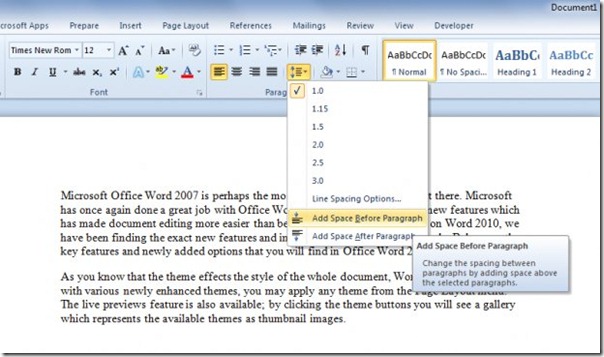
For adding a space, head over to Home tab, from Paragraph group, expand Line & Paragraph spacing options, and select Add Space Before Paragraph. If you also need to remove Word blank page issues while tidying the document, that guide can help. You can also use it to cut a blank page if unwanted spacing has pushed content onto an extra page. It will instantly add a space between paragraphs and hopefully will make your document look organized.