Best VPN for iPad: Our Top 5 Favorites
Virtual private networks (VPNs) are widely used these days, but which is the best VPN for iPad users? VPNs provide anonymity and privacy for browsing activities, but they also unlock otherwise restricted streaming content, giving users a much broader catalog of movies and TV shows to watch.
This guide will cover exactly what must-have VPN features to look for, which services are especially compatible with iPads, and the most noteworthy pros and cons of each service.





For those in a hurry, here is a quick rundown of the best VPN for iPad finalists:
- NordVPN: This very popular VPN service offers fast speeds, a large server network, and a wide range of additional features.
- Surfshark: Known for good prices, strong security measures, and no limits on how many connections you can have at once.
- ExpressVPN: Offers strong basics like fast speeds and encryption, but they also include extra features, such as their Lightway protocol, which improves speed and security, along with password managers and ad blockers.
- VyprVPN: Well known for their Chameleon protocol that helps users get around strict networks, like those in China and Russia. They own all their servers, which is uncommon. This means no third parties can access your data.
- StrongVPN: A reliable, easy-to-use VPN provider with a good selection of servers and support for up to 12 connections at once. They also own their own servers.
What is a VPN?
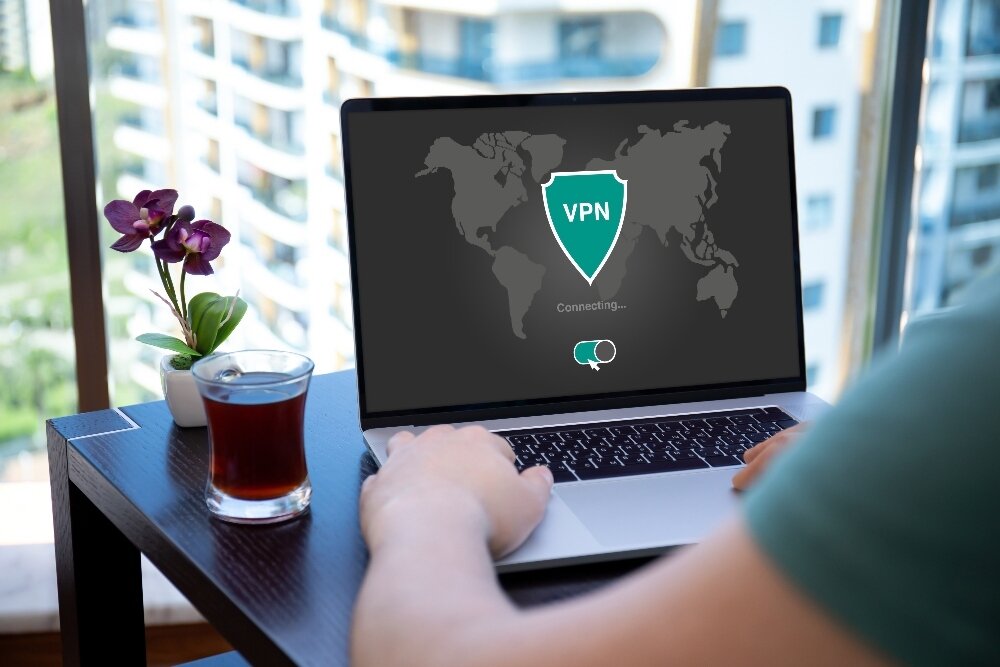
Before getting into choosing the best VPN for iPad users, it’s helpful to understand what a VPN really does. Virtual private networks greatly improve online privacy and anonymity. They encrypt your internet traffic and also obscure your IP address, so your location and browsing activities are hidden.
The VPN service provider has thousands of remotely based servers. When you choose a server from one of these remote countries, it appears as if you are located in that region. This not only further protects your privacy, it can also let you access geo-restricted content, such as streaming media that is only available in certain locations.
Our Contenders for Best VPN for iPad
The best VPN for iPad will have apps that are compatible with all kinds of devices, including gaming consoles and smartphones. This guide will consider what is the best VPN app for iPad, specifically. That said, most VPNs allow a certain amount of simultaneous connections from multiple devices. So while you are connecting with your iPad, someone else in your household could also connect with a different device, such as a Windows PC or Amazon Fire TV stick.
1. NordVPN
NordVPN has a massive reputation as a VPN favorite, and that rep is still going strong. Plans range from basic to complex, with multiple heavy hitting features that increase with each payment tier. It consistently ranks as one of the top picks when searching for the best VPN for iPad.
Basic plans still have threat protection through NordVPN’s DNS servers, which block malicious domains and ads. Basic also includes encrypted, high-speed connections and ten simultaneous connections per account.
More advanced tiers include extras like dark web and credit monitoring, identity theft insurance, password managers, and next-level threat protections. They are also widely compatible with most devices, including iPads.
On iPad specifically: The NordVPN iPad app is clean, well-organized, and connects with a single tap — ideal for users who don’t want to dig through settings. It supports the NordLynx protocol (built on WireGuard) on iPadOS, which delivers fast speeds with lower battery drain. The app includes a kill switch and auto-connect on untrusted Wi-Fi networks, so your traffic stays protected when you hop onto a coffee shop hotspot. NordVPN is also one of the most reliable options for streaming on iPad, consistently unblocking Netflix, Disney+, and BBC iPlayer. One iPadOS limitation to be aware of: split tunneling is not available on iPad, as Apple’s platform restrictions prevent it — this applies to all VPNs, not just NordVPN.
Read our full NordVPN review.
- Very affordable plans
- Different IP addresses aervers
- Tor over VPN, double VPN
- Strict zero logs policy on both traffic and metadata
- Great customer service via chat.
- Some servers can have average d/l speeds
- They can take 30 days to process refunds.
2. Surfshark
Like NordVPN, Surfshark gives you more features when you choose higher-tier plans. That said, their basic plan does give you more bang for your buck than NordVPN does. Examples of basic features include the Bypasser tool (which allows specific apps/sites to bypass the VPN), a rotating IP address, a cookie pop-up blocker, and other helpful functions.
Advanced plans include credit monitoring, data removal from company databases, and other privacy protections. Add to all of this that Surfshark is zippy and responsive, and it becomes a strong contender for the best VPN for iPad users looking for value.
On iPad specifically: Surfshark’s iPad app is beginner-friendly with a straightforward interface that makes switching servers quick and painless. On iPadOS it supports both WireGuard and IKEv2 protocols, giving you a good balance of speed and stability. The app includes a kill switch and an auto-connect feature for public Wi-Fi, which is especially useful when using your iPad on the go. Streaming performance on iPad is strong, handling Netflix and other major services well. Note that while Surfshark’s Bypasser (split tunneling) is a highlight feature on desktop, it is not available on iPadOS due to Apple platform limitations.
- Break through harsh censorship to securely access social media and foreign news sites
- Unblock Netflix on any server, no more picking and choosing
- Unlimited simultaneous connections–Protect your whole family!
- Favorable BVI jurisdiction guarantees no logs kept
- Support staff manned by actual human beings 24/7.
- Growing network doesn’t have same coverage as more mature VPNs
- New-kid-on-the-block status may not instill same trust as larger providers.
Read our full Surfshark review.
3. ExpressVPN
There’s a lot to love about ExpressVPN. Besides everything already listed, they also use their TrustedServer feature. This means they don’t save any data on any hard drives, they use RAM only.
Every time they reboot their system, all of the data is wiped, which keeps your information that much more protected. They also don’t keep connection or activity logs, frequently undergoing third-party audits to verify their privacy policies.
Similar to the other VPNs we’ve listed, they also have advanced features, such as password managers, ID theft insurance, data removal, credit scanners, and more. ExpressVPN makes it easy to protect not only your browsing habits but also your online identity, making it a solid pick as the best VPN for iPad if you prioritize privacy.
On iPad specifically: ExpressVPN’s iPad app is one of the most polished in the industry — clean, fast, and easy to navigate even for first-time VPN users. Its proprietary Lightway protocol is available on iPadOS and is particularly well-suited to mobile use, as it reconnects quickly when switching between Wi-Fi and a mobile hotspot and is designed to preserve battery life. The app includes a kill switch (called Network Lock) and auto-connect on untrusted networks. ExpressVPN is also among the best performers for streaming on iPad, reliably unblocking a wide range of services. Some of the advanced configuration options found on the desktop app are not available on iPadOS, but for most iPad users the app provides everything needed right out of the box.
Read our full ExpressVPN review.
- Unblocks Netflix and other streaming sites
- Super fast servers
- Torrenting/P2P allowed
- Strict no-logging policy
- Customer Service (24/7 Chat).
- Slightly more expensive than some other options.
4. VyprVPN
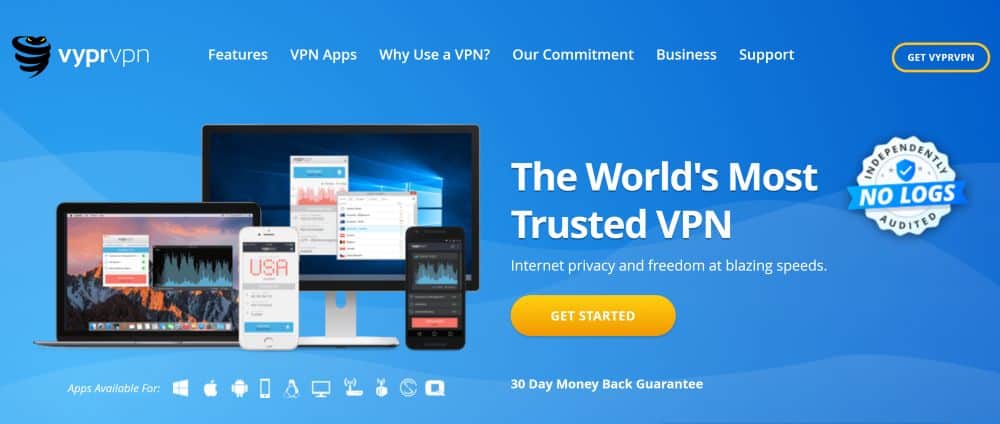
VyprVPN is a little different from many of the others on this list. Yes, they have far fewer servers (a mere 700 compared to NordVPN’s thousands), and yes they are also a little bit slower.
However, they own their entire fleet of servers. What does that mean? No third parties ever have access to your data. It is only accessible through VyprVPN, making your data considerably harder for anyone else to access. They are one of the few VPNs with this feature.
Additionally, their Chameleon protocol can help users access content even in the most strict censorship regions, making it a favorite for the best VPN for China, India, and the Middle East. This protocol is standard for all of their plans.
On iPad specifically: VyprVPN’s iPad app is straightforward and easy to set up from the App Store. The Chameleon protocol is available on iPadOS, which is a meaningful advantage if you travel to countries with strict internet restrictions and are using your iPad abroad. Auto-connect on untrusted Wi-Fi networks is supported. The tradeoff on iPad is that the smaller server network means you may encounter more variability in speeds depending on your location, and the app offers fewer advanced controls than some competitors. For everyday browsing and privacy on iPad it performs reliably, though heavy streamers may prefer NordVPN or ExpressVPN.
Read our full VyprVPN review.
StrongVPN
If you want a basic, reliable, and easy-to-use VPN that is compatible with iOS, StrongVPN is a good option. They have robust privacy and security practices to protect your data and anonymity, and their interface is one of the easiest to navigate on the market. It’s been well-tested for streaming media, and while it’s not quite as fast as some VPNs, it does a good job with most tasks.
StrongVPN excels in two areas. First, it’s incredibly beginner friendly. No, it doesn’t have all of the bells and whistles as some VPNs, but not every user searching for the best VPN for iPad is looking for complex plans. Second, like VyprVPN, they own their own servers, greatly increasing your privacy and protecting you from third-parties accessing your information.
While VyprVPN has a broader range of server locations, StrongVPN has more actual servers. Either way, both providers have strong privacy benefits from running and owning everything themselves.
On iPad specifically: The StrongVPN iPad app is one of the simplest to use in this roundup, making it a particularly good fit for iPad users who are new to VPNs and want to get connected without fuss. It supports WireGuard on iPadOS, which delivers solid speeds and stability for both browsing and streaming. The app handles transitions between Wi-Fi and a mobile hotspot reliably. With support for up to 12 simultaneous connections, it works well for households where multiple devices — including an iPad — are in use at once. Advanced features like split tunneling are not available on iPadOS (an Apple platform limitation), but for straightforward privacy and security on iPad, StrongVPN delivers what most users need.
Pros:
- Uses WireGuard protocol for increased speed, performance, and security
- 950 servers
- Beginner friendly and intuitive interface
- Up to 12 simultaneous connections
- Excellent customer support
Cons:
- Servers are only located in 30 countries
Also Consider: Proton VPN
Proton VPN deserves a close look from any iPad user who puts privacy at the top of their priority list. The company behind it — Proton AG — is headquartered in Switzerland, which means it operates under some of the strongest privacy laws in the world, and is outside the jurisdiction of US and EU surveillance-sharing agreements. That legal foundation matters for users who are serious about where their data can and cannot go.
The iPad and iPhone apps are open source and have been independently audited, so the privacy claims aren’t just marketing — they’ve been verified by outside researchers. The apps are well-designed for iPadOS: setup through the App Store is straightforward, the interface is clean and easy to navigate, and connection is reliably quick. Proton VPN supports WireGuard and IKEv2 on iPad, both of which handle switching between Wi-Fi and a cellular hotspot smoothly. A kill switch is included in the app.
One of Proton VPN’s most distinctive features is its free tier. Unlike most free VPNs — which often log data, cap bandwidth, or worse — Proton VPN’s free plan has no data caps, no speed throttling beyond server availability, and is widely considered one of the most trustworthy free options available. For an iPad user who needs a reliable free VPN for occasional privacy protection, it is a genuinely credible choice.
There are real tradeoffs to consider, however. On the free plan, server selection is limited to a handful of countries, which significantly reduces its usefulness for unblocking streaming services or accessing region-locked content on your iPad. Streaming performance on the free tier is inconsistent, and many major services will not unblock at all without a paid subscription. To get the full benefit — including access to streaming servers, higher speeds, and features like Stealth protocol for bypassing censorship — you’ll need a paid Proton VPN Plus plan, which is priced competitively but is not the cheapest option in this roundup. For privacy-first iPad users, especially those who travel or want an audited, no-logs service, Proton VPN is well worth considering alongside the paid picks above.
How We Tested the Best VPN for iPad
Every VPN in this guide was evaluated hands-on using an actual iPad running iPadOS, not just assessed on paper. Our testing process was built specifically around how these services perform on Apple’s tablet, covering the areas that matter most to real iPad users.
- App Store setup and onboarding: We assessed how easy it was to find, download, and configure each VPN directly from the App Store on an iPad, paying close attention to how intuitive the initial setup was for users with no prior VPN experience.
- One-tap usability: We evaluated how quickly and reliably each app could connect and disconnect, and how accessible key settings were without navigating complex menus.
- Connection speeds: Speed tests were run on each VPN across multiple server locations to measure the real-world impact on browsing, video calls, and streaming on the iPad.
- Streaming access: Each VPN was tested for its ability to unblock major streaming services — including Netflix, Disney+, and BBC iPlayer — directly through the iPad browser and streaming apps.
- Protocol availability on iPadOS: We checked which protocols each VPN offers on iPad, including WireGuard, NordLynx, Lightway, IKEv2, and OpenVPN where supported, since protocol choice affects both speed and stability on mobile devices.
- Kill switch and auto-connect behavior: We verified whether each app’s kill switch and auto-connect features function correctly on iPadOS, including whether they activate reliably when joining untrusted public Wi-Fi networks.
- Network switching stability: Each VPN was tested for stability when the iPad moved between a Wi-Fi connection and a cellular hotspot, a common real-world scenario for tablet users on the go.
- iPadOS limitations: We specifically noted which features advertised by each VPN are unavailable on iPad due to Apple platform restrictions. Split tunneling, for example, cannot be implemented on iPadOS regardless of the VPN provider, and some advanced configuration controls present on desktop apps are absent from their iPad counterparts.
Why Use the Best VPN for iPad?
Using a VPN on your iPad has multiple benefits. Here is a quick overview of why VPNs are important and how to make the most out of them:
- To keep your data from being sold to third-parties: It’s quite common for ISPs to sell your browsing data and habits to data brokers and other third-parties. They then can use this for marketing and consumer targeting purposes. Examples of the data ISPs can collect include the websites you visit, how long you are on the sites, and even your location. Not every country has to worry about this due to privacy laws in places like Europe. However, citizens based in the United States are particularly vulnerable as this practice is legal there.
- To help protect your home network: Cyber criminals can take advantage of poorly protected home networks. Every device on your network (including your iPad) can be at risk if you don’t have the proper protections in place. A good VPN can secure the devices you have connected to your Wi-Fi, making you less of a target.
- To prevent unfair price hikes: You may be surprised to learn that the prices of online products and services can vary depending on your location and browsing habits. This dynamic pricing can make things like airline tickets and hotels more expensive simply based on the demands of your area or how many times you visit their website. Using a VPN can help you shop for the best deals, preventing these companies from using your location against you.
- Stay safe on public Wi-Fi: If you’re in public with your iPad or other device, such as at a coffee shop, you have zero control over the security practices of that public Wi-Fi provider. However, by using a VPN, you can be sure that your data is encrypted and that you have better protections in place.
- To circumvent geo-restrictions: These restrictions can be something as simple as watching Netflix content that is only normally available in Canada or as severe as breaking through strict government censorship, like the Great Firewall of China. If you’re using a VPN for the latter reason, be aware that some countries have laws against using a VPN at all. While you can often obscure your usage, if you are detected, there may be legal consequences. Keep these factors in mind when deciding if a VPN is a good fit for you.
How to Choose the Best VPN for iPad
So, which provider offers the best VPN for iPad users? That depends on your needs. There are some important qualities to consider before plunking down your money for a subscription. Here are some factors to keep in mind.
User Interface and Beginner Friendliness
With so many add-ons, extra features, and advanced plans available, things can get overwhelming for beginners immediately. Fortunately, the major VPN providers (like the ones on our list) try to keep things intuitive for their users. Many offer 24/7 customer support, too.
However, if you want something particularly simple, do some research and see which providers fit best with your abilities. Many VPNs also have tutorials or instructions to take advantage of, such as blogs and support center resources.
Cost
This is one of the more straightforward factors for users to keep in mind. What is your budget? What features do you absolutely have to have, and how expensive are they? If you just want a simple VPN service that doesn’t do anything advanced, choose a lower priced tier. You can usually upgrade if needed, but it’s better to start simple and build up as required.
Also, it is typical for many VPN providers to have competitively low introductory prices, especially if buying on an annual basis instead of a monthly basis. The problem there is that some users don’t pay attention to the renewal costs and, a year later, are unpleasantly surprised by their new bill. Do a little digging and see what you’re getting into.
Additionally, you may want to find out how much advance notice you need to give if you plan to drop your VPN service before it renews. Some of them require a lot of notice, and if you miss your cancellation window, you could be out some money.
Privacy Features and Security Practices

The VPNs on the above list were all selected with privacy and security factors in mind. When selecting the best VPN for iPad, make sure your chosen provider has:
- A no-logs policy and no data tracking
- Strong encryption protocols
- Kill switch feature (this blocks your internet if your VPN unexpectedly drops, protecting your data from your ISP. This is standard in many VPNs)
- DNS leak protection
Fast Speeds
Because VPNs require encryption and other data obfuscation, they tend to be slower. Top providers have ways of minimizing this, to the point that you’ll barely notice lags, if you even do. The more servers to choose from, the better speeds tend to be.
For instance, if you don’t have servers near your region, the data packet has to travel a lot further, which slows down speeds. Also, if a server is overloaded with too many users connecting to the same server, it will likewise be slow. More servers means more choices and less overload. You can always jump to a different server if one is sluggish, letting you get back to a faster browsing experience with little effort. Speed is a key consideration when choosing the best VPN for iPad, especially if you plan to stream video content.
Frequently Asked Questions
- Should I use a free VPN?
Most free VPNs are suspect, at best. Many sell your data to third-parties, which is ironic considering you’re trying to enhance your privacy. Others may be installing malicious software to your device without your knowledge. There are a few somewhat reputable free VPNs that seem to be lower risk. However, they usually have massive limitations, overloaded servers, few extra features, and are usually just a stripped down version of their pay-to-use VPN. If you’re looking for the best VPN for iPad, a paid service is almost always the better choice.
- Does Apple have a VPN service?
No, Apple does not have a built-in VPN service for their devices. Apple devices are compatible with most VPN providers, however, and many VPNs can be configured directly on them without the need for an app. According to Apple’s official iPad support documentation, iPads support VPN configuration natively through the device settings.
Many iPad users wonder whether iCloud Private Relay — Apple’s built-in privacy feature for iCloud+ subscribers — replaces the need for a VPN. The short answer is no, and the distinction is important. iCloud Private Relay works only within Safari and certain Apple-managed network traffic. It does not protect traffic from third-party apps, streaming services, or other browsers on your iPad. In contrast, a VPN routes all of your device’s internet traffic through an encrypted tunnel, regardless of which app is generating it.
Private Relay vs. VPN — when is each sufficient? iCloud Private Relay is a reasonable privacy enhancement for everyday Safari browsing if you’re already an iCloud+ subscriber. It hides your IP address and browsing activity from websites and network providers in a lightweight, automatic way. However, it does not let you choose a specific server location, it cannot be used to access geo-restricted streaming content or bypass regional blocks, and it is not designed to work like a full device-wide VPN. If your goal is to protect all app traffic on your iPad, access streaming libraries from other countries, secure your connection on public Wi-Fi across every app, or work around censorship, you still need a dedicated VPN. Private Relay and a VPN can also be used together — they serve different purposes and do not conflict.
- Are VPNs legal?
In most countries, such as Europe, the U.S., and Latin American regions, yes. VPNs are absolutely legal. Heavily censored countries, however, like China and Russia, have restrictions on VPN usage, and others make it illegal to use entirely. Be sure to know the laws of where you live. Sometimes, penalties can be severe for VPN usage, and it may not be worth the risk.
- What is geo-blocking?
Geo-blocking is when content is banned based on location. VPN-restricted or banned countries are known to block content from regions they deem a threat or want to keep their citizens from accessing.
Frequently, geo-blocking is used to describe streaming content that users want to access outside of their region. Licensing agreements, such as for specific films or television shows, usually have restrictions as to the region the copyright is valid for. Netflix may buy the copyrights to a show, but that doesn’t mean they bought the copyright for every single region.
If you live in an area outside of that show’s licensing agreement, it’s simply not available to you. Using the best VPN for iPad can make it appear that you’re based in a different location, which means you suddenly have access to films and shows specific to that area. You just need to use a VPN to sign into your streaming provider, and you’ll gain an expanded library of material to watch. Just be sure to pick the best VPN for Netflix, as they aren’t all equally equipped for accessing this specific streaming service.
If you need a VPN for a short while when traveling for example, you can get our top ranked VPN free of charge. NordVPN includes a 30-day money-back guarantee. You will need to pay for the subscription, that’s a fact, but it allows full access for 30 days and then you cancel for a full refund. Their no-questions-asked cancellation policy lives up to its name.
