Best VPN for Mac in 2026: Expert Reviews and Recommendations




If you’ve been in search of the best VPN for Mac, you’ve landed on the right page. Today, we’ll cover several of the market’s top providers, each rated for privacy, speed, ease of use, and of course, seamless integration into the slick MacOS.
Staying safe on the internet is getting harder every day. Even Mac users are vulnerable to hotel Wi-Fi hacking risks and ISPs eager to collect and sell private information. Staying anonymous and keeping your data secure is much easier with a virtual private network. Besides keeping users safe, VPNs also provide access to streaming services like Netflix, Hulu, and BBC iPlayer.
These trusted VPNs have high-security apps optimized for Mac OS:
- NordVPN – Best Mac VPN – The NordVPN Mac app gives you full access to this provider’s wealth of cybersecurity settings. Powerful encryption, easy user interface, stable performance.
- Surfshark – Lightweight app with heavyweight privacy provisions. Unlimited simultaneous connections and bandwidth.
- ExpressVPN – One-click interface, easy server switching, reliable unblocking.
- IPVanish – More old-school in visual design, but trusted by thousands across the globe.
- StrongVPN – A reliable VPN with good encryption and no logging.
- PIA – An inexpensive VPN for any device, with a global network of servers
- Proton VPN – Totally free forever with zero logs and zero ads.
While most good VPN services offer Mac software, not all apps are equal. We combed through the top providers around to find the best VPN for Mac OS you can download today.
What Is the Best VPN for Mac? Our Top Picks for MacOS
Ready to protect your data? The crowded VPN market overwhelms buyers and creates analysis paralysis. To skip the hassle, start with our expert picks for the best VPN for Mac and get protected in minutes.
1. Best Overall: NordVPN

NordVPN has an amazing reputation among VPN users. The company has been in operation since 2012 and employs mathematicians and technologists whose goal is to keep the Internet as free as possible without sacrificing speed or ease of use. The company even offers Bitcoin payments for an extra layer of anonymity.
NordVPN puts security first by using double data encryption along with a strict zero-logging policy. The team operates over 7,000 servers in 118 different countries, which gives users plenty of options for bypassing censorship and geo-blocked content.
NordVPN will successfully unblock Netflix, Hulu and BBC iPlayer along with a huge range of other content. There are no bandwidth limitations or traffic throttling, both P2P and torrents are welcome, and there’s a convenient kill switch that terminates any unencrypted leaks if your connection drops unexpectedly.
Ease of use is another priority for the NordVPN team, and the Mac software shows it with a fast installation and intuitive design. Both basic and advanced features are easy to find and customize to your liking. You can download NordVPN directly from its website or the Mac App Store, making it a top choice as the best VPN for Mac overall.
Read our full NordVPN review.
- Very affordable plans
- GooglePlay users rating: 4.3/5.0
- 256-bit AES encryption with perfect forward secrecy
- No logs and encrypted connections for total privacy
- Great support (24/7 chat).
- Some servers can have average d/l speeds
- Apps can sometime be slow to connect.
2. Best for Unlimited Devices: Surfshark

Surfshark was seemingly built with Apple’s ecosystem in mind. Their Mac OS app is extremely minimalist in its visual design, but never abstract. A single window clearly presents everything you need. Even the advanced settings are easy to access, and never need the “digging in” so many other VPNs seem to require.
Don’t mistake Surfshark for a lightweight, though. It packs 256-AES-GCM encryption, OpenVPN, IKEv2/IPSec, and WireGuard tunneling protocols, obfuscation, anti-malware/tracking/pop-ups, and even NoBorder anti-censorship functionality into every server connection. That’s right—every server works out of the box, just like a Mac app should.
And if you’re also on iOS, rejoice as the user experience is much the same. What’s more, Surfshark never limits your simultaneous connections, so you can protect your whole family’s devices with one subscription. Surfshark keeps no identifiable logs, letting you browse on your Mac with complete anonymity.
- Unblock 15 international Netflix libraries, including the US and Japan
- Every server is a speciality server
- Unlimited simultaneous connections–Protect your whole family!
- Based in the British Virgin Islands, where there are no data retention laws
- Get help any time of day via email, phone, or live chat.
- Overall, not much to complain about
- Relatively young VPN still has to prove itself trustworthy over the long haul.
Read our full Surfshark review.
3. Best for Speedy Downloads: ExpressVPN
ExpressVPN‘s reputation is one of top download speeds and reliable privacy policies. The service’s main features include unlimited bandwidth, no data caps, no file type restrictions, and 3,000+ VPN server locations in 105 countries to make finding a fast, content-friendly connection a breeze.
This also allows ExpressVPN to easily bypass most georestrictions, even from major streaming services like Netflix. There’s also a guaranteed zero-logging policy in place for the privacy minded.
One of ExpressVPN’s most unique features is its built-in speed test for Windows, Mac, and Android versions of the network’s software. Different servers will offer different download speeds depending on your location, so finding one that offers the right balance of bandwidth and regional benefits can be a trial and error process. With ExpressVPN’s speed test, you can quickly evaluate which server will give you the best connection.
The ExpressVPN Mac client shares a lot of layout and design features of its iOS counterpart. This can make it feel a bit cramped at times, but never overwhelmingly so. All features are available from within the software’s menus, including the exclusive server speed test option. Download the ExpressVPN app from the official website to get the most up-to-date release.
Read our full ExpressVPN review.
- Unblocks US Netflix
- Super fast servers
- Torrenting/P2P allowed
- Strict no-logs policy for personal information
- Live chat support available.
- High cost for month-to-month users.
4. Best for Anonymity: IPVanish
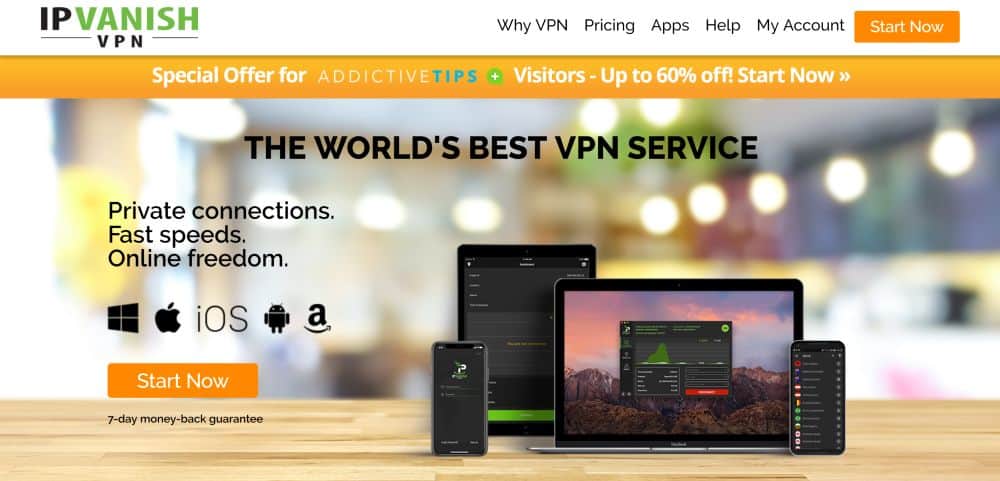
Known as one of the fastest VPN providers around, IPVanish delivers consistent speed alongside great privacy and security options for a number of platforms, including Mac. The VPN operates over 1,300 servers in 60 different countries to help maximize your location-based speed scores and geo-location circumvention. You’ll also find handy features like a dropped connection kill switch, automatic IP switching, and the ever-important zero-logging policy.
Most VPN providers include anonymity and content access, but IPVanish highlights these as its strongest features. With a VPN, you can switch locations instantly and bypass censorship when content is blocked in your country. IPVanish offers servers in dozens of countries, letting you reach the information you need without exposing your identity or personal details.
IPVanish has a custom built Mac app available to download from its website. There’s an easy to use visual set-up guide to help with installation, along with detailed tutorials for manual installation.
Read our full IPVanish review.
5. Best Security Protocols: StrongVPN
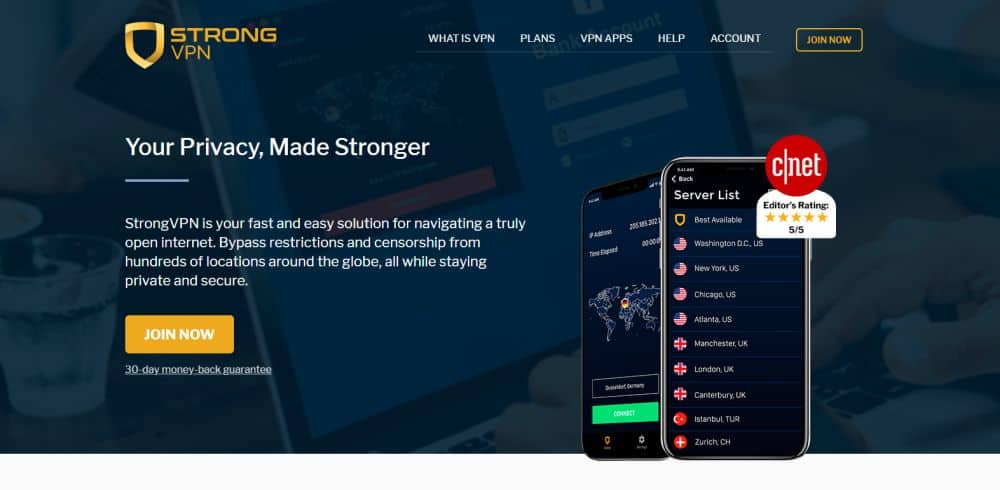
StrongVPN focuses on speed and uncompromised privacy. Few VPNs match its fast connection speeds. Its strict no-logs policy and strong security protocols keep your information safe at all times.
The provider has north of 650 servers in 20+ countries, the shortest list of the VPNs featured above but a respectable enough selection to give you options when you need to circumvent geo-restricted content.
StrongVPN’s Mac software is compatible with current macOS versions including Ventura, Sonoma, and Sequoia, and runs natively on both Intel and Apple silicon Macs. Several quick start tutorials guide you through the set-up process so you’re up and running as quickly as possible.
6. Best Budget VPN: PIA
Private Internet Access (PIA) offers a vast network of servers worldwide, prioritizing privacy with a strict no-logs policy. Known for its user-friendly interface and competitive pricing, PIA provides features like split tunneling and kill switch to enhance security. You’ll get unlimited simultaneous connections on all your devices. Apps are available for every device imaginable, and servers are spread out over a whopping 91 countries.
With zero discounts, this VPN service is only $2.03/mo, much more affordable than most other providers. If you’re looking for the best VPN for Mac on a tight budget, PIA is hard to beat.
7. Best Free VPN for Mac: Proton VPN
We don’t typically recommend free VPNs, but Proton VPN stands apart from the crowd — and not just because it has a free tier. It’s a genuinely serious Mac VPN contender that earns consistent top-tier coverage from outlets like Macworld, PCMag, and TheBestVPN, and for good reason.
Proton VPN is headquartered in Switzerland, one of the world’s strongest jurisdictions for privacy, sitting outside the reach of US and EU surveillance alliances. The apps are fully open-source and independently audited, so you’re not taking anyone’s word for the no-logs claim — the code is there to verify. That kind of transparency is rare even among paid VPNs.
The free plan is genuinely unlimited on data, which is the key distinction from most other free VPNs that cap you at a few gigabytes per month. What the free tier actually limits is scope rather than speed in an artificial sense: you’re restricted to servers in a small number of countries (the US, Netherlands, and Romania), and you can only connect one device at a time.
You also won’t get access to premium features like high-speed servers, streaming-optimized servers, or Secure Core routing on the free plan. If you need to pick a specific country for streaming or access a wider range of locations, you’ll need to upgrade to a paid plan.
The Mac app is polished, native, and works smoothly on both Intel and Apple silicon Macs. It supports WireGuard and OpenVPN, includes a kill switch, and requires only standard macOS permissions during setup. For anyone new to VPNs or anyone who simply wants solid, no-cost protection without data limits or ads, Proton VPN’s free tier is in a class of its own.
The company is based in Switzerland and explains their no-log policy in detail, making it one of the more credible anonymous VPN options.
If you’re curious about other free options, our Urban VPN Mac review explores another provider that offers a no-cost tier for Mac users.
Apple’s Built-in Privacy Features vs. the Best VPN for Mac
Before installing a third-party app, it’s worth understanding what Apple’s native privacy tools actually do — and what they don’t. These features offer genuine value, but they are not VPNs and should not be treated as replacements for one.
iCloud Private Relay
iCloud Private Relay is available to iCloud+ subscribers and routes your Safari browsing through two separate internet relays to mask your IP address from websites and prevent tracking. It’s a meaningful privacy improvement for Safari users, but it has significant limitations compared to a full VPN:
- It only covers traffic inside Safari and a limited set of Apple app requests. Any other app on your Mac — your email client, a streaming app, a game, a browser other than Safari — sends its traffic completely outside of Private Relay’s protection.
- It does not let you choose a server location or country. You cannot use it to appear as though you’re browsing from France, Japan, or anywhere specific. The relay assigns you a regional IP, not one you control.
- It does not encrypt all internet traffic system-wide. Your ISP can still see which services and domains your Mac connects to outside of Safari.
TLS (Transport Layer Security)
TLS is the encryption technology that secures connections between your browser or app and the websites and services you visit — it’s what puts the padlock icon in your address bar. Apple enforces TLS across its apps and Safari, which means your passwords and payment details are protected from interception while in transit.
However, TLS is emphatically not a VPN and should not be thought of as one:
- TLS does not hide your IP address. Websites, services, and your ISP can still see your real IP and identify you.
- TLS does not prevent your ISP from seeing which destinations you connect to. Your ISP can observe every domain your Mac reaches out to, even if the content of those connections is encrypted.
- TLS does not route your traffic through a different server or country. It simply encrypts the data exchanged between your device and the endpoint you’re already connecting to.
How They Compare to Third-Party VPNs
-
Integration: Apple’s tools are deeply integrated into macOS, meaning they work smoothly without extra apps.
-
Ease of Use: No manual setup required — just enable Private Relay via iCloud settings.
-
Limitations: Unlike third-party VPNs, Apple’s options don’t let you bypass geo-blocks, access foreign streaming libraries, choose specific server locations, or protect all of your Mac’s internet traffic at once.
Verdict: Apple’s built-in options add genuine privacy value for Safari browsing, but they do not replace a VPN. If you want system-wide IP masking, protection for every app on your Mac, the ability to choose a country, or access to geo-restricted content, choosing the best VPN for Mac — such as NordVPN or ExpressVPN — is still essential.
How to Choose the Best VPN for Mac
The top criteria for finding and featuring quality VPN providers for Mac includes native support for the operating system right out of the box. No converted software, no browser extensions, no complex configuring just to get things going, only simple, download and run VPN software.
Outside of strong Mac support, it’s also important that a VPN provider meets the standards for speed, accessibility, privacy, and security. There’s no point in getting a VPN if it doesn’t protect your identity and stop ISPs from tracking your every move.
- Mac software support – Most quality VPN providers support dozens of modern platforms, including desktop computers, tablets, Mac OS, and mobile devices such as iOS and Android. Some VPNs only support Mac as an afterthought, however, which automatically excluded them from this list. The Mac VPN programs can be downloaded from the provider’s website and in some cases through the Mac App Store.
- Logging policy – The first thing you should check before using a VPN is the service provider’s logging policy. Keeping data on their servers, even if it’s encrypted, can put your privacy at risk. The best VPN for Mac will have a strict zero-logging policy that ensures data doesn’t stick around.
- Speed – VPNs have a reputation for being a little on the sluggish side. This can be due to a number of factors, including server location, encryption overhead, and raw hardware power. We weighed speed reports with each VPN’s overall quality to make sure they deliver enough bandwidth to keep you in business.
- Traffic and bandwidth limitations – A hidden danger of some VPNs is blocked file types and bandwidth limitations. There’s nothing more frustrating than signing up for a new service only to find out you can’t use P2P sharing or torrent files. All of the VPN providers below deliver unlimited bandwidth with no speed caps and allow all traffic types without restriction.
- Company location – Jurisdiction is extremely important for a VPN provider, especially if privacy is your number one concern. If a country has strict data retention policies, VPN service providers must adhere to those laws. Most good VPNs refuse to operate in areas that can force them to hand over user data.
How We Test the Best VPN for Mac
Testing VPNs for Mac involves more than running a generic checklist. Our methodology is built around how each VPN actually behaves on macOS specifically — because the Mac app is often a different beast from the Windows version, and readers searching for the best VPN for Mac deserve answers tailored to that experience. Here is what we evaluate:
- Apple silicon compatibility: We check whether the Mac app runs natively on Apple silicon (M-series chips) or relies on Rosetta 2 translation. A truly native arm64 build delivers better performance and lower battery drain on M1, M2, and M3 Macs. We flag providers that still ship Intel-only builds.
- Mac feature parity with Windows: We compare the Mac app feature-for-feature against the Windows version. Many providers quietly omit split tunneling, certain protocol options, or advanced settings from their Mac client. We note every gap so you know exactly what you’re getting.
- Kill switch behavior on macOS: We test how the kill switch responds when the VPN connection drops unexpectedly, including whether it blocks all traffic system-wide or only within the VPN app, and whether it survives a Mac sleep/wake cycle.
- Split tunneling on Mac: Where offered, we verify that the Mac split tunneling implementation actually works as described — routing selected apps outside the VPN tunnel without causing leaks for the apps that should remain protected.
- Protocol support on Mac: We confirm which tunneling protocols are available on the Mac client specifically — WireGuard, NordLynx, OpenVPN, IKEv2 — since some providers restrict protocol choice on macOS compared to other platforms.
- App Store vs. direct-download differences: Some VPNs distribute both an App Store version and a direct-download version of their Mac app, and the two can differ in features due to Apple’s sandboxing restrictions. We test both where applicable and explain which version to use and why.
- macOS permissions onboarding: We walk through the full installation process and document every macOS permission prompt — VPN configurations, network extensions, notifications — so readers know what to expect and why each permission is needed.
- Battery and performance impact: We monitor CPU usage and battery draw during real-world use with the VPN active, including browsing, streaming, and file transfers. A VPN that noticeably drains your MacBook battery is a practical problem worth calling out.
- Speed testing: We test connection speeds across multiple servers and compare them to baseline speeds without a VPN. A good best VPN for Mac should not slow down your internet speed too much.
- Security and leak testing: We verify that the VPN effectively hides our IP address and encrypts our internet traffic, and run DNS and WebRTC leak tests to confirm no personal information is exposed.
What are the Benefits of Using the Best VPN for Mac?
The majority of VPN customers use their service as a way to protect their privacy. With a best VPN for Mac in place, data transferred across the internet is encrypted and routed through servers around the world, making it difficult to locate, collect, or even sell personal details.
- ISPs can’t track or sell your information – VPNs encrypt data before it leaves your computer or mobile device. Instead of sending raw IP addresses and personal details through a local provider’s servers, a VPN makes it so that only encrypted, scrambled information is sent. This prevents ISPs from gathering and selling personal information without your permission.
- Public Wi-Fi is safer with a VPN – VPNs are even more useful when you’re away from home. Instead of sending unencrypted data across public networks, using your VPN software on a laptop or mobile device ensures everything stays encrypted and secure.
- Access geo-restricted content – A powerful feature of a VPN is the ability to change your virtual location at the touch of a button. This makes it easy to get around region blocked content or censored websites.
- Torrenting – If you don’t want the authorities to see what you’re torrenting, a VPN can be a great way to ensure peace of mind. This is particularly true when accessing content in a legal grey area. If you’re also interested in Usenet downloads, check out our guide to the best Usenet VPN for secure and private file sharing.
How to get a FREE VPN for 30 days
If you need a VPN for a short while when traveling for example, you can get our top ranked VPN free of charge. NordVPN includes a 30-day money-back guarantee. You will need to pay for the subscription, that’s a fact, but it allows full access for 30 days and then you cancel for a full refund. Their no-questions-asked cancellation policy lives up to its name.

