Does NordVPN Work With The American Netflix?
Netflix is infamous for blacklisting VPNs, so you may be wondering if NordVPN Netflix US streaming still works outside the USA. Today, we’ll teach you everything you need to know about geoblocks and VPN bans, and answer the central question of whether NordVPN is up to the task of unblocking Netflix anywhere in the world.
Virtually everyone with an Internet connection has at least heard of Netflix. It is the world’s most popular online streaming service, after all. While it is now present in hundreds of countries, it’s still the American Netflix that attracts the most people. Why? Simply because it is the one with the best content. Much to our dismay, Netflix won’t allow users outside the US to connect to the American Netflix.
And while VPNs are much-used tools to bypass all kinds of geographic restrictions, they don’t always work with Netflix. Netflix, in an effort to better block connections originating from outside the USA, has gotten very good at detecting–and also blocking–connections that use a VPN. So, if you’re a NordVPN user or you’re thinking about subscribing to the service, you might be wondering “Does NordVPN work with the American Netflix?“
Read on and you’ll get the answer to your burning question in just a short while. But first, we start off with some background information about Netflix. We’ll discuss where it’s coming from and how it has recently turned into a TV producer in addition to a streaming service. We will then explore the why and the how of the service’s geo-blocking efforts. Next, we’ll show you how Virtual Private Networks should help you bypass geographic restrictions and how Netflix manages to block connections coming from VPNs. And finally, we’ll conclude our discussion with a short review of NordVPN, one of those rare services that genuinely work for NordVPN Netflix US access.
How to Watch Netflix US with NordVPN
If you’re here for the quick answer, here is exactly how to get NordVPN working with Netflix US right now. The setup takes just a few minutes on any device.
- Sign up for NordVPN. Head to NordVPN’s website and choose a plan. All plans include a 30-day money-back guarantee, so there’s no risk in trying it out.
- Download and install the NordVPN app. NordVPN has native apps for Windows, macOS, Android, iOS, Android TV, and Linux. Install the one that matches your device.
- Connect to a US server. Open the app, search for “United States” in the country list, and connect. For the most reliable Netflix US access, try servers in major cities like New York, Los Angeles, or Chicago. NordVPN’s Quick Connect button will automatically select the fastest available US server if you prefer.
- Open Netflix. Launch the Netflix app or go to netflix.com in your browser. If your library has not updated to the US catalog yet, fully close and reopen Netflix before trying again.
- Start streaming. You should now see the American Netflix library. Enjoy HD and 4K content — nearby US servers typically deliver more than enough speed for buffer-free 4K playback.
Device-specific notes: On desktop and mobile, the NordVPN app handles everything automatically. On streaming devices like Amazon Fire TV or Android TV, use the NordVPN app available in their respective app stores. If you use a gaming console (PlayStation, Xbox) or a smart TV without a native NordVPN app, you have two options: set up NordVPN on your router so all devices on your network are protected, or use NordVPN’s Smart DNS feature, which redirects your DNS queries without a full VPN tunnel — useful for devices that cannot run a VPN app directly.
Some Background About Netflix
Netflix was not always a streaming service. In fact, when Reed Hastings and Marc Randolph started Netflix back in 1997, their business was online DVD rentals. And it stayed that way for ten years with constant growth, passing the 4 million users mark in 2005.
In 2007, Netflix unknowingly revolutionized the world when they launched their streaming service. It started a new era where people could watch rented content instantly on their computer. No need to wait for the delivery of a DVD anymore.
In the following years, Netflix sought partnerships with television set, game console, and media player manufacturers to stream online content directly to their platforms by installing a Netflix client app on their devices.
Through a seemingly unstoppable growth, Netflix is available today on virtually every smart TV, media player, major game console, Android and iOS smartphone and tablet, including Android TV devices covered in this NVIDIA Shield Netflix guide. Although official figures are hard to find, we estimate that Netflix has now close to 120 million users worldwide. This number still keeps increasing, with Netflix now reaching users in 190 some countries with localized versions of the service in most markets.
Netflix Originals — An Incursion Into TV Production
Netflix Originals represent Netflix’s foray into TV production, and are relatively new having been around since 2013. No longer just a streaming service, Netflix has now become a content producer. They are TV shows produced–or co-produced–by Netflix. Netflix Originals are often highly regarded and successful.
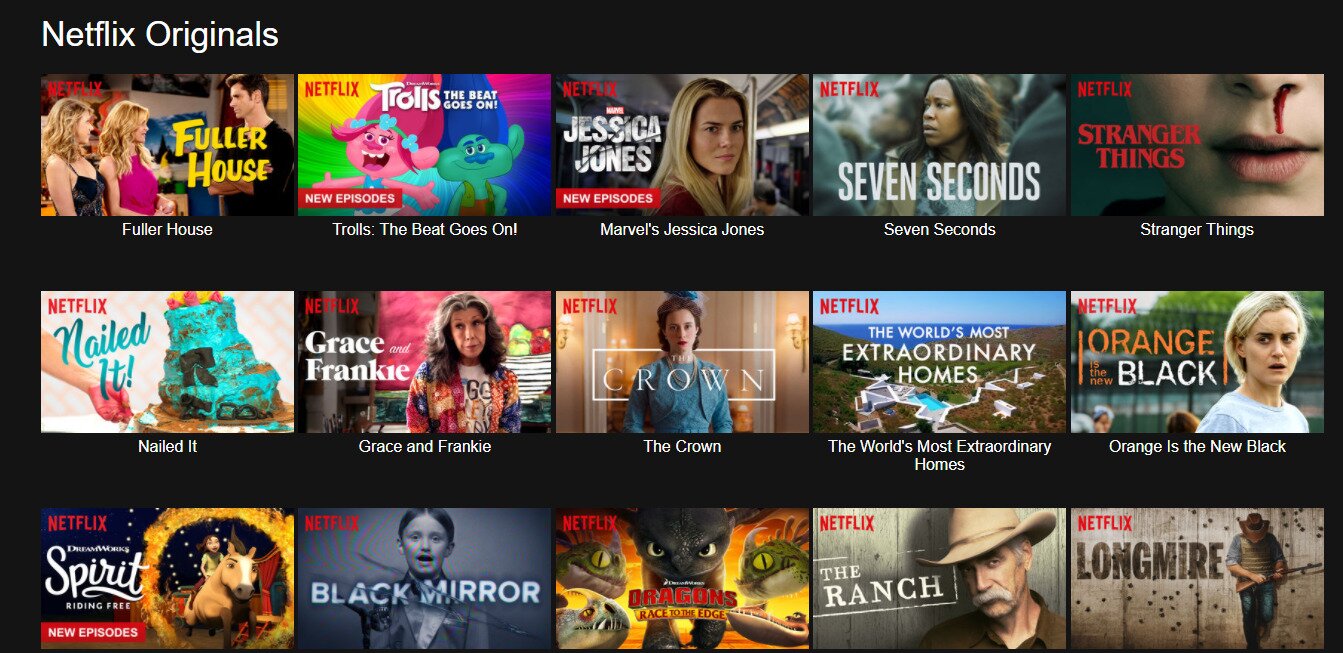
Most Netflix Originals are available exclusively on Netflix although some are available on broadcast TV. Some of the past few years’ best and most popular TV shows are Netflix Originals. Among them, one can think of Riverdale, that’s currently in its second season on the CW. Immensely popular Netflix Originals also include titles like Stranger Things, Orange Is The New Black, House of Cards, The Crown, and Arrested Development. Marvel superhero series Jessica Jones, Daredevil, Punisher, Iron Fist, Luke Cage and Defenders are also part of the Netflix Originals family of excellent TV shows.
Why Can’t We Access The American Netflix From Outside the USA?
Netflix is basically a content distributor and, as such, they are bound by broadcasting contracts much like any TV broadcaster. This means that they will often secure rights to offer some content in specific markets but not elsewhere. Take the popular TV show The Big Bang Theory, for example. Netflix has secured streaming rights for the show in several European markets but not in the US, where the show is broadcast on conventional TV. Netflix has a contractual obligation to actively prevent users from accessing content that has not been licensed for distribution in each market.
As a streaming provider, the distribution rights to series and movies that Netflix manages to secure are often limited. Likewise, their own Netflix original content is often available in some markets on broadcast regular TV through agreements that forbid them from making it available on Netflix in these markets. Riverdale is a good example of a show that is not available on Netflix although it is a Netflix Original.
Although we might not be happy about it, due to these distribution restrictions, the available content varies from region to region. Some titles may not be available on your local version of Netflix while they are in the next country, which is why guides to Netflix South Africa streaming and other regional libraries can be so useful. This is always disappointing but there’s not much we can do about it. Or is there? Generally speaking, the American Netflix is considered to be the one with the most content, only second to Japan. And it certainly is the one that many non-US users would like to watch, if only they could.
These distribution restrictions are enforced by Netflix using a well-known technique called geo-blocking. It ensures that users can only access their localized version of Netflix. A user in the US, for example, can only access the American version of Netflix while one in Canada can only access the Canadian version and not the American one.
Geo-blocking can also be an issue for US residents traveling abroad. When Netflix detects that your IP address is located outside the US, it will switch you to the local library for that region rather than showing you the American catalog. In practice, this means you may see only globally licensed titles — content Netflix holds worldwide rights to — rather than everything available at home. If you are traveling within the European Union, you may temporarily see your home-country library thanks to EU portability regulations, but this applies only to EU residents and only within EU borders. Using a VPN with a US server address is the most reliable way to make Netflix see a US IP address and restore access to the full American library. Note that Netflix actively detects VPN traffic, so it may display a proxy error rather than simply switching libraries — and rapidly switching regions on the same Netflix profile can sometimes prevent the visible library from updating correctly even after a successful server switch. This is exactly why so many people search for a reliable NordVPN Netflix US solution.
How Geo-blocking Is Done
Geo-blocking, as it is usually called, is mostly implemented by filtering–that is allowing or denying–traffic based on source IP address. An IP address is a unique numerical identifier assigned to every computer connected to the Internet. It is used to route data to and from different Internet-connected computers and devices. Every request you transmit to Netflix is marked with your IP address. This is what we refer to as the source IP address. The source IP address is how Netflix’s servers will know where to send the video stream you requested.
You can think of IP addresses as postal mailing addresses. And just like postal addresses, there is a direct correlation between IP addresses and physical location. For example, if you need a Poland IP address for region-specific access, the same principle applies: Netflix learns your location by cross-referencing your IP address and can then block or allow your requests based on whether or not you are located in an authorized location.
The Best Solution To Geo-Blocking – Use A VPN
Originally used essentially to allow remote connections to private networks over unsecured public channels, Virtual Private Networks have grown into widespread usage as a way to increase security, privacy and anonymity. VPNs will let you bypass all sorts of access restrictions while making your data virtually invisible, which is also why many people use them to watch Freevee worldwide or watch Crunchyroll abroad, while others research VPNs for CNBC streaming. Even someone intercepting your traffic wouldn’t see what you’re doing or where you’re going online.
A VPN operates by setting up a virtual tunnel between your device running a VPN client and a dedicated proxy server in a remote location. All data traveling in and out of your device is sent through the tunnel after being encrypted using strong algorithms that make it impossible to crack. When data from your computer arrives at the VPN server, it is decrypted before being sent out on the Internet.
This is how a VPN can help you access Netflix. When the decrypted data leaves the VPN server, its source IP address is no longer that of your device but the VPN server’s IP address. That makes you appear to Netflix as if you’re located wherever the VPN server is. One would be tempted to conclude that, to access the American Netflix from outside the US, all you should need to do is connect to a VPN server located in the US. Well, not always.
Netflix Also Blocks VPN Connections
Netflix works very hard to protect its content licensing agreements, and it will often block connections coming from VPN servers. How does Netflix know connections are coming from VPN servers? Just like they know you’re not in the US. Netflix actively does some type of reverse-engineering to find the IP addresses of as many VPN servers as they can. And Netflix knows a lot of VPN server addresses.
You need to carefully pick a VPN provider whose server addresses are not known by Netflix. But even then, there’s no guarantee that Netflix won’t eventually learn their IP addresses and block them. Fortunately, the best providers use different techniques–such as using ever-changing virtual IP addresses–to try to prevent VPN blocks from happening. If you’re troubleshooting a similar issue, these Netflix unblock fixes can help. According to Netflix’s own support documentation, the service actively detects and restricts proxy and VPN connections to enforce regional licensing.
NordVPN – The Best VPN for NordVPN Netflix US Streaming
NordVPN is one of the few VPN providers that is known to work with Netflix. Different from most other providers, NordVPN lets you select a server based on intended use such as torrenting, anti-DDoS, or video streaming. There are even options for using two VPN tunnels simultaneously for extra security or to use the Tor anonymizing network. This flexibility makes it a top choice for anyone seeking a reliable NordVPN Netflix US connection.
What NordVPN Actually Unblocks on Netflix
NordVPN is one of the most consistently reliable VPNs for Netflix unblocking across multiple regions. In our testing, connecting to a US server successfully loads the American Netflix library, which remains one of the largest in the world. Beyond the US, NordVPN has also demonstrated reliable access to Netflix libraries in the UK, Germany, Japan, Canada, and Australia, among others — making it a strong pick whether you want American content specifically or simply need flexibility across regions.
It is worth being honest here: no VPN maintains a 100% success rate with Netflix at all times. Netflix continuously updates its VPN detection systems, which means a server that works today may occasionally be flagged tomorrow. NordVPN responds to this actively by rotating server IPs and maintaining a large pool of US servers, which means that if one server is blocked, switching to another US server usually resolves the issue within seconds. When connected to a nearby US server, NordVPN consistently delivers speeds well suited to HD and 4K streaming, with most users experiencing little to no buffering under normal network conditions.
Main Features of NordVPN for Netflix US Access
NordVPN offers traffic encryption using 256-bit AES and 2,048-bit DH keys over the OpenVPN protocol–a pretty standard offering among top-notch providers. The service also supports the NordLynx protocol (built on WireGuard), which delivers faster speeds particularly useful for streaming. The service features DNS leak protection which is on by default. This is a feature many providers don’t even have.
A NordVPN subscription lets you use their service from up to ten devices simultaneously, one of the highest numbers of connections available among premium providers. You’ll be able to protect all your devices with just one account. You could also opt to protect your whole house by installing the client on your Internet router. NordVPN offers preconfigured routers through a partnership with Flashrouters.
NordVPN has over 6,300 servers spread across 111 countries. Of course, the list of servers includes many in the US, an essential feature to access the American Netflix. This extensive US server network is a key reason why NordVPN Netflix US unblocking is so reliable.
As far as logging policies go, NordVPN operates under Panama’s jurisdiction, where there are no data retention laws. The company doesn’t collect usage data and has no information it could actually hand over even if it was legally compelled to. You simply can’t give what you don’t have. NordVPN’s privacy policy states that user traffic is, “not monitored, recorded, logged, stored or passed to any third party.”
Like most other VPN providers, NordVPN offers an Internet kill switch that will automatically disconnect your network in the unlikely event that your VPN connection should go down unexpectedly. And also like many similar services, there is DNS and IP leak protection.
NordVPN Plans And Pricing
Unlike some VPN providers, NordVPN doesn’t have a free plan. You must purchase a paid subscription to use the service. However, it is our opinion that you get what you pay for. The supplier also has no tiered service offering. There’s only one kind of subscription service. That doesn’t mean there’s only one price though. The subscription price will vary depending on the duration of the subscription you purchase.
NordVPN currently offers three main plan lengths. The monthly plan gives you full flexibility at the highest per-month rate. Opting for the one-year plan brings the monthly cost down significantly, and the two-year plan offers the best value, reducing the effective monthly price to just a few dollars. Promotional rates are frequently available and can lower the cost further, especially on longer-term plans. All plans include NordVPN’s 30-day money-back guarantee, so you can try it risk-free. For anyone looking to use NordVPN Netflix US streaming on a budget, the longer-term plans offer excellent value — check NordVPN’s current pricing page for the latest figures, as rates and promotional offers change regularly.
Read our full NordVPN review.
- Unblocks American Netflix
- GooglePlay users rating: 4.3/5.0
- Allows multiple connections (6 devices)
- Extra-secure Double VPN for data encryption
- Money back guarantee policy (30-days).
- Not much
- Can't specify City or Province in App.
The NordVPN Clients
NordVPN offers user-friendly applications for all major operating systems. There are applications for Windows, macOS, Android, and iOS. NordVPN also has a dedicated Linux client with a graphical interface, making it straightforward to use on popular Linux distributions without needing to configure everything manually from the command line. Beyond that, there are also browser extension clients for Chrome and Firefox, which are convenient options since much of what requires a VPN is done from a browser anyway.
We haven’t tried all the available clients but we’ve put the Windows client to the test to see what it was all about. We’re assuming that other clients will provide a similar experience although some extra features might not be present on all clients.
One thing that is certain to strike users is the simplistic appearance of the NordVPN client app. When you start it, you’re presented with a map and there’s a big power button right above it.
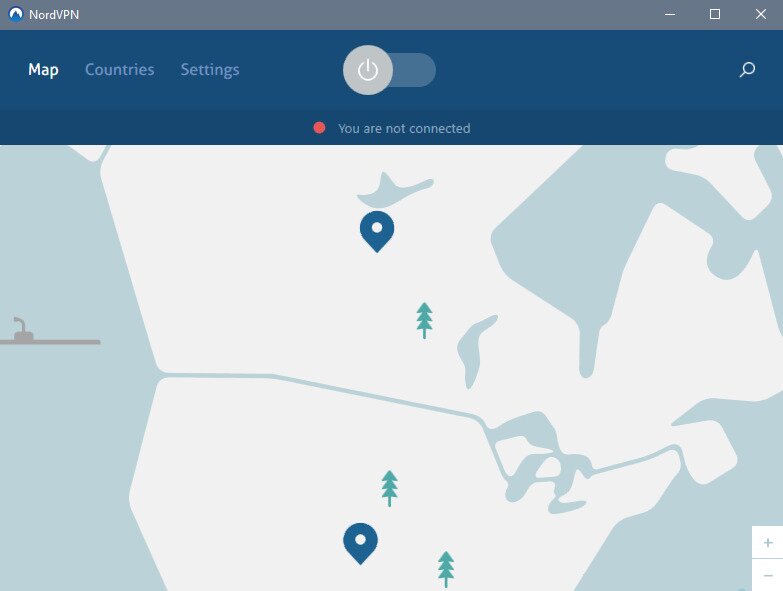
You can zoom out and in on the map and click any country with a marker to connect to a server in that country. Alternately, you can also click the power switch at the top of the window to automatically connect to the best server.
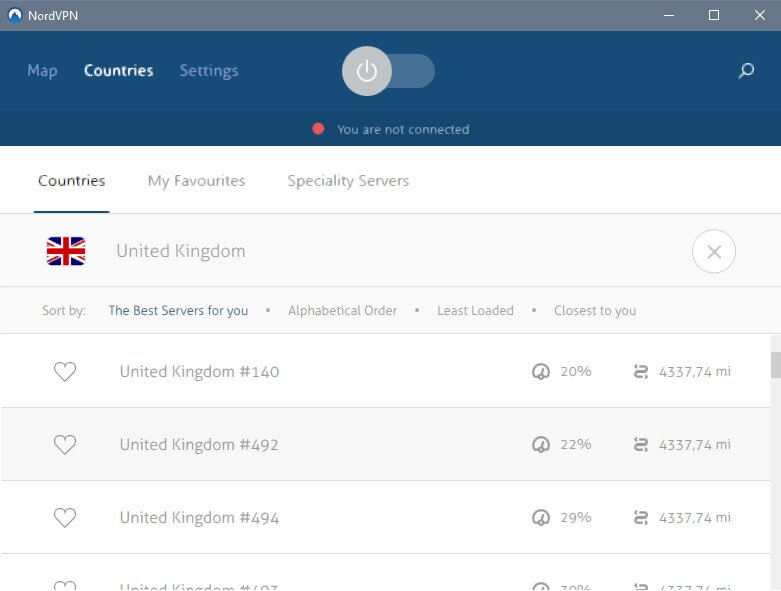
If you’re more of a text-style person, you may click Countries where you’ll be able to pick from a list of available countries. For each country, clicking the menu at the far right further allows users to select a specific server within the chosen country. If you need a particular US location, our every US state guide can help.
Clicking the Settings from the top menu reveals a list of optional settings that can be enabled and disabled. There are, for example, settings to start the client app automatically when Windows starts or to automatically connect to the last used server as soon as the client starts. This is also where you can go to update the client to the latest version.
Among the options you can enable is the CyberSec option. This is a feature of NordVPN that provides ads blocking as well as threat protection including malware and phishing. It is a welcome addition to an already very good client app.
Another feature that is quite useful is the App kill switch. It will close any application you specify should the VPN connection go down unexpectedly.
In Conclusion: Is NordVPN Netflix US Access Worth It?
NordVPN is an excellent choice to unblock and access the American Netflix from anywhere in the world. Because Netflix is very active at detecting and blocking VPN servers, there could be situations where your NordVPN Netflix US connection will be rejected by Netflix. When that happens, all is not lost. Work through the following troubleshooting steps in order — most users find that one of the first few steps resolves the issue immediately.
- Switch to a different US server. Disconnect from your current server and reconnect to a different NordVPN US server in the same country. NordVPN has a large pool of US servers, so another one is unlikely to be flagged by Netflix. This is the fix that works most often.
- Fully close and reopen Netflix. After switching servers, do not just refresh the page — completely close the Netflix app or browser tab and reopen it from scratch. Netflix sometimes caches the old region and will not update until the session is fully reset.
- Clear your browser cookies and cache (desktop) or app cache (Android). If Netflix is still showing the wrong library, old cookies may be locking it to a previous region. In your browser, clear cookies and cache for netflix.com, then try again. On Android, go to Settings > Apps > Netflix > Storage and tap Clear Cache.
- iPhone and iPad users: reinstall the Netflix app. iOS does not let you clear individual app caches the same way Android does. If the library is stuck, the most reliable fix is to delete the Netflix app entirely and reinstall it from the App Store after you are connected to a NordVPN US server.
- Run a DNS leak test to confirm the VPN is active. Visit a DNS leak test site while connected to NordVPN. If the results show your real ISP or a non-US location, your VPN tunnel is not routing correctly. Disconnect, reconnect, and test again before opening Netflix.
- Disable Secure DNS or DNS over HTTPS in your browser. Chrome, Firefox, and Edge all have a built-in Secure DNS or DNS over HTTPS setting that can override the DNS provided by NordVPN, causing Netflix to see your real location. Disable this browser-level setting while using the VPN.
- Temporarily pause NordVPN Threat Protection. NordVPN’s Threat Protection (formerly CyberSec) feature can occasionally interfere with how Netflix resolves its servers. Try disabling it temporarily in the NordVPN app settings and see if Netflix loads correctly.
- Create a new Netflix profile. If the region appears correct but the Top 10 list or recommendations still look like a different country, the profile itself may be region-locked from previous sessions. Creating a new profile on your Netflix account often resets this.
- Try a different device or network. If the issue persists on one device, test on another — for example, switch from a laptop browser to the Netflix mobile app, or connect using a different Wi-Fi network or mobile data. This helps isolate whether the problem is device-specific or network-specific.
- Check whether Netflix itself is down. Occasionally Netflix experiences outages that have nothing to do with your VPN. Check a service-status site like Downdetector to confirm Netflix is operating normally before spending more time troubleshooting your connection.
- Contact NordVPN support for a currently working server. NordVPN’s 24/7 live chat support team monitors which servers are reliably unblocking Netflix at any given time. If none of the above steps work, reach out to them and ask for a specific US server recommendation for Netflix — they are usually able to provide one quickly.
Following this sequence covers virtually every known reason why NordVPN Netflix US access might fail on any device. In the vast majority of cases, simply switching to a different US server and reopening Netflix is all it takes to get back to streaming.
If you need a VPN for a short while when traveling for example, you can get our top ranked VPN free of charge. NordVPN includes a 30-day money-back guarantee. You will need to pay for the subscription, that’s a fact, but it allows full access for 30 days and then you cancel for a full refund. Their no-questions-asked cancellation policy lives up to its name.

