Best VPN for Eurosport: How to Unblock and Watch Eurosport Abroad
Looking for a guide to the best VPN for Eurosport streaming? You’re on the right page! Scroll down to get in-depth reviews on the top VPN providers proven to unblock Eurosport, plus step by step instructions on installation, configuration, and usage.

The Eurosport channel is one of the biggest and most popular sports sources in Europe. Whether you want to watch football, rugby, tennis, F1, or many other sports, the Eurosport channel will show you the latest and most essential sports events. Fans of motorsport can also check out our Formula 1 streaming guide for more ways to follow the races online, while horse racing fans can watch Royal Ascot online from anywhere. Some users choose to watch Eurosport on their TV through a cable or satellite package, but increasing numbers of people are cutting the TV cable completely and moving all of their watching to online sources.
Fortunately, if you want to watch Eurosport content but you aren’t interested in a TV package, you can get a subscription to the Eurosport Player. This service allows you to watch all of the TV content and much more through your web browser. Not only does this mean that you can watch everything online instead of on the TV (or both, if you’ve got a smart TV), but also you can watch games at the time of your choosing. So no worries if you miss a game–you can always catch it later.
Want catch the game quick? Unblock Eurosport quick with these secure VPNs:
- NordVPN – Best for Eurosport – NordVPN is our top-recommended VPN for spoofing past Eurosport’s unfair geoblocks. Never miss another game, with fast speeds, stable connections, and unbreakable encryption.
- Surfshark – Robust diskless server network that “just works” to unblock any streaming site in the world.
- ExpressVPN – The premier choice for UHD streaming, due to unrivalled connection speeds.
- PureVPN – A complete cybersecurity suite with uncanny ability to sneak past government censors.
- IPVanish – The provider of choice for torrenters, offering a good balance of privacy and performance.
- VyprVPN – One of the highest-security VPNs in the world, with its advanced Chameleon protocol.
There are some drawbacks to using Eurosport Player, however. Some content is only available in certain countries, and if you go travelling then you won’t be able to watch Eurosport Player as usual. But there is a way to get around these problems using a VPN. Below we’ll explain to you how this works, then recommend for you the best VPN for Eurosport watching.
Who Needs the Best VPN for Eurosport?
So, why might you want to use the best VPN for Eurosport? There are several groups of users who can benefit from using a VPN:
European users who live outside of the UK
There are different versions of Eurosport Player available in various European countries, though many users agree that the UK version is the best and most comprehensive. If you live in Germany, Italy, or another European country and you can’t find the particular game that you want to watch, you can use a VPN to access the UK version of the player instead. It’s more likely that you’ll find the game you want there, especially if you’re looking for Wimbledon VPN access.
RELATED READING: How to Watch the BBC Outside the UK
Users from outside of Europe
If you live in a non-European country like the USA, Canada, or Australia, then you won’t be usually able to access Eurosport Player. But if you want to watch the content – especially if you’re a fan of soccer, rugby, or other European sports – then you can use a VPN to access the site from your home country.
Users who are going traveling
If you travel to another European country and try to use the Eurosport Player, you’ll notice that you’re only able to access the local content on the site. Worse still, if you travel outside of Europe then you may not be able to use the site at all. You can use a VPN while traveling to access the Eurosport Player as usual.
If your Eurosport Player is too slow or not working
Sometimes, ISPs will choose to block or throttle certain types of connections which use a lot of bandwidth. Video streaming services like the Eurosport Player take up lots of bandwidth, and so if you find the site is running too slow or you can’t access it at all, it could be a problem with your ISP. Using a VPN can allow you to get around throttling and restrictions and watch Eurosport more smoothly.
How to Choose the Best VPN for Eurosport
If you fall into one of the above classifications of users, it’s probably easy to see why you might be interested in using a VPN. But with so many different providers out there, it can be hard to determine which is the best VPN for Eurosport that suits your needs. If you’re also comparing mainstream services, check out these Google One VPN alternatives before making your choice. To help you with this decision, we’ve compiled a list of the best VPNs for Eurosport, based on these factors:
- Lots of servers in European countries. Having a large range of servers will make it easier for you to find one which works reliably, and having servers in a large number of countries will give you plenty of options for watching Eurosport from different regions.
- Super-fast VPN connections. If you’re going to be streaming video, you need a fast and reliable internet connection. When you connect to a VPN it will inevitably slow down your connection by some amount, but we looked for VPN providers which you’ll barely notice instead of those which are frustratingly slow.
- Quality of the software available. When you choose a VPN, you’ll need to install the software created by your provider. We look for VPN software which is reliable, easy to use, and with extra features like kill switches or DNS leak protection. We also like to see support for multiple different operating systems, so you can use your VPN to watch Eurosport from any of your devices.
- Strong privacy options. Another advantage of using a VPN is that it will make your browsing safer and keep your internet use private from your ISP and other snoopers like law enforcement. We look for strong encryption to protect your data and a no-logging policy to ensure your privacy.
The Best VPN for Eurosport: Top Picks for Unlimited Access
1. NordVPN

NordVPN is the best VPN for Eurosport globe trotters, as it has a massive network of servers all over the world. With a total of more than 5,900+ servers in 60 different countries including many in Europe, you can always find a server in whichever country you need in order to watch Eurosport. The service specialises in getting around region locks so it’s perfect for using on sites like Eurosport, Netflix, Hulu, or BBC iPlayer.
The service also has a strong record on security, with its special double data encryption and strict no-logging policy to ensure your safety. The software is available for Windows, Mac OS, iOS, and Android, in addition to an extension for the Google Chrome browser. For anyone searching for the best VPN for Eurosport, NordVPN is consistently the top recommendation.
Read our full NordVPN review.
- Works with Netflix, BBC iPlayer without breaking a sweat
- Extensive server park of over 5,400 different servers
- 2,048-bit SSL keys and DNS leak protection
- Extra-secure Double VPN for data encryption
- Live Chat Support.
- Very little
- Can't specify City or Province in App.
2. Surfshark

Surfshark only launched in 2019, but it’s already built one of the most impressively complete VPN packages on the market. It offers 3200+ servers in 65 countries, with many of those strewn across the UK and Europe, making it trivially easy to use as the best VPN for Eurosport anywhere in the world.
Worried about connection speeds? You shouldn’t be — Surfshark’s network is thoroughly modernized and based on RAM-only infrastructure for low latency and buffer-free HD streams. Even if you’re connecting from a distant country lousy with censorship, Surfshark’s tunneling (OpenVPN, IKEv2/IPSec, WireGuard) and encryption (256-AES-GCM) protocols are highly secure without sacrificing performance.
Surfshark is a consumer-friendly VPN, with low prices and unlimited simultaneous connections you can share with a friend to split the cost further. They guarantee no logs like a good provider should, and even offer a complete malware, adware, tracking, and pop-up blocking suite–because why not?
- Robust servers blast through geoblocks to access your favorite streaming sites
- Server selection is dead simple and quick
- No questions asked money back guarantee
- Absolutely no logging of connection data, IP addresses, bandwidth used, or traffic
- Refund requests are simple and fast–no waiting or hassle.
- Overall, not much to complain about
- New-kid-on-the-block status may not instill same trust as larger providers.
Read our full Surfshark review.
3. ExpressVPN
ExpressVPN is a favourite VPN provider among power users thanks to its super-speedy connections, which are perfect for streaming video from sites like the Eurosport Player. It has a massive network of 3,000+ servers in more than 94 counties, along with a speed test feature which is built into the software and which can be used to identify and connect to the fastest server possible.
This speed doesn’t come at the expense of security, however. The service uses strong 256-bit encryption and has a no-logging policy so you can be sure your privacy is protected. The software is available for Windows, Mac OS, Linux, iOS, and Android. There’s also an easy-to-use browser extension which you can get for Google Chrome or Mozilla Firefox, which is perfect if you’re not very experienced technically. ExpressVPN is a strong contender for the best VPN for Eurosport if speed is your top priority.
Read our full ExpressVPN review.
- Unblocks US Netflix
- Superfast servers (minimal speed loss)
- No DNS/IP leaks found
- Strict no-logs policy
- Great support (24/7 chat).
- Expensive month-to-month plan.
4. PureVPN

For the simplest and most user-friendly approach to VPN protection, you can try PureVPN. The unique feature of this service is all of the bonus security features that it includes as well as the standard VPN. The bundle includes software for ad blocking, malware protection, anti-virus, and web filtering, which is ideal for installing onto the devices of your children or less technically savvy members of your family.
The PureVPN network covers 2,000+ servers in over 140 different countries, including many servers in Europe for watching Eurosport. The service has 256-bit encryption and a no-logging policy, and the software supports Windows, Mac OS, Android, iOS, and Android TV, plus browser extensions for the Chrome and Firefox browsers. PureVPN is a solid pick if you want the best VPN for Eurosport with added security tools built in.
Read our full PureVPN review.
5. IPVanish
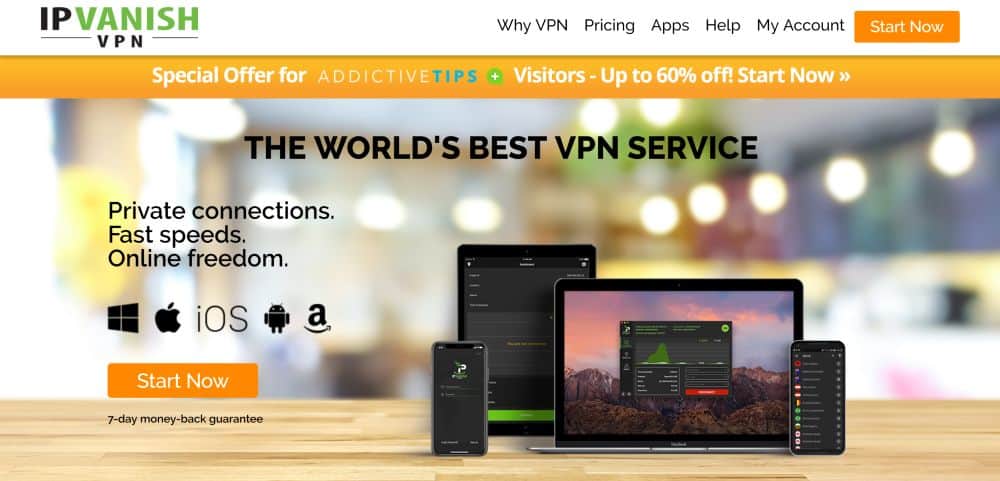
IPVanish is another great choice for users who care most about speed. They have lightning-fast connections, so if you want to watch online video in high definition then you’ll be very happy. The network spans across 1,300+ servers in 75+ countries, including plenty in Europe for all your Eurosport watching needs.
The software supports Windows, Mac, iOS, and Android, and is very easy to use. It also has bonus features like a kill switch which will prevent you from accidentally using an unsecured connection, DNS leak protection for ultimate security, and an option to automatically switch your IP address after a set amount of time. The security is also good, with 256-bit encryption and a no-logging policy.
Read our full IPVanish review.
6. VyprVPN
VyprVPN is ideal for security-conscious users, especially those who are located in China. Many people living in or travelling through China use a VPN to get around the harsh internet restrictions imposed by the Chinese government. However, the government uses increasingly sophisticated VPN detection to prevent them from doing this.
Fortunately, VyprVPN is able to get around even the newest VPN detection through the use of their Chameleon protocol, which encrypts both the data sent over their network and the metadata, such as the location of the origin and destination of the data. There are 700+ servers in more than 70 countries around the world, so you can find a server wherever you need one. The software supports Windows, Mac OS, Android, iOS, and Android TV. Naturally, given the security aware nature of the service, there’s a no-logging policy for the company too.
Read our full VyprVPN review.
How to Watch Eurosport with the Best VPN for Eurosport
Once you’ve selected the best VPN for Eurosport that fits your needs, you can get started watching right away. However, it’s important to understand that Eurosport access is no longer a single, straightforward purchase — how you subscribe depends heavily on where you are in the world.
Depending on your country, Eurosport content may be delivered through a number of different platforms and providers, including Max (formerly HBO Max), Discovery+, TNT Sports, or local television partners. There is no longer a universal standalone Eurosport Player pass available in every market, so the first step is identifying which platform serves Eurosport in the region whose VPN server you plan to connect to.
Important caveats to keep in mind:
- Signup and billing are often region-specific. A subscription purchased in one country may not grant access to content in another country’s library.
- Some platforms require a local payment method, such as a country-specific credit card or a local PayPal account, to complete registration. A VPN alone may not be enough to purchase a subscription if the service detects a mismatch between your payment details and the server location.
- If you already hold an active subscription through one of the platforms listed above, connecting to a VPN server in the relevant country is often enough to access that region’s Eurosport content.
- For users who are simply travelling and want to maintain access to a subscription they already have at home, connecting to a VPN server in their home country is usually the simplest solution.
ALSO READ: Netflix Unblocked at School, read the full tutorial.
Where Eurosport Works Now and Which VPN Country to Choose
Not every Eurosport region offers the same app, channels, or sports rights, which means the VPN server location you choose genuinely matters. Here is a practical breakdown of how access differs by market:
- UK and Ireland: Eurosport content in these markets is delivered primarily through TNT Sports and related Warner Bros. Discovery routes. If you want access to the UK library, connect your VPN to a UK server and look for the relevant TNT Sports or discovery+ subscription option.
- Germany, Italy, and Austria: In these markets, Eurosport is largely integrated into the Discovery+ platform. Connect to a German, Italian, or Austrian VPN server and check the Discovery+ offering in that country.
- Other European markets: Many other European countries now deliver Eurosport through Max (formerly HBO Max) or local broadcast partners. The exact platform varies by country, so it is worth checking the Warner Bros. Discovery or Max website for your target country after connecting.
The practical takeaway is this: if you cannot find a specific event in one country’s library, do not assume the UK is always the best option. Try connecting to a VPN server in a different supported European country instead — sports rights vary by territory, and what is missing in one market may be readily available in another. Choosing the best VPN for Eurosport with a wide European server network gives you the most flexibility here.
What to Do If Eurosport Blocks Your VPN
Streaming services periodically update their VPN detection, so even a reliable VPN can occasionally hit a region error on Eurosport. If that happens, work through this troubleshooting checklist before giving up:
- Switch to a different server in the same country. Your VPN provider will have multiple servers in each location. The current server’s IP address may have been flagged, so simply switching to another server in the same country often resolves the issue immediately.
- Clear cookies and cache, or use an incognito/private window. Your browser may have stored location data from a previous session. Opening a fresh incognito window removes that cached information and gives Eurosport a clean look at your apparent location.
- Try a different VPN protocol. Switch between WireGuard, OpenVPN, and IKEv2 in your VPN app’s settings. Some protocols are better at blending in with regular traffic on certain networks, and changing protocol can be enough to slip past detection.
- Disable GPS and location permissions on mobile. On smartphones and tablets, the Eurosport app can request your device’s GPS location independently of your VPN connection. Go to your device’s app permissions and revoke location access for the Eurosport app.
- Check for DNS or IP leaks. Use a tool such as dnsleaktest.com to confirm that your real IP address and DNS requests are not visible while the VPN is active. If they are, enable the DNS leak protection setting in your VPN app.
- Sign out of the Eurosport platform and sign back in. Sometimes a session token from your real location is cached server-side. Signing out fully and logging back in while connected to the VPN can reset this.
- Update your VPN app. VPN providers regularly push server and protocol updates specifically to maintain streaming access. Make sure you are running the latest version of your VPN application.
- Contact your VPN’s support team. Most of the providers in our list above offer live chat support. Ask them directly for a server that is currently confirmed to work with Eurosport — support agents often know which specific servers are passing through at any given time.
FAQ: Free VPNs and Legality for Eurosport
Can you use a free VPN to watch Eurosport?
Technically, yes — but in practice, free VPNs are a poor fit for live Eurosport streaming. The main reasons come down to a handful of consistent limitations. Free VPNs typically offer only a small number of European servers, if any, which means the specific country you need may simply not be available. Most also impose strict data caps — often just a few hundred megabytes per day — which will be exhausted within minutes of a live HD stream.
Connection speeds on free services tend to be significantly slower, since paying subscribers are prioritised, making buffering and dropped streams a common experience. On top of that, free VPNs are among the first to have their IP addresses flagged and blocked by streaming platforms, because they are used by large numbers of people simultaneously. Finally, many free providers have weaker privacy protections and have been known to log and sell user data. For something as data-intensive and time-sensitive as a live sports stream, the best VPN for Eurosport will always be a paid service — it is a much more reliable investment.
Is it legal to use a VPN with Eurosport?
VPNs are legal tools in the vast majority of countries, and using one to protect your privacy online is perfectly lawful in most parts of the world. That said, using a VPN to access a streaming platform’s content in a region other than the one you are located in — or are licensed to access — may conflict with that platform’s terms of service. Eurosport and its parent platforms reserve the right to terminate accounts that they believe are circumventing geographic restrictions. This is a contractual matter between you and the service, not a criminal one in most jurisdictions, but it is worth being aware of. Always check the laws in your own country and the terms of the specific platform you are using before proceeding.
Conclusion
Eurosport is a terrific sports broadcaster, and their Eurosport Player is ideal for those who want to watch sports but don’t care for buying a TV subscription package. Though watching sports through the website is smooth and easy with a Eurosport Player subscription, it does have some limitations based on the geographical region in which you are currently located.
In order to get the most out of the service, using the best VPN for Eurosport is the smartest move you can make. We’ve recommended six strong VPNs which you can use for watching Eurosport from anywhere in the world. Did we mention your favourite VPN for Eurosport in this article, or is there another which you prefer? Let us know in the comments below!
If you need a VPN for a short while when traveling for example, you can get our top ranked VPN free of charge. NordVPN includes a 30-day money-back guarantee. You will need to pay for the subscription, that’s a fact, but it allows full access for 30 days and then you cancel for a full refund. Their no-questions-asked cancellation policy lives up to its name.

