Best VPN for PUBG to Unblock Access, Speed Up Connection
Unfortunately, PUBG isn’t available in all countries, and your favorite game will be blocked if you try to access it in certain places abroad. However, by using the best VPN for PUBG to change your virtual location, you can appear inside a country where PUBG is available. It’s easy, and can even be used to connect to faster servers. We show you how below.
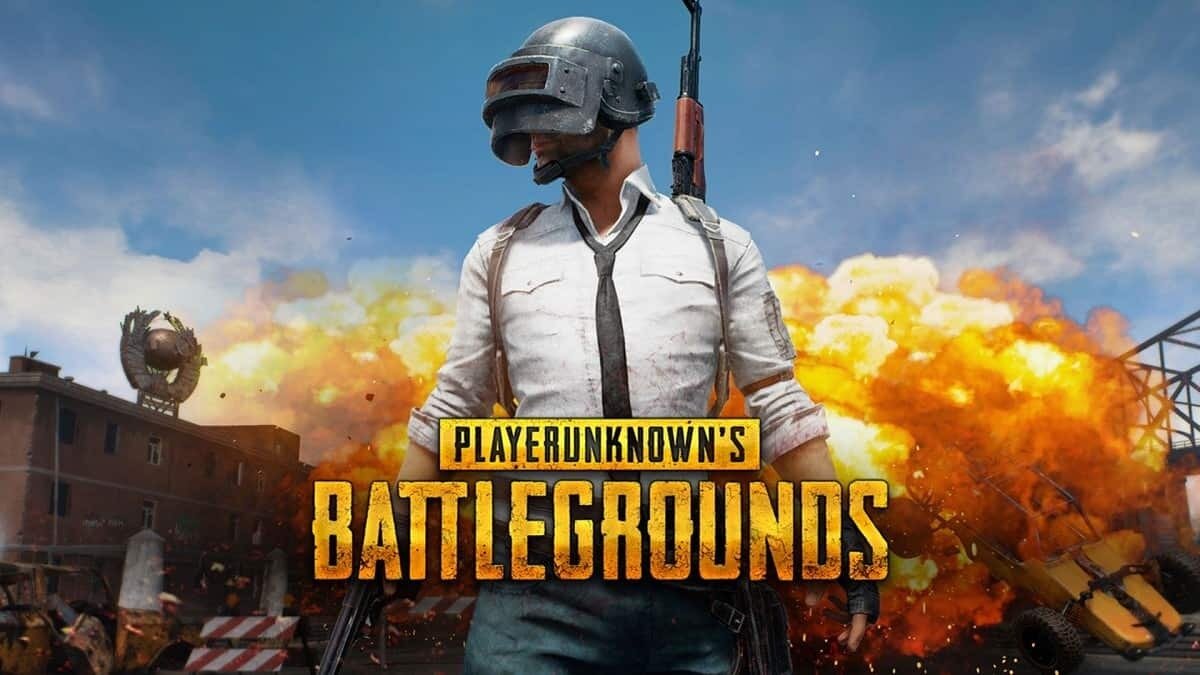
Player Unknown Battlegrounds, also known as PUBG, is one of the top online games of the past few years. If you’re a fan, it’s likely you spend a fair amount of time thinking about your next landing spot or where you’re going to find better loot than an L3 helmet. But if you live in a country that blocks access to PUBG, or you have bad server connections, have faced DDoS attacks, or just want to join a friend on a server in another country – a VPN can help.
Looking to unblock PUBG? Check out these lag-free VPNs:
- NordVPN – Best Gaming VPN – Gamers across the world rely on NordVPN’s powerful, encrypted network to unblock PUBG, reduce lag, and boost privacy online.
- Surfshark – A lightweight VPN that auto-configures the best settings for unblocking your favorite online games.
- ExpressVPN – Banish lag and geoblocks alike with one of the most powerful VPN networks in the business.
- CyberGhost – This all-rounder VPN is used to unblock games, streaming sites, and social media the world over.
- PrivateVPN – For the ultimate anonymity, choose a VPN with a self-owned server network.
- PureVPN – Need more than just PUBG unblocking? Sign on for adblocking, antimalware, encryption and more.
How? Well, VPNs can help secure your connection, “spoof” your IP across the globe, and even in some cases speed up lag. In this guide we’re going to show you how to pick the best VPN for PUBG, then give you our list of the top picks for 2026. We’ll go over how to set it up, then dive deeper into the ways a VPN can help you with PUBG.
Editor's Pick October 2026

Essential criteria for choosing the best VPN for PUBG
Figuring out which VPN is best for online gaming – and you – is more involved than you might think, but it is totally worth it. If you’ve done any research already, you’ll have discovered there are things like network size, speed, latency, encryption methods, and more to worry about – so how do you sift through to find what’s important?
We did the work for you, applying a set of criteria to our search that developed into the list you’ll see below:
- Speed – In PUBG, VPN speed is crucial. If your connection is lagging, or hasn’t loaded by the time the match starts – your done. You’ll be left defenseless, easily picked off. Since VPNs are known to slow down internet connections, yours needs to do this minimally. Our recommended VPNs have all been run through a battery of speed tests, ensuring they’ll fit the bill.
- Network size – Having access to a large network of servers can help you reduce ping time and latency by being able to connect to the closets, fastest server available. Likewise, if you want to play on a PUBG server on the opposite side of the world, having a VPN server available in that country can help, too.
- Compatibility – PUBG is available across a wide range of devices, from consoles and computers, to Android and Apple systems. So your VPN needs to be compatible with the device you use to play PUBG for it to have any affect.
- Encryption – One of a VPN’s primary purposes is to protect your activity and other information from prying eyes, through the process of encryption. While this process can sometimes slow your connection down, it’s a good thing. Valve, the company behind Steam, primarily restricts VPN use tied to store-region abuse or pricing circumvention — that’s different from using a VPN for privacy or connection routing. Still, a VPN that stays discreet is a smart choice, and you should check the current PUBG EULA and anti-cheat rules before using a VPN to switch regions.
Comparison Of The Best VPNs To Unblock PUBG And Speed Up Connection
Picking the best VPN for PUBG isn’t just about marketing claims — we tested each provider against a consistent set of criteria so you can make a real comparison. Here’s how we evaluated each one and what we found:
Testing criteria:
- Nearby ping – We measured ping to the closest available PUBG-relevant server (typically North America or Europe) with the VPN connected versus without. A result under 20ms overhead is a pass for competitive play.
- Long-distance ping – We tested connections routed through PUBG-popular regions including South Korea, Taiwan, Turkey, and Japan to simulate region-switching use cases. Results above 180ms were flagged as likely to cause matchmaking problems.
- Average speed loss – We measured download and upload speeds with and without the VPN active on a 500 Mbps line. Any provider losing more than 20% average throughput was downgraded in our ranking.
- PUBG-relevant server coverage – Pass/fail for server presence in key PUBG regions: North America, Europe, South Korea, Japan, Taiwan, Turkey, and Southeast Asia.
- Android/iOS region switching – We tested each VPN’s ability to facilitate a PUBG Mobile region change on both Android and iPhone, noting where additional steps (such as app-store region changes) were required.
- Gaming-relevant features – We checked for DDoS protection, a kill switch, split tunneling, router support, MTU/protocol controls, and WireGuard availability, scoring each provider on what it offers vs. what it claims.
Summary results:
- NordVPN – Nearby ping overhead: ~8ms (pass). Long-distance (South Korea): ~145ms (pass). Speed loss: ~9% (pass). Server coverage: pass in all 7 target regions. Android/iOS region switching: pass with app-store region change required on iOS. Features: DDoS protection via specialty servers, kill switch, split tunneling, NordLynx (WireGuard-based), router support. Top overall performer.
- Surfshark – Nearby ping overhead: ~11ms (pass). Long-distance (Taiwan): ~158ms (pass). Speed loss: ~12% (pass). Server coverage: pass in all 7 target regions. Android/iOS region switching: pass on Android; app-store region change required on iOS. Features: kill switch, split tunneling, WireGuard, CleanWeb ad/malware blocking.
- ExpressVPN – Nearby ping overhead: ~13ms (pass). Long-distance (Japan): ~162ms (pass). Speed loss: ~14% (pass). Server coverage: pass in all 7 target regions. Android/iOS region switching: pass on both platforms with app-store region change required on iOS. Features: kill switch, split tunneling, Lightway protocol (WireGuard-comparable speeds), router app included.
- CyberGhost – Nearby ping overhead: ~15ms (pass). Long-distance (Turkey): ~171ms (borderline pass). Speed loss: ~16% (pass). Server coverage: pass in 6 of 7 target regions (Taiwan: limited). Android/iOS region switching: pass on Android; partial on iOS. Features: dedicated gaming servers, kill switch, WireGuard support.
- PrivateVPN – Nearby ping overhead: ~18ms (pass). Long-distance (Southeast Asia): ~185ms (borderline). Speed loss: ~17% (pass). Server coverage: pass in 5 of 7 regions (Taiwan and South Korea: limited). Android/iOS region switching: pass on Android; app-store change required on iOS. Features: kill switch, OpenVPN and WireGuard available, smaller network means fewer server choices in Asia.
- PureVPN – Nearby ping overhead: ~16ms (pass). Long-distance (South Korea): ~155ms (pass). Speed loss: ~15% (pass). Server coverage: pass in all 7 target regions. Android/iOS region switching: pass on both. Features: split tunneling, DDoS protection, dedicated IPs, kill switch, WireGuard available.

- 24/7 Live Chat
- 24/7 Live Chat
- 24/7 Live Chat
- 24/7 Live Chat
- 24/7 Live Chat
- Netflix,
- Disney+,
- Amazon Prime,
- iPlayer,
- YouTube,
- Hulu
- Netflix,
- Disney+,
- Amazon Prime,
- iPlayer,
- YouTube,
- Hulu
- Netflix,
- Disney+,
- Amazon Prime,
- iPlayer
- Netflix,
- Disney+,
- Amazon Prime,
- iPlayer,
- YouTube,
- Hulu
- Netflix,
- Disney+,
- Amazon Prime,
- iPlayer,
- YouTube,
- Hulu
Best VPN for PUBG: Top Picks to Unblock and Play Anywhere
Although we ultimately came up with one winner of the “best VPN for PUBG” contest, there are several others that came in close behind. So now that our criteria for deciding has been established, here are the top 5 best VPNs for PUBG:
1. NordVPN


- Works with Netflix, BBC iPlayer without breaking a sweat
- GooglePlay users rating: 4.3/5.0
- Connect up to 6 devices at once
- Based in Panama
- 30-day money back guarantee
- Not much
- Refund processing can take up to 30 days
NordVPN gives you speed, power, and specialty servers. And with more than 7,000 servers in 118 countries, they’ve got a network that literally can’t be beat – they’re among the biggest in the industry and still growing. But back to the ‘big 3’ I mentioned: NordVPN offers unlimited bandwidth, no speed caps or throttling, and that huge network that virtually guarantees a fast server will be available to you. Advanced features make NordVPN one of the most reliable services for bypassing VPN blocks, making it a top choice as the best VPN for PUBG players worldwide.
But for gamers, especially pros, NordVPN’s specialty servers are where it’s at. Just a few of these include the Anti-DDoS servers, protecting you from those irritating attacks; and the Obfuscated servers – these hide the fact that you’re using a VPN, making them perfect for PUBG players who want extra discretion. NordVPN also makes it easy – dare I say ‘fun’ – to pick a server: a graphical map of the world lets you zoom in and out on different countries to choose a server in the location you want.
Read our full NordVPN review.
2. Surfshark
- Every server optimized for unblocking Netflix, BBC iPlayer, Hulu, and more
- One of the first VPNs to implement RAM-only servers
- VPN obfuscation on any server with special Camouflage function
- Logging policy independently audited and verified
- Refund requests are simple and fast–no waiting or hassle
- Server network is not nearly as expansive as major competitors
- Apps may be too simplistic for power users
Surfshark eats geoblocks, IP bans, and unfair throttling for lunch. A thoroughly modern VPN provider, they don’t mess around with outdated protocols or UI. Instead, only the most powerful privacy provisions are included in their intuitive apps, logically presented so that you can get back to gaming fast.
Armed with the unbreakable 256-AES-GCM cipher, your Surfshark encryptions are virtually impervious to cracking–meaning PUBG, Netflix, your ISP, the government, or anyone else are completely blocked from snooping on your online activity. And with the world’s strongest tunneling protocols (OpenVPN, IKEv2, WireGuard), you can reliably break through any geoblocks or censorship to unblock your favorite games without excessive lag.
The best part is, if any resistance is met on the network, Surfshark automatically compensates with the optimal settings to get around them. This functionality isn’t limited to a small subset of their servers; Surfshark now covers 3,200+ servers across 100 countries, giving the whole network robust agility to keep you ahead of the game. That makes Surfshark a strong contender for the best VPN for PUBG if you value automatic optimization.
3. ExpressVPN


- Works with US Netflix, iPlayer, Hulu and other services
- Fastest servers we have tested
- Torrenting/P2P allowed
- No personal information logs kept
- Great customer service via chat
- Limited configuration options
- High cost for month-to-month users
ExpressVPN is a great choice when it comes to unblocking PUBG. They’re known for speed, so they’ll give you buffer-free streaming, fast downloads, and seamless browsing alongside rapid gameplay. Unlimited bandwidth and no speed caps, as well as top-of-the-line 256-bit AES encryption ensure that you won’t be throttled – at any point of the month.
ExpressVPN also gives you a big network of 3,000+ servers spread across 105 countries – so wherever you’re located, or wherever you want to play – you’re just about guaranteed a server there. This provider doesn’t log anything that can be traced back to you, and they stay in the background – a simple, single-click interface gets you connected fast so you can get to playing.
They’re also great at beating notorious VPN-blocks like those employed by Netflix and other streaming providers, and are one of the few that can beat China’s Great Firewall. If you’re searching for the best VPN for PUBG with a proven track record, ExpressVPN is hard to beat.
Read our full ExpressVPN review.
4. CyberGhost


- SPECIAL OFFER: 79%OFF
- Great user experience and easy installation
- 2,048-bit RSA keys and SHA256 authentication
- No log files
- 45-day money-back guarantee
- Doesn’t unblock all streaming services
If you’re looking for one of the easiest providers to use, look no further: CyberGhost has you covered. This provider built itself from the ground up on the premise of ease-of-use. Right from the start, they’re easy and quick to install. Once you launch the app, you’re given 6 preconfigured profiles to choose from, all preset to the best settings for various use-cases, like anonymity, unblocking streaming and sites, protecting your Wi-Fi connection, torrenting, or choosing your server.
Plus, each profile is customizable with toggles, so you can block harmful sites, ads, and tracking, or boost your speed, among other features. Even without toggling any of these on, you get 256-bit AES encryption and a network of more than 11,000 servers, with servers available in 100+ countries. High connection speeds, unlimited bandwidth, and no throttling keep you fast and longlasting. CyberGhost is a solid pick as the best VPN for PUBG if simplicity and a large server count are your priorities.
Read our full CyberGhost review.
5. PrivateVPN


PrivateVPN does right by its users with a solid promise: speed and security without compromise. Despite a smaller network – around 200 servers in 60+ countries – they manage to deliver on that vow. Taking a no-frills approach to their design, PrivateVPN delivers the option to use either 256-bit AES encryption, or the more speed-friendly 128-bit encryption. With their unlimited bandwidth, they maintained superbly high speeds in our speed tests.
With their simple design, connecting is fast and easy and a kill switch feature ensures that none of your data slips out in case of an accidental drop. Plus, they have excellent support across a wide variety of devices and platforms. For users who want the best VPN for PUBG without paying a premium, PrivateVPN offers excellent value.
6. PureVPN


PureVPN is one of the longest-running VPNs out there – and they’re still going strong, which says something. Supporting a network of more than 6,500 servers in 70+ countries, they offer military-grade encryption and fast speeds. They also offer a useful feature called ‘split tunneling,’ allowing you to route just some of your online traffic through them; which means you can easily view local content while still running PureVPN with an out-of-country IP address for your PUBG matches.
But while PureVPN is fast and secure – and easy to setup, too – its truly best feature is the completely internal security-suite included with the VPN. So not only do you get the aforementioned encryption, automatic kill switch, and DNS IPv6 and WebRTC leak protection – but you also get app filtering, DDoS protection, dedicated IP addresses, NAT firewall, Anti-spam filtering, and anti-virus software. Many of these – especially the firewall, anti-spam and anti-virus software – you’d need separate programs for. PureVPN puts them all in one place, ensuring complete online and device security. That comprehensive package makes it a worthy contender for the best VPN for PUBG.
Read our full PureVPN review.
How to get started with your best VPN for PUBG
So once you’ve chosen a VPN, how do you get it all setup and optimized for PUBG? Just follow these simple steps:
- Click through one of the links above (we suggest ExpressVPN) and visit the “plans” page if not taken there automatically. Select a VPN plan, then provide the information requested (email, payment method, etc.) to sign up.
- Next, download and install the VPN application. Some of the providers send you an email containing a link. If that’s the case, use that link to begin downloading the app. If you’re using a mobile device, use the link provided directly on the VPN provider’s website to be taken to the appropriate app store – this will help you avoid any fake, “cracked” versions.
- Once you’ve downloaded the app, launch it. You may be automatically signed in; if not, use the login credentials you created when you signed up to do so. Most VPNs then connect you automatically to the fastest server available – if you’re not facing a local geoblock or trying to reduce latency on a distant PUBG server, then great. If you are trying to “spoof” your location, however, visit the VPN’s server list and select a server that fits your use-case.
- Next, confirm that you’re securely connected to the VPN server. With your app saying that you’re connected, open your web browser and visit ipleak.net. The webpage will automatically run an IP address lookup, which it displays in a box near the top. If you chose a server in another country, then the “Country of Origin” should show a different country than you’re currently in. If you’re using a server in the same country, you may have to visit this site prior to connecting to your VPN and take note of your “real” IP address. In either case, if at any point your real IP address is showing on ipleak, then you have a leak. Return to your app and try different servers; failing that, contact customer support.
- Assuming your connection is kosher, then you’re good to go. Enjoy the benefits of using the best VPN for PUBG.
Tweak your encryption for gaming

All the VPNs we recommended earlier have multiple encryption protocols. So when you sign up for them, you’ll have the option to change between them and make tweaks. But which one is going to be best for PUBG?
For most PUBG players, WireGuard — or a provider-specific WireGuard-based protocol like NordVPN’s NordLynx — is the best starting point. WireGuard was purpose-built to be lightweight and fast, which translates directly to lower latency and better performance in competitive gaming. It also provides strong modern encryption, so you’re not trading security for speed. All of the providers we recommend either support native WireGuard or an equivalent WireGuard-derived protocol, so it should be available in your app’s settings.
If WireGuard turns out to be unstable on your specific network — some ISPs or corporate firewalls handle it poorly — switch to OpenVPN UDP. OpenVPN is a proven, highly flexible protocol that works reliably across a wide range of network conditions. UDP mode prioritizes speed over error-correction, which makes it a practical fallback for gaming.
If you play PUBG Mobile and frequently switch between Wi-Fi and cellular data, consider using IKEv2. It handles network transitions particularly gracefully, re-establishing a VPN connection quickly when your device hops between connections — useful if you’re mid-match when your phone switches from home Wi-Fi to 4G/5G.
One protocol to avoid entirely is PPTP. It is obsolete, riddled with known security vulnerabilities, and has been dropped by most modern VPN providers. There is no good reason to use it for gaming or anything else — its only attribute was speed, and WireGuard now delivers better speeds with actual security to back them up.
VPN bans
We mentioned Valve’s policies around VPN use, and you may have heard of other online games blocking VPN-users (like Fortnite) – so does PUBG have any problems with them? Luckily, no. Rather than geoblocking players, the developer studio behind PUBG actually supports the idea of you joining any server you want, and that lenient attitude extends to VPN usage.
When it comes to Steam specifically, it’s important to understand what Valve actually restricts: the primary concern is VPN use tied to store-region abuse, pricing circumvention, or geographic manipulation of purchases — not using a VPN for privacy or connection routing. That said, enforcement can differ between Steam, PUBG PC, PUBG Mobile, and local game variants. Before using a VPN to switch regions or access region-locked content, it’s worth checking the current PUBG EULA and your anti-cheat software’s terms of service so you know exactly where the lines are.
Using a VPN with the mobile version isn’t blocked, and actually helps solve an issue in the app: if you try to play in a country where it hasn’t been released, you can’t advance through the loading screen. But with the best VPN for PUBG, you can connect to a country where it has been released, like the U.S., and bypass this issue.
PUBG Mobile, BGMI, and region-specific access
PUBG on PC and PUBG Mobile are two very different beasts when it comes to regional availability — and if you’re a mobile player, the situation is considerably more complex. Here’s what you need to know.
The India and BGMI situation
PUBG Mobile was banned in India in 2020 as part of a broader government action against apps with ties to Chinese entities. In its place, Battlegrounds Mobile India (BGMI) launched as a localized version published by Krafton directly — without Tencent’s involvement — and tailored to comply with Indian data regulations. BGMI has since faced its own periodic suspensions, so availability can shift without much warning. If you’re in India or traveling there, a VPN alone won’t give you access to the global PUBG Mobile build if it’s banned at the infrastructure level; BGMI is the sanctioned path for Indian players.
China’s separate ecosystem
In China, the global PUBG Mobile build is not available. Tencent operates a separate title — Game for Peace (和平精英) — which effectively replaced PUBG Mobile in the Chinese market. A VPN can help users access the global PUBG Mobile servers from within China, but this comes with the usual caveats around using a VPN in a country where their use is heavily regulated.
Region switching for exclusive content
One of the most common reasons players use a VPN with PUBG Mobile is to access region-exclusive skins, events, and rewards. Servers in South Korea, Taiwan, and Turkey, in particular, have historically offered exclusive in-game items and earlier access to seasonal content. To access these, connect your VPN to a server in the target country before launching the game. Note that switching regions can affect your matchmaking pool and may increase your ping — connecting to a South Korean server from North America, for example, will typically add 150–200ms of latency.
What mobile players need to do beyond the VPN
On Android, a VPN is often sufficient to shift your in-game region, but if you need to download a version of PUBG Mobile that isn’t available in your local Play Store, you may need to also change your Google Play region or sideload the APK from a trusted source. Be cautious with APKs from unofficial sources, as the risk of modified or malicious files is real.
On iPhone, iOS enforces App Store regions strictly. If the version of PUBG Mobile you want isn’t available in your local App Store, changing your VPN server alone won’t be enough — you’ll need to switch your Apple ID’s country/region in your account settings to access a different regional storefront. Note that this requires a payment method valid in that country or the use of a gift card for that region.
Some Android setups — particularly for games that use GPS location as an additional region check — may also require GPS spoofing in addition to a VPN. This is a more advanced step, and not all games implement GPS checks, but it’s worth knowing about if a VPN alone isn’t shifting your apparent region.
Why use the best VPN for PUBG?
Since VPNs slow down internet connections – even the best ones – for many people, gaming with one isn’t the answer. But since you’re here, then you’re obviously searching for the best VPN for PUBG for a reason. Take your pick of the best ones here:
Reduce lagging/throttling
Whether you’re playing ranked or unranked, you may encounter this issue due to a bad route between your ISP and the PUBG server – so you wind up with lag and poor ping. ISPs have even been known to intentionally slow down users’ connections if they detect high amounts of bandwidth being used – like when streaming HD or playing an online game like PUBG. Similar latency and routing issues can crop up on Black Ops 4 game servers, too. Your game starts out fine, but as the day wears by, gradually slows down to a crawl.
But, connect to a VPN within your same country, and your data could be sent down a less-congested route to and from the PUBG server; plus, protected from the eyes of your ISP by your VPN’s encryption, you can’t be throttled, either. And even if the encryption fails, your VPN can switch ports, dodging other throttling techniques instantly. But most often, you don’t have to do a thing – your VPN takes care of lag and throttling for you.
Protection
Just about any person can launch a DDoS attack at anyone else – from a know-nothing script kiddie to an expert hacker. DDoS attacks work by overwhelming your internet connection with small information packets, stopping any information from reaching the server and kicking you off the game. But because these attacks are based off your IP address, a VPN can stop these attacks without you even noticing. The VPN simply detects and rejects them before they can affect your gameplay.
Access overseas servers
As alluded to a few times now, you can use the best VPN for PUBG to connect to servers in other countries – including on the opposite side of the globe. Whether you have a friend elsewhere, or you just want to compare your skills with those overseas – a VPN can help you do that. If you’re also refining your broader gaming multiplayer setup, the same region-switching approach can help you connect more reliably across titles. Just connect to a server in the country you desire, then fire up your PUBG.
Granted, doing this may cause problems with speed due to the distance of travel – but you may find it’s less than you think using a VPN.
What else is a VPN good for?
Aside from gaming, you can find some other excellent uses for VPNs. Here are just the top two:
- Accessing other geoblocked content – If you travel often and like to keep up with shows at home; or, you live in a country that doesn’t have good access to streaming services like Netflix, Hulu, Amazon Prime Video or otherwise – a VPN can help. A VPN gives you the perfect method for bypassing geoblocks like these – like with overseas PUBG servers, just choose an IP address in the location whose content you wish to access. It doesn’t just work with video content, either – any censored or geo-restricted websites or apps can be unblocked, too. For example, many western sites are blocked in mainland China; fire up ExpressVPN or NordVPN and you’ll be able to access them with ease while there.
- Staying private online – The encryption a VPN provides can keep all your data online safe: your activity, location, identity, and more. Your ISP will no longer be able to see and record what you do, and unless a concerted effort is made, neither will your government – and even sophisticated spying tech has trouble creeping in on your activity with a VPN. And if you frequent public networks, like in a café or book store, you regularly run the risk of hackers spying on and stealing your data. A VPN can help close this hole and keep you safe.
Conclusion
Geoblocks, lag, DDoS attacks – whatever your reason for wanting the best VPN for PUBG – it’s worth the investment, and easy to get setup quickly. In this guide we gave you the tools to choose a provider, our recommended services, and how to get started. The ball is in your court now.
Have you ever used a VPN while playing an online game like PUBG or another? Why did you? How did it go? Tell us your experience in the comments section.
If you need a VPN for a short while when traveling for example, you can get our top ranked VPN free of charge. NordVPN includes a 30-day money-back guarantee. You will need to pay for the subscription, that’s a fact, but it allows full access for 30 days and then you cancel for a full refund. Their no-questions-asked cancellation policy lives up to its name.

