DNS Hijacking: How to Diagnose a DNS Hijack and Stop It
DNS hijacking sounds scary, but understanding the risks and installing a VPN are effective countermeasures to ensure your security online. In today’s guide, we’ll teach you everything you need to know about DNS hijacking attacks, and how to fix the problem if it arises.
The internet is a complicated machine with countless working parts. Servers make data requests, hosts and clients communicate back and forth, ISPs coordinate traffic, and ultimately it all comes together to display a webpage in your browser.
Domain Name Servers (DNS) constitute another technology that sits inside the deeper workings of the internet. When DNS does its job you’ll never know it exists. But if it doesn’t, you can’t even load a website. Worse still, a DNS hijacking attack can trick you into giving away your private information and you won’t even realize it. We’ll teach you everything you need to know to stay safe, so read on!
How DNS Works
When you strip it down to its basics, the internet is essentially groups of computers sending messages back and forth to each other. You make a request for a website to display in your browser, your computer relays that request through a service provider, the ISP bounces it to remote servers to fulfill the request, and the path is reversed. We communicate using words and phrases, but computers are partial to numbers. Because those two worlds aren’t always compatible, DNS servers help bridge the gap.
Domain Name Servers sit between you and the internet and work like a translator for site URLs. We like using letters for our domain names, such as addictivetips.com or google.com. It’s easier for computers to store and retrieve that information as numbers, however.
Type addictivetips.com into a browser bar and your computer sends that request to your ISP. The ISP uses its DNS servers to look up the name reference in a massive database, then translate the typed URL into an IP address. It all happens in a fraction of a second, but if DNS didn’t exist, the internet would grind to a halt.
DNS Hijacking – ISPs and Hackers
DNS servers are the first point of contact between your devices and the internet. They relay everything you request and are counted on to be fast and accurate. It’s unsettlingly common for hackers and ISPs to abuse this system by changing the lookup addresses for certain sites. You might type facebook.com into your browser, but if the DNS tables are rigged by a hijacker, you won’t be forwarded to the actual facebook.com.
Understanding where an attack originates is key to knowing how serious it is and what can fix it. The four main technical forms of DNS hijacking work differently and affect different numbers of people.
Local DNS Hijack (Single Device)
This is the most common type of DNS hijack. A virus or malware installed on your computer changes the default DNS server settings on that device alone. Every URL you type gets quietly routed through a fake DNS service the attacker controls, redirecting you to fraudulent copies of real websites. Only the infected device is affected — other people on your network browse normally.
What gets changed: the DNS server addresses stored in your operating system’s network settings. The redirect happens silently in the background, and most users never notice until they encounter a login warning or a strange-looking page.
Router DNS Hijack (Whole Home Network)
If an attacker gains access to your router — through a weak admin password, unpatched firmware, or a vulnerability in the router’s web interface — they can change the DNS server addresses assigned to every device on your network. This is significantly more damaging than a local hijack because every phone, laptop, smart TV, and tablet in your home gets redirected, not just one machine.
The malicious DNS address is pushed out automatically via DHCP. Victims rarely suspect the router because each individual device appears to have its normal network connection.
Man-in-the-Middle DNS Interception
On an unsecured or compromised network — such as a public Wi-Fi hotspot — an attacker positioned between you and the internet can intercept DNS queries as they leave your device and replace the legitimate responses with fraudulent ones before they reach you. Nothing on your device or router is changed; the attack lives entirely on the network path.
Public hotspots in areas frequented by tourists are one of the main stalking grounds for these data thieves, which is why you should take extra precautions to keep your devices safe when traveling.
Rogue or Compromised DNS Server / Registrar Account Hijack
This is the most far-reaching attack type. Rather than targeting a single device or network, an attacker compromises a DNS provider’s infrastructure, a website’s domain registrar account, or the authoritative DNS records for a domain. When this happens, every visitor to that website anywhere in the world gets redirected — regardless of what device, network, or VPN they use.
What gets changed: the authoritative DNS records that tell the entire internet where a domain’s servers are. The scope of impact is global and can persist until the legitimate owner regains control of their registrar account or DNS records.
ISP Redirects and Government Censorship
These are distinct from the core attack types above because they are carried out by entities with authorized access to DNS infrastructure rather than by external attackers. ISPs sometimes redirect mistyped URLs or blocked domains to their own pages to generate ad revenue — so-called “soft” hijacking. Governments in heavily censored regions use DNS manipulation to block or redirect access to specific websites and services.
While the technical mechanism is similar to a DNS hijack, the source and intent are different, and the defenses (such as encrypted DNS or a VPN) overlap with those used against malicious hijacks.
The dangers of DNS hijacking are obvious, but the reason they’re so powerful is because users rarely realize they’ve been redirected. Fake websites can perfectly mirror the look and feel of your intended destination, and before you know it, you’ve given your Amazon password to a hacker. Fortunately, there are some highly effective measures you can take to prevent DNS hijacking of all types.
DNS Hijacking vs. DNS Spoofing vs. DNS Cache Poisoning
These terms get used interchangeably online, but they describe different things. Knowing the difference helps you understand where the problem is happening and who is responsible for fixing it.
DNS hijacking is the broad outcome: your DNS traffic is being redirected to somewhere it shouldn’t go. It is the umbrella term that covers all of the attack types described above, regardless of how the redirect was achieved.
DNS spoofing usually refers to the act of forging a false DNS response in transit. An attacker intercepts a legitimate DNS query and replies with a fake IP address before the real DNS server can respond. The user’s device has no way to tell the difference. This is the mechanism behind man-in-the-middle DNS attacks on local networks.
DNS cache poisoning means contaminating the cached records stored inside a DNS resolver. Resolvers cache lookup results to speed up repeat queries. If an attacker can inject a false record into that cache, every device using that resolver gets the wrong answer — often for hours or days — until the poisoned record expires. Example: a shared office DNS resolver gets poisoned, and everyone in the building trying to reach their bank gets sent to a lookalike site.
Pharming is the destination-level scam that often follows a successful DNS attack. The user lands on a convincing lookalike website — for a bank, an email provider, or a shopping site — that harvests their credentials. Pharming is what the attacker builds; DNS hijacking, spoofing, or cache poisoning is how they route victims there.
Phishing is the credential-theft scam itself. It can be delivered via DNS manipulation, but it can also arrive through email links, fake ads, or other methods that have nothing to do with DNS. If you clicked a link in an email and landed on a fake login page, that is phishing. If your DNS was tampered with and you were redirected there even after typing the correct address, that is pharming enabled by DNS hijacking.
Plain-language summary: DNS hijacking is how you get redirected. DNS spoofing and cache poisoning are two technical methods used to cause that redirect. Pharming is the fake site you land on. Phishing is the scam waiting for you there.
Stop DNS Hijacking with a VPN
Using a trusted and reliable virtual private network is a useful — but only partial — defense against DNS hijacking. It is important to understand exactly what a VPN can and cannot protect you from before relying on it as your primary safeguard.
A VPN can help against ISP-level DNS manipulation and some local-network or man-in-the-middle attacks. When a VPN forces all DNS queries through its own private DNS servers and includes DNS leak protection, your ISP can no longer see or tamper with your lookups, and an attacker sitting on the same coffee shop Wi-Fi network cannot easily intercept your queries.
VPN services are in the business of making the online world safe and secure for all users. They work by creating a private tunnel between your device and the internet, encrypting all traffic that leaves your computer so it can’t be read by prying eyes. This data is sent to the VPN’s network of servers on your behalf, which helps to keep your identity anonymous, as well.
However, a VPN does not protect you if the attack happened upstream of the VPN tunnel. If a website’s authoritative DNS records have already been tampered with at the registrar or DNS provider level — a rogue DNS server hijack — every visitor to that site gets redirected whether they use a VPN or not. The VPN faithfully looks up a domain, receives a poisoned answer from the authoritative source, and routes you to the attacker’s server.
The VPN did its job; the problem existed before the query ever reached it. Similarly, a VPN does nothing to protect a router that has already had its DNS settings changed by malware, and it will not remove malware already installed on your device.
A VPN is a valuable layer of defense, not a complete solution. Use it alongside router security and malware hygiene, not instead of them.
Practical checklist for using a VPN against DNS hijacking:
- Choose a VPN that operates its own private DNS servers and explicitly advertises DNS leak protection and a kill switch.
- After connecting, run a DNS leak test at a site such as dnsleaktest.com to confirm your queries are not escaping outside the VPN tunnel.
- Do not treat a VPN as a substitute for securing your router, changing default router passwords, or running a malware scan on your devices.
LEARN MORE: What exactly does a VPN hide?
If you’re not sure which VPN is the best for staying safe online, we’ve made the process a little easier for you. Below are the top criteria we use to evaluate our recommended VPN services. Each one ensures you get a fast, private, and secure VPN experience without any of the hassle.
- Logging policy – The core of a good VPN rests upon its logging policies. All of your traffic passes through their servers, and if those details are kept in a log, third parties could get access to it. If no logs exist, your data can’t be taken.
- Software availability – If you can’t run the VPN’s software on your device, it won’t be able to take advantage of the encryption and reliable DNS servers. The best VPN providers have custom solutions for all modern devices, including tablets and smartphones.
- Speed – Encryption overhead can reduce a VPN’s speed significantly, causing both slowdown and lag. The best providers have effective workarounds that keep your downloads fast and uninterrupted.
- Server network – More servers means more options when it comes to choosing a virtual location. You’ll also be able to find low-lag servers when you need them.
- File and traffic restrictions – Some VPNs are known to block P2P networks and torrents as well as restrict bandwidth usage. If you want completely free and unlimited access to the internet, you need a VPN that doesn’t monitor your traffic in any way, shape, or form.
1. ExpressVPN
ExpressVPN is one of the easiest-to-use VPNs on the market. All custom software offered by the company is built around convenience, giving you the tools you need to manage your VPN connection without having to navigate through a ton of menu screens. This is especially handy when you start utilizing ExpressVPN’s massive network of 3,000+ servers in 94 different countries. Need a faster server in Europe, such as a Poland VPN server? You’ve got plenty of choices, and switching is just a few taps away.
Privacy is high on ExpressVPN’s priority list, as well. All traffic is protected by tough 256-bit AES encryption and a no-exceptions zero-traffic logging policy, both of which work to keep your data unreadable and unavailable to prying eyes. There’s also no-fuss DNS leak protection and an automatic kill switch on several versions of its software, ensuring your location and identity remain safe and secure.
More of ExpressVPN’s best features include consistent access to Netflix streams, even though many VPNs are actively blocked by the service; built-in speed tests to ensure you can always find the fastest connection possible; and unlimited bandwidth and no restrictions on P2P or torrent traffic.
Read our full ExpressVPN review.
- SPECIAL OFFER: 3 months free (49% off - link below)
- 3,000+ super fast servers
- Supports ALL devices
- Strict no-logging policy
- Live chat support available.
- Slightly more expensive than some other options.
2. NordVPN
Interested in one of the fastest VPNs on the market? Put NordVPN at the top of your list. The company operates a network of over 5,600+ servers in 60 different countries, the largest in the industry. That number grows on a weekly basis, too, as NordVPN is constantly working to expand and improve its offerings to customers around the world. These servers deliver amazing speeds with almost zero latency, ensuring you always have the right connection in the right place, no matter where you travel.
A unique benefit of having so many servers is that NordVPN can offer specialized services on select nodes. Need extra security for sensitive tasks? Connect to a Double Encryption server for 2048-bit protection. Need added anonymity or protection against DDoS attacks while gaming? NordVPN has servers for that, too! All these features are available with every NordVPN plan; all you have to do is switch to the right server and you’re good to go.
More of NordVPN’s best features include a completely private connection that delivers reliable access even in censorship heavy areas like China, Russia, and the Middle East, plus a thorough zero-logging policy that covers traffic, time stamps, bandwidth, and IP address logs. NordVPN is also one of the few VPNs that maintains reliable access to Netflix.
Read our full NordVPN review.
- Very affordable plans
- Over 5,400 servers in 61 countries
- Tor over VPN, double VPN
- Strict zero logs policy on both traffic and metadata
- Great customer service via chat.
- Some servers can be unreliable
- They can take 30 days to process refunds.
3. PureVPN

PureVPN has some of the best DNS hijacking protection features of any VPN service. The usual perks of a virtual private network are there, including a network of over 750 servers in 141 countries, 256-bit AES encryption, DNS leak protection, and zero traffic logs.
Going a step beyond that, PureVPN also offers built-in anti-virus protection, web and content filtering, an ad blocker, and incredibly reliable protection against malware, botnets, and spyware. It’s an all-in-one security suite for total online privacy and safety, making it one of the best VPNs to prevent DNS hijacking.
PureVPN’s features at a glance include excellent custom apps for modern operating systems, including smartphones, tablets, PCs, and more; a self-owned network of servers for enhanced privacy and security; unlimited bandwidth and no restriction on P2P or torrent traffic.
Read our full PureVPN review.
4. IPVanish
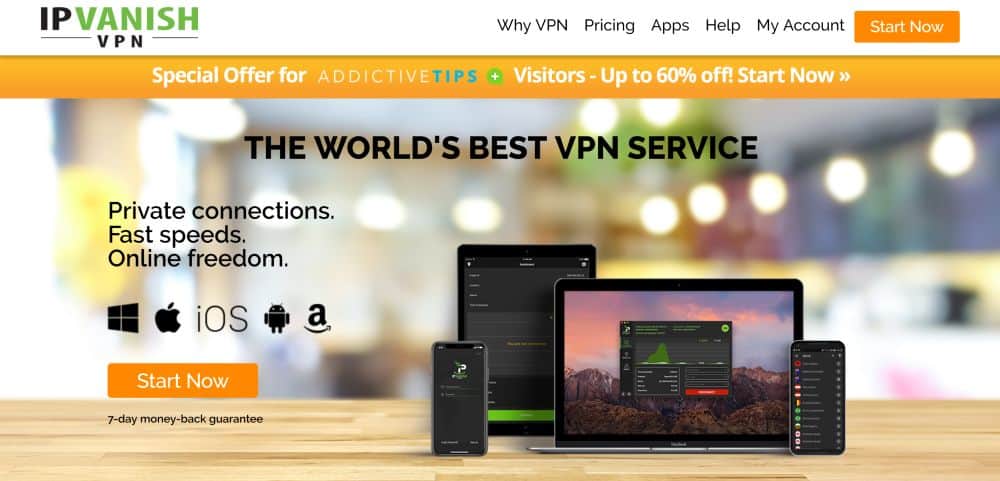
Need to stay hidden online? IPVanish has the tools you need. The company focuses on incredible privacy and security features while delivering lightning-fast speeds around the world. It starts with a network of over 1300 servers in 60 different countries, one of the largest in the VPN marketplace. It’s enough variety that you’ll always find the location and connection quality you need no matter where you live. You’ll also gain access to IPVanish’s 40,000 shared IP addresses for added anonymity.
On the privacy side of things, IPVanish uses strong 256-bit AES encryption on all transfers, backing that up with zero traffic logs, DNS leak protection, and an automatic kill switch. These features are perfect for keeping your location hidden online, and they also provide convenient leverage to break through firewalls and access censored content.
Other excellent features from IPVanish include the ability to download torrents with full privacy and anonymity, keeping you safe from ISP warning messages and copyright infringement notices. It offers smartly designed and lightweight apps for all major operating systems, smartphones, and mobile devices, and boasts fast and secure servers allow for incredible HD video streams through Kodi.
Read our full IPVanish review.
5. VyprVPN
VyprVPN has incredible privacy features that go above and beyond standard VPN efforts. The most unique is their Chameleon technology, a protocol that helps defeat deep packet inspection (DPI) by wrapping metadata in an extra layer of security. This allows you to thwart ISP throttling efforts and break through firewalls in places like China, Turkey, and the Middle East. Your online freedom and privacy is stronger than ever with VyprVPN in place, and you don’t even have to lift a finger to make it happen.
Another fantastic feature of the VyprVPN experience is the fact that the company owns and operates its entire network of servers, over 700 in 70 different countries. This keeps third parties out of the picture entirely, allowing this provider to handle all of the upgrades, maintenance, hardware and software customizations themselves. If you want to make sure your information stays safe no matter what, VyprVPN is definitely the choice for you.
VyprVPN also includes support for a wide variety of operating systems, including desktops, Android, and iOS smartphones; unlimited bandwidth and no restriction on P2P traffic or torrent downloads; plus a strict zero-logging policy that covers both traffic and DNS request logs.
Read our full VyprVPN review.
Stop DNS Hijacking with a Third-Party DNS
Using a VPN automatically gives you access to a new set of DNS servers. You can also manually change which DNS servers your device accesses, switching them from your local service provider to a trusted third party. This can help create a faster and safer online environment for your entire home network, as well as give you the ability to protect users from objectionable content.
There are two basic types of third-party DNS services: paid and free. Paid services deliver a lot of extra features, such as configurable web filters and aggressive phishing and pharming protection. Free services can be hit or miss, often delivering incredibly reliable DNS results but occasionally falling through with bad service. Choose your alternative DNS carefully, as they will end up being in control of your entire internet experience.
It is also worth knowing that DNSSEC validation on the resolver side can help a resolver reject forged DNS records, adding a useful layer of integrity checking — but it is not a cure-all. DNSSEC cannot protect you if the attack is happening at the router level, on your device, or inside the authoritative DNS records themselves. Encrypted DNS protocols such as DNS-over-HTTPS (DoH) and DNS-over-TLS (DoT) are a complementary protection: they prevent eavesdroppers from seeing your queries in transit and make it harder for an attacker on your local network to tamper with DNS responses.
- We’ve selected a few excellent free and paid third-party DNS services you can use to protect against DNS hijacking and phishing scams. If you need help making these changes, check out our full guide on how to change your DNS settings.
- OpenNIC Project – An open and democratic alternative DNS provider that’s completely free to use. Privacy advocates consistently list OpenNIC as their favorite DNS service. You can even contribute to the project by hosting your own node!
- OpenDNS / Cisco Umbrella – A popular alternative DNS provider with both free and paid services. The basic package offers safe and reliable DNS server access that filters out phishing and pharming websites by default. The paid version delivers powerful filtering features that help you protect your children from harmful content. Supports DNS-over-HTTPS.
- Google Public DNS – Google’s free DNS service that’s open for the public to use. They promise extremely fast speeds and accurate look-ups, all with two easy to remember addresses (8.8.8.8 and 8.8.4.4). Supports both DoH and DoT but does not offer built-in malware or phishing blocking.
- Cloudflare 1.1.1.1 – A fast, privacy-focused free DNS resolver that logs no personally identifiable information. The 1.1.1.1 for Families variant adds optional malware and adult content blocking. Supports DoH and DoT.
- Quad9 – A free, security-focused resolver that blocks known malicious domains at the DNS level using threat intelligence feeds. Does not log your IP address. Supports DoH and DoT, and performs DNSSEC validation.
How to Detect DNS Hijacking and What to Do If You Suspect It
DNS hijacking often goes unnoticed because the redirect happens before your browser even loads a page. Knowing the warning signs and having a clear response plan makes the difference between catching an attack early and handing over your credentials to a scammer.
Common signs that DNS hijacking may be occurring:
- You are redirected to unfamiliar pages when typing a known address correctly into your browser.
- Your browser shows a certificate warning or an unexpected login prompt on a site you visit regularly.
- Pages that are normally clean are suddenly plastered with unusual advertising.
- You are asked to log in again on sites that normally keep you signed in.
- Your router settings or device network configuration shows DNS server addresses you did not set.
Step-by-step response if you suspect DNS hijacking:
- Check your device DNS settings. On Windows, open a command prompt and run ipconfig /all to see which DNS servers your network adapter is using. On a Mac, check System Settings > Network > your connection > DNS. Compare those addresses against what you expect — typically your router’s IP address or a known resolver.
- Log into your router and inspect the DNS settings. Check both the WAN DNS settings (what your router uses to resolve its own queries) and the LAN/DHCP settings (what your router hands out to connected devices). If either shows an address you do not recognize, your router has likely been compromised.
- Compare results using nslookup or dig. Open a command prompt or terminal and run nslookup example.com 8.8.8.8 (substituting the site in question and a known-good resolver such as Google’s 8.8.8.8 or Cloudflare’s 1.1.1.1). Compare the IP address returned against what your normal DNS is returning. A mismatch is a strong indicator of hijacking or cache poisoning.
- Test the same site on a different network. Switch your phone to cellular data and load the page. If it loads correctly on cellular but redirects on your home Wi-Fi, the problem is on your local network — most likely your router’s DNS settings.
- Run a malware scan. Use a reputable anti-malware tool to check your device for any software that may have altered your DNS settings. Malware that changes DNS configuration often runs silently and may not trigger obvious symptoms.
- Flush your DNS cache. On Windows, open a command prompt and run ipconfig /flushdns. On a Mac, run sudo dscacheutil -flushcache; sudo killall -HUP mDNSResponder in Terminal. This clears any poisoned records that may have been cached locally.
- Change your router admin password and update its firmware. If your router DNS settings were altered, assume the admin password was compromised. Log in, change the password immediately to something strong and unique, and check the manufacturer’s site for any pending firmware updates that patch known vulnerabilities.
- Reset DNS to a trusted resolver. Once you have identified and addressed the source of the attack, manually set your DNS to a reputable resolver such as Cloudflare 1.1.1.1, Quad9, or Google Public DNS on both your device and your router. Consider enabling DoH or DoT if your device or router firmware supports it.
Use Antivirus Software to Protect against DNS Hijacking
A common method of DNS hijacking delivery is to place a hidden piece of malware on the target’s computer and use that to alter the default DNS server information. This type of malware often goes undetected, as virus authors design them to be subtle, yet they can cause massive data leaks if not discovered and eradicated.
RELATED READING: How to recognize malware links
The best defense against this type of malware is to avoid suspicious websites. That’s not 100% effective, of course, so make sure you use a good anti-virus program no matter which operating system you run. Most device manufacturers include basic malware protection software out of the box. Windows Defender is a good example of this. If you need some suggestions, check out our recommended anti-virus programs for iOS. Keep these programs actively monitoring at all times, and don’t forget to occasionally run a scan just in case something slipped by.
Conclusion
Hopefully, we’ve been able to demystify DNS hijacking for you with this article, giving you the knowledge you need to take back control of your cybersecurity. Towards that end, we’ve provided you with rundowns for the top VPNs on the market, each proven to bolster your privacy online.
What do you think of our recommendations? Do you have any other tips for our readers? Leave a comment below!
If you need a VPN for a short while when traveling for example, you can get our top ranked VPN free of charge. NordVPN includes a 30-day money-back guarantee. You will need to pay for the subscription, that’s a fact, but it allows full access for 30 days and then you cancel for a full refund. Their no-questions-asked cancellation policy lives up to its name.

