How to Unblock Messenger Calling in the UAE and Dubai
Anyone in the United Arab Emirates trying to make a call through Facebook’s Messenger app will find that the service is completely blocked–leaving you stuck with inferior government-sponsored alternatives. However, with a VPN you can unblock Messenger calling in the UAE quickly and securely–even in Dubai. We have the rundown on why this block exists, how a VPN can get around it, and which VPNs are best to unblock Messenger calling in the UAE.
Top VPNs to Unblock Messenger Calling





The best VPNs to unblock Messenger calling in the UAE and Dubai:
- NordVPN – Obfuscated servers handle UAE deep packet inspection reliably — a strong starting point for most users. Get up to 74% off at checkout. Prices and discounts subject to change.
- Surfshark – Obfuscation runs on every server by default, removing the guesswork when you need a call to connect quickly on a UAE connection. Plans from under $2.50 USD/month. Prices subject to change.
- ExpressVPN – Lightway protocol consistently bypasses UAE DPI and delivers low latency for video calls. Save up to 49% on an annual plan. Prices subject to change.
- CyberGhost – Solid mid-range option with a large server network and audited no-logs policy; obfuscation requires manual protocol selection on UAE networks. Up to 84% off with longer-term plans. Prices subject to change.
- PureVPN – Stealth protocol support and servers in the UAE itself make it a practical choice for residents. Plans from under $2 USD/month on multi-year billing. Prices subject to change.
Is Messenger Banned in the UAE and Dubai?
Yes — Messenger voice and video calls are blocked in the UAE, including Dubai. The block is enforced by local telecom operators Etisalat and du, not by Facebook itself. To unblock Messenger calling in the UAE, you need a VPN connected to a server outside the country before you open the app.
Status as of June 2025: Messenger calls remain blocked across the UAE. This is not a temporary outage — the restriction has been in place for years and shows no sign of changing.
It helps to understand exactly what is and is not affected. The block does not apply equally to every Messenger feature:
- Messenger text chat — In most cases, Messenger text chat works on UAE connections without a VPN, though some users on du networks have reported intermittent issues.
- Messenger voice and video calls — These are fully blocked at the network level. Any attempt to place a call will fail or time out without explanation.
The fix is straightforward. Connecting to a VPN server in a country where Messenger is unrestricted — such as the US or UK — routes your traffic outside the UAE’s network before it reaches Facebook’s servers. The telecom block never sees the call. Most users are up and running in under two minutes.
Below, you’ll find a quick step-by-step setup guide and a plain-language answer on whether using a VPN in the UAE is legal. You’ll also find a shortlist of VPNs that reliably work in Dubai, including which ones support the obfuscation protocols UAE networks require.
Why Is Messenger Blocked in the UAE?
Your app is not broken. If Messenger calls are failing in the UAE, you’re running into a deliberate network-level block — and you’re not alone in this. It’s one of the most common frustrations for residents and visitors in the country, and it has nothing to do with your phone, your Wi-Fi, or your Messenger account.
The block exists because two government-backed telecom operators — Etisalat (now rebranded as e&) and du — hold a licensed monopoly on voice calling services in the UAE. Free VoIP apps like Messenger directly compete with the paid calling products these operators sell. Rather than allow that competition, the Telecom Regulatory Authority permits operators to restrict unapproved VoIP services at the network level. Messenger calling falls into that restricted category.
This is not a Facebook-side decision. David Marcus, Facebook’s former President of Messaging Products, made that clear when he publicly stated that Facebook would offer the full Messenger calling service in the UAE if local operators allowed it. The block is enforced by the carriers, not by the app itself.
Messenger is also not the only casualty. The same restriction applies to several other popular communication apps, which should reassure you that nothing unusual is happening on your device specifically.
- WhatsApp calling — Voice and video calls through WhatsApp are blocked by the same operators under the same VoIP restrictions, even though the messaging function works.
- Skype — Standard Skype calls are restricted, though Skype for Business has historically operated under different rules for licensed corporate users.
- FaceTime — Apple’s built-in calling feature is also blocked on UAE connections, regardless of device or carrier.
When you try to make a Messenger call without a VPN in the UAE, the experience typically looks like one of three things: the call spins and never connects, the other person’s phone never rings, or the call feature appears grayed out or completely unresponsive. All three are symptoms of the same network block — not a bug you can fix by reinstalling the app or restarting your phone.
“We would offer the service in the UAE if operators permitted it.”
— David Marcus, former President of Messaging Products, Facebook
Understanding that this is a country-level restriction — not a technical fault — is the first step. The next question most people have is whether doing anything about it is actually legal. Similar VPN-based workarounds are used by residents and visitors in other countries facing comparable restrictions, including those looking to unblock restricted services in Pakistan or bypass ChatGPT restrictions in Italy.
Is It Legal to Use a VPN to Unblock Messenger Calling in the UAE?
This is the question that stops most people from acting: they know a VPN will work, but they want to know whether using one will get them in trouble. Here’s the short answer — using a VPN in the UAE for ordinary personal communication, including Messenger calls, is not illegal. This applies to your conduct while physically in the UAE — US law does not restrict VPN use.
The law that causes confusion is a 2016 amendment to the UAE’s federal cybercrime legislation. It prohibits using a false IP address “for the purpose of committing a crime or preventing its discovery.” That clause sounds broad, but it has a specific meaning: it targets people who use VPNs to hide criminal activity — fraud, harassment, accessing prohibited content. It does not target someone making a video call to their family back home.
The distinction matters. The law is written around intent and purpose. Using a VPN to unblock Messenger calling in the UAE falls into the same category as the millions of residents, expats, and business travelers who use VPNs every day in the country without any legal consequence.
VPN use is legal in the United States and most Western countries without restriction. No publicly reported prosecutions of individuals for personal VPN use for communication purposes have been identified as of June 2025.
That said, this is not formal legal advice. Laws can be interpreted differently in different contexts, and workplace or employer policies may impose their own restrictions on VPN use. Always check whether your company or organization has rules about this before connecting on a work device or network.
What the Law Does and Does Not Cover
- Covered by the law: Using a VPN to conceal criminal activity, access content that is illegal under UAE law, or evade law enforcement detection during the commission of an offense.
- Not covered by the law: Using a VPN to make a personal Messenger call, protect your privacy on public Wi-Fi, or access geo-restricted content for ordinary personal use.
- Gray areas to be aware of: Corporate network policies, government-issued devices, and certain workplace environments may have additional restrictions that sit outside the scope of federal law.
Legal uncertainty is one of the main reasons travelers and residents hesitate to act when they discover Messenger is blocked. Once that uncertainty is cleared up, the path forward is straightforward. Use a reputable VPN, connect to a server outside the UAE, and make your call. The sections below explain how to choose a VPN, connect to it correctly, and make your first Messenger call from the UAE.
How to Unblock Messenger Calling in the UAE: Quick Steps That Work
To fix Messenger calling on UAE networks, you need a VPN — there is no workaround that does not involve routing your traffic through a server outside the country. The process takes under two minutes and works on any device. Follow these four steps in order.
- Choose a VPN with obfuscation support. Not every VPN works reliably in the UAE. Pick one that specifically supports stealth or obfuscated protocols, which disguise VPN traffic so it passes through UAE network inspection without being blocked.
- Install the VPN app. Download the provider’s official app from the App Store or Google Play Store. Avoid manual configuration through your phone’s built-in VPN settings unless your provider has given you specific configuration files and setup instructions — the built-in client uses outdated protocols that are both less secure and more likely to fail in the UAE.
- Connect to a server outside the UAE before opening Messenger. This step matters more than most guides acknowledge. If you open Messenger first, it may cache a failed connection that persists even after the VPN connects. Choose a US or UK server — both are consistently reliable for Messenger calling. If one server feels slow or the call drops, switch to another in the same country rather than changing regions entirely.
- Open Messenger and place your call. With the VPN active and connected, Messenger calls work as normal. Keep the VPN running for the duration of the call.
Always connect your VPN before launching Messenger. Opening the app first — even briefly — can cause connection errors that persist after the VPN is active.
This process is the same whether you’re trying to unblock Messenger calling in the UAE on an iPhone, Android phone, or laptop. The platform does not change the steps — only the app store you download from differs. US and UK servers work well for most users because both countries have fast, well-maintained VPN infrastructure and no restrictions on Messenger.
If a server is congested during peak hours, switching to a different server in the same location usually resolves the issue without needing to change your region.
Does Messenger Work in Dubai on Mobile, Hotel Wi-Fi, and Office Networks?
The short answer is no — and the device you’re using doesn’t change that. Whether you’re on an iPhone or Android, if your connection runs through a UAE telecom operator like Etisalat or du, Messenger calls will fail. The block happens at the network level, not inside the app itself. Messenger isn’t broken; the network is simply refusing to carry VoIP traffic.
A VPN reliably restores calling on mobile data and home Wi-Fi by routing your traffic through a server outside the UAE. Managed networks — hotel Wi-Fi, airport lounges, and corporate connections — present additional challenges. These connections often layer their own restrictions on top of the standard UAE block, and some actively detect and drop common VPN traffic before it can do anything useful.
If you’re trying to unblock Messenger calling in the UAE on one of these managed networks, look for a VPN that offers obfuscation or a stealth mode. These features disguise VPN traffic so it looks like ordinary HTTPS browsing, making it much harder for the network to identify and block it.
If Messenger still won’t connect after you’ve turned on your VPN, work through these fixes in order:
- Switch to a different server location — the server you’re connected to may be overloaded or flagged. Try a US or UK server instead.
- Change your VPN protocol — switch to WireGuard, OpenVPN TCP, or your VPN’s stealth/obfuscation protocol if the default isn’t working.
- Reconnect before opening Messenger — connect to the VPN first, then launch the app. Opening Messenger before the VPN is active can lock it onto the blocked connection.
- Test a different network — if hotel Wi-Fi is the problem, switching to mobile data (or vice versa) often resolves it immediately.
If Messenger calls aren’t working in the UAE, the cause is the network-level block — not a fault with the app or your account.
Best VPNs to Unblock Messenger Calling in the UAE and Dubai
If you’re trying to unblock Messenger calling in the UAE, the VPN you choose matters more here than almost anywhere else. UAE telecom operators use deep packet inspection to detect and block VPN traffic — so a standard VPN that works fine in other countries may fail completely on Etisalat or du. We selected these five services because they consistently hold up on restrictive UAE networks, support obfuscation or stealth protocols, and deliver the speeds that voice and video calls require.
1. NordVPN
UAE verdict: NordVPN’s obfuscated servers are designed to handle restrictive network environments, and its speeds hold up well for HD video calls. Note that obfuscated servers require selecting the OpenVPN protocol in the app first — they do not activate automatically under all configurations. One limitation: you can’t specify city or province when connecting through obfuscated servers.
Works for Messenger in Dubai. Get up to 74% off NordVPN — discount applied at checkout. Prices and discounts subject to change; verify current pricing at checkout.
Read our full NordVPN review.
2. Surfshark
UAE verdict: Every Surfshark server runs obfuscation by default, which removes the guesswork of finding a stealth-capable server — a practical advantage when you need to unblock Messenger calling in the UAE quickly. Unlimited simultaneous connections make it a strong choice for households. One limitation: it’s a newer brand than some competitors, with a shorter track record on the market.
Works for Messenger in Dubai. Plans start from under $2.50 USD/month with current deals. Prices and discounts subject to change; verify current pricing at checkout.
3. ExpressVPN
UAE verdict: ExpressVPN’s Lightway protocol consistently bypasses UAE deep packet inspection, and its server network includes locations that deliver low latency for calls. Worth the premium price if reliability is the priority. One limitation: it’s the most expensive option on this list, and the month-to-month plan carries a significant premium over annual billing.
Works for Messenger in Dubai. Save up to 49% on an annual plan. Prices and discounts subject to change; verify current pricing at checkout.
Read our full ExpressVPN review.
4. CyberGhost
UAE verdict: A solid mid-range pick — large server network, audited no-logs policy, and reliable performance on standard UAE connections. One limitation: obfuscation is not automatic. UAE users need to manually select a NoSpy or streaming-optimized server and switch to an appropriate protocol; it’s less hands-off than NordVPN or Surfshark.
Works for Messenger in Dubai. Up to 84% off with longer-term plans. Prices and discounts subject to change; verify current pricing at checkout.
Read our full CyberGhost review.
5. PureVPN
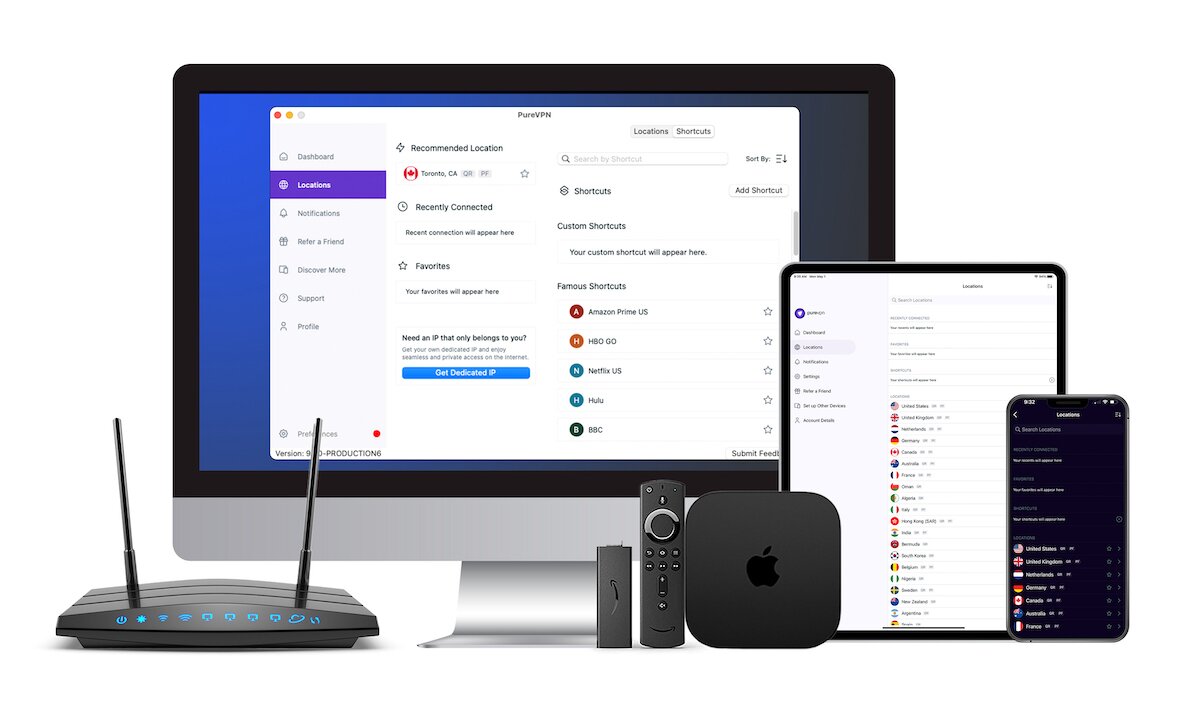
UAE verdict: PureVPN has servers in the UAE itself and stealth protocol support, making it a practical choice for residents who want local server options alongside the ability to route calls through unrestricted regions. One limitation: speeds are not as fast as NordVPN or ExpressVPN, and pricing can become complex depending on which add-ons you select.
Works for Messenger in Dubai. Plans available from under $2 USD/month on multi-year billing. Prices and discounts subject to change; verify current pricing at checkout.
UAE VPN Comparison Table
| VPN | Works in UAE | Obfuscation / Stealth | Speed for Calls | Logging Policy | Best For |
| NordVPN | Yes | Yes — requires OpenVPN protocol selection | Excellent | Audited no-logs | Overall reliability in UAE |
| Surfshark | Yes | Yes — on every server by default | Very good | Audited no-logs | Easiest obfuscation setup |
| ExpressVPN | Yes | Yes — via Lightway protocol | Excellent | Audited no-logs | Low-latency video calls |
| CyberGhost | Yes | Partial — manual selection needed | Good | Audited no-logs | Budget-conscious users |
| PureVPN | Yes | Yes — stealth protocol available | Good | Audited no-logs | UAE-based server access |
One column worth paying attention to is obfuscation. All five providers have audited no-logs policies — none of them log your activity — but not all handle UAE deep packet inspection the same way. Surfshark is the most hands-off: obfuscation runs on every server without any configuration required. NordVPN’s obfuscated servers are equally capable but require selecting the OpenVPN protocol first.
ExpressVPN’s Lightway protocol achieves a similar result. CyberGhost and PureVPN work well but may require you to select a specific server type or protocol manually. Knowing these differences helps you choose the right tool to unblock Messenger calling in the UAE without unnecessary trial and error.
- Obfuscation is non-negotiable for UAE use — UAE ISPs use deep packet inspection that can identify and block standard VPN traffic. A VPN without stealth capability may connect but still fail to carry Messenger calls.
- Speed matters more in the UAE than most markets — routing a Messenger video call from Dubai through a US or UK server adds distance. Choose a provider with fast enough throughput that the added latency stays below the threshold where call quality degrades.
- No-logs means no-logs — every provider in this list has undergone independent audits confirming they do not store activity logs. This is relevant if you have concerns about privacy on a UAE connection.
What Makes a Good VPN for Unblocking Messenger Calling in the UAE?
Before choosing a VPN to unblock Messenger calling in the UAE, it’s worth knowing which features genuinely matter for this specific situation. UAE telecom operators use deep packet inspection to identify and block standard VPN traffic, so a VPN that performs fine in most countries can fail completely here.
- Obfuscation or stealth protocol support — the most important factor. UAE networks actively scan for VPN signatures. Obfuscation disguises your VPN traffic as ordinary HTTPS traffic, making it far harder to detect and block. Without it, your connection may be cut before a Messenger call even connects. This is the one feature that separates VPNs that work in the UAE from those that don’t.
- Fast speeds and low latency. Messenger voice and video calls are sensitive to lag. Because UAE-based users typically connect to servers in Europe or North America, the physical distance already adds latency — a slow VPN compounds that problem significantly. Look for a provider with a track record of strong speeds on long-distance connections. Our guide to the best VPNs for the UAE covers speed performance in more detail.
- A verified no-logs policy. A trustworthy VPN keeps no record of your activity. Look for providers whose no-logs claims have been confirmed through independent audits — not just stated in a privacy policy. Combined with strong encryption (AES-256 is standard) and a kill switch that cuts your internet if the VPN drops, this gives you a solid privacy baseline.
- A wide server network and protocol flexibility. If one server location or protocol stops working, you need alternatives quickly. VPNs that offer multiple protocol options — including WireGuard, OpenVPN, and their own obfuscated variants — let you switch without switching providers.
What About Free VPNs?
Free VPNs are a poor choice for getting Messenger working in the UAE. Most lack obfuscation entirely, which means UAE deep packet inspection will likely detect and block the connection. Speed caps and server congestion make video calls unreliable even when a connection does establish.
Some free providers also log and sell user data — the opposite of what you need when using a VPN in a restrictive network environment. According to the FTC’s guidance on VPNs, consumers should carefully evaluate what data a VPN provider collects before trusting it with their traffic. If reliable performance and privacy are priorities, a paid provider with audited no-logs policies and obfuscation support is the more dependable option to unblock Messenger calling in the UAE.
Frequently Asked Questions About How to Unblock Messenger Calling in the UAE
Is Messenger banned in Dubai?
Yes — Facebook Messenger voice and video calls are banned in Dubai and across the UAE. Licensed telecom operators Etisalat and du block the calling features under a ruling by the UAE’s Telecom Regulatory Authority. Text messaging through Messenger may function differently depending on your connection, but calls will not go through. To restore full Messenger functionality and unblock Messenger calling in the UAE, you need a VPN connected to a server outside the country.
Does Facebook Messenger work in Dubai?
If you need a VPN for a short while when traveling for example, you can get our top ranked VPN free of charge. NordVPN includes a 30-day money-back guarantee. You will need to pay for the subscription, that’s a fact, but it allows full access for 30 days and then you cancel for a full refund. Their no-questions-asked cancellation policy lives up to its name.

